Learn every part of Versus. Free.
Short, guided video tours of every feature — recorded in the real product, not slides. Watch a lesson, then dive into the written docs. No signup, no cost, self-paced.
Network Automation Foundations
The core of the platform — how you design processes, deliver applications, and keep certificates from ever expiring.
Start Here — The Versus Console
The first five minutes, before any feature deep-dive: the workspace switcher (TLS Cert LCM, Application Delivery Controller, Firewall Policy, Secret Vault, Versus Desk, IPAM/DDI, Client End-point Security, and Versus Platform on its own row), the sidebar that reshapes per workspace with the same Network / Vulnerabilities / Diagnostics / Workflows / AI / Reports block always at the bottom, the Filter menu that searches every workspace at once, favorites, ⌘K global search over live devices and virtual servers, the read-only Versus AI panel answering an estate question from live data, Screen Help, and where Versus Desk, Reports, Settings and the Audit Log live.
Read the docs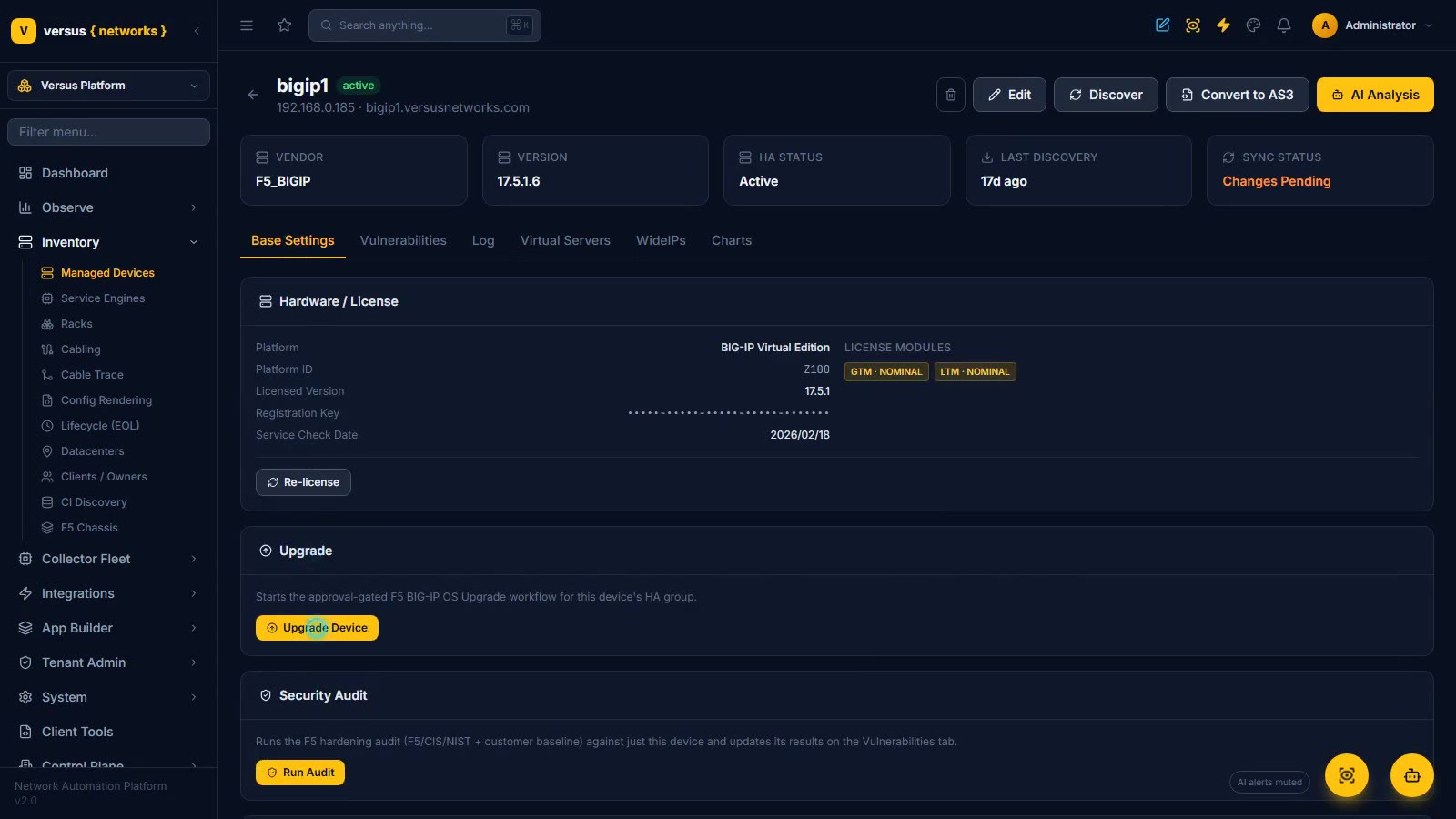
Inventory & System — Devices, Lifecycle, Firmware, Access
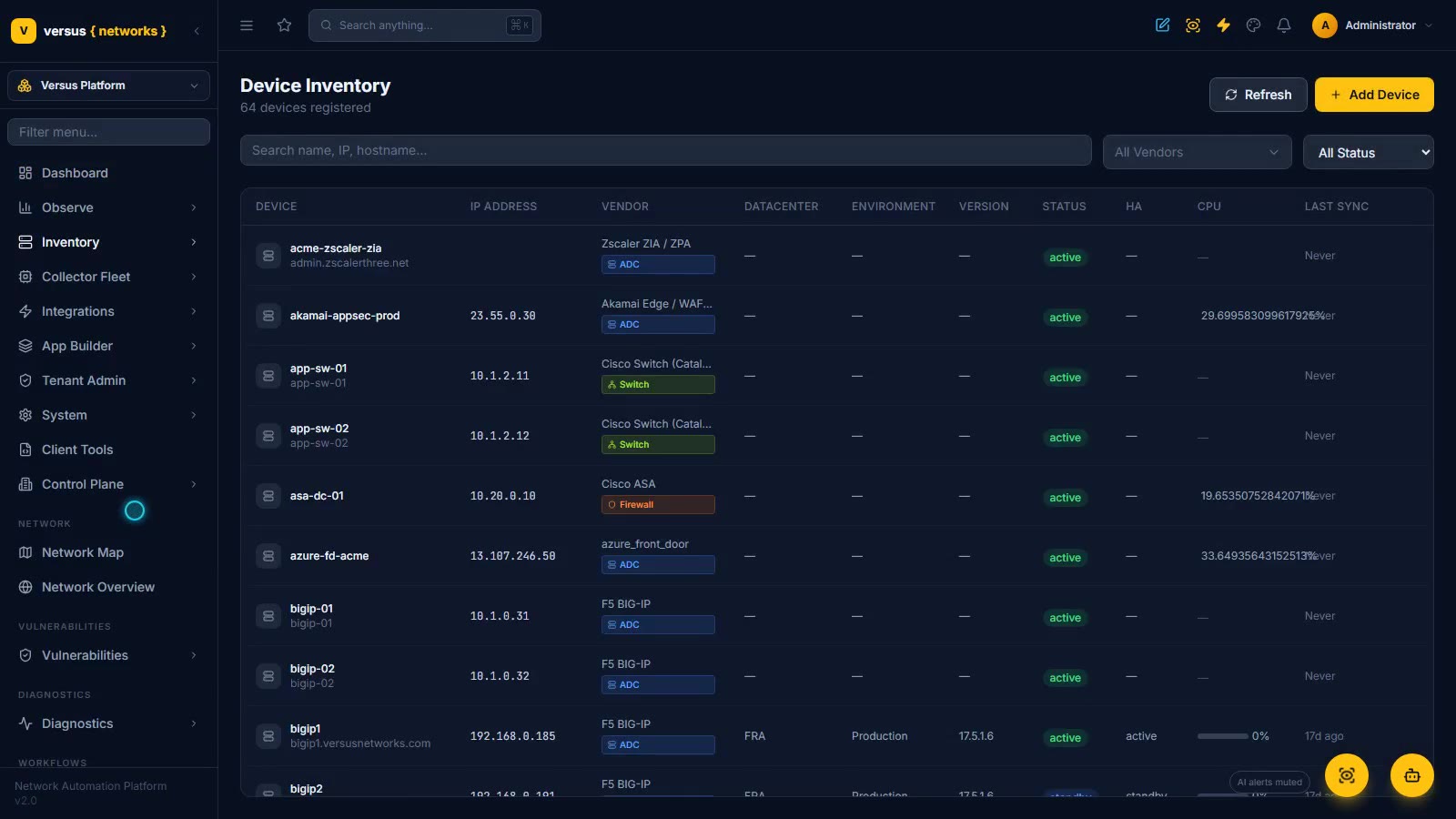
The Versus Platform workspace, read-only: Device Inventory (70 devices across 26 device types — address, role, datacenter, version, status, HA, CPU, last sync), the bigip1 device page (104 discovered virtual servers, hardware and license, the approval-gated Upgrade Device and Run Audit actions, self IPs, live ARP and routing tables, import history and UCS backups), Service Engines for what lives inside a platform rather than on its own address (vCMP guests, F5OS tenants, Docker containers, Kubernetes nodes and workloads), Lifecycle Tracking (153 EoL/EoS records from 15 vendor feeds, filtered to the 74 that touch the estate — Check Point Gaia R80.10 and Cisco IOS XE 17.16 already end of life), NetBox-imported rack elevations, then System: Settings, Licensing, the Firmware Library (images uploaded or registered from a collector so multi-GB files never transit Versus), the Audit Log, Users and Roles.
Read the docs
Process Orchestration (BPMN)
Design real BPMN 2.0 processes — gateways, FEEL conditions, human tasks, decisions, and live monitoring — native to your network.
Read the docs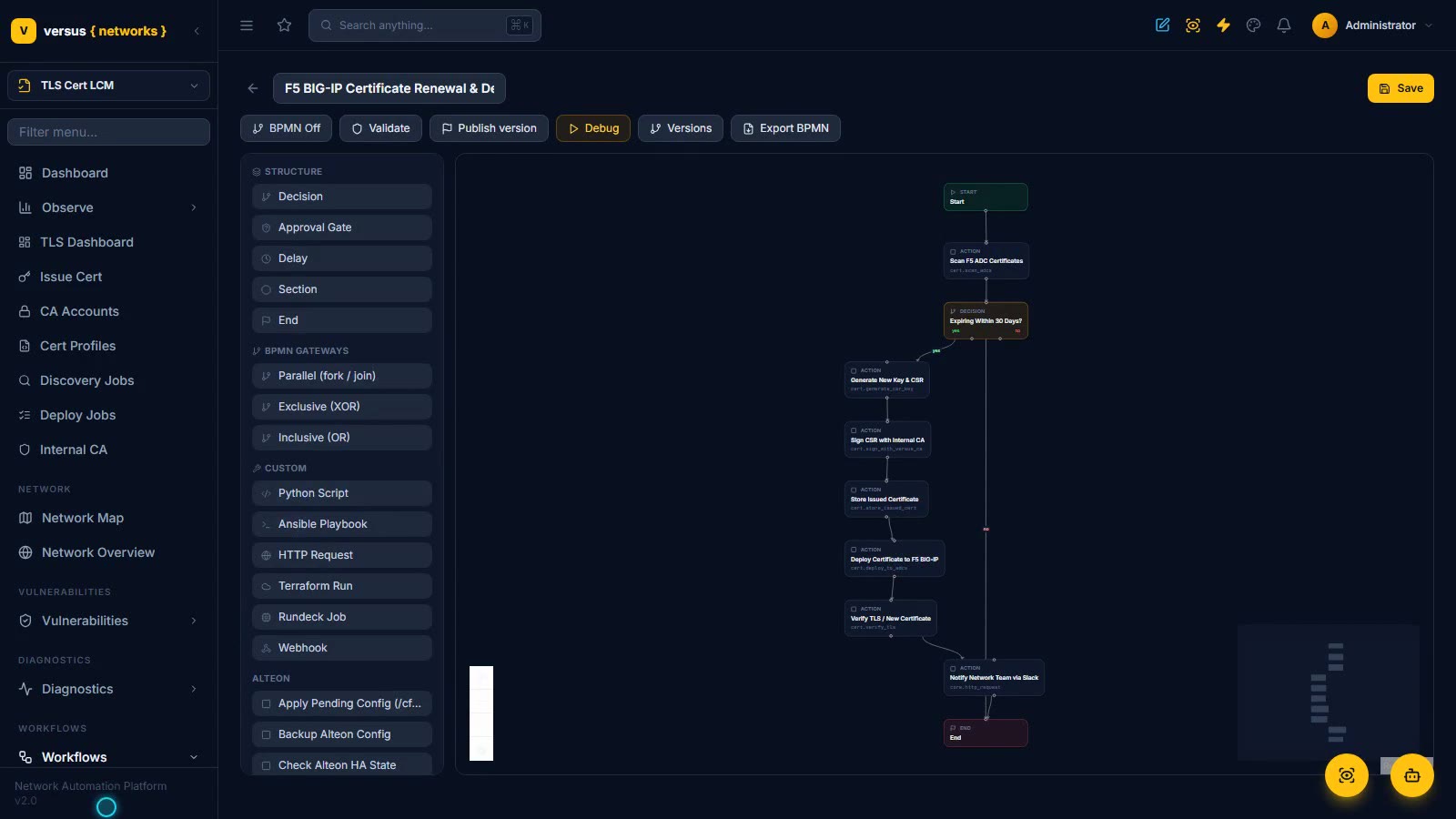
Building Workflows
Draft on a canvas, generate a whole workflow from plain English with AI, edit step code against the Versus SDK in a full IDE, debug with breakpoints, and run it — with real-time logs, tracebacks, and one-click AI fixes.
Read the docs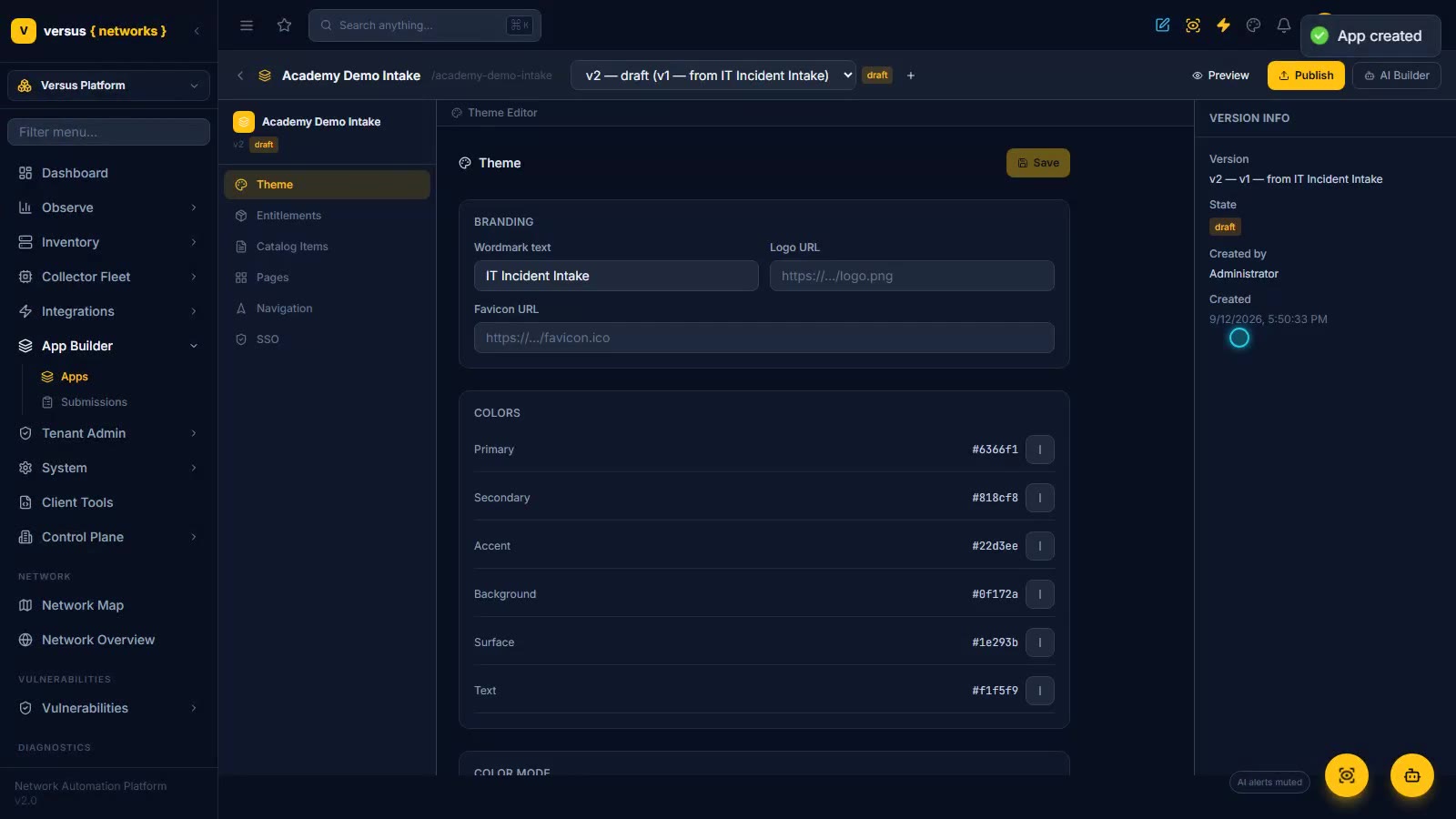
App Builder — Self-Service Portals Without Code
Build a governed self-service portal without code: start from one of seven Versus Desk templates (IT Incident Intake, Change Request, Access Request, Secret Vault Self-Service, Vulnerability Remediation, Privileged Session Access, TLS Certificate Lifecycle), shape its catalog form — fields, workflow binding with input mapping and an approval gate — plus navigation, entitlements and theme, publish it to its own /apps URL with version history and rollback, then see the end-user Network Access Portal and how a Firewall Access Request submission becomes a real, path-computed Access Request in the Firewall workspace.
Read the docs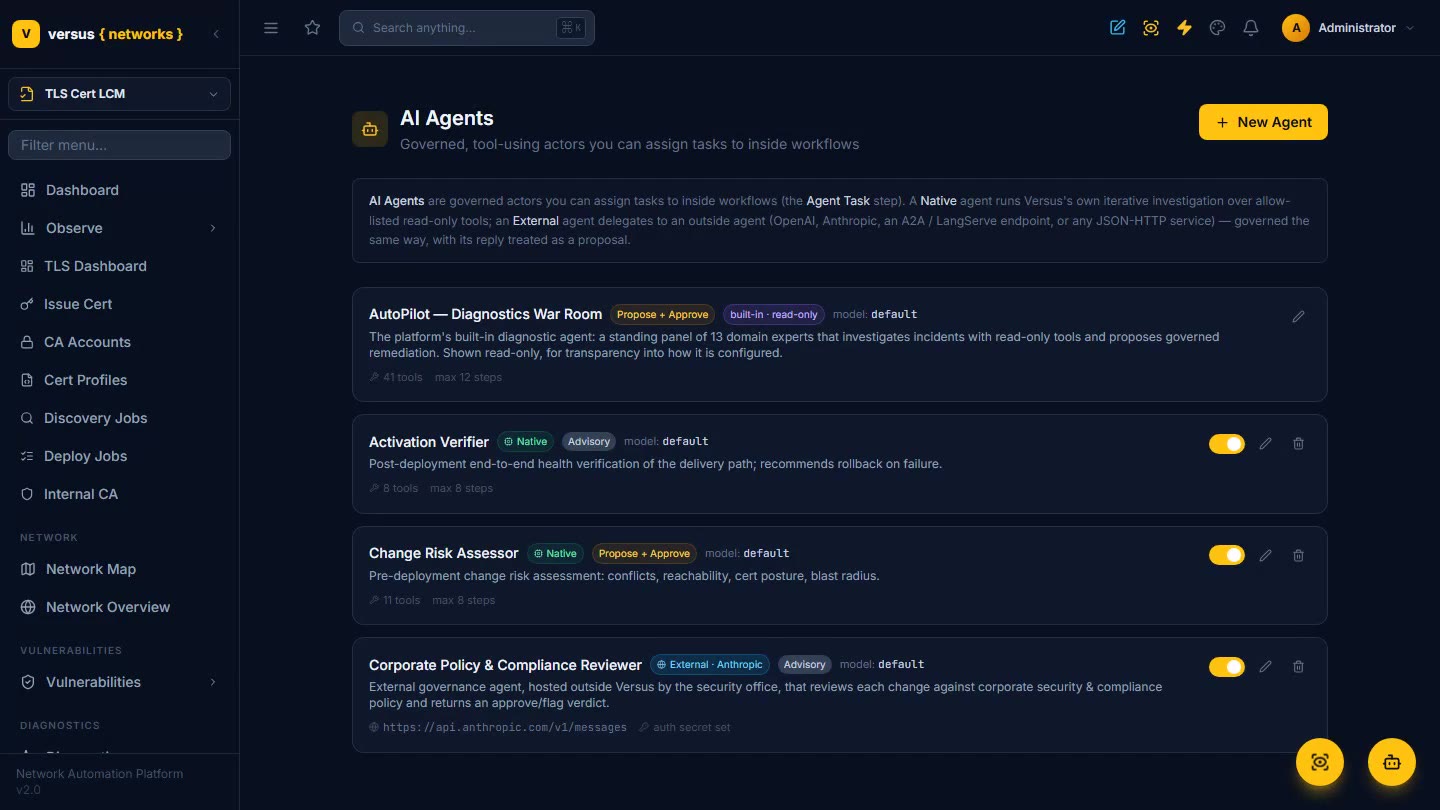
AI Agents as Workflow Actors
Register governed, tool-using AI agents and assign them tasks inside a BPMN process. In a Governed Service Activation flow, a Change Risk Assessor agent probes the estate and scores the change, a human board approves, automation issues the cert and deploys, and a Go-Live Verifier agent confirms health — agents propose and verify, people authorize, automation executes.
Read the docs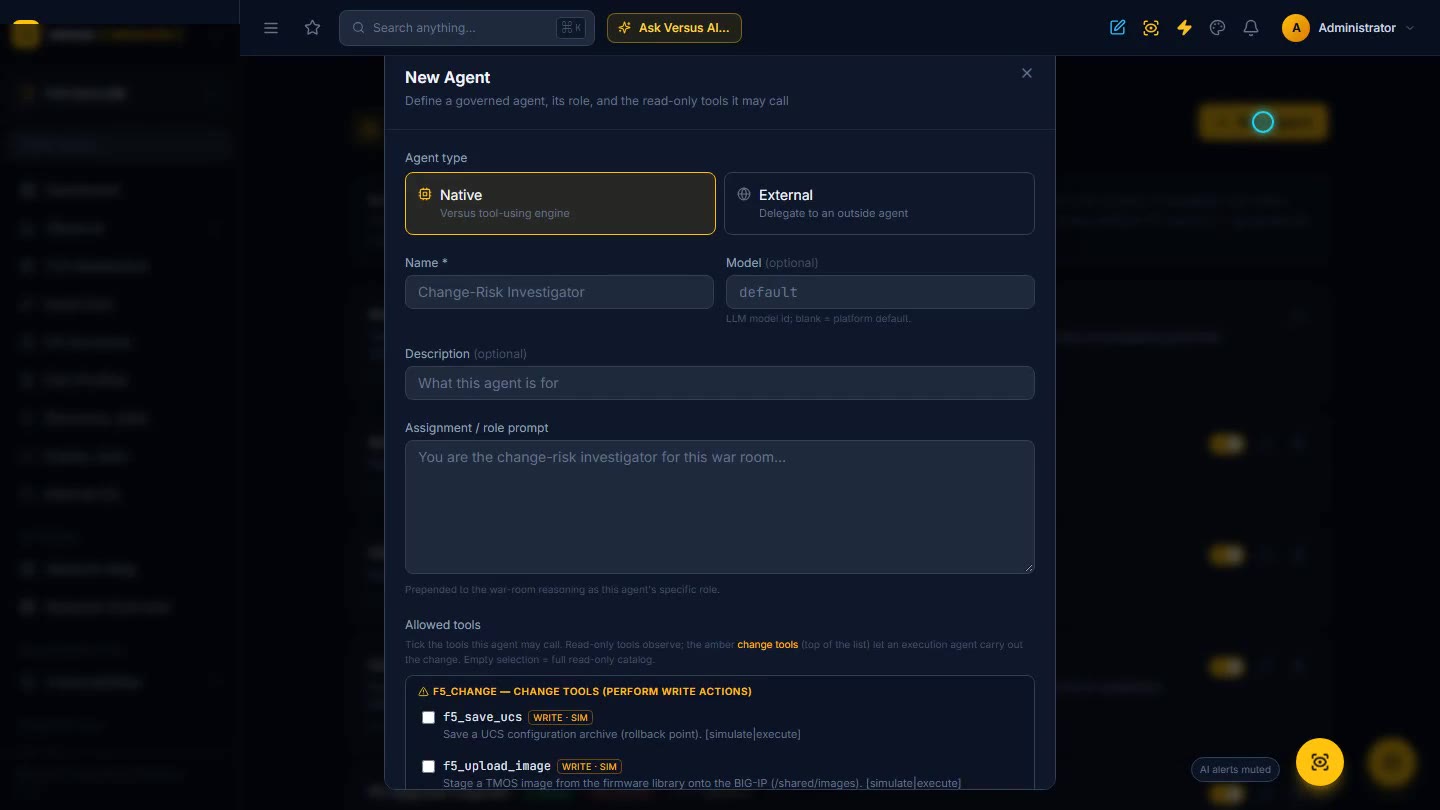
Dynamic Agent Workflows
A workflow that is just an agent and a goal — no drawn graph. It writes its own steps on the fly, pauses to ask you questions inline, and researches the Versus Knowledge Base and vendor documentation when it hits a hurdle. Watch an admin grant an F5 upgrade engineer its change tools, run it in Execute mode on the live lab pair — real UCS backups, image staging and install-to-volume, pausing for a go-ahead before the reboot — then see it hit a Changes Pending sync state, read F5’s own guide and resolve it, before promoting the hardened run to a governed, executable workflow.
Read the docs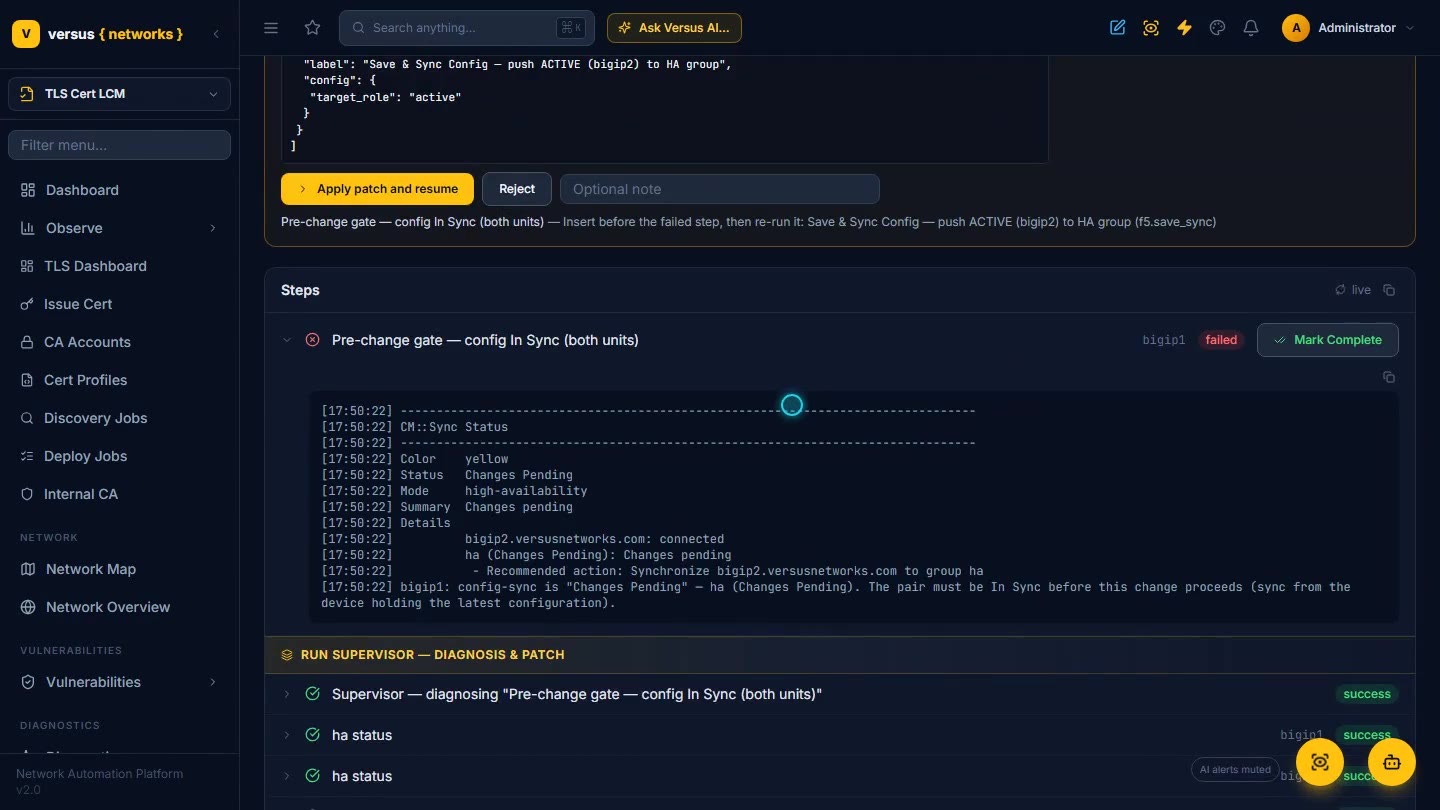
Run Supervisor — No More Deer in Headlights
Assign an AI agent to a workflow run when you start it — per run, never on the definition. If a step fails mid-change, the supervisor diagnoses the hurdle on the real devices, researches the vendor documentation, and proposes the smallest patch that lets the change complete — a missing prerequisite step inserted, a corrected parameter — then the run resumes from where it stopped. Watch a change-window run on the lab pair fail its In-Sync gate, the supervisor read F5’s own guidance, propose a sync from the active unit, and the change finish inside its window on one click.
Read the docs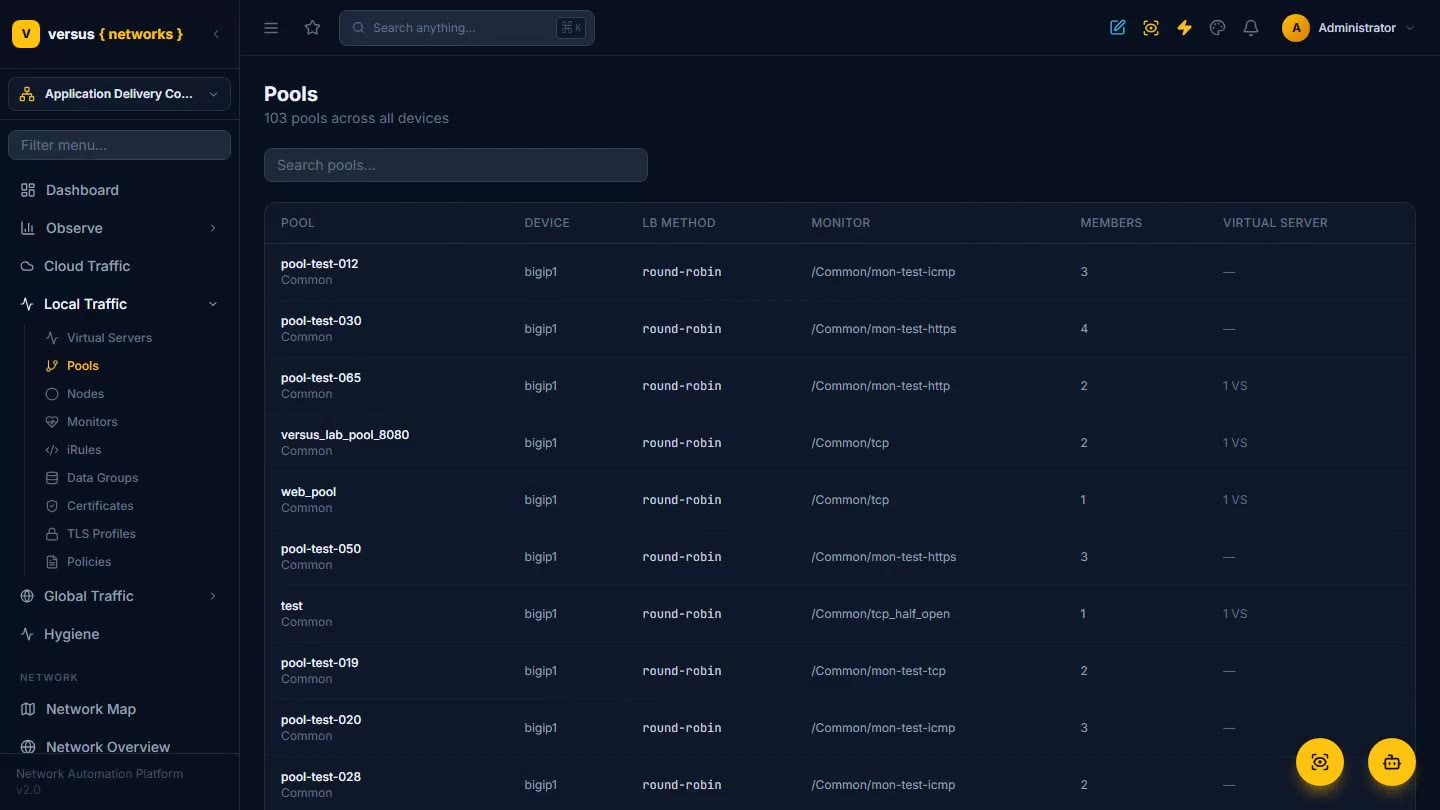
Application Delivery (ADC)
One console for every load balancer — F5, NetScaler, AVI, Alteon, and cloud WAF/CDN. Virtual servers, pools, nodes, and monitors, unified.
Read the docs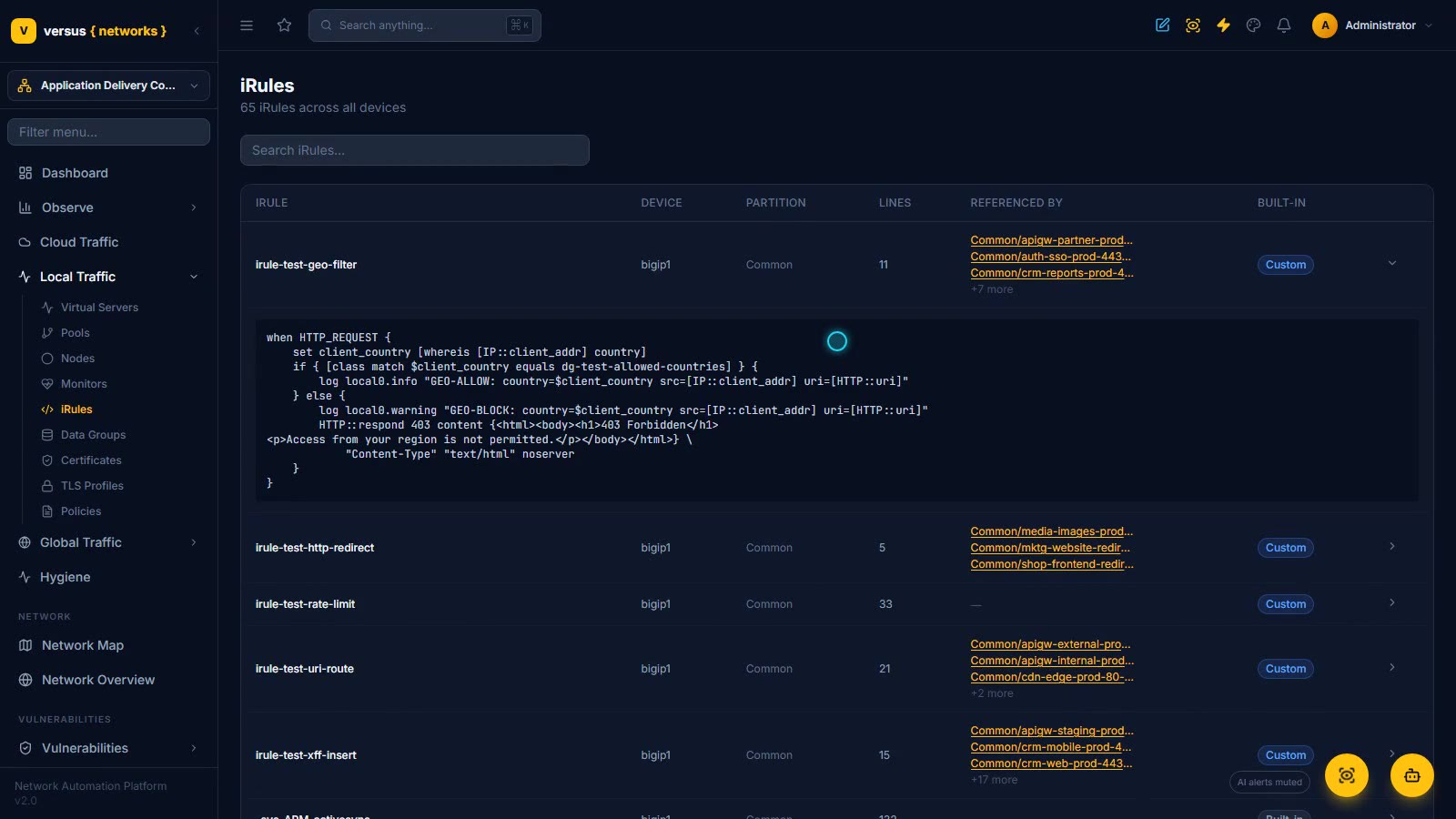
ADC Objects — iRules, Data Groups, Policies, TLS Profiles & GTM
Everything the ADC references, inventoried from the real BIG-IPs and cross-linked: 65 iRules with the virtual servers that reference each one (irule-test-geo-filter on ten, irule-test-rate-limit on none) and the full Tcl inline, data groups with their records and the back-link to the iRule that reads them, 73 client-ssl/server-ssl TLS profiles with the cert and key each binds and the 78 virtual servers behind clientssl, 22 certificates by expiry (an 825-day-expired cert still bound to a live profile) and the profiles they feed, then Global Traffic: the wide IP → pool → virtual-server linkage, the GTM server and datacenter, and the six GTM monitors — the basis for hygiene checks and change impact.
Read the docs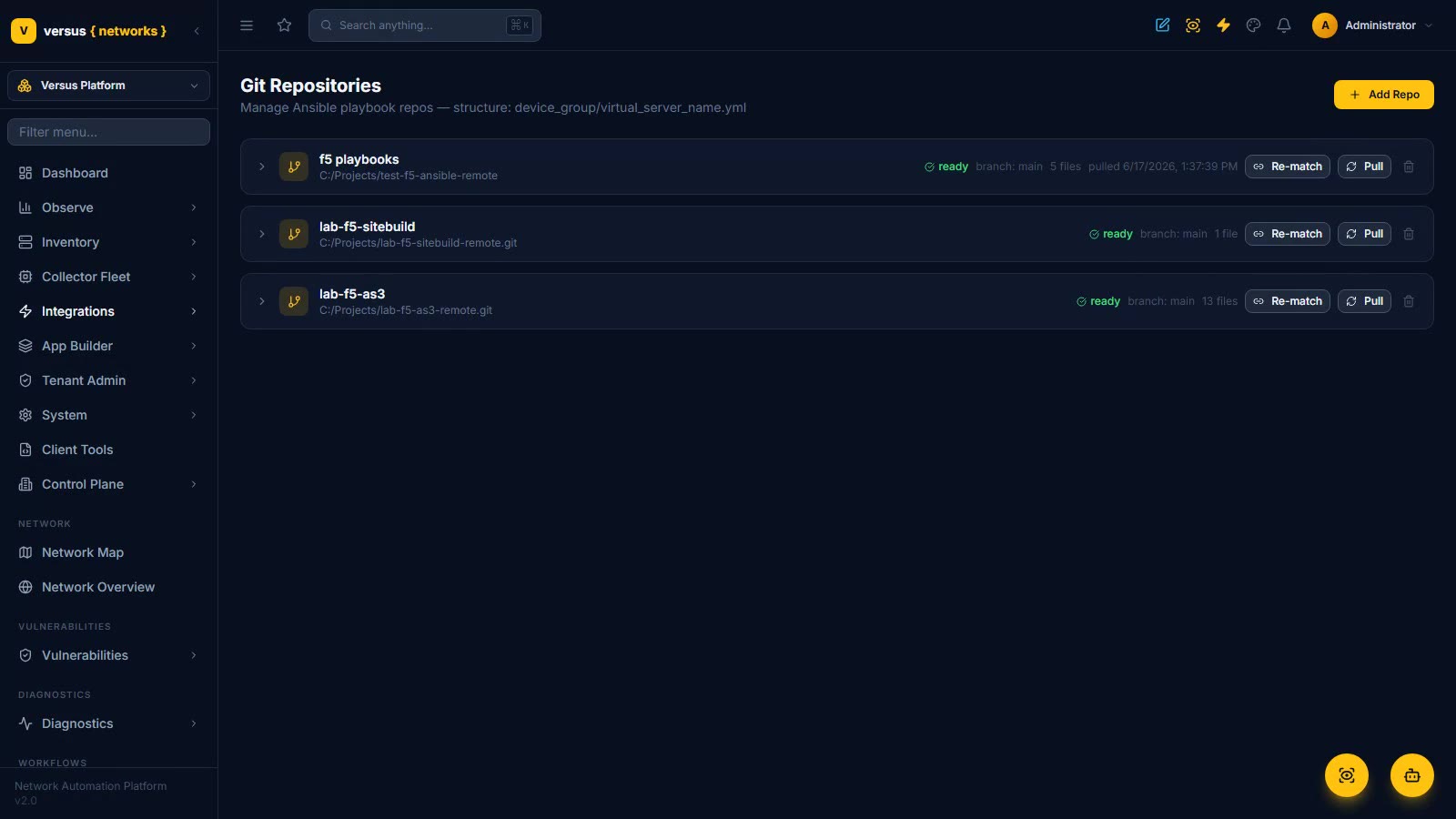
F5 Management on AS3
Leave tmsh, the GUI, and per-object Ansible behind. With git as the source of truth, convert each virtual server to its own AS3 file, then modify pool members, persistence, and monitors through a governed form — embeddable in ServiceNow — whose workflow pulls git, pushes the change back, and deploys to the device.
Read the docs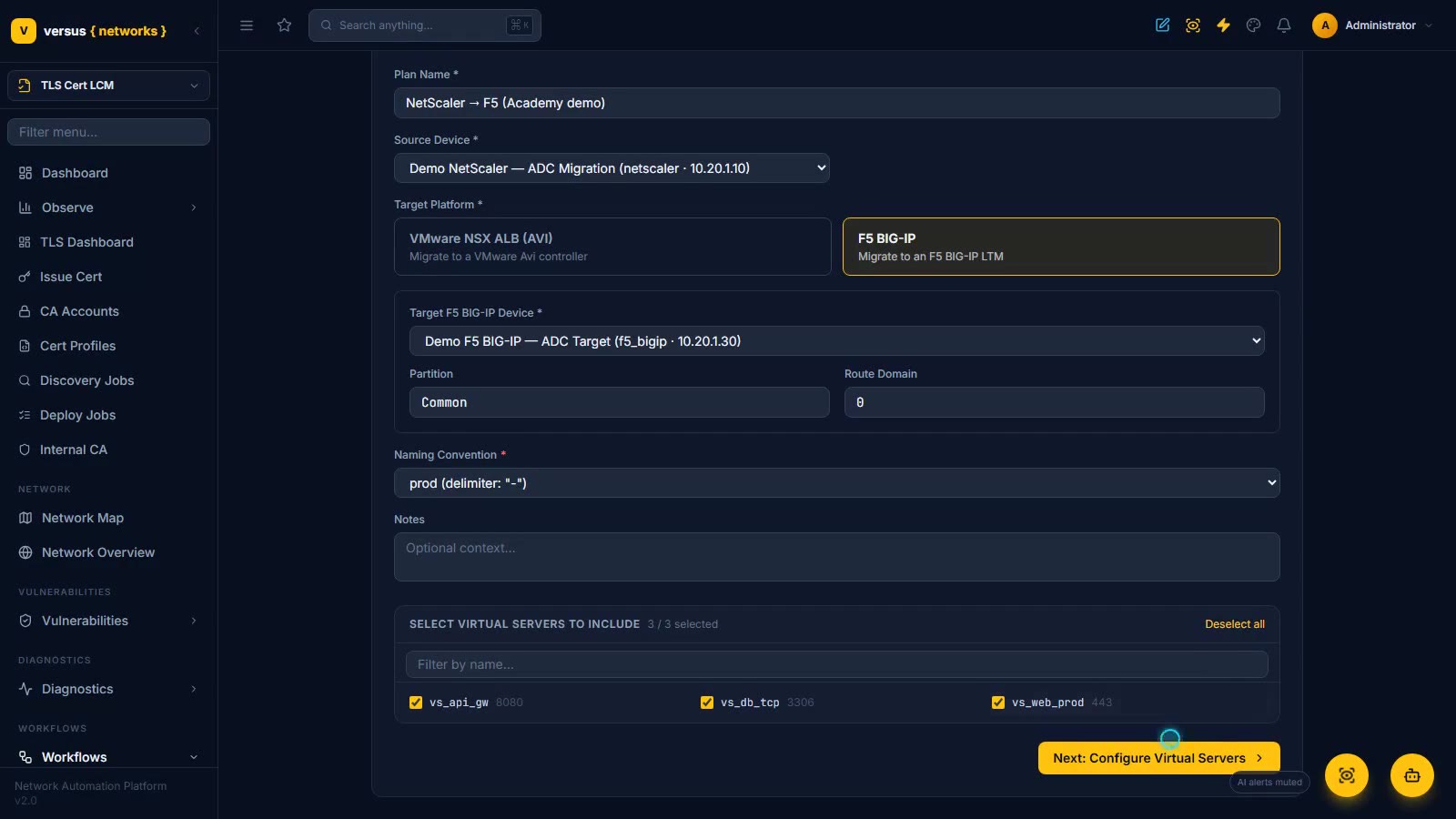
App & Firewall Migrations — Vendor to Vendor, Governed
Move an application estate or a firewall ruleset to a new vendor as a governed plan instead of a rebuild by hand. Build an ADC plan in the wizard — the Demo NetScaler’s three virtual servers, target F5 BIG-IP, names generated by a naming convention, VIPs assigned — and review the projected LTM build object by object: virtual server, round-robin pool, TCP monitor, client-SSL profile, and a checklist for each, saved as Ready for the approval-gated migration workflow. Then open a firewall plan, Demo Cisco ASA to Palo Alto PAN-OS, and follow discover (six rules with hit counts), select, translate (zones, App-IDs, notes, five deduplicated objects), review and pre-flight, and the deploy stage with dry-run, validate and rollback.
Read the docs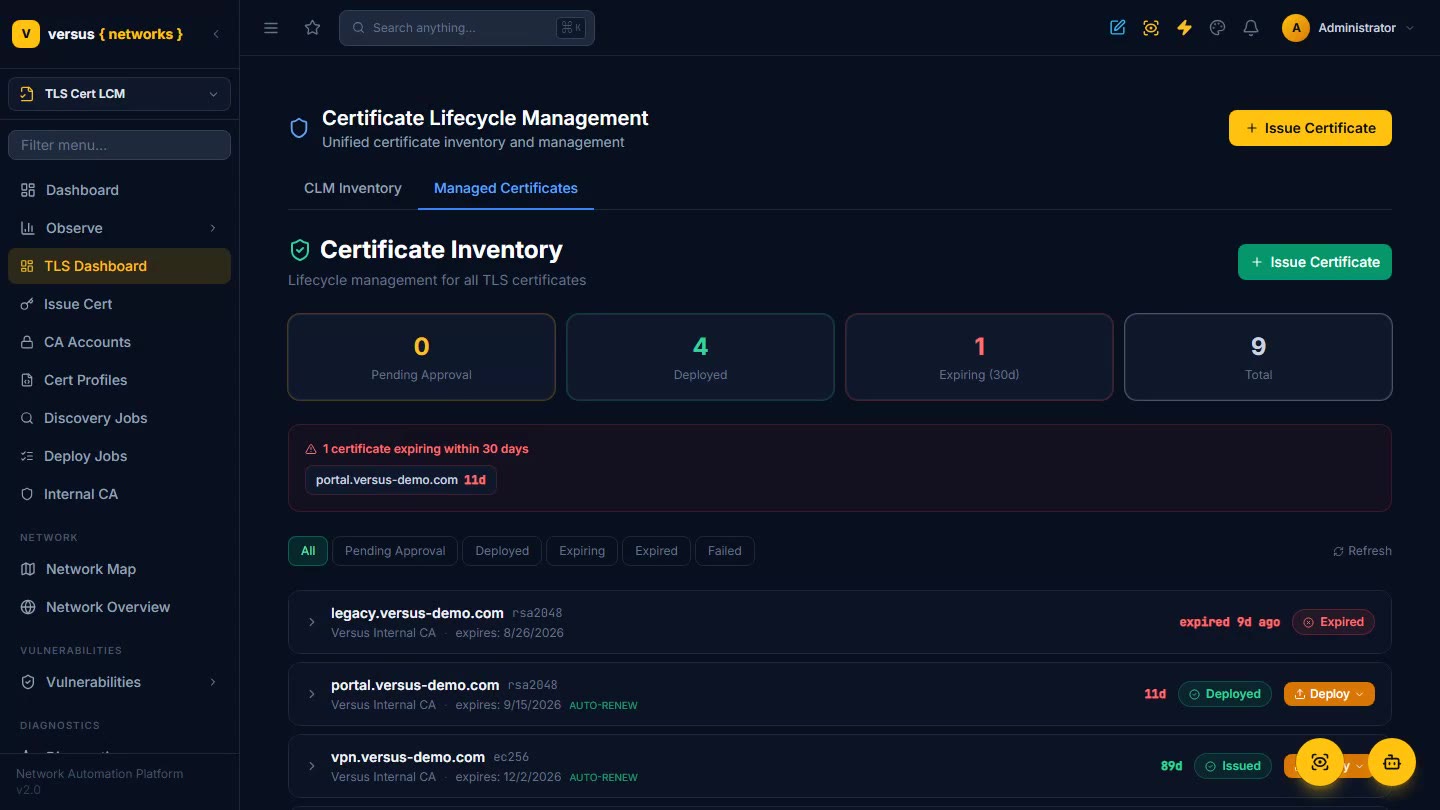
TLS Certificate Lifecycle
Issue a certificate from the built-in CA and deploy it to a real F5 — the full lifecycle: inventory, key-policy profiles, issuance, and automated deployment, ready for the 47-day mandate.
Read the docs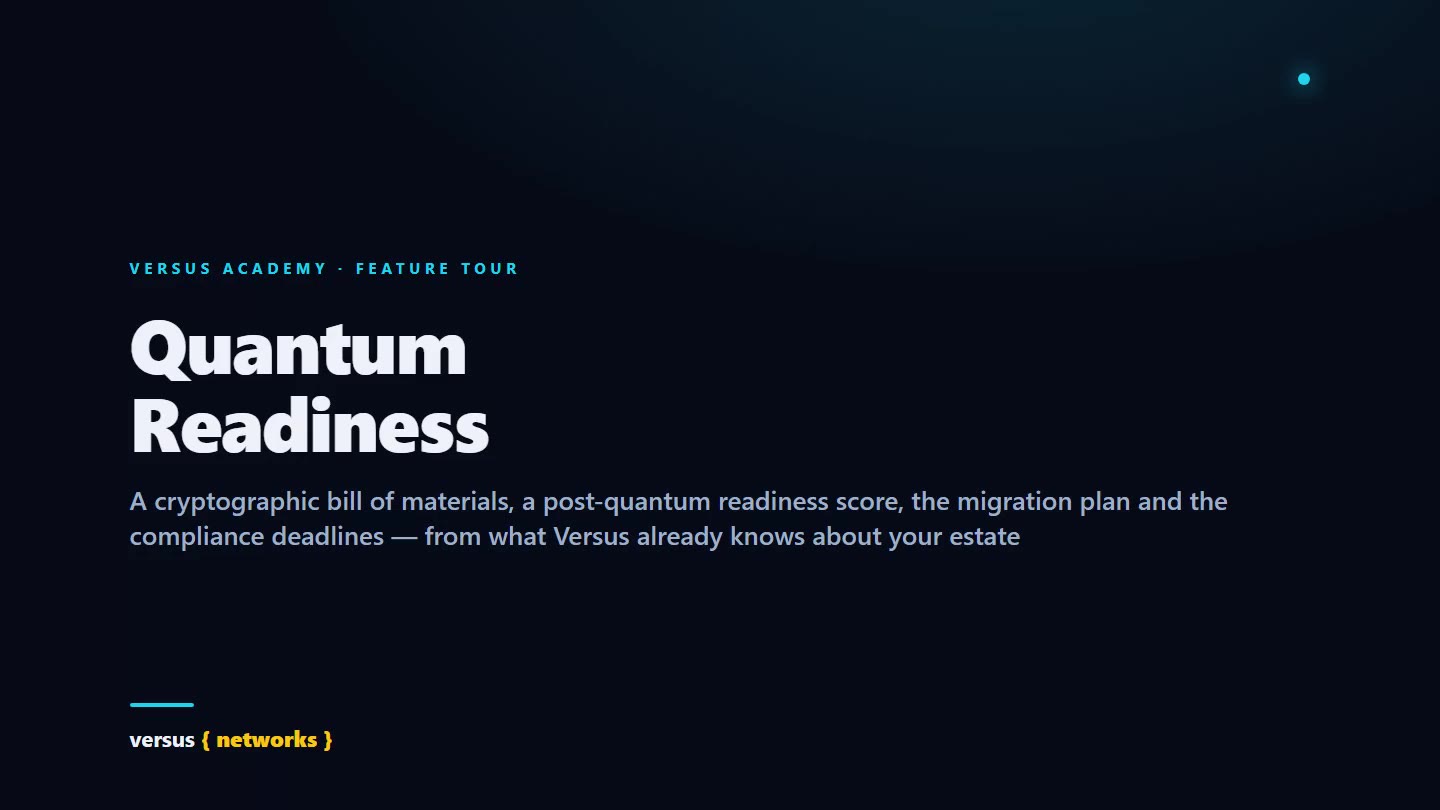
Quantum Readiness
Harvest-now-decrypt-later made concrete, without an agent on a single device: a cryptographic bill of materials built from what Versus already knows — ADC certificates and TLS profiles, the lifecycle manager's certificate records, SSH and IKE facts from device configs, the Versus CA keys, and the TLS and SSH key exchange every collector and endpoint agent actually negotiated. A 0–100 tenant readiness score with Fix now / Blocked / Accept / Safe buckets and quantum-vulnerable and HNDL-exposed counts, the Versus planes card with the share of hybrid X25519+ML-KEM-768 key exchange on the control plane, roll-ups by asset kind, algorithm and vendor, a migration plan in waves of up to 25 assets sequenced hybrid key exchange → IKE PPK → SSH policy → certificate re-issuance → vendor-blocked, a compliance report against the NIST IR 8547, CA/Browser Forum and CNSA 2.0 deadlines with twelve evidence controls and a PQC configuration audit, CycloneDX 1.6 CBOM / CSV / JSON exports, and four read-only MCP tools over the same rows.
Read the docs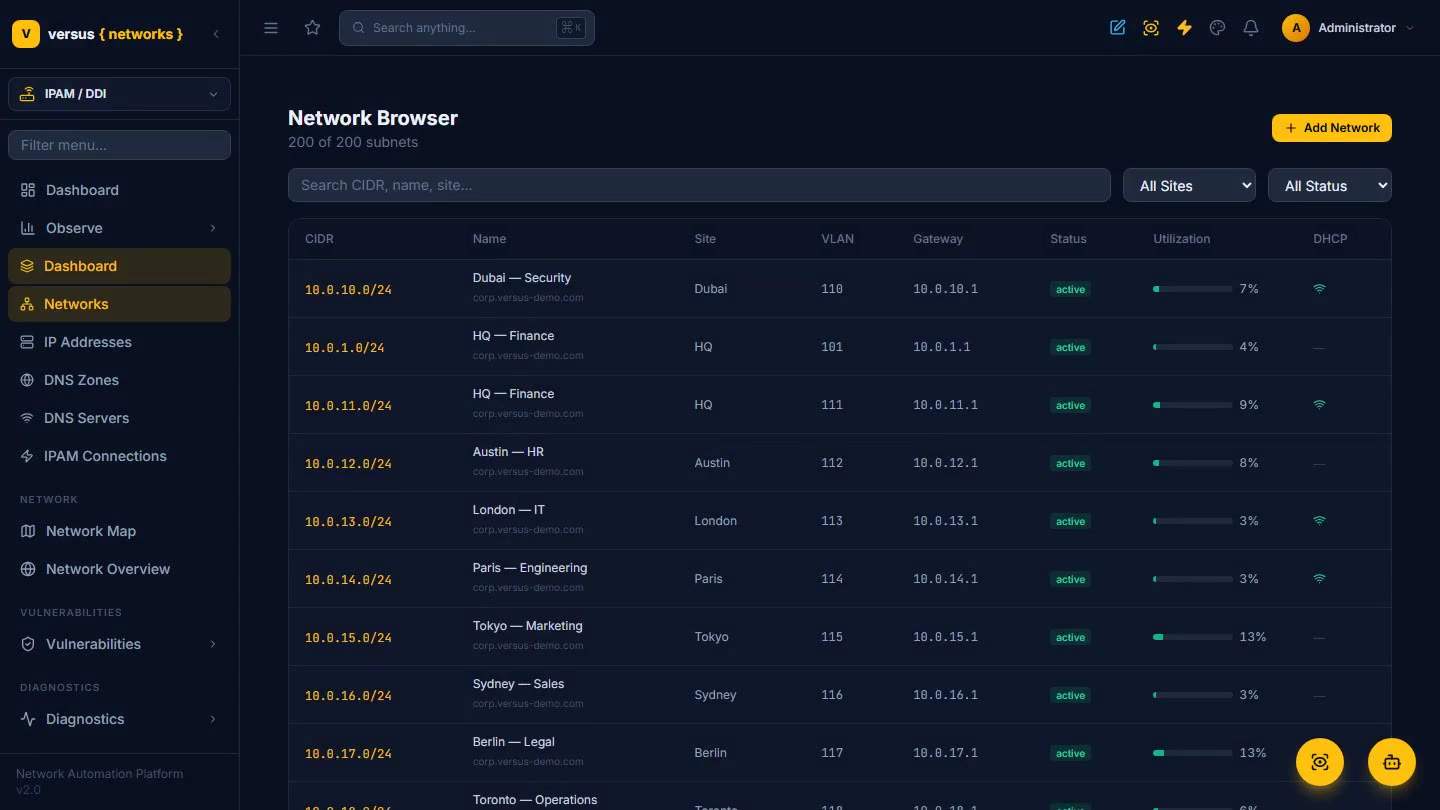
DDI & IPAM
IP address management, DNS, and DHCP as a first-class part of the platform — 200 subnets with live utilization, searchable address space, DNS zones with real NOTIFY and DNSSEC, and reconciliation against what is really on the network.
Read the docs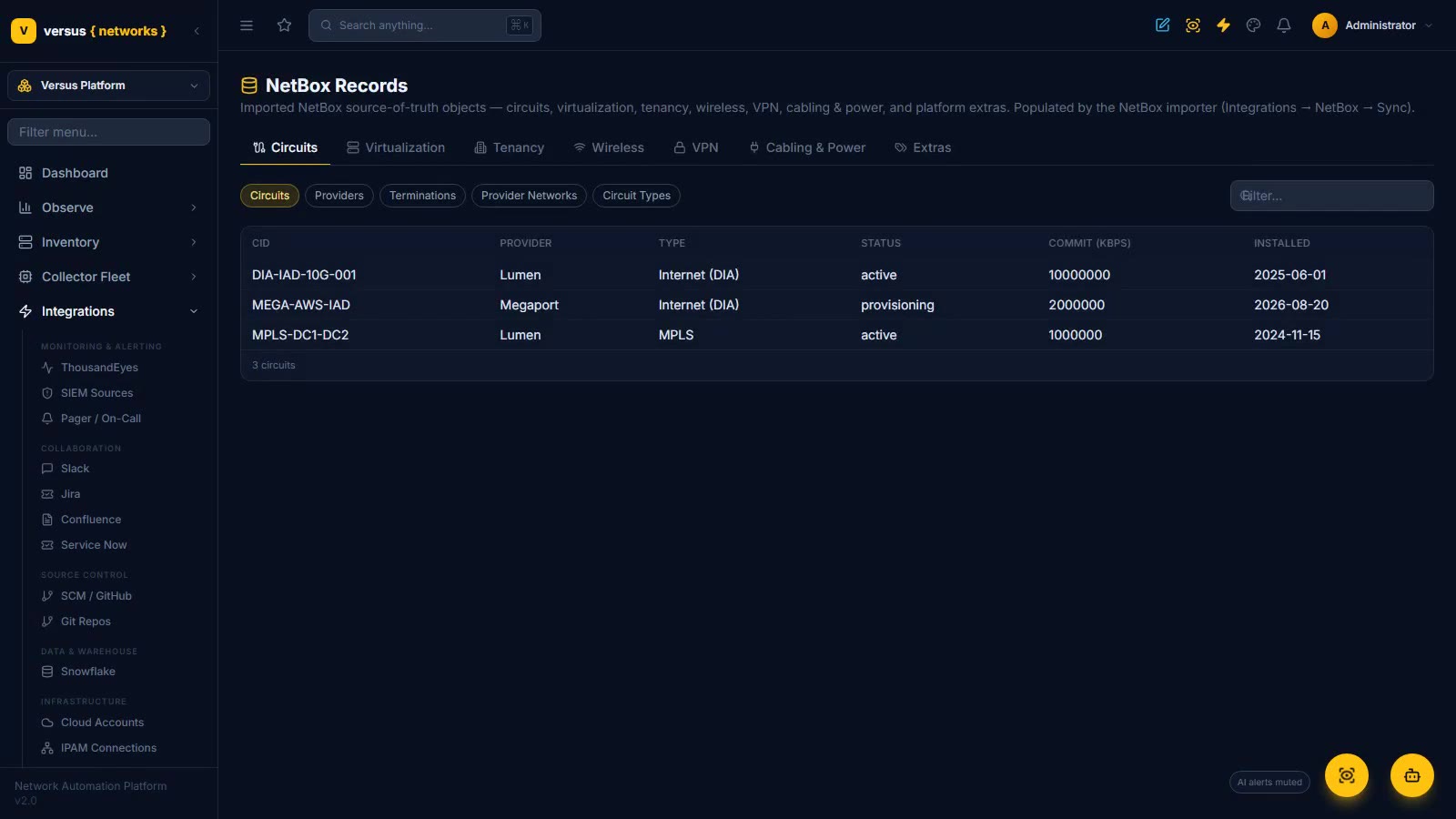
NetBox Integration — DCIM & IPAM Parity
Import a NetBox source of truth into Versus inventory and keep it there: a demo source brings in 8 devices, 2 racks, 5 VLANs and 3 VRFs with full, incremental and webhook sync, plus a GraphQL preview of the exact device query Versus sends. Browse circuits, virtualization, tenancy, wireless, VPN and cabling in NetBox Records, see rack elevations with every device at its U, trace a cable path five hops through two patch panels, reconcile NetBox against what Versus discovers in the drift dashboard, and render a device config from merged NetBox config contexts.
Read the docs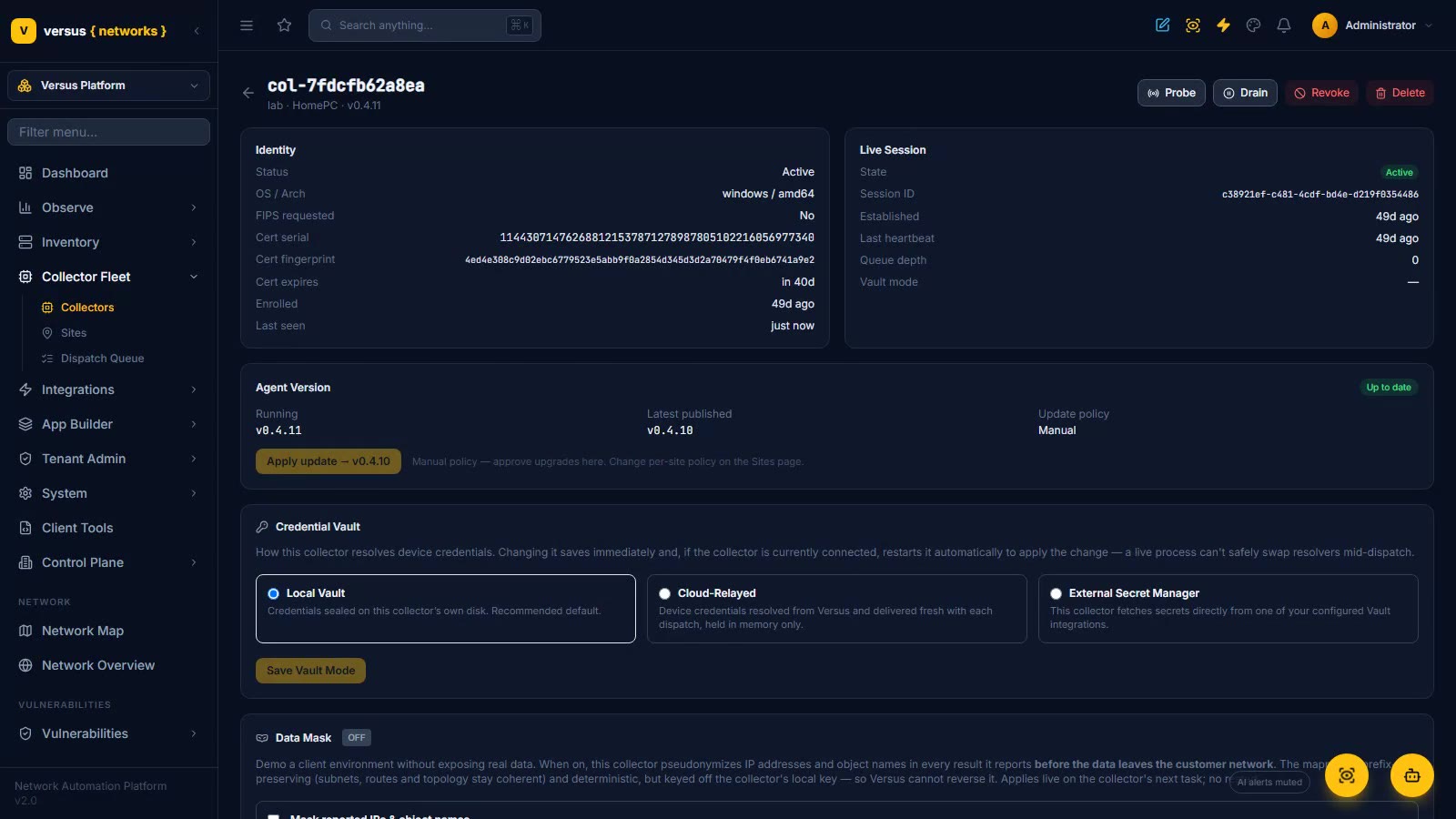
Installing a Collector
The bridge between cloud Versus and your private network: issue an enrollment token, install a collector on Windows (PowerShell) or Linux (Docker) with one outbound-only command, then keep it running for good with the built-in supervisor and a boot-time service.
Read the docs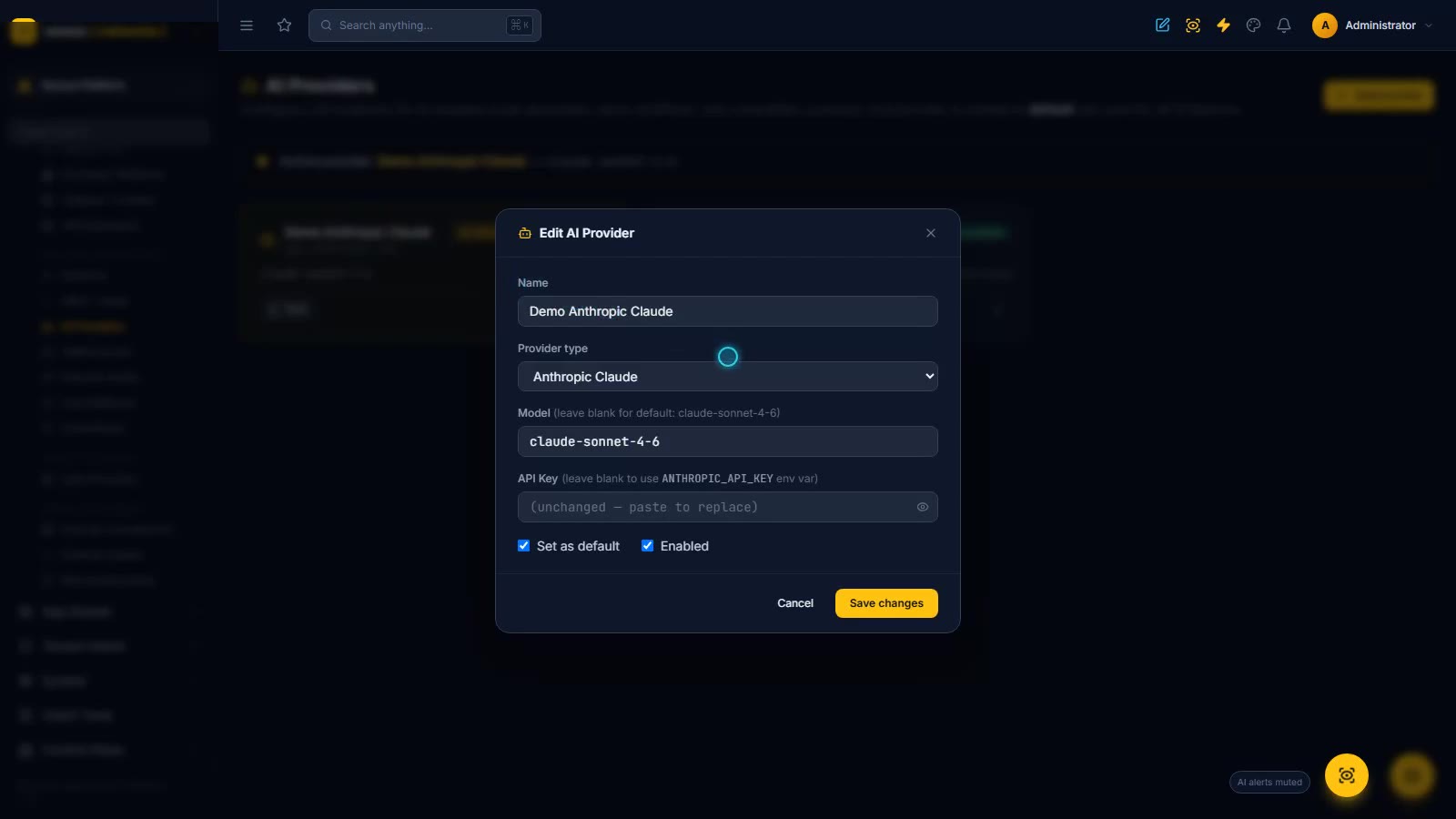
Integrations — Connecting Versus to Your Tools
One sidebar group for everything Versus connects to, told in layers: AI Providers (the default LLM every AI feature routes through, with a write-only API key), the sources of truth (AWS, Azure and GCP cloud accounts, NetBox import with GraphQL backfill, Kubernetes and Docker container platforms), your team's tooling (Slack, Jira, Confluence, ServiceNow, SIEM sources, SCM/GitHub), and the crypto layer (Thales Luna HSM, Venafi cert platform, external vaults, auth providers) — each managed as a connection card with its own test.
Read the docsSecurity Operations
Change firewall policy safely, keep secrets out of human hands, and stay ahead of vulnerabilities and hardening drift.
Firewall Policy Automation
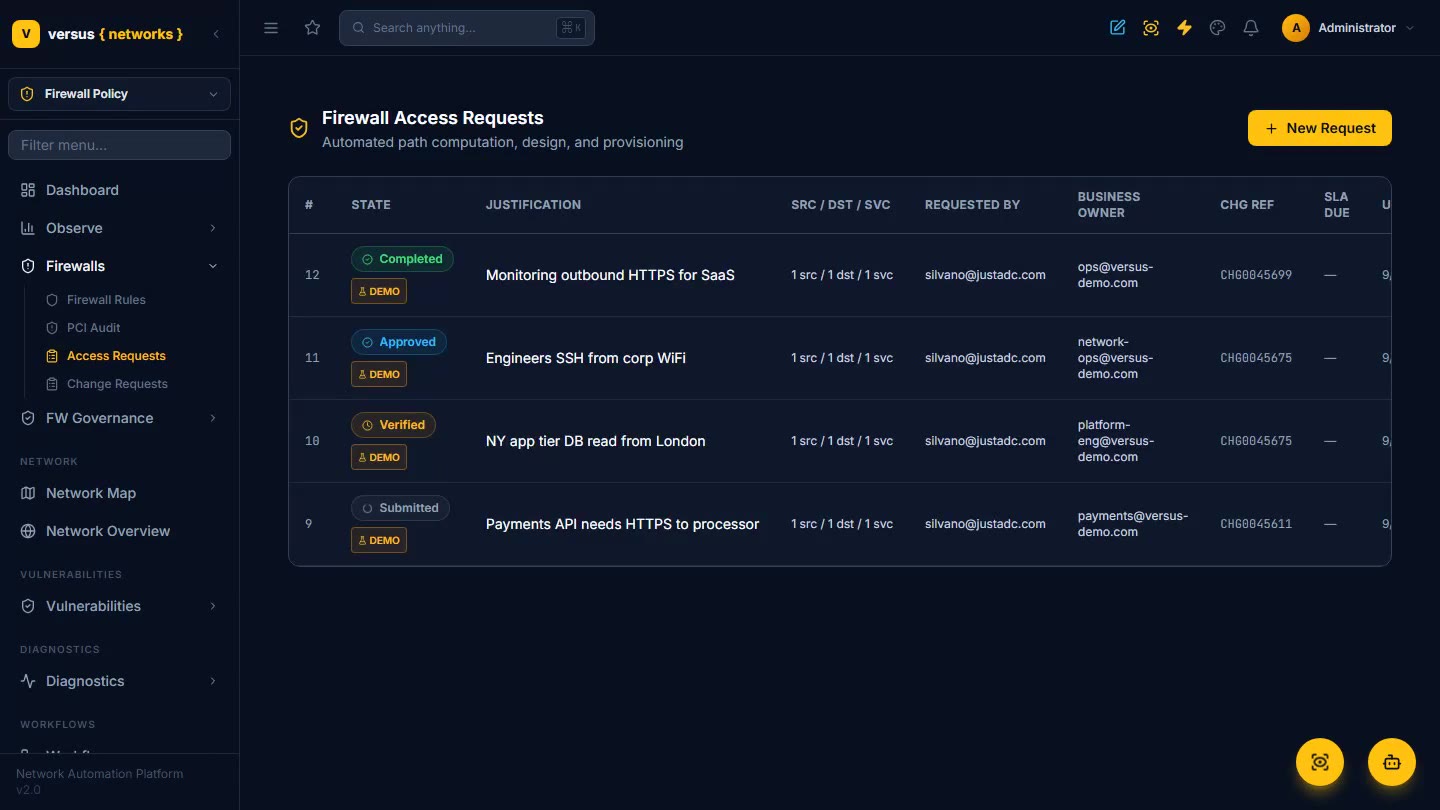
Request, verify, approve, deploy, and audit firewall rule changes — automated path computation and rule design across Panorama and NSX, PCI DSS auditing, ServiceNow-gated changes, and legacy-firewall migration, every change tied to a ticket.
Read the docs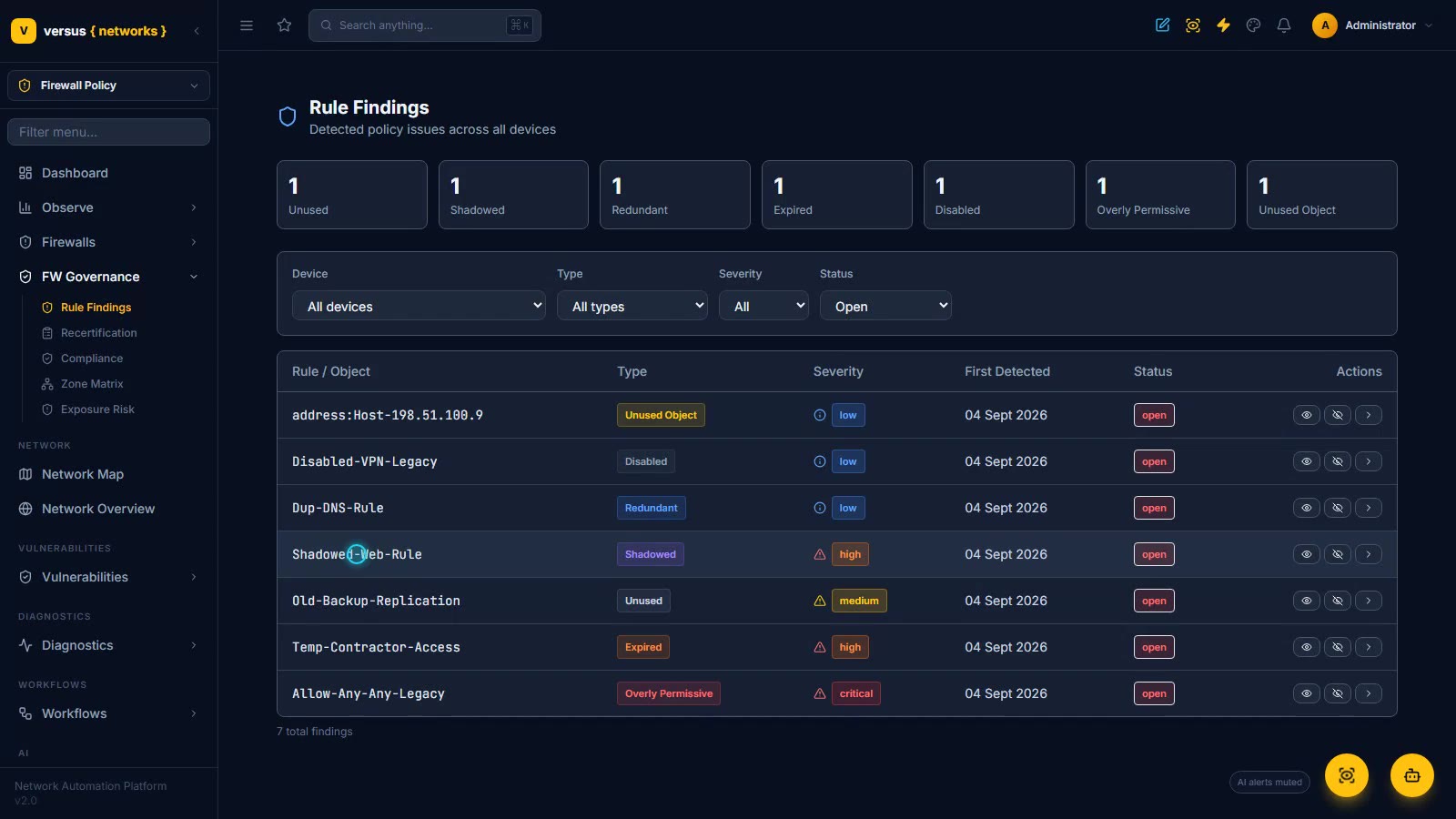
Firewall Governance — Findings, Recertification & Compliance
Close the loop on rule sprawl — Rule Findings flags unused, expired, shadowed, redundant, and any-any rules with the evidence behind each one; Recertification queues them for an owner to certify, modify, or decertify on an append-only audit trail; and the Compliance dashboard maps PCI DSS, NIST 800-53, and custom controls over the same rulebase with tracked, time-boxed exceptions.
Read the docs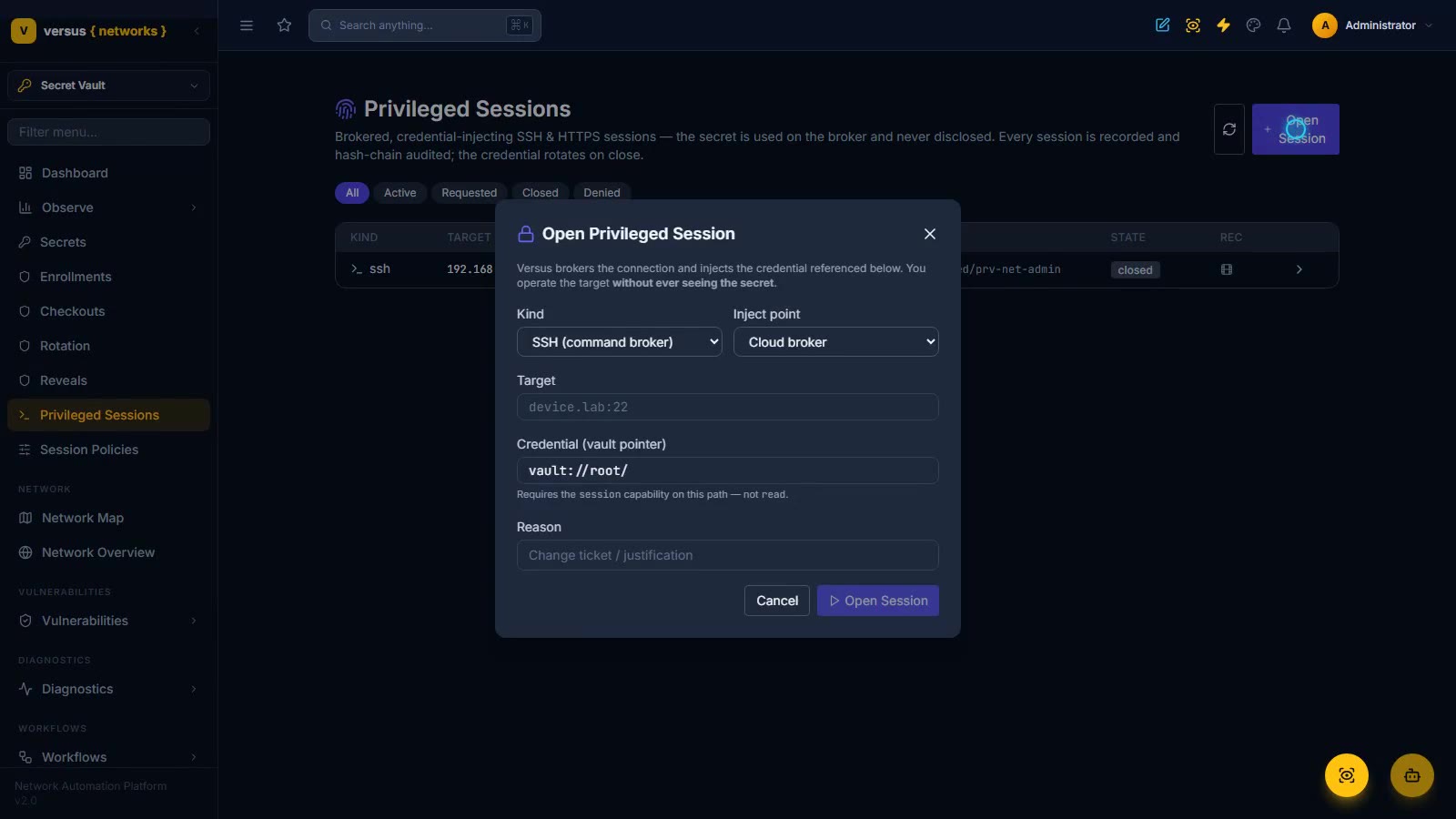
Secret Vault & Privileged Access
Onboard device credentials into an envelope-encrypted, versioned, audited vault — then let people use them without ever seeing them: brokered SSH, HTTPS, and RDP sessions (recorded, rotated on close) and App Builder self-service privileged access.
Read the docs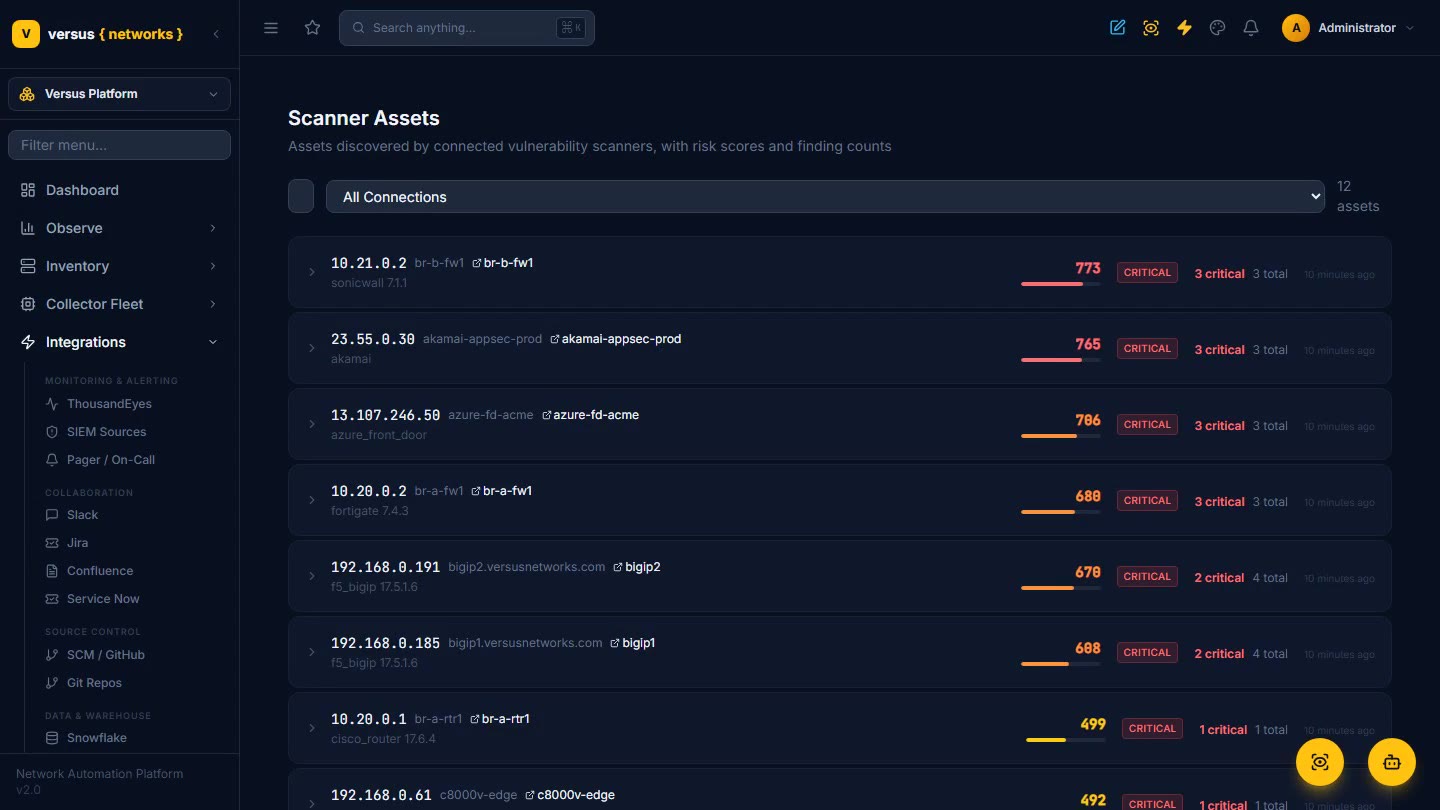
Vulnerability Management
Pull findings from Qualys, Tenable, and Rapid7 into one tracker, correlate every CVE to the real devices it hits, and drive remediation — AI analysis, ITSM tickets, and workflows — from a single run.
Read the docs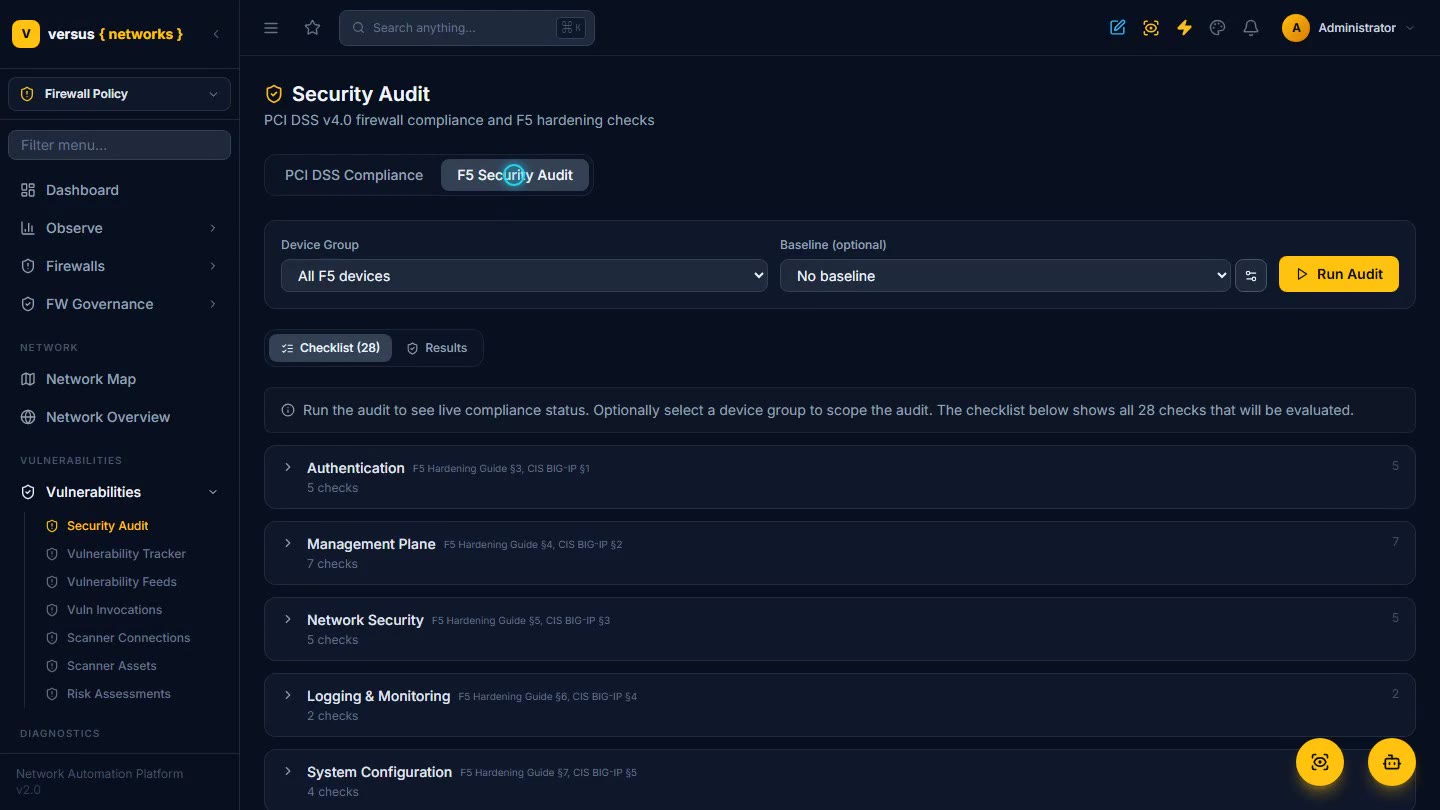
Security Hardening & Compliance
Continuous configuration hardening and compliance checks — PCI DSS v4.0 firewall audits, CIS F5 hardening, and NIST 800-53 control mapping with violations and exceptions — all backed by an audit trail.
Read the docs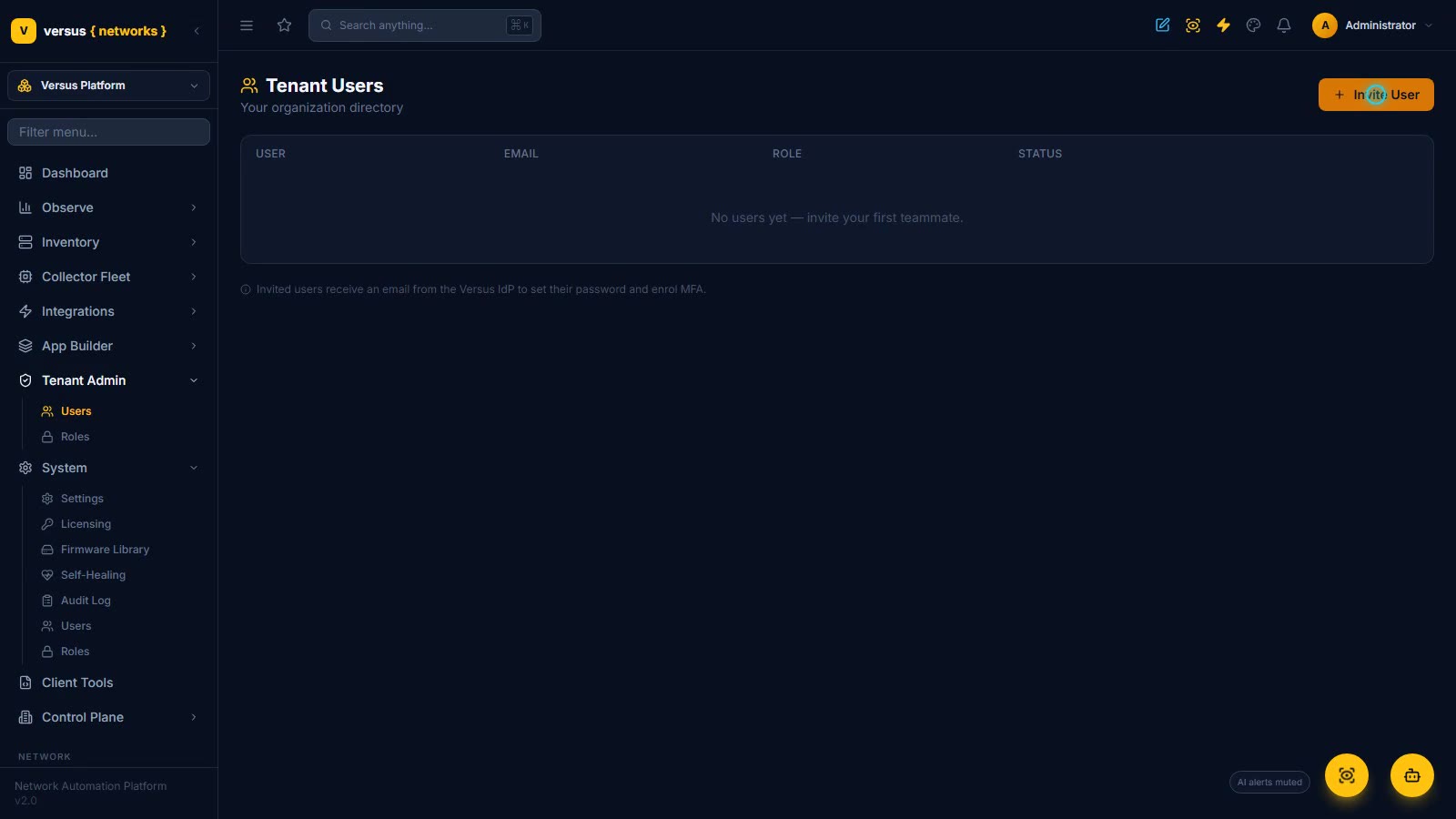
Tenant Admin — Users, Roles & Invitations
Tenant-scoped administration under Versus Platform → Tenant Admin, read-only: every tenant is its own identity organisation on the Versus IdP, so Tenant Users shows only your organisation's directory (user, email, role, status) and the Invite User dialog hands onboarding to the IdP — the invitee verifies their email, sets a password or passkey and enrols mandatory MFA before first sign-in; the tenant Roles page states the rules (Viewer, Operator and Tenant Admin, levels 2–4; Super Admin reserved for Versus staff; one role at a time, effective at next sign-in); then the operator's contrast — System → Users (7 platform users with default roles and the Change role ladder, dismissed unsaved) and Roles & Access Control (five fixed tiers, L5 Super Admin with 62 permissions down to L1 Guest) — one RBAC model, with the operator never touching a tenant's people.
Read the docs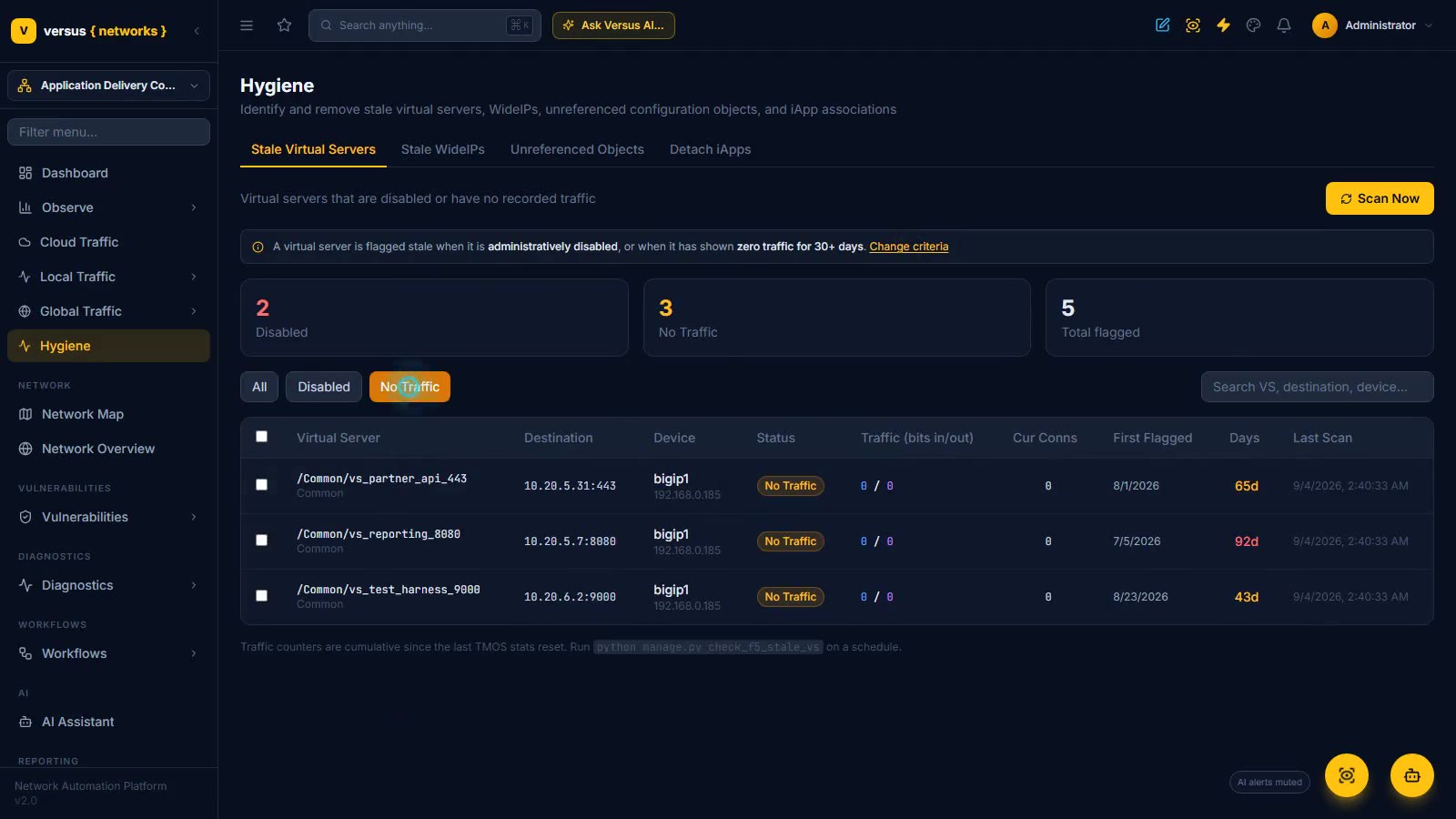
ADC Hygiene
Find and retire what nobody cleaned up on the BIG-IPs: stale virtual servers (disabled, or zero traffic past a threshold you set) with live counters, first-flagged dates and a Reset Status double-check; stale GTM wide IPs computed from imported health with no device call; unreferenced pools, monitors, iRules, certificates, keys and SSL profiles with the details to judge each one; and iApp-owned virtual servers released by the Detach wizard. Decommission stages a disable change and a delete change two weeks apart, each gated on approval and closed with evidence.
Read the docs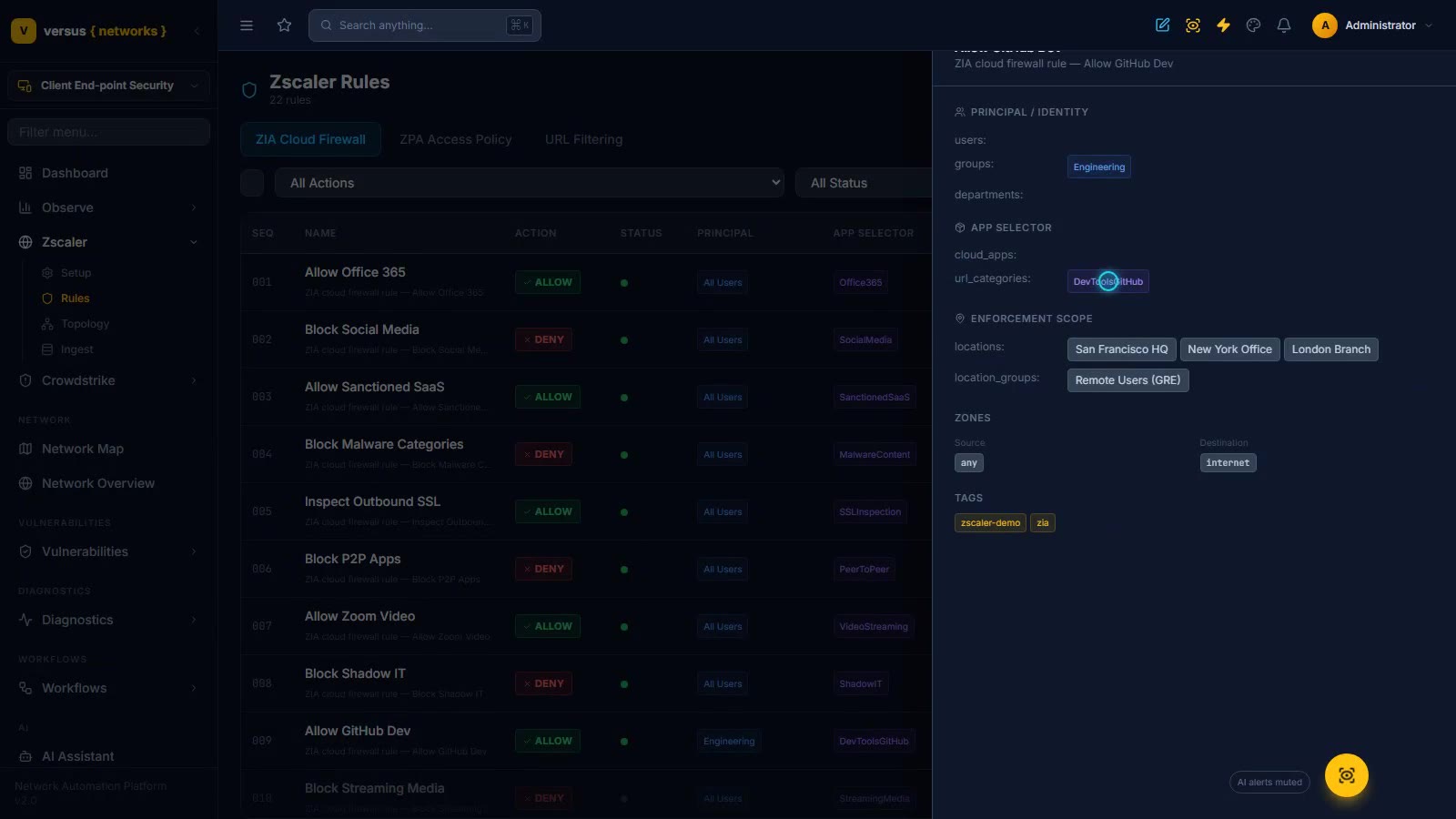
Client End-point Security — Zscaler & CrowdStrike
Bring the cloud enforcement plane and the endpoint under one governed console. Zscaler: an Acme Corp ZIA/ZPA tenant on OneAPI, 22 ZIA cloud-firewall rules normalized into the same rule model as your physical firewalls — identity, app category and location scope on every rule — PEP topology zone-mapped across 8 enforcement nodes, and NSS/LSS log-streaming endpoints that turn Zscaler logs into rule hit counts. CrowdStrike: the Falcon connection, then the automation console (representative sample data until a Falcon tenant is connected) — detections, hosts with one-click or workflow-gated containment, and response rules whose autonomy setting decides whether a match waits at a governed approval gate or acts immediately.
Read the docs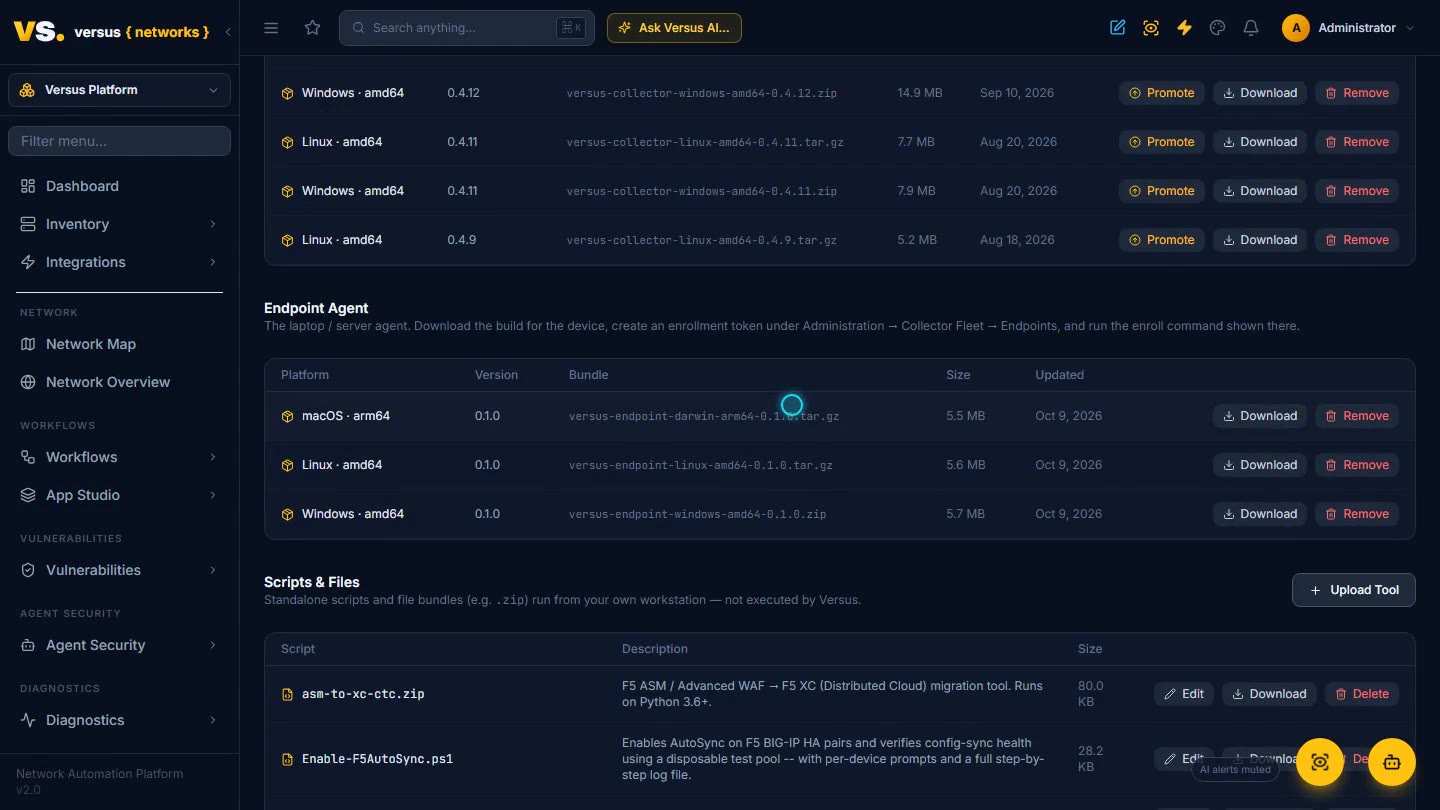
Versus Endpoint Agent
The other half of the picture after the collectors: a small agent on the laptop itself. Download the Windows, macOS or Linux bundle from Client Tools, create an enrollment token under Collector Fleet → Endpoints and enroll once — the agent mints its own 30-day device certificate from the Versus CA and only ever runs tasks signed by your tenant. Then open the device: a posture score and why it dropped (a public resolver, 25 credentials in files, a passphrase-less SSH key that reaches managed devices), DNS/TCP/TLS/HTTP probes run from the user's seat with the key-exchange group they negotiated, the certificate-store inventory (134 certificates, 24 findings — expired roots and weak keys), on-device capture that lands in PCAP Analysis, secrets hygiene reported by fingerprint and location only, and the AI activity the agent observed: Codex to ChatGPT, Claude Code to Anthropic. Agent Security turns that into shadow-AI candidates with evidence and a Sanction / Block / Ignore decision, a registry of agent principals synced from workflow agents and MCP tokens, and a sweep over the telemetry Versus already ingests.
Read the docs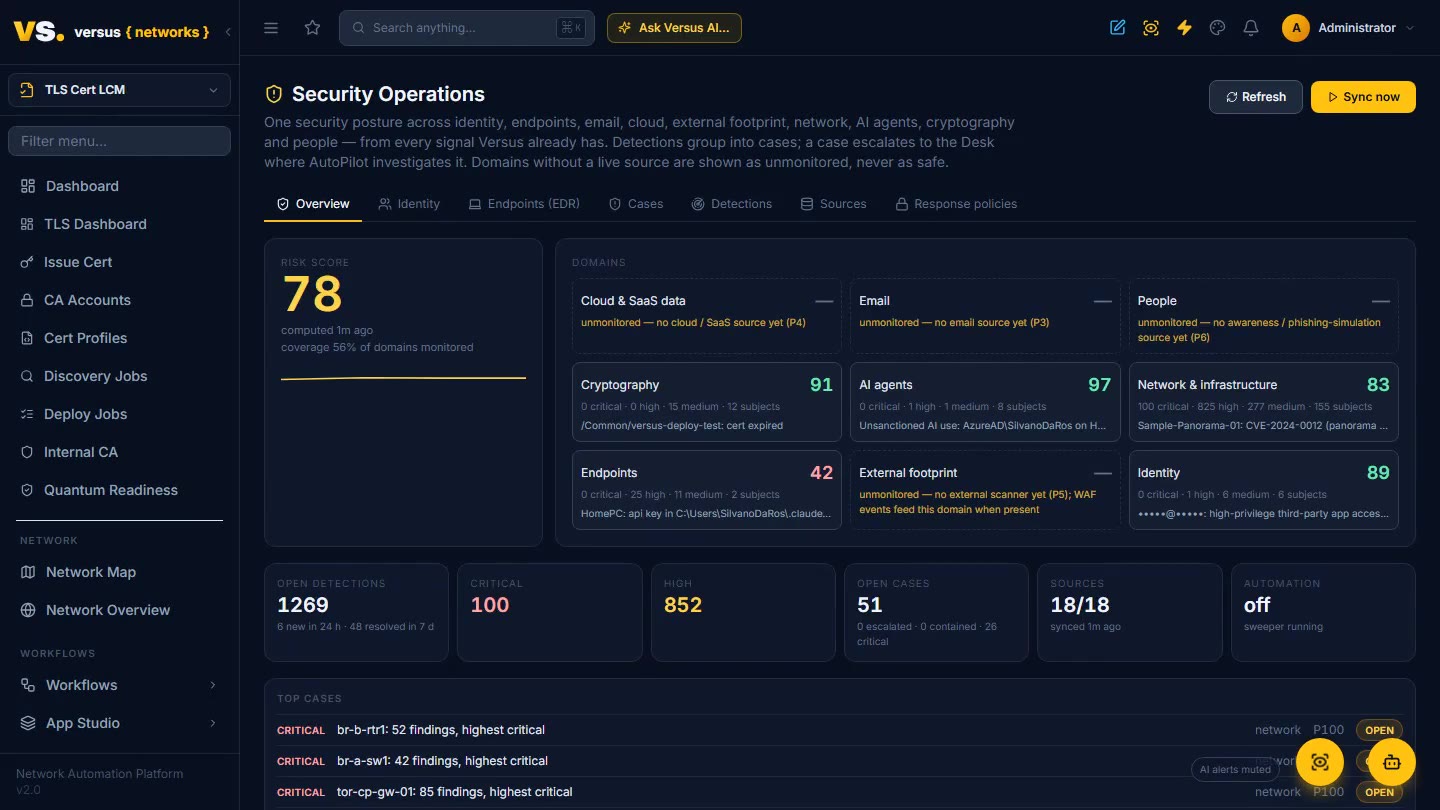
Security Operations — Identity, Endpoints & Risk
One security posture across identity, endpoints, email, cloud, external footprint, network, AI agents, cryptography and people — from every signal Versus already has. Connect a Microsoft 365 tenant, a Google Workspace and Microsoft Defender for Endpoint, all read-only: MFA and 2-Step Verification coverage, administrators without it, risky and legacy sign-ins, high-privilege OAuth and third-party app grants, inbox forwarding and Gmail filters, device health, exposure and Defender alerts all land in one detection fabric, each with its MITRE tactic and technique. State detections resolve themselves when the condition clears; events age out. Detections group into cases per subject with the kill chain in order, and a case escalates to the Desk where AutoPilot investigates under a per-tenant budget. Every response is governed — an autonomy setting and approval group per verb, containment that cannot arm without an executor, and a hash-chained action ledger you can verify end to end. Recorded on live tenants with identities masked.
Read the docs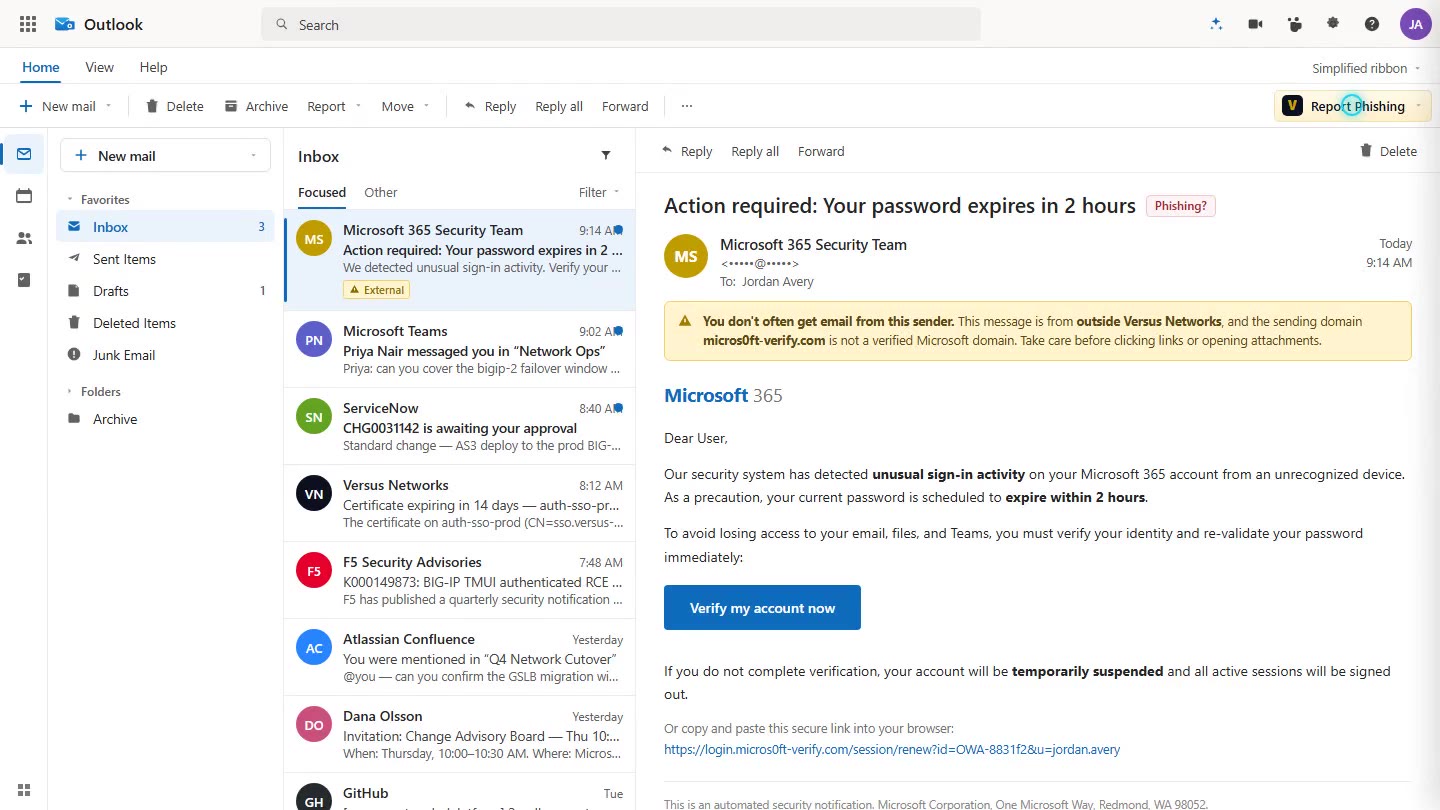
Report Phishing — Every Employee a Sensor
A one-click Report Phishing button in Outlook that turns every employee into a sensor. A suspicious email goes straight to Versus Security Operations as a user report and an email detection on the sender — metadata only, message bodies are never stored. It groups into the sender’s case, raises the people domain of the risk score, and the governed responses (quarantine the message, block the sender) are right there. The add-in is served from Versus: push the manifest once from the Microsoft 365 admin center, share a per-tenant token, and it appears on every ribbon. It also closes the awareness loop — in a phishing simulation, clicking without reporting is a finding, while reporting, real or simulated, is the win. Recorded on a live tenant.
Read the docsVisibility & Intelligence
See everything, diagnose faster with AI, and connect Versus to the tools your organization already runs on.
Dashboard & Reports
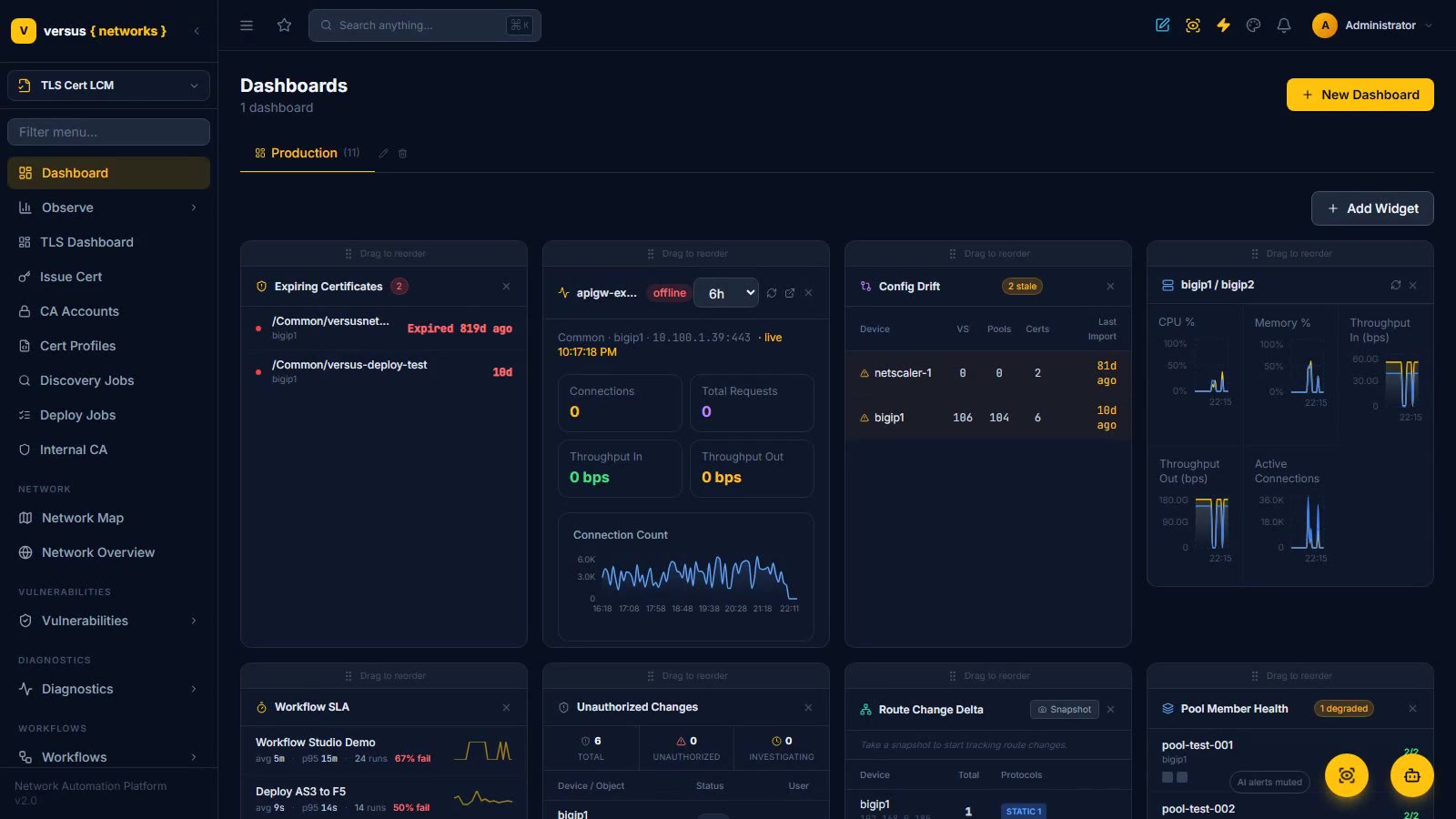
The estate at a glance: a fully composable home dashboard — expiring certs, config drift, an HA pair’s CPU/memory/throughput, workflow SLA, unauthorized changes, pool health and more — plus a library of twenty point-in-time, filterable, CSV-exportable reports for audits and ops reviews.
Read the docs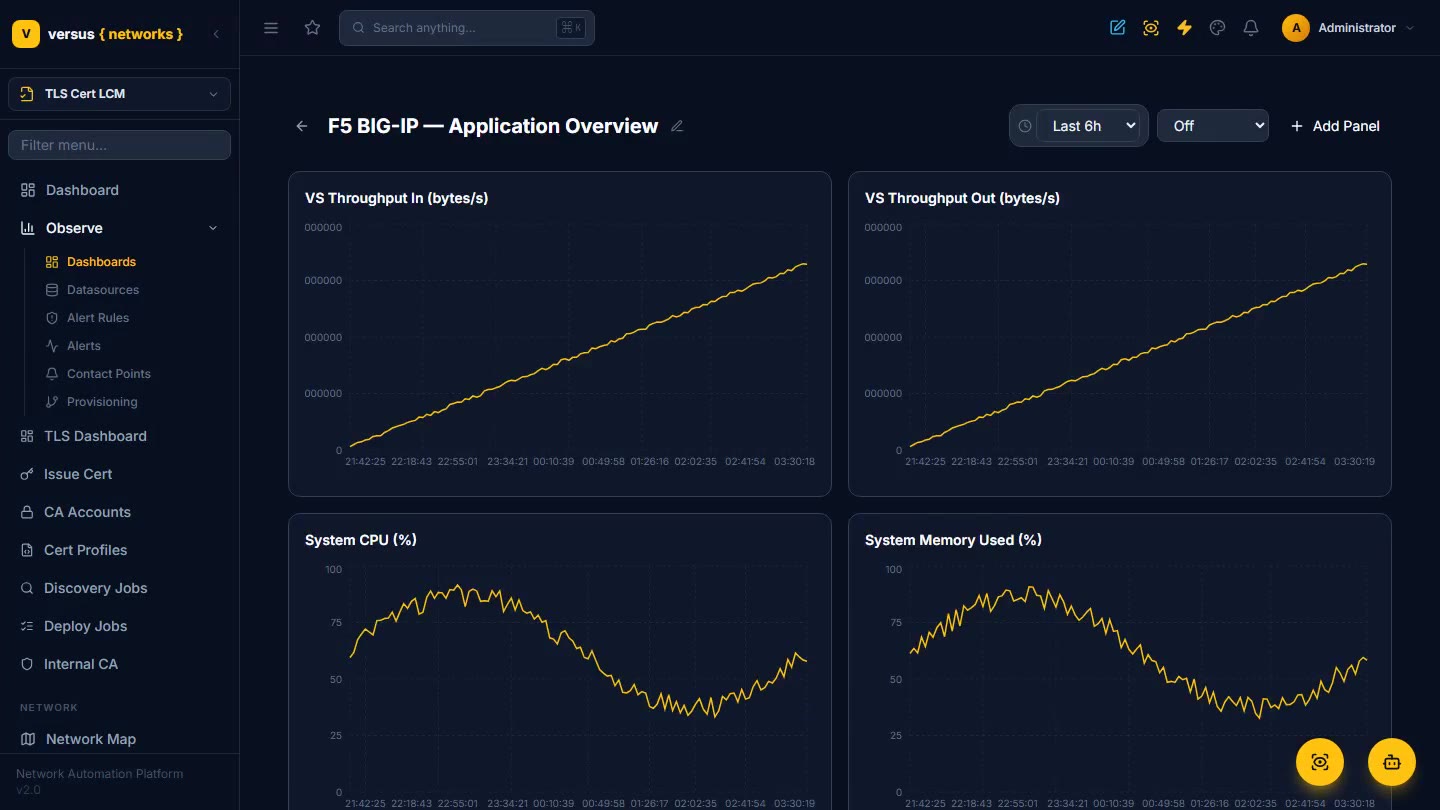
Observe — Metrics, Logs & Alerting
Grafana-class dashboards with real metrics and logs, alert rules on any query, firing alert instances with full state history, and notifications to Slack, email, PagerDuty, or Versus Desk — all built in.
Read the docs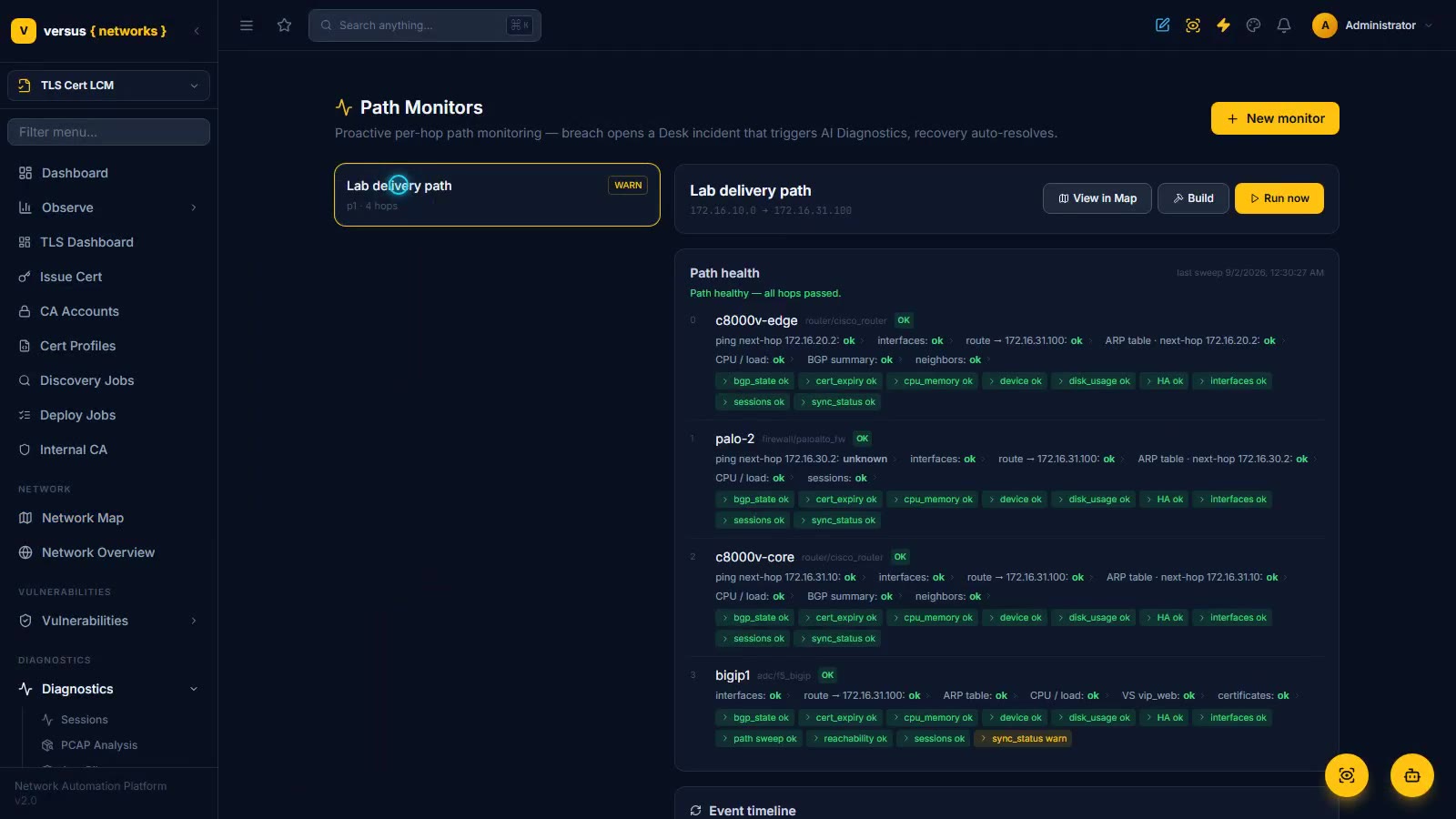
AI Diagnostics & AutoPilot
Trace a delivery path hop by hop, watch a 15-expert AI war-room pinpoint a real cross-domain fault against actual device state, and see AutoPilot generate and run a governed, guardrailed remediation.
Read the docs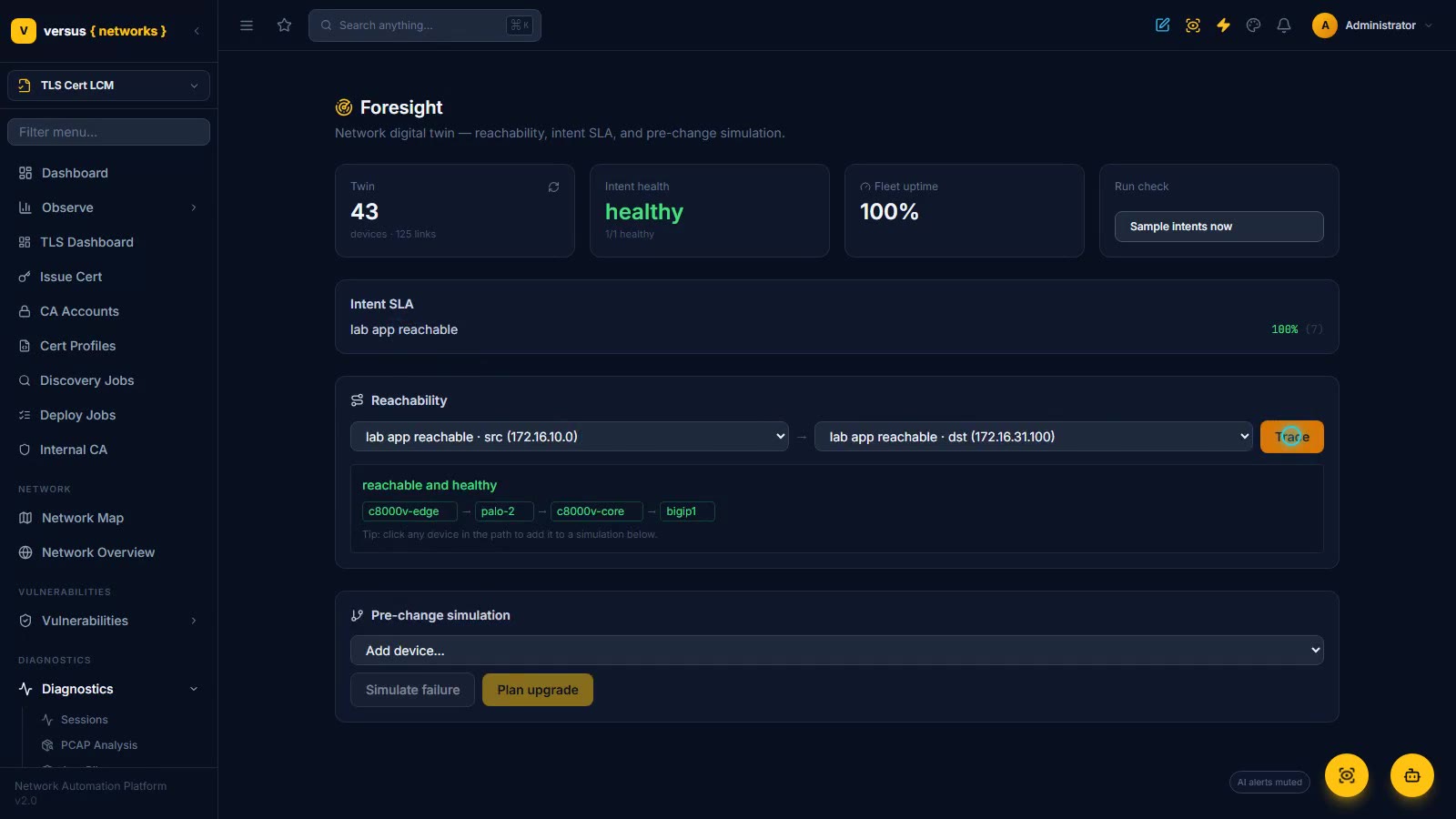
Foresight, Sentinel & Collective Defense
Three flagship apps on the same governed AI engine as AutoPilot. Foresight assembles a network digital twin (43 devices, 125 links), traces a declared intent hop by hop — c8000v-edge, palo-2, c8000v-core, bigip1 — and pre-flights a change: fail one hop and see exactly which intent breaks, before anyone touches a device. Sentinel turns the engine on Versus itself: platform errors clustered by signature into glitches, an AI root-cause-in-code diagnosis, and a grounded fix that lands as a Desk change ticket for review, tests and scans — never a blind merge. Collective Defense matches k-anonymized fleet intelligence — CVE advisories, predictive risk, vetted playbooks with real success rates — to your own inventory, opt-in and private by design. All three observe and propose by default; autonomous action stays off until you switch it on.
Read the docs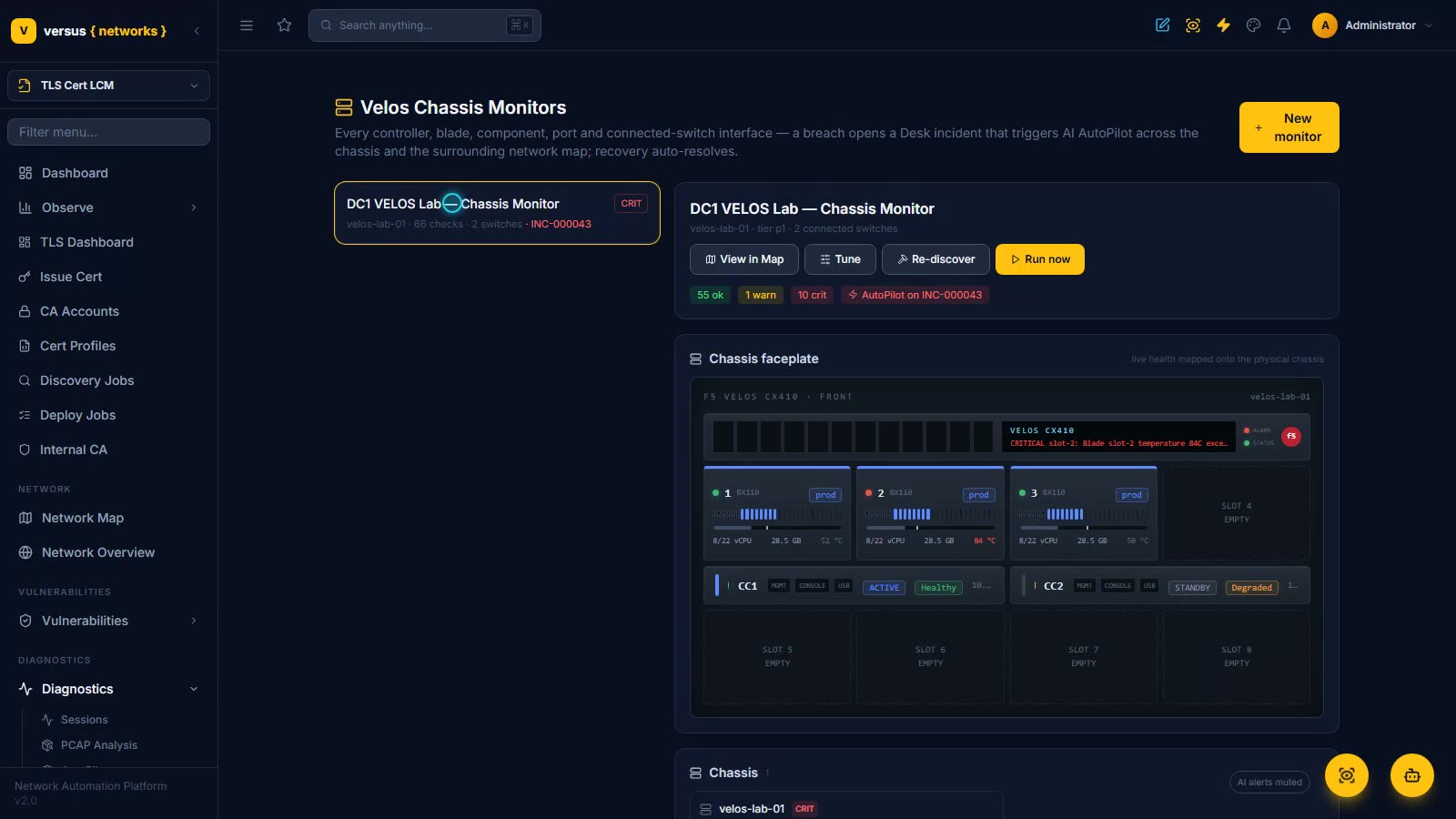
Velos Chassis Monitoring
One monitor covers an entire F5 VELOS chassis — every controller, blade, component, port, partition, guest, and connected-switch interface — mapped onto a live picture of the physical chassis, where a failed blade lights up red in its slot. All checks enabled by default and tunable to your tolerance; a multi-domain fault opens a P1 incident and hands off to an AI war-room that pins the root cause to a downed switch uplink and proposes a governed fix.
Read the docs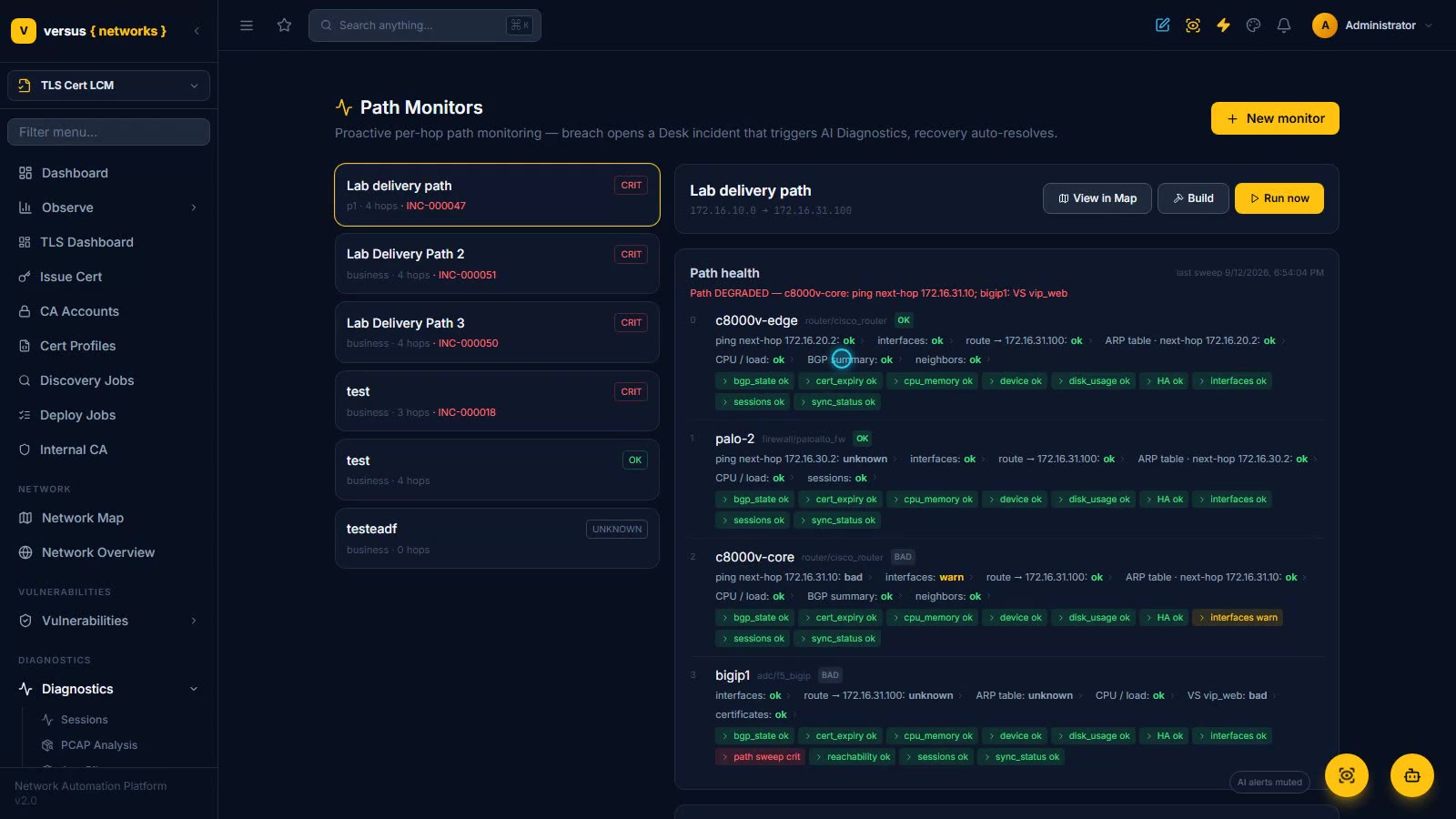
Path Monitoring — Per-Hop Checks That Open Their Own Incidents
Pick a delivery path and Versus checks every hop of it continuously. The Lab delivery path here runs c8000v-edge → palo-2 → c8000v-core → bigip1, and under each hop you see exactly what the last sweep ran: ping to the next hop, interfaces, route, ARP, CPU, plus BGP on the routers, the session table on the firewall, and the virtual server and certificates on the F5. A live fault — a failed next-hop ping on the core router and vip_web down on the F5 — shows how a breach is confirmed run after run, rolled up into one open Desk incident (INC-000047) instead of thirty pages, and handed to AutoPilot, whose AI war-room pins the cause to an admin-shutdown GigabitEthernet3 at 98% confidence and holds a fix for approval. The Desk queue shows earlier P1s the monitor resolved on its own when the path recovered.
Read the docs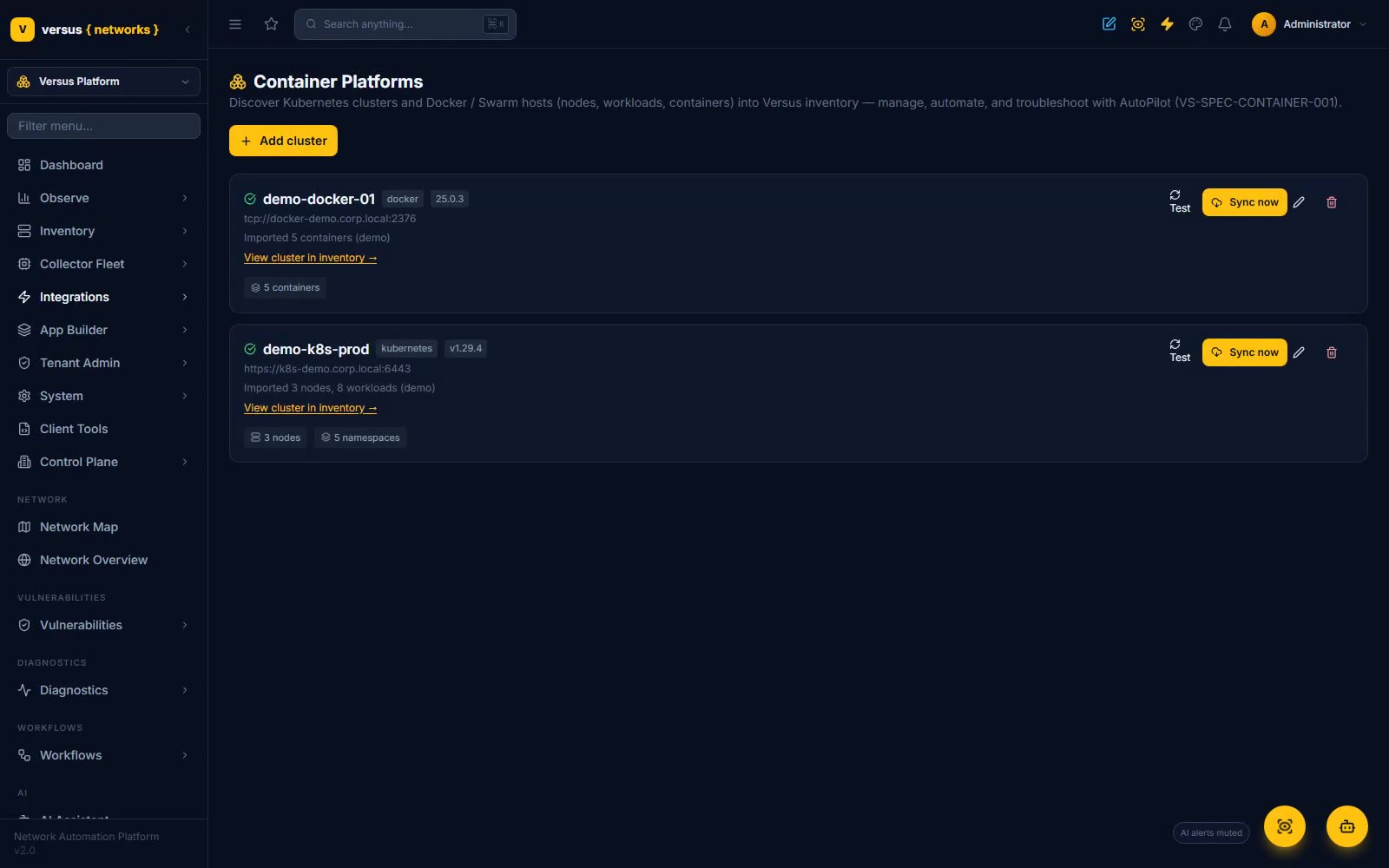
Container Platforms — Kubernetes & Docker
Discover your Kubernetes clusters and Docker / Swarm hosts into one inventory, then troubleshoot and remediate them with AI AutoPilot. A container monitor catches a NotReady node, a CrashLoopBackOff pod, and a LoadBalancer with no correlated VIP in a single sweep — then opens an incident and hands off to an AI war-room that walks the path from the VIP into the pod and proposes a governed k8s.* / docker.* fix. The container layer, operated like the rest of your network.
Read the docs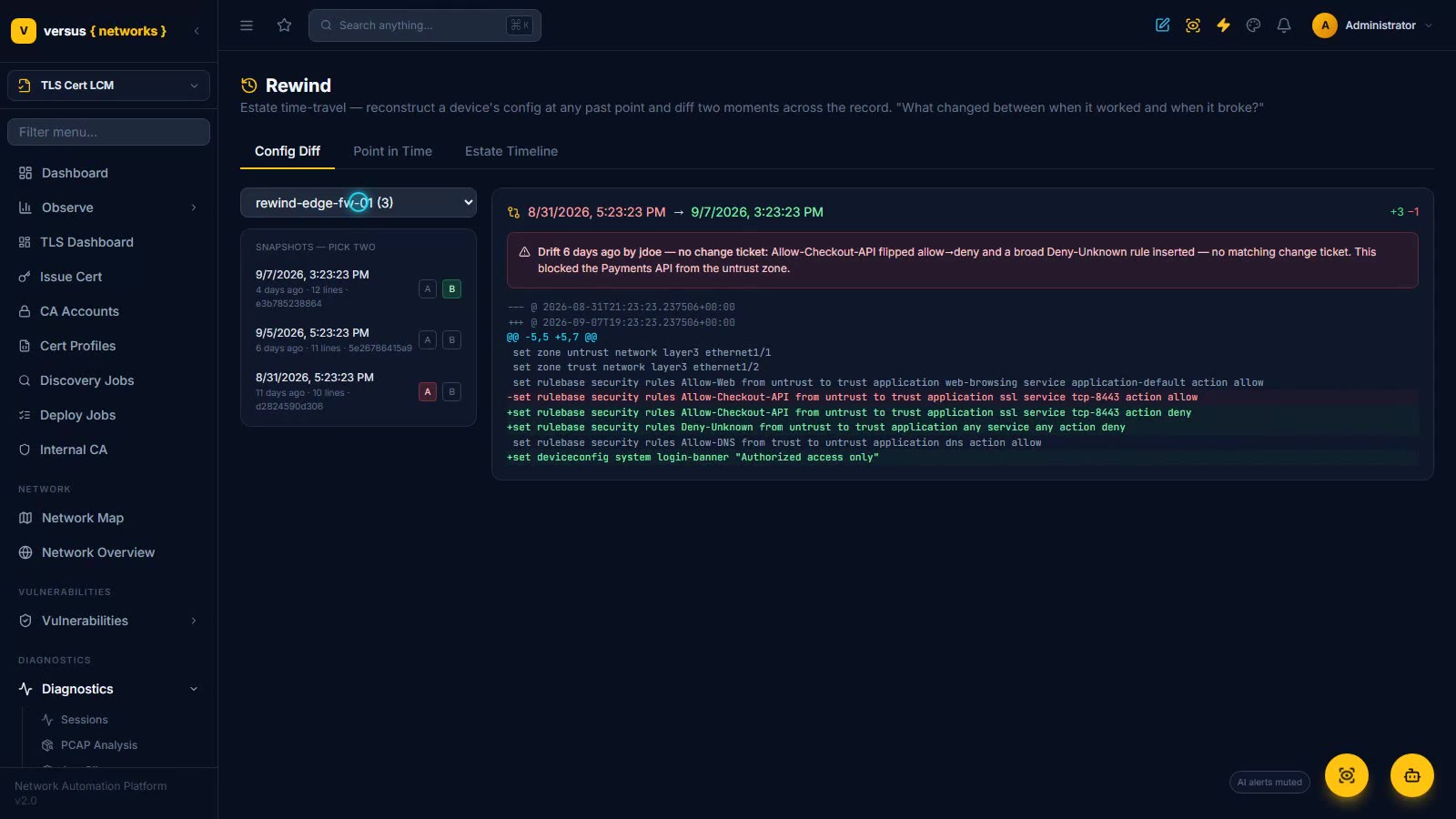
Versus Rewind — Estate Time-Travel
Estate time-travel for root-cause analysis. Pick a device and any two config snapshots and Versus diffs them with detected drift overlaid — who changed it, and whether a change ticket covered it — then merges config captures, drift, audit actions and monitor events into one estate timeline. Watch a firewall rule flipped from allow to deny with no ticket get pinned to its author in seconds, from records Versus already keeps.
Read the docs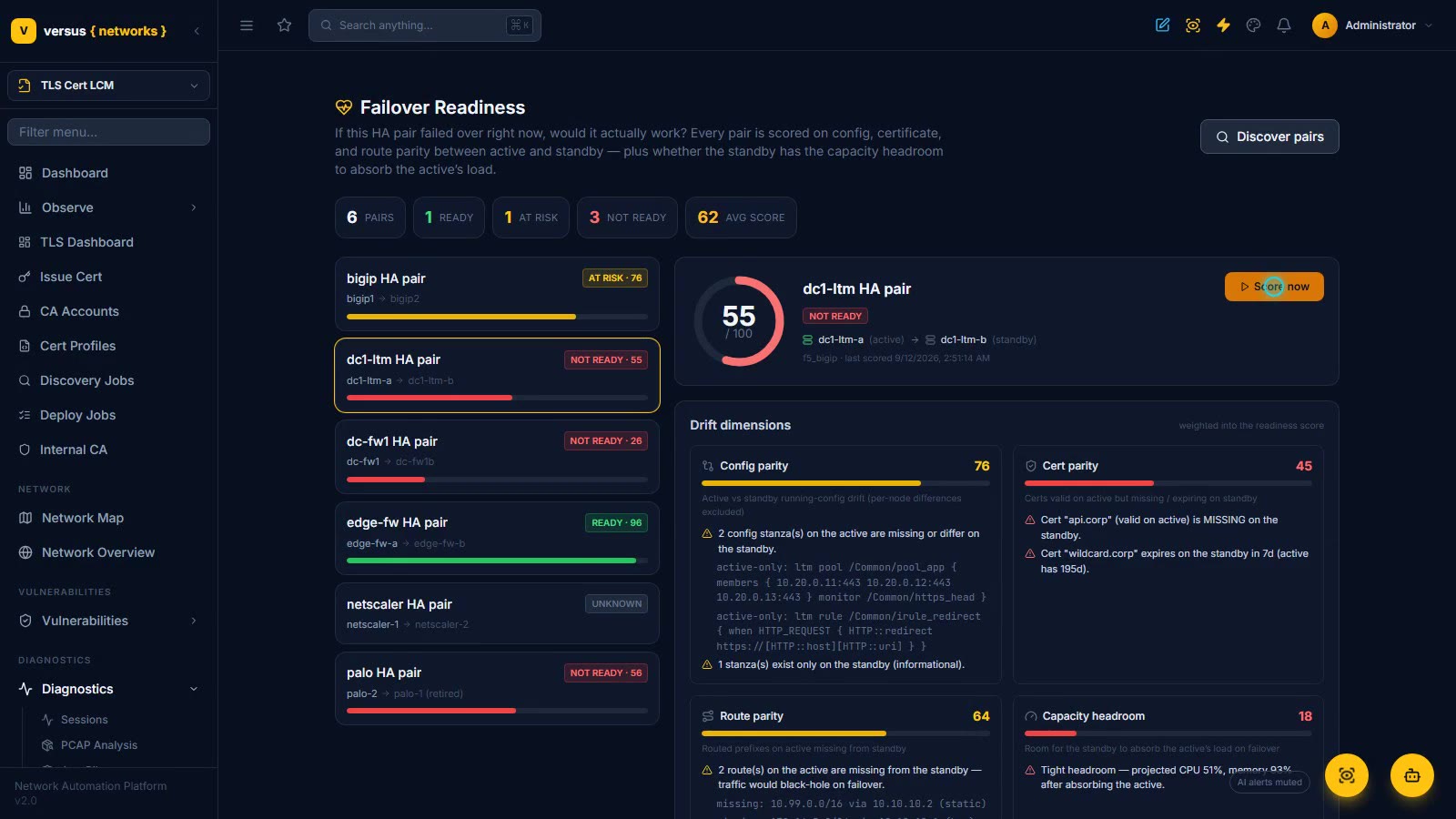
Failover Readiness
If this HA pair failed over right now, would it actually work? Every tracked pair is scored on config, certificate and route parity between active and standby plus the standby’s capacity headroom, with per-dimension findings — an F5 pair scores 55 (Not ready) with a missing pool, a missing cert and two black-hole routes, a Palo Alto pair scores 96 (Ready). When enabled, a Not-ready pair opens a Desk incident and an AutoPilot investigation, rolled up per pair and auto-resolved on recovery.
Read the docs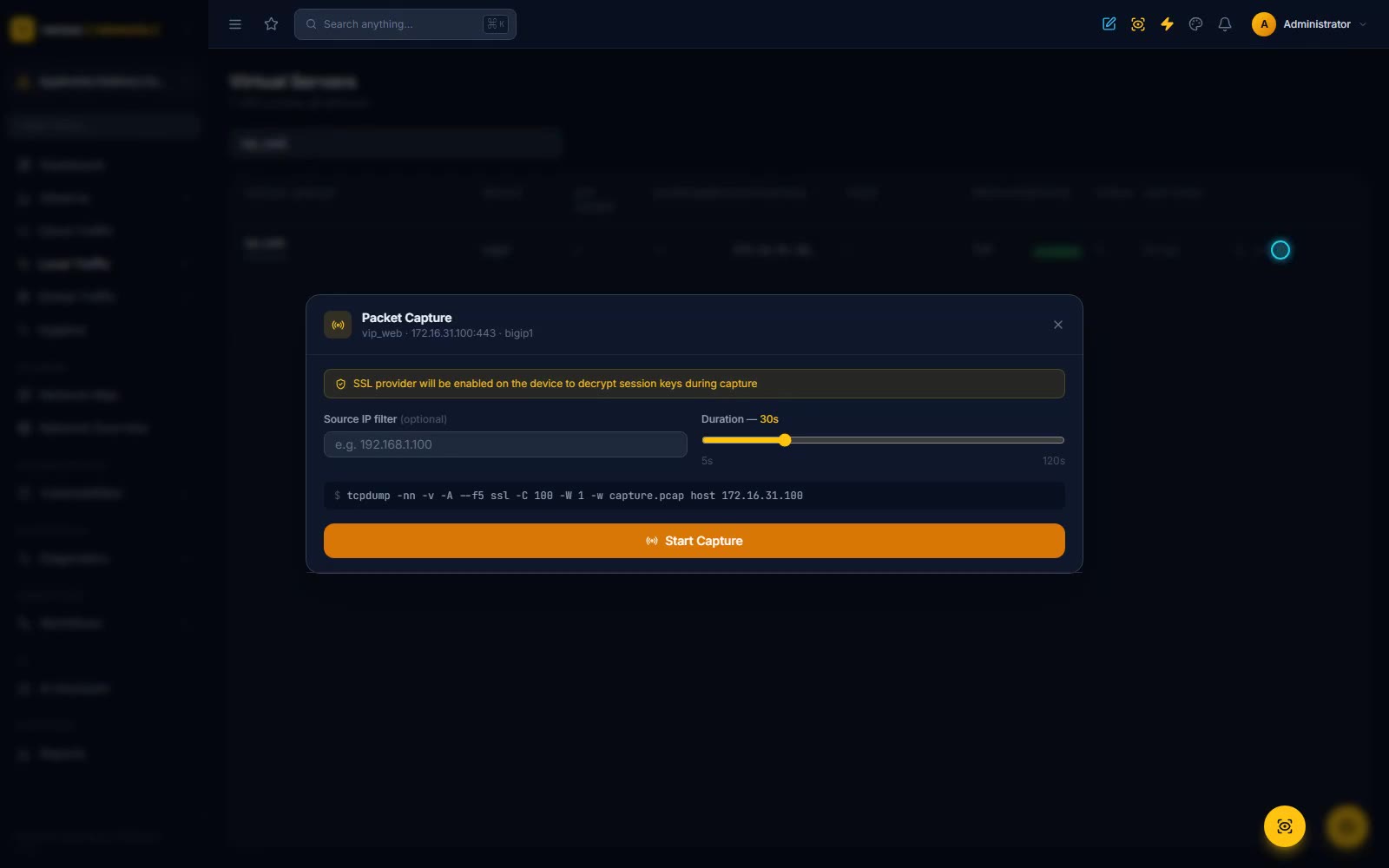
On-Device Packet Capture
Run a packet capture on the F5 itself, decrypt the TLS session inline with the SSL provider and ssldump, and hand the decrypted flow to the AI — troubleshoot an encrypted virtual service without a mirror port or moving a key off the box. Traffic is driven by a real client through the firewall.
Read the docs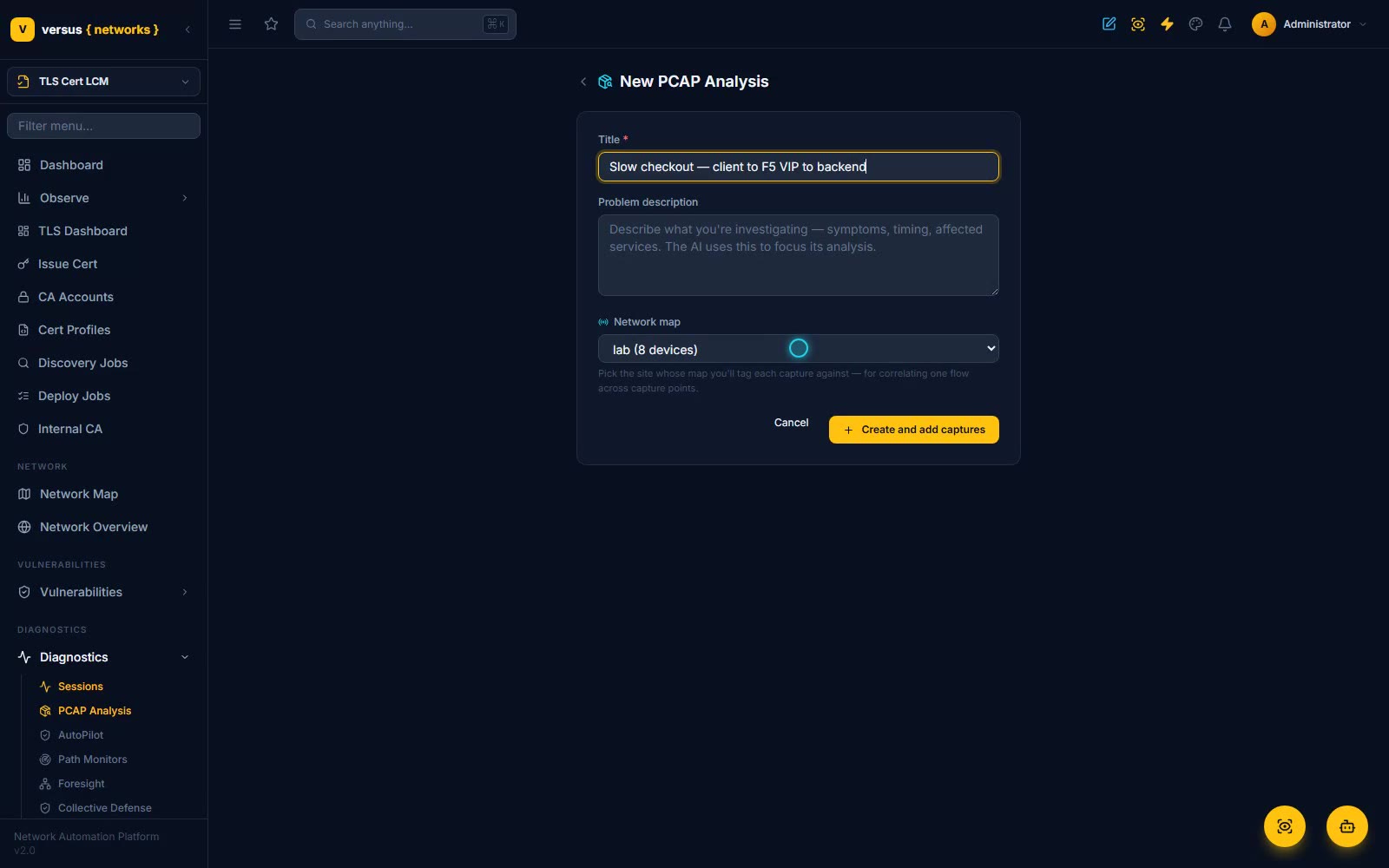
Multi-Point Packet Correlation
Capture one flow at up to three points on the path — firewall, load balancer, backend — tag each to its device on the network map, and let Versus correlate the packets to pinpoint the exact segment adding latency or dropping packets.
Read the docs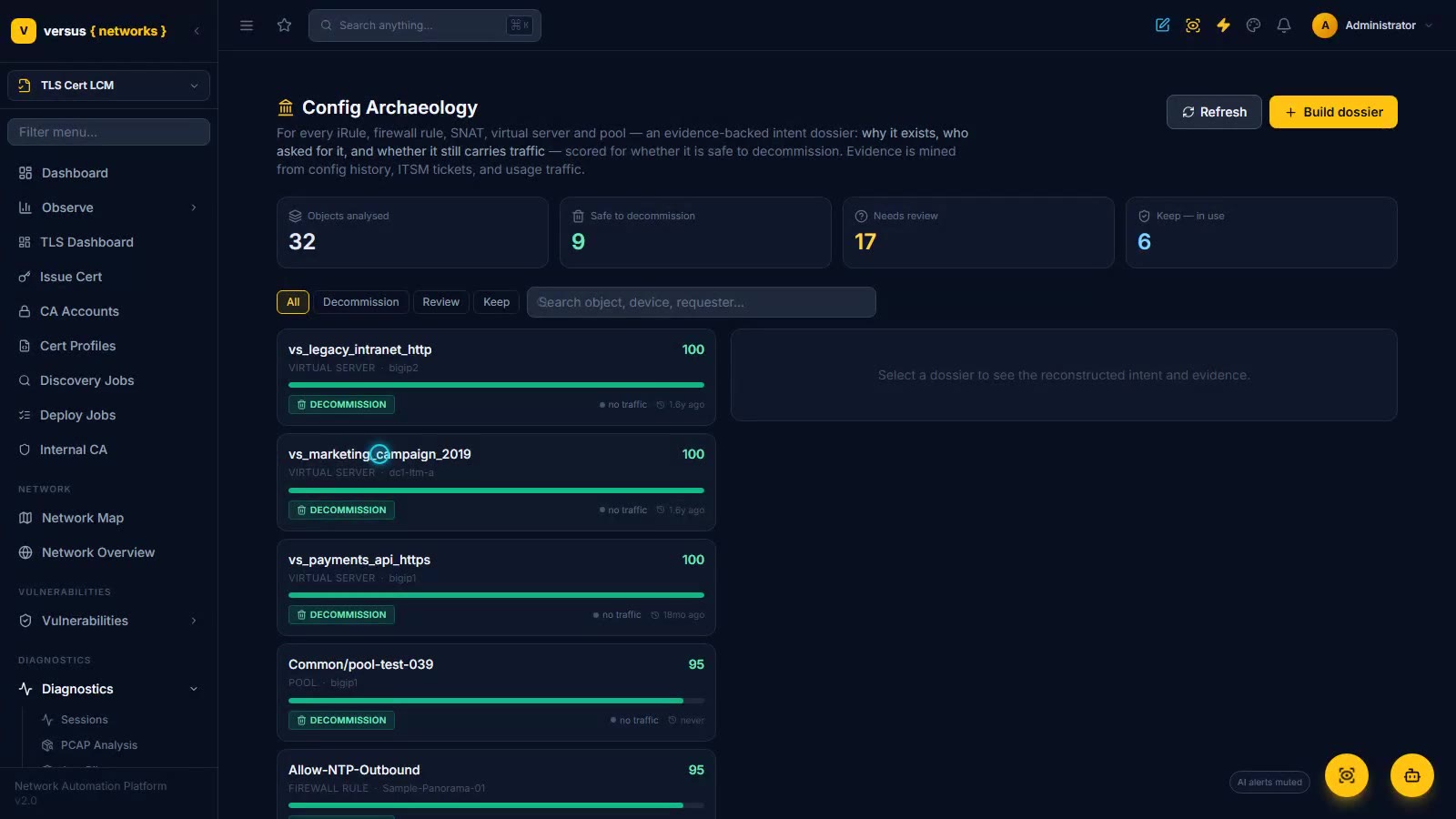
Config Archaeology
An evidence-backed intent dossier for every iRule, firewall rule, SNAT, virtual server and pool — why it exists, who asked for it, and whether it still carries traffic — mined from config history, correlated Desk tickets and live traffic, and scored into a safe-to-decommission confidence: 32 objects analysed, 9 safe to remove, 17 to review, 6 in active use. Open a 100/100 decommission candidate with its three closed tickets, a keep verdict pinned by 1.7M hits, and build a dossier for any object on demand.
Read the docs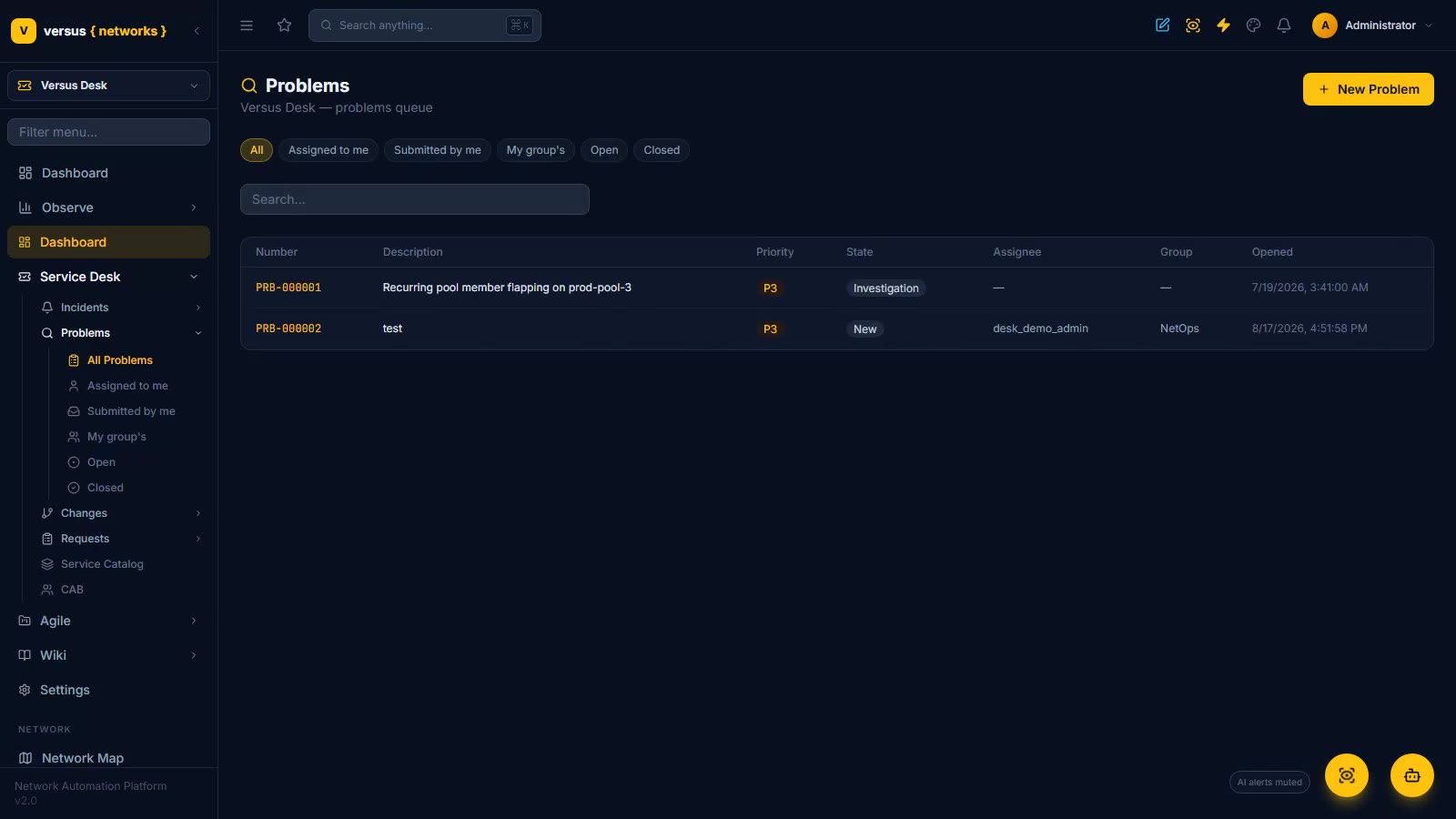
Versus Desk — ITSM
A full ITSM built into the automation platform: incident, problem, change and request queues with SLAs and saved views; a real Change Advisory Board where you schedule a meeting, hold the call over a slate of changes and record dispositions that drive the approval chain; and changes your workflows populate for you — implementation, rollback, test plans and change tasks generated from the automation itself.
Read the docs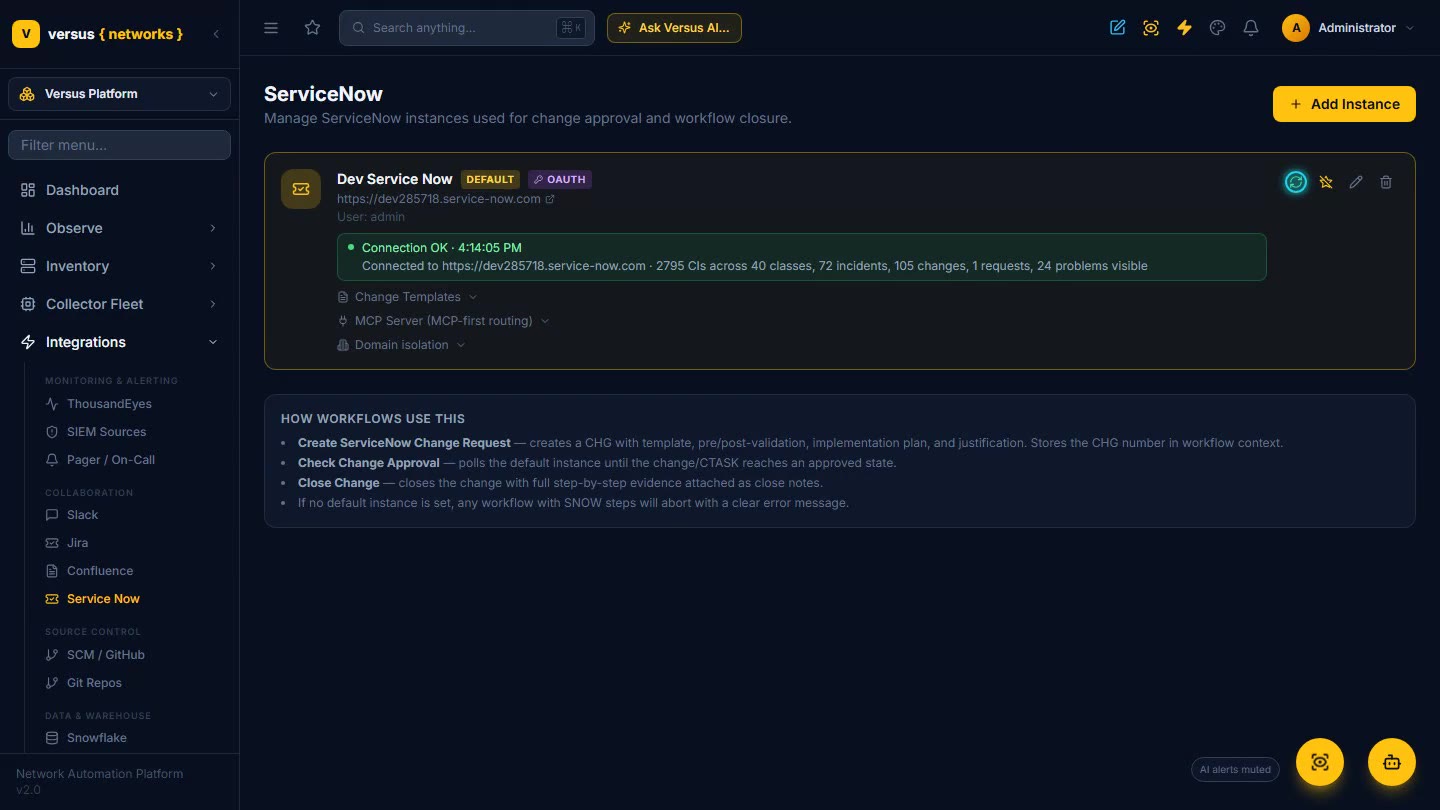
ServiceNow Integration
The full ServiceNow integration end to end: a health test that proves what your credential can actually see, MCP-first routing, deep CMDB discovery with import / merge / enrich, drift reconciliation with governed remediation, 30 ITSM workflow nodes and a Create Change that waits on CAB approval, AutoPilot triaging ServiceNow incidents into proactive troubleshooting, no-code forms embedded in a ServiceNow catalog, and domain isolation for multi-tenant / MSP safety. Versus acts on your system of record — it does not replace it.
Read the docs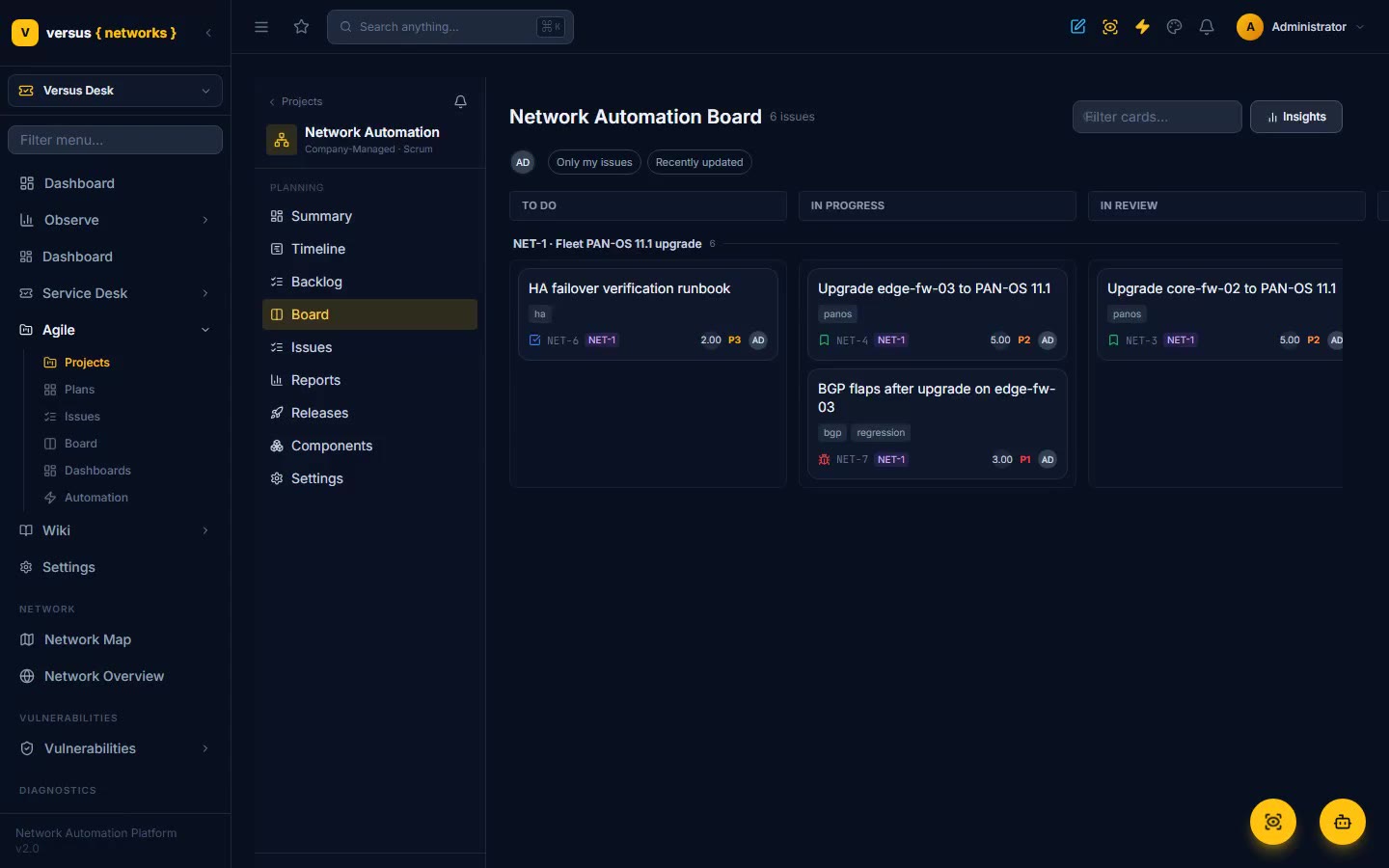
Agile Delivery
A full Jira-class agile suite built into Versus Desk — projects, scrum and kanban boards with epic swimlanes, backlog and sprint planning, a Gantt road map, velocity and burndown reports, VQL search, portfolio plans with capacity, and live dashboards — plus automation rules that launch real Versus network workflows straight from an issue event.
Read the docs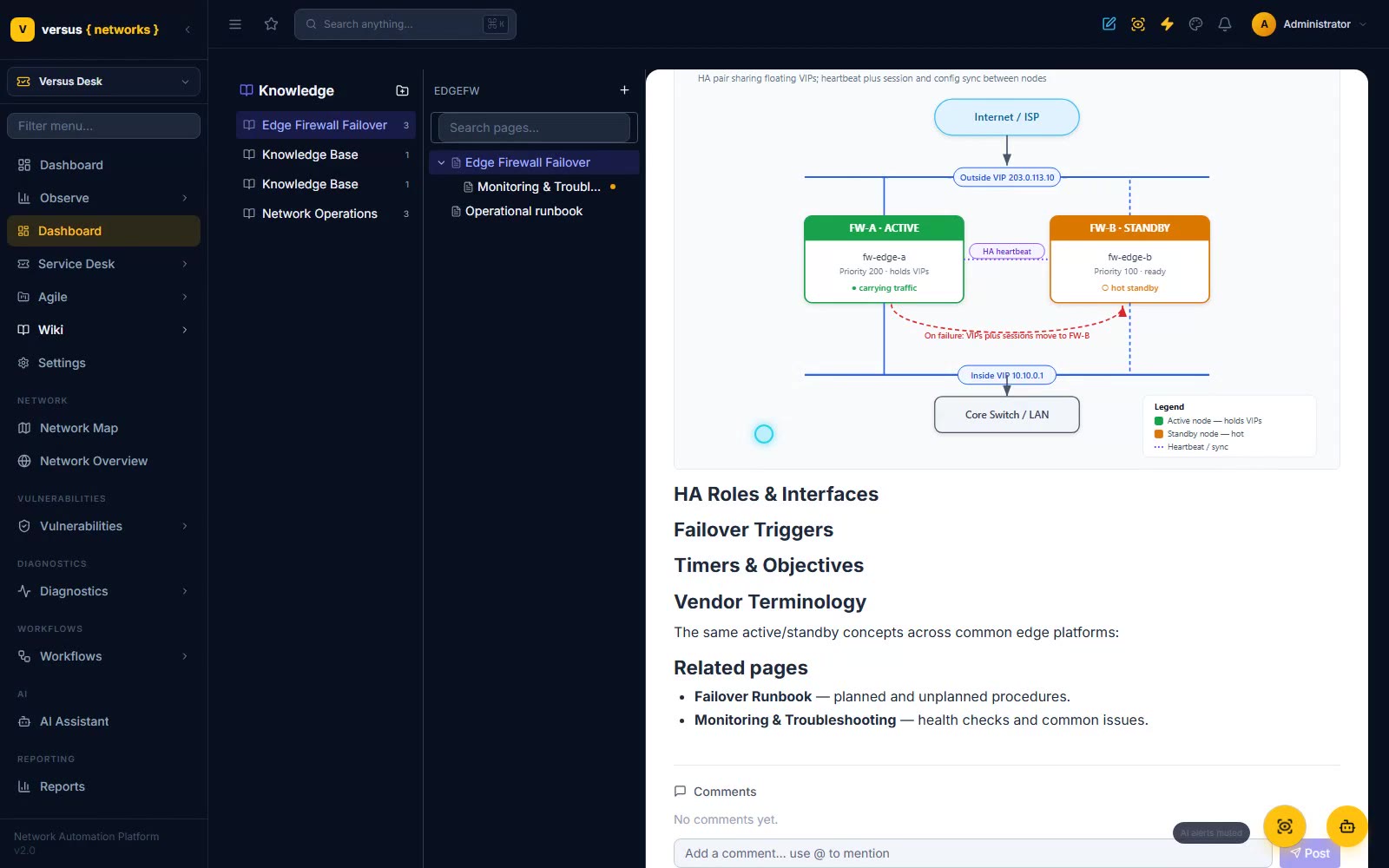
Wiki & Whiteboards
A Confluence-class knowledge base built into Versus Desk — spaces, a page tree, a block editor with tables, panels and embedded draw.io diagrams, a template library with wizards, and an AI author. Plus whiteboards that render your live network: drop in a network map of any site and every device becomes a live status card.
Read the docs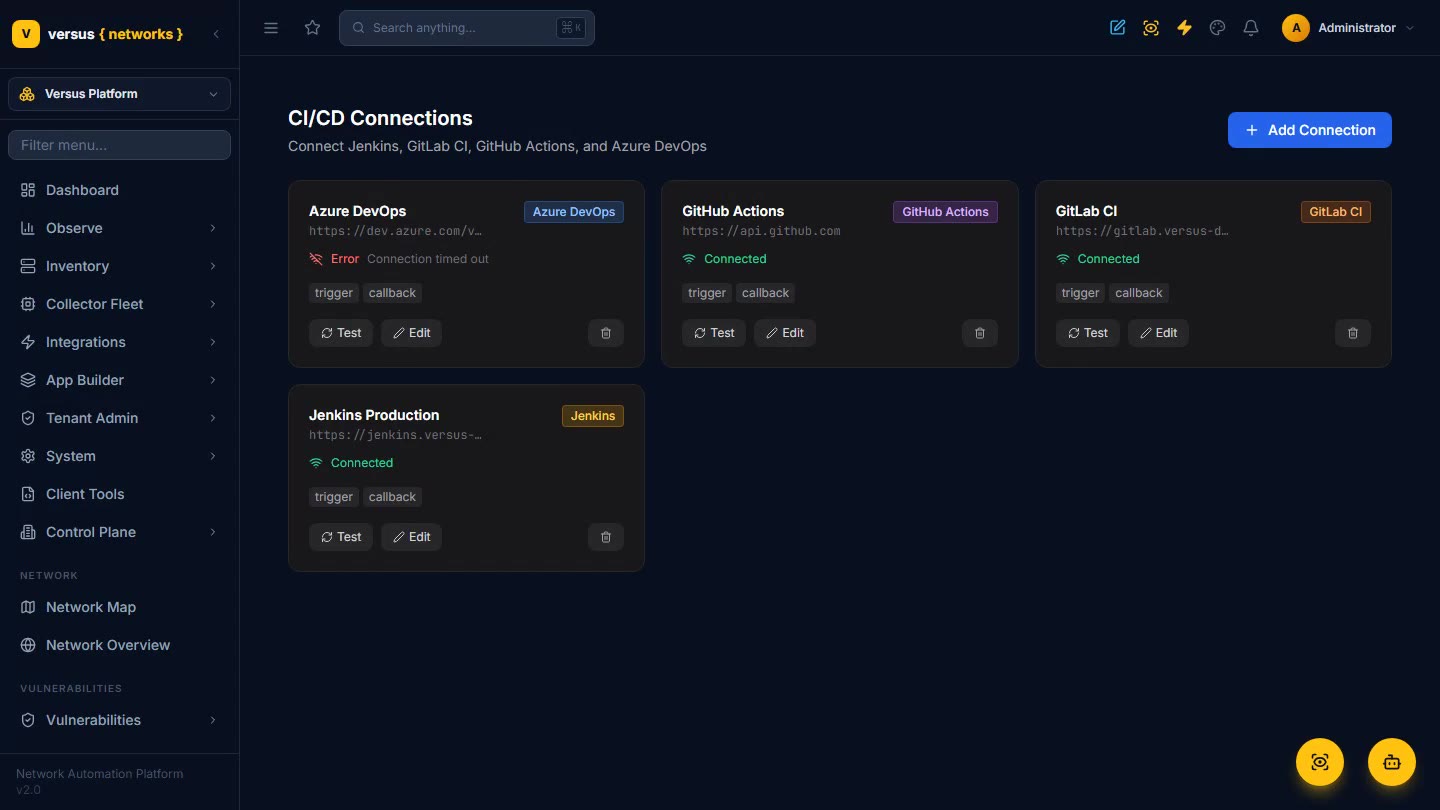
GitOps, Ansible & CI/CD
Run your existing playbooks and Terraform, connect Jenkins, GitLab, GitHub Actions and Azure DevOps, bind repos to environments with GitOps policies, and put every network change under version control with reviewable changesets.
Read the docsPrefer to just ask?
The Versus AI assistant on this site answers from the entire documentation library. Ask it anything — “how do I recover a failed change?” — and get an answer with links to the docs it used, any time, no sign-in needed.