Dashboard Widgets
Add widgets to App Builder dashboard pages — device health, certificate expiry, pool status, config drift, workflow SLA, change tracking, and embedded Observe dashboards.
Overview
Any Dashboard-type page inside an App Builder app (including the app's default Home page) can hold widgets. Click + Add Widget in the top-right corner, pick a widget type from the picker, fill in its (usually minimal) configuration, and it's added to the page immediately — no separate save step. Widgets lay themselves out in a responsive multi-column arrangement automatically; there's no manual drag-to-reposition or resize-handle step to learn. Each widget has an × in its top-right corner to remove it.
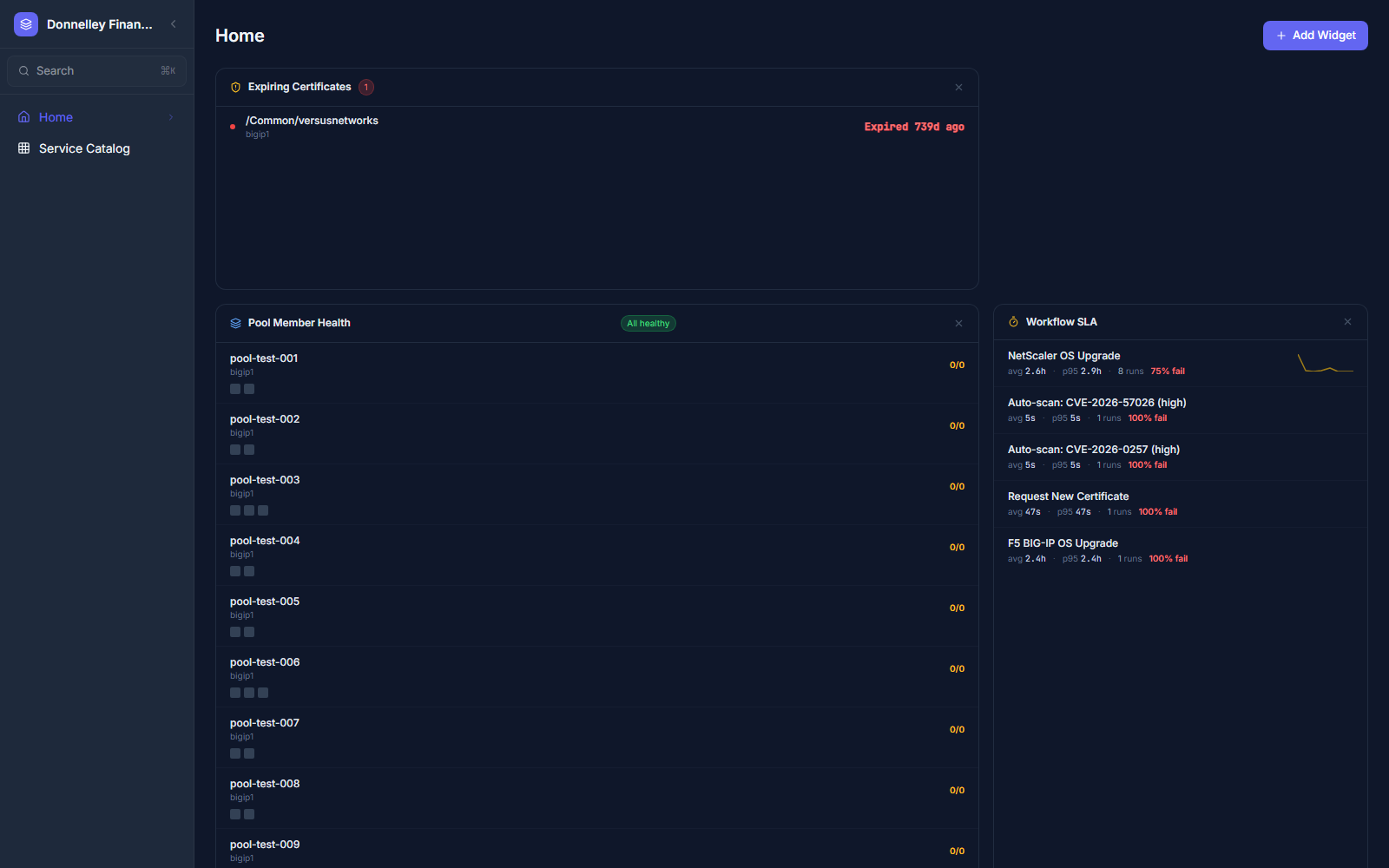
The Widget Picker
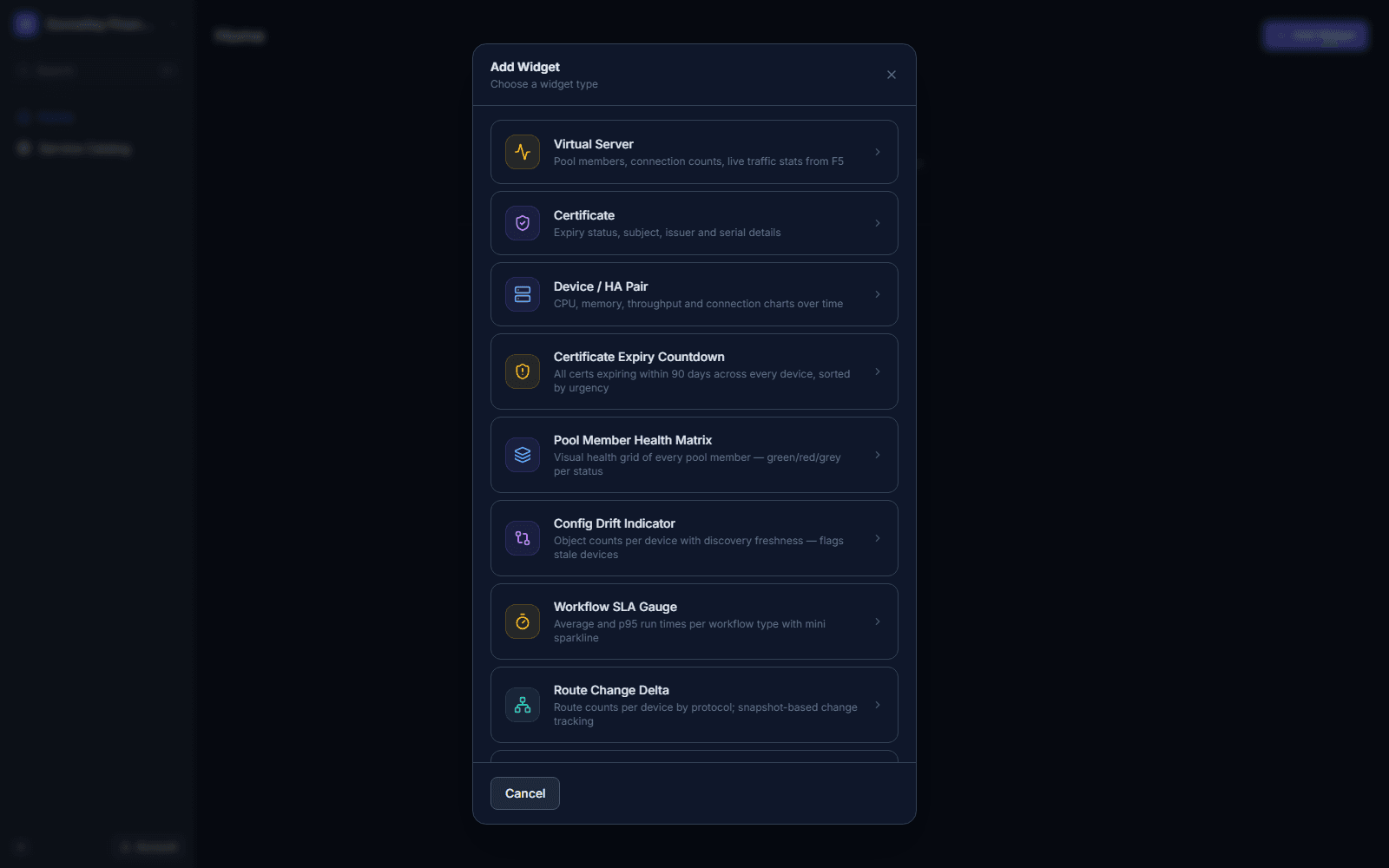
Clicking + Add Widget opens a picker listing every available widget type with a one-line description, taken directly from the product:
- Virtual Server — pool members, connection counts, live traffic stats from F5.
- Certificate — expiry status, subject, issuer and serial details.
- Device / HA Pair — CPU, memory, throughput and connection charts over time.
- Certificate Expiry Countdown — all certs expiring within 90 days across every device, sorted by urgency.
- Pool Member Health Matrix — visual health grid of every pool member — green/red/grey per status.
- Config Drift Indicator — object counts per device with discovery freshness; flags stale devices.
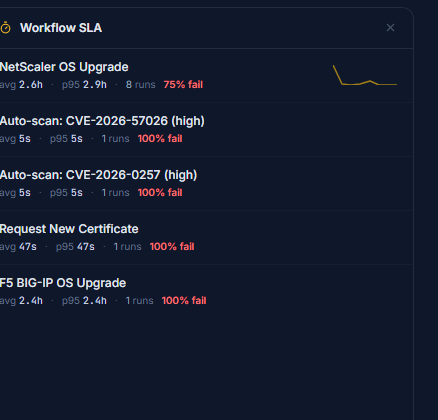
- Workflow SLA Gauge — average and p95 run times per workflow type, with a mini sparkline.
- Route Change Delta — route counts per device by protocol; snapshot-based change tracking.
- Unauthorized Changes — config changes detected during discovery with no matching ServiceNow change record.
- Observe Dashboard — embed a live Observe dashboard panel directly on the page.
Certificate Expiry Countdown
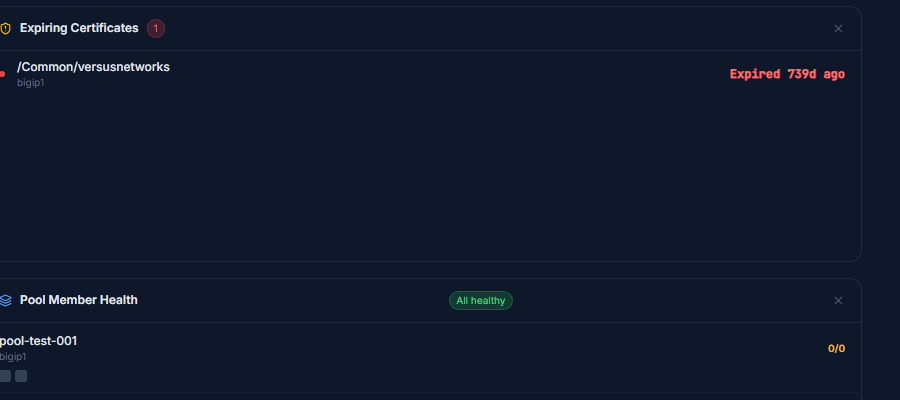
Lists certificates expiring within 90 days across every managed device, most urgent first, with the owning virtual server path, device name, and how long ago (or until) expiry. This widget has no required configuration — it automatically pulls data across all devices.
Pool Member Health Matrix
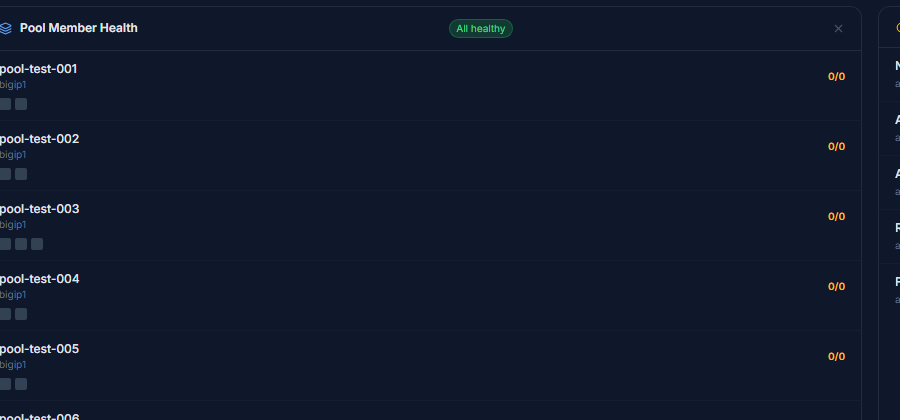
Lists pools across devices with a per-pool member-count summary (e.g. 0/0 up/total) and a status badge ("All healthy" or similar) summarizing the whole widget. Each pool row shows small per-member status chips.
Workflow SLA Gauge
Groups recent workflow executions by workflow name, showing average and p95 run time, total run count, failure rate, and a mini sparkline trend per workflow.
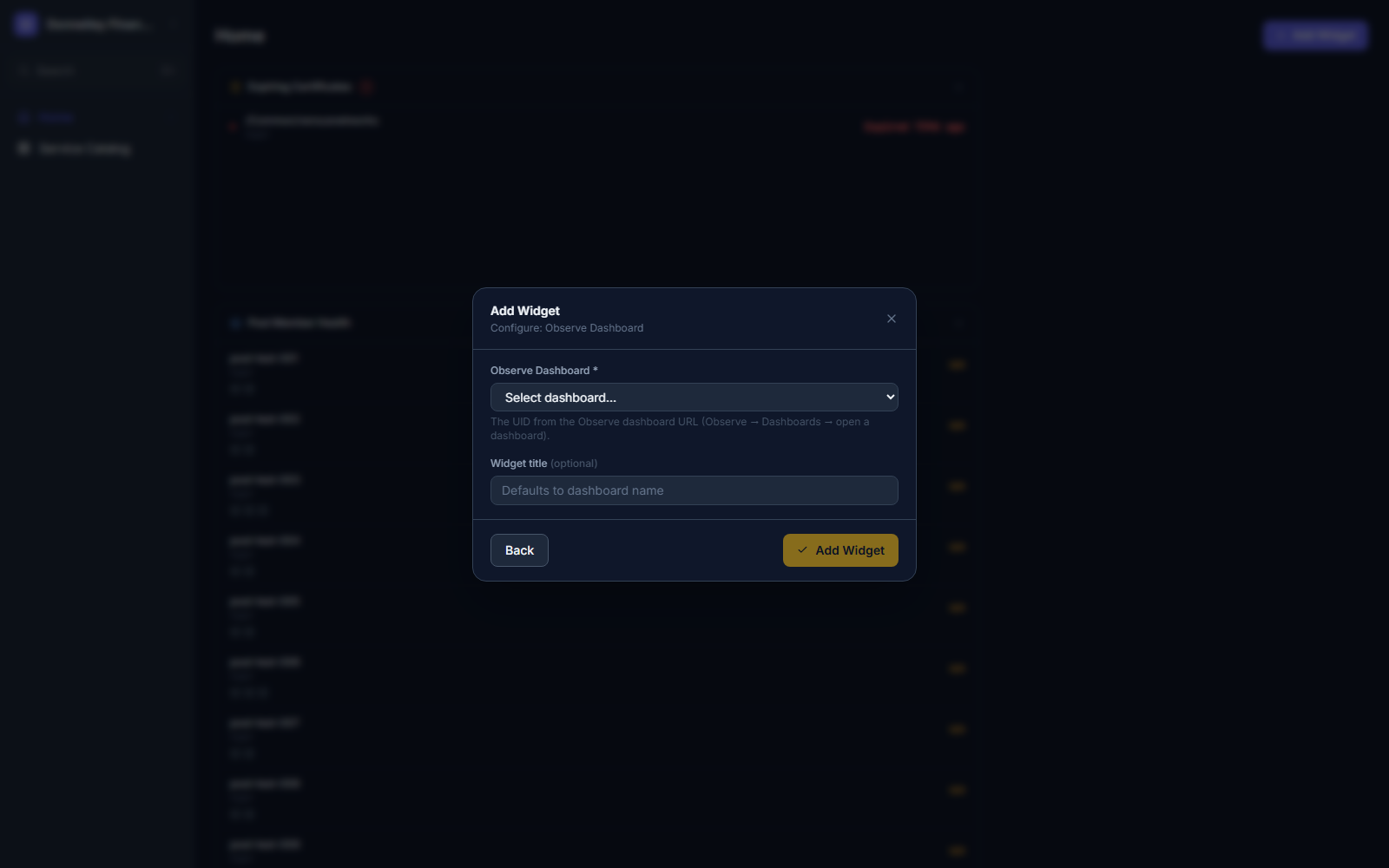
The Observe Dashboard widget embeds a live Observe dashboard directly inside an App Builder page. Its configuration is intentionally minimal:
- Click + Add Widget → Observe Dashboard.
- Select the Observe Dashboard from the dropdown — its UID comes from the dashboard's own URL under Observe → Dashboards.
- Optionally set a Widget title (defaults to the dashboard's own name if left blank).
- Click Add Widget to confirm.
Widgets are placed in a responsive, multi-column layout automatically as they're added — there is no drag handle or resize grip to manage manually. To remove a widget, click the × in its top-right corner; there's no separate "Edit" mode to enter first, the dashboard is always live-editable to anyone with access to the app's designer.
Quick Reference
| Widget | What it shows |
|---|---|
| Virtual Server | Pool members, connection counts, live traffic stats from F5 |
| Certificate | Expiry status, subject, issuer and serial details |
| Device / HA Pair | CPU, memory, throughput and connection charts over time |
| Certificate Expiry Countdown | All certs expiring within 90 days, sorted by urgency |
| Pool Member Health Matrix | Per-pool member health with an overall status badge |
| Config Drift Indicator | Object counts per device with discovery freshness; flags stale devices |
| Workflow SLA Gauge | Avg/p95 run time, run count, failure rate, sparkline per workflow |
| Route Change Delta | Route counts per device by protocol; snapshot-based change tracking |
| Unauthorized Changes | Config changes with no matching ServiceNow change record |
| Observe Dashboard | Embedded live Observe dashboard, selected by UID |