Firewall Rules & PCI Audit
A live, read-only inventory of every rule on every managed firewall — filterable by device, rule set, and action — plus an on-demand PCI DSS v4.0 audit that checks that same inventory against Requirement 1 and Requirement 10 controls.
Where This Fits
Firewalls is one of two groups inside the Firewall Policy workspace, alongside FW Governance. The distinction matters:
- Firewalls (this page, plus Access Requests and Change Requests) is where you look at the rules that exist today and provision new access — the operational, device-facing side.
- FW Governance is where those same rules get analyzed continuously for unused/shadowed/redundant findings, recertification, segmentation, and CVE-aware exposure risk — the ongoing compliance side.
The PCI Audit tool on this page is a point-in-time, on-demand check — run it whenever you need an audit-ready snapshot. FW Governance's Compliance module is the continuous version, evaluating the same kind of controls automatically after every discovery run.
The Firewall Rules List
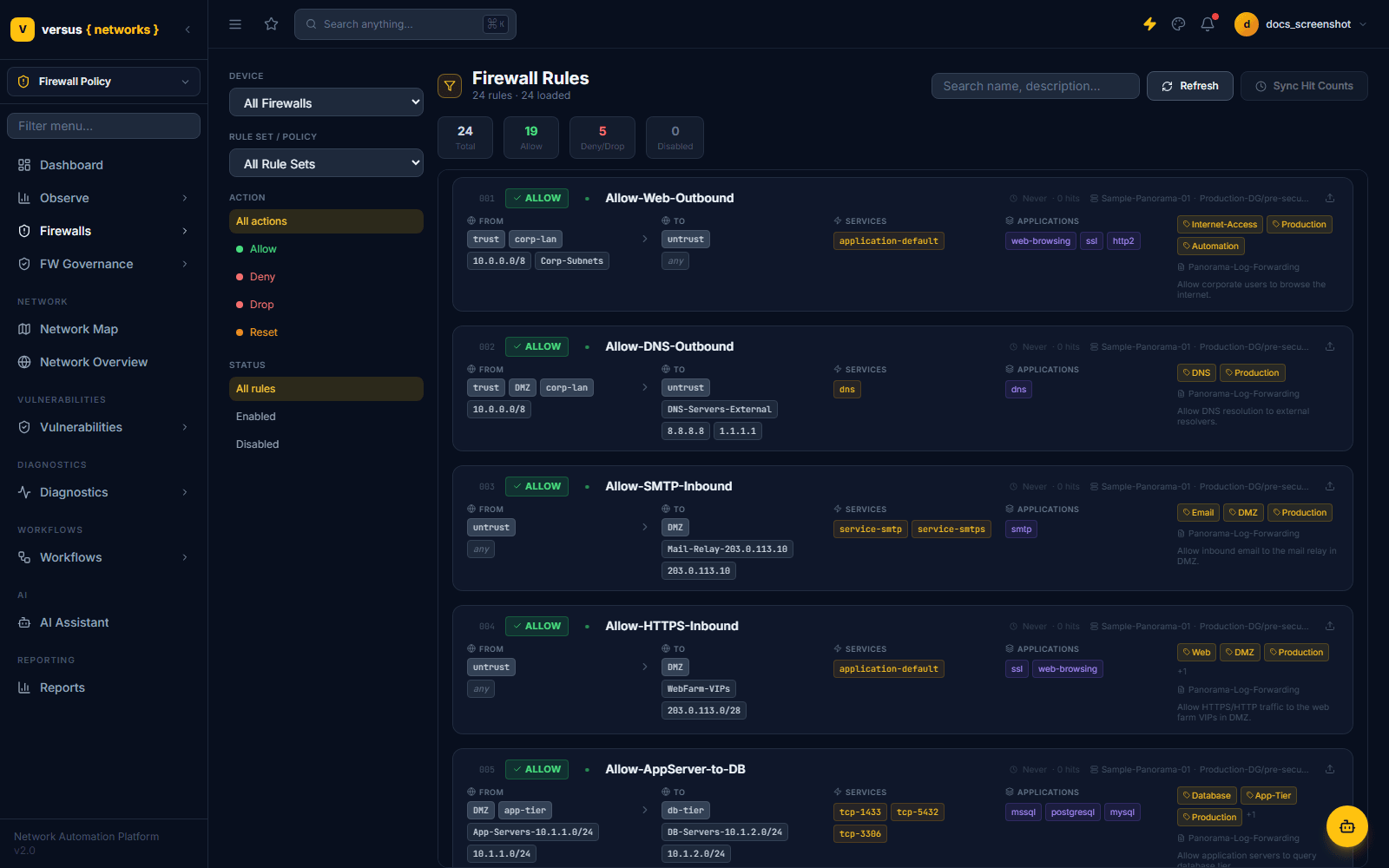
Firewalls → Firewall Rules lists every rule Versus has discovered, one card per rule, newest rule sets first. Four summary tiles at the top give an at-a-glance count: Total, Allow, Deny/Drop, and Disabled.
What Each Rule Card Shows
| Field | Meaning |
|---|---|
| # / Action | Rule sequence number and its enforcement action badge — ALLOW, DENY, DROP, or RESET |
| Name | The rule name as configured on the device (e.g. Allow-Web-Outbound) |
| Hit tracking | Last-hit timestamp and hit count, shown muted until a Sync Hit Counts run has populated them |
| Rule-set path | The owning device and rule set/device-group, e.g. Sample-Panorama-01 · Production-DG/pre-security |
| From / To | Source and destination zones (pill badges) followed by the actual address objects or CIDRs in each zone |
| Services | Application-default or explicit service/port objects the rule matches (e.g. tcp-1433, tcp-3306) |
| Applications | App-ID / application tags the rule matches, e.g. ssl, web-browsing, mssql |
| Tags | Free-form classification tags such as Production, Automation, Database, App-Tier |
| Log profile & description | The log-forwarding profile attached to the rule, and its free-text description |
Filtering the List
The left-hand filter rail narrows the list by:
- Device — defaults to
All Firewalls; pick a single managed firewall to scope everything below it - Rule Set / Policy — defaults to
All Rule Sets; scope to one device-group/vsys rule set - Action —
All actions,Allow,Deny,Drop, orReset - Status —
All rules,Enabled, orDisabled
A free-text Search box in the top right matches on rule name and description. Refresh re-pulls the list from Versus's database; Sync Hit Counts triggers a live call to the device to refresh last-hit timestamps and hit counters shown on each card — useful before deciding whether a rule looks like an unused-rule candidate.
PCI DSS v4.0 Firewall Audit
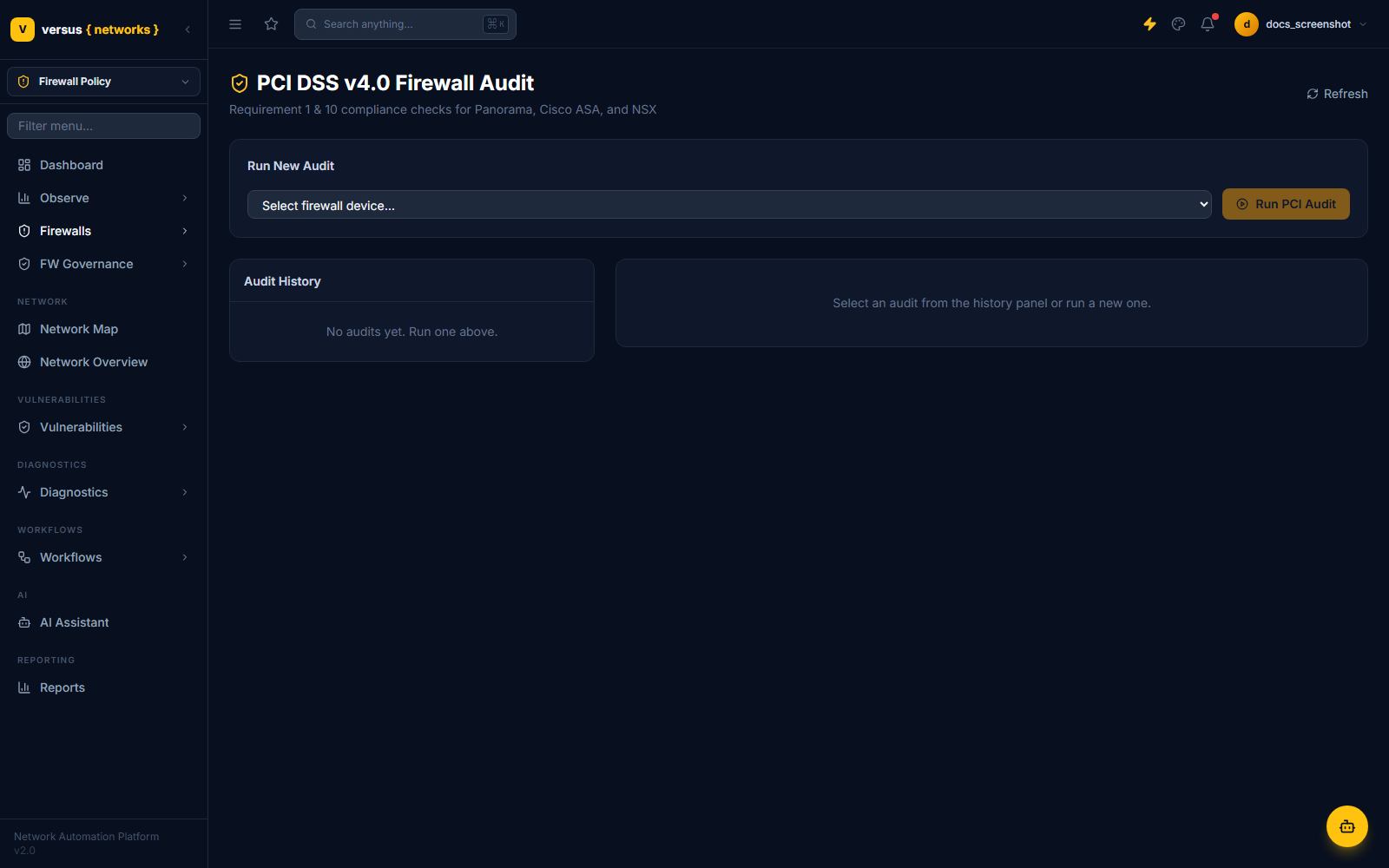
Firewalls → PCI Audit runs Requirement 1 (network security controls) and Requirement 10 (logging & monitoring) checks against a single firewall's live rulebase — currently supported for Panorama, Cisco ASA, and NSX. Nothing runs until you ask it to: pick a device and click Run PCI Audit.
Running an Audit
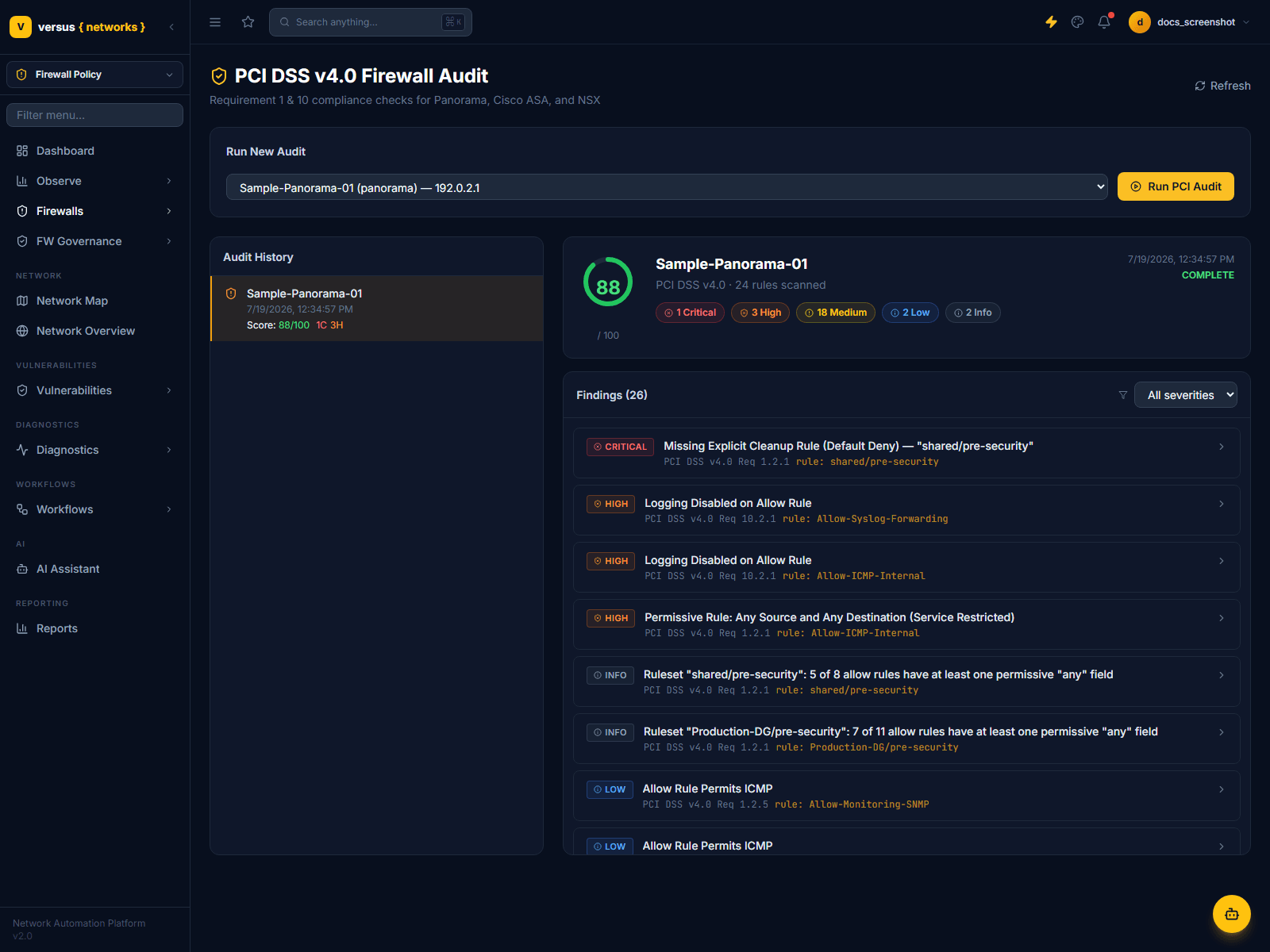
Select a device from the Select firewall device… dropdown and click Run PCI Audit. Versus scans that device's current rule set and returns a scored result within seconds. Each run is added to the Audit History panel on the left, so you can compare successive audits over time without re-running them.
Score and Severity Bands
Each audit produces a score out of 100 (shown in a ring next to the device name) and a count of findings at each severity: Critical, High, Medium, Low, and Info. The findings list below is sorted with the most severe issues first and can be filtered by the All severities dropdown.
Reading a Finding
Click any finding to expand it in place. Each one shows the specific rule set and rule it was raised against, the PCI DSS requirement it maps to (e.g. PCI DSS v4.0 Req 1.2.1), a full description of the gap, and a Remediation box with the concrete fix.
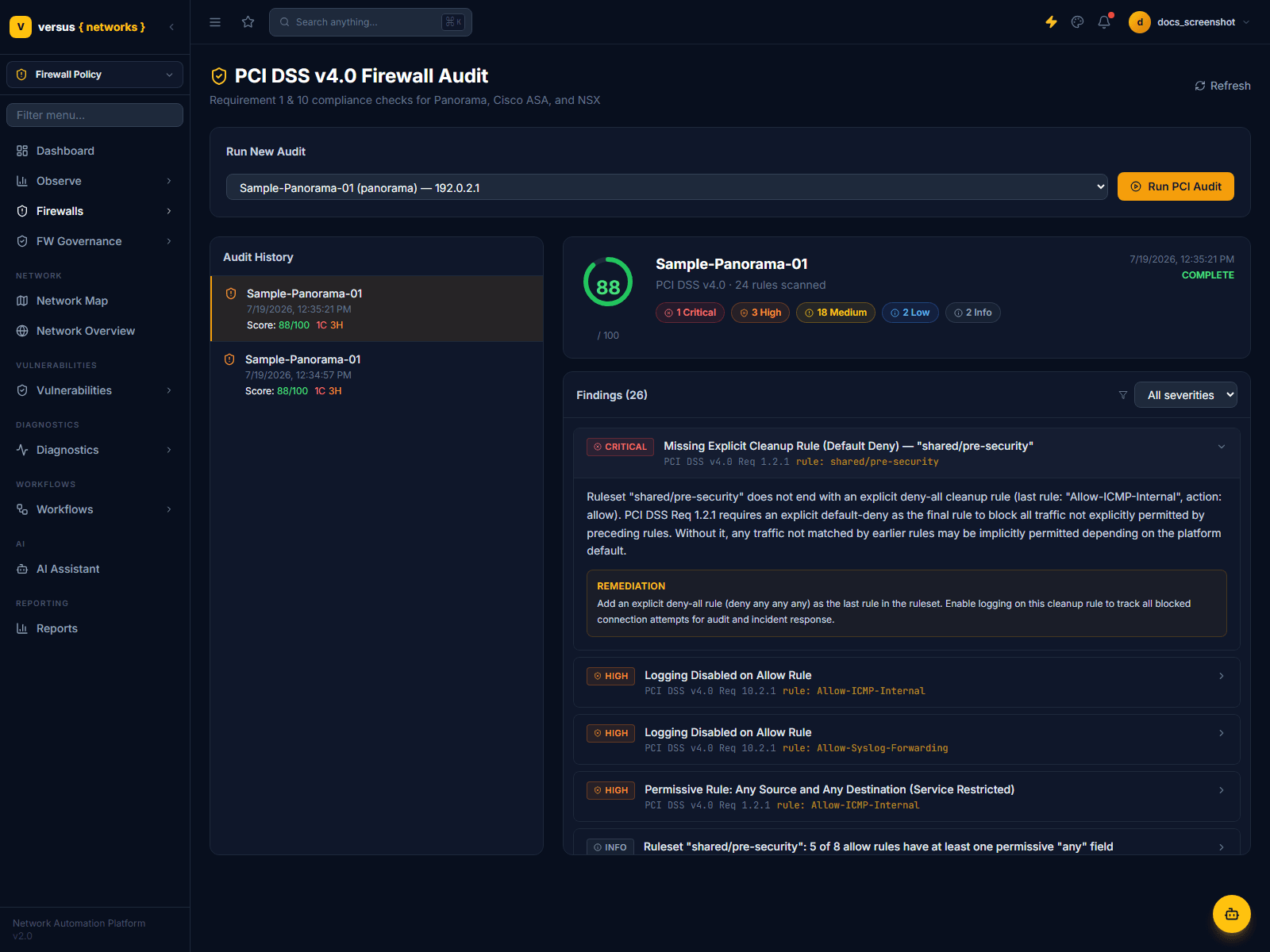
Typical checks include:
| Severity | Example Finding | Requirement |
|---|---|---|
| Critical | Missing Explicit Cleanup Rule (Default Deny) | Req 1.2.1 |
| High | Logging Disabled on Allow Rule | Req 10.2.1 |
| High | Permissive Rule: Any Source and Any Destination | Req 1.2.1 |
| Info | Ruleset has N of M allow rules with at least one permissive "any" field | Req 1.2.1 |
| Low | Allow Rule Permits ICMP | Req 1.2.5 |