F5 BIG-IP Integration
Connect F5 BIG-IP devices, discover LTM/GTM objects and certificates, track HA pairs, run device-level actions like OS upgrade and security audit, and generate Ansible/AS3/TMSH per virtual server.
Overview
F5 BIG-IP is one of the platforms under the ADC — HA Pairs category in Versus. Once connected, Versus discovers your LTM configuration and certificates, tracks HA pair state, and exposes every discovered virtual server as its own live dashboard with generated infrastructure-as-code views. No agent or additional software is required on the BIG-IP itself.
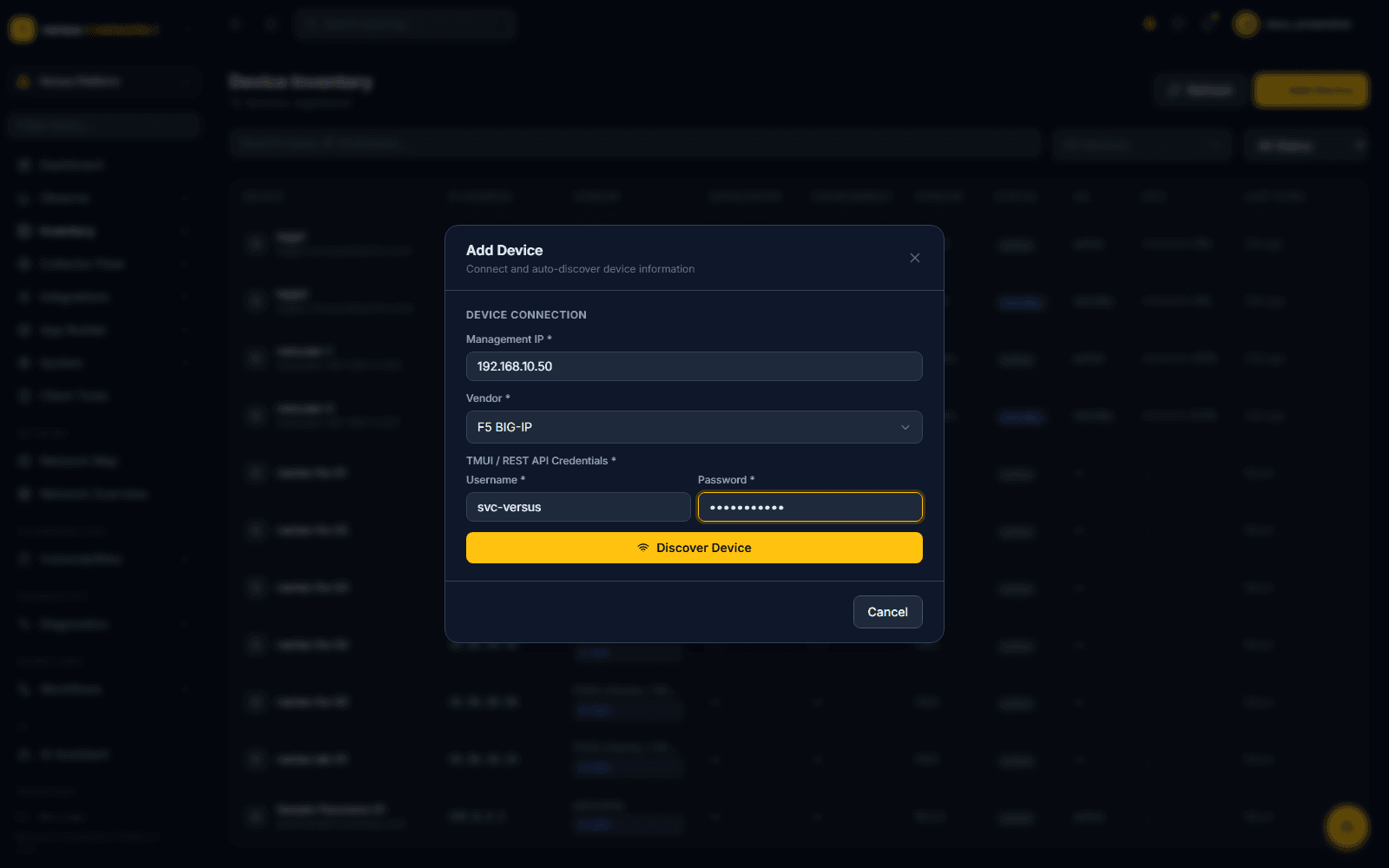
From Versus Platform → Inventory → Device Inventory, click Add Device and fill in:
- Management IP — the BIG-IP's management address
- Vendor — select F5 BIG-IP from the ADC — HA Pairs group
- TMUI / REST API Credentials — a username and password for the management API; the field label is specific to F5 (other vendors show a different label, e.g. NITRO API Credentials for NetScaler)
Click Discover Device to validate credentials and pull identifying information before it's saved to inventory.
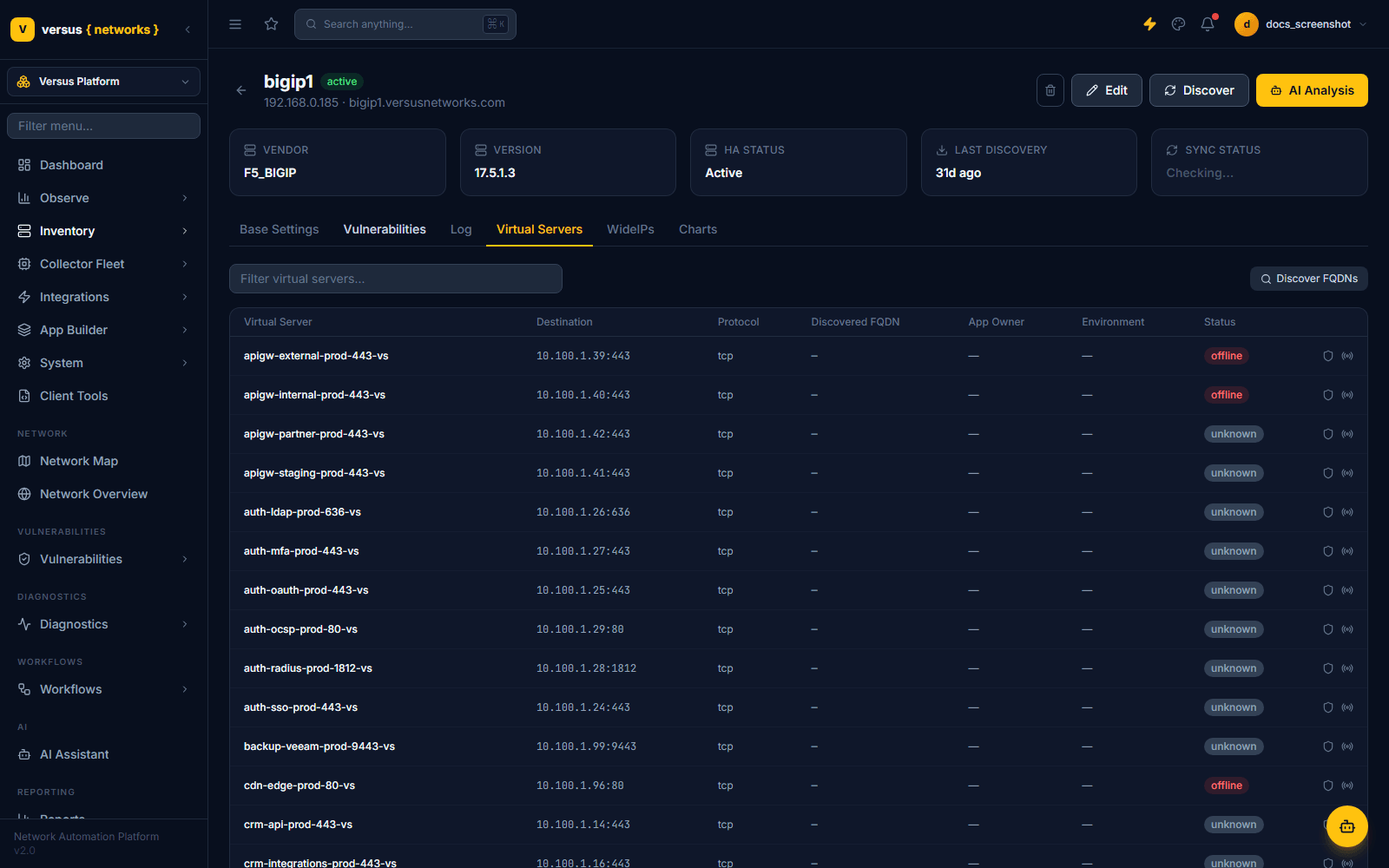
Once connected, Versus discovers and keeps in sync:
- Virtual Servers — name, destination IP:port, protocol, pool, discovered FQDN, app owner/environment metadata, and status
- Pools & Pool Members — load-balancing method, member address:port, status, connections, and throughput
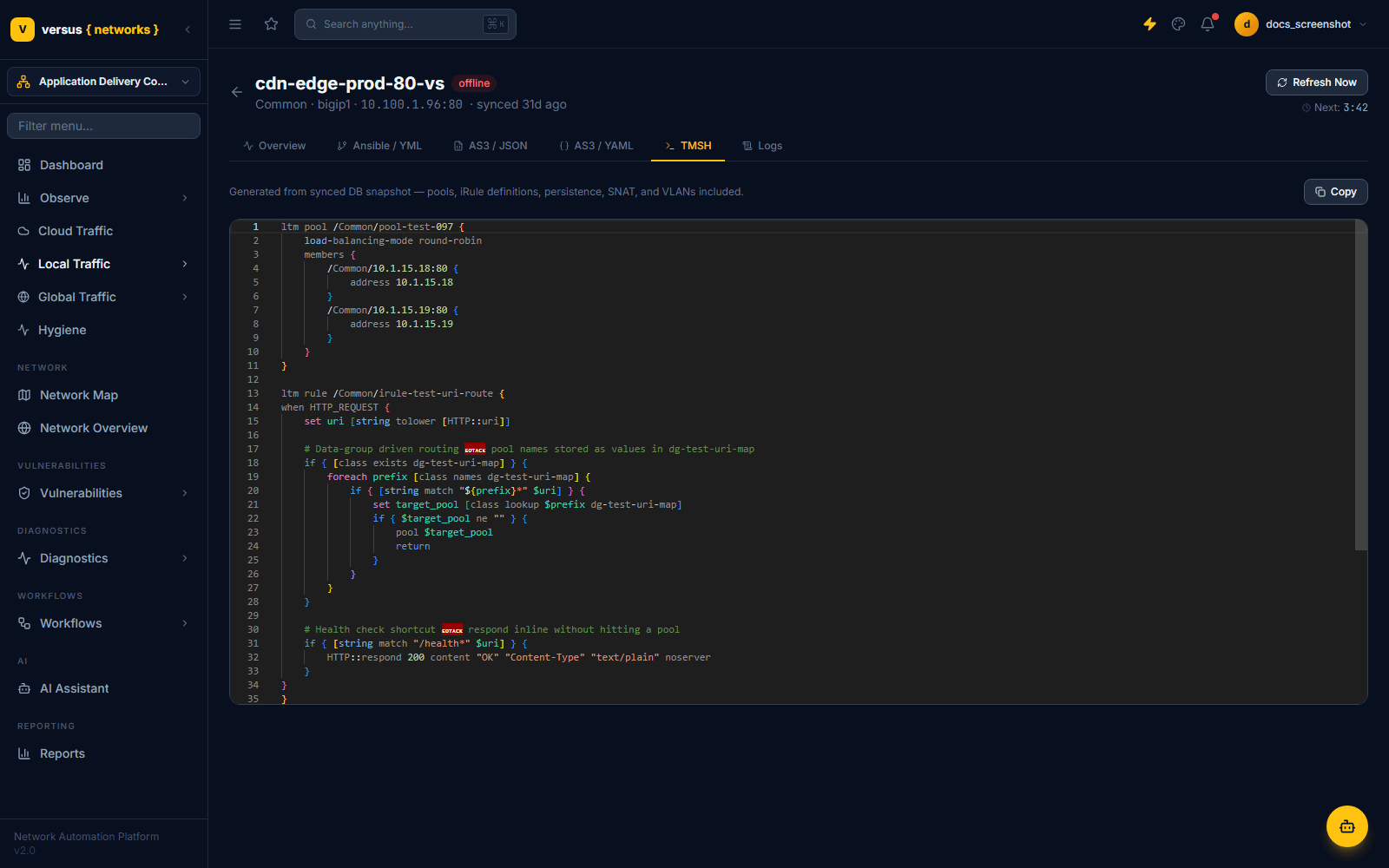
- iRules — attached by name per VS, with full Tcl source available from the VS detail page's TMSH tab
- SSL Certificates — surfaced in the shared Certificates view, cross-linked by device
- GTM Wide-IPs — via the device detail page's WideIPs tab, on any BIG-IP with DNS/GTM licensed (see DNS / Wide-IP Management)
When two BIG-IPs are added as an active/standby pair, Versus links them automatically — this demo tenant shows bigip1 (active) and bigip2 (standby) with their HA role visible directly in the Device Inventory list, no manual pairing step required.
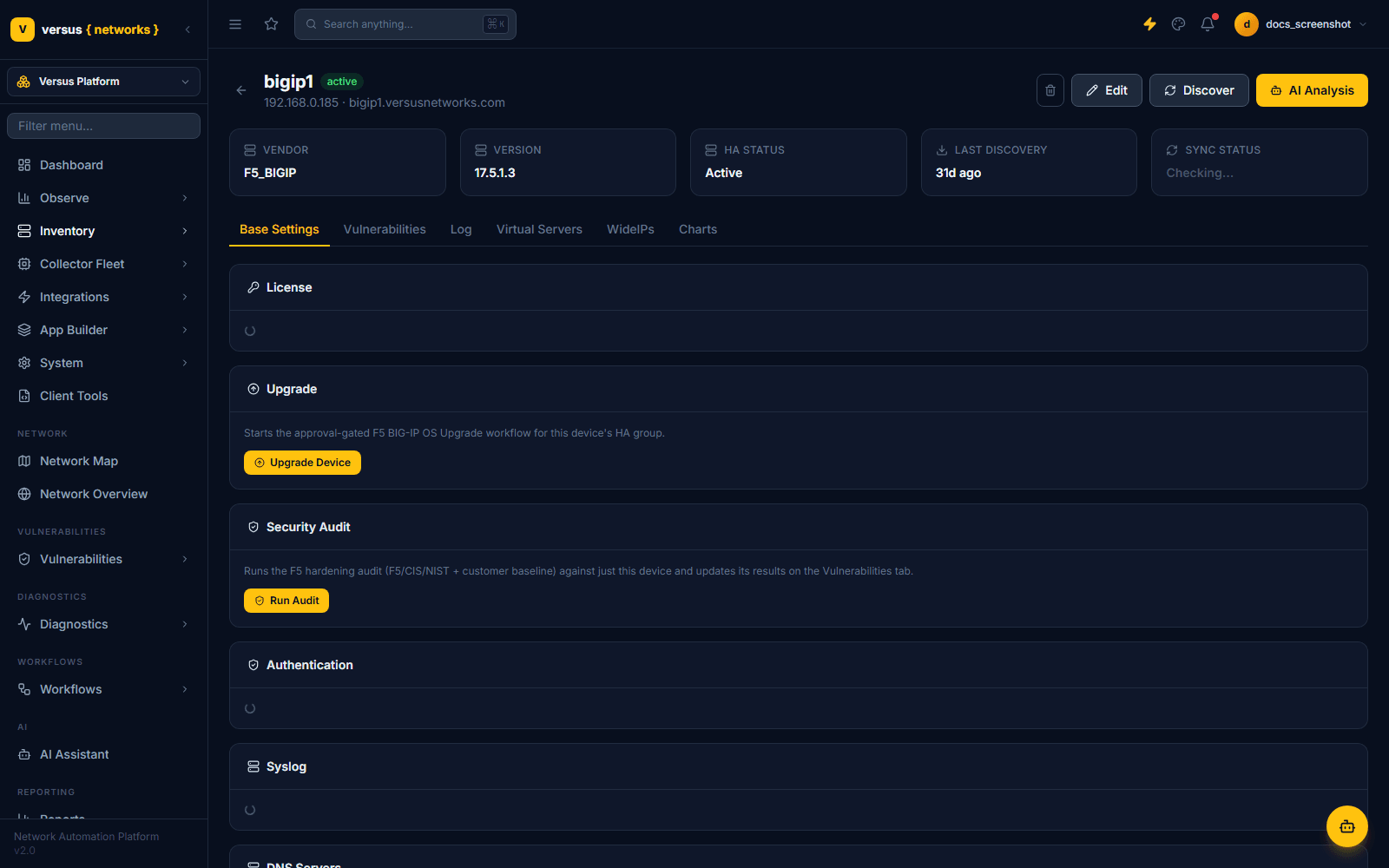
The device detail page's Base Settings tab is where BIG-IP-specific operational actions live, alongside read-only configuration panels:
- License — the device's license state
- Upgrade — an Upgrade Device button that starts an approval-gated F5 BIG-IP OS upgrade workflow scoped to this device's HA group
- Security Audit — a Run Audit button that runs an F5 hardening audit (F5/CIS/NIST plus your own customer baseline) against just this device and posts results to the Vulnerabilities tab
- Authentication, Syslog, DNS Servers — read-only panels reflecting the device's current configuration
Per-VS generated Ansible, AS3, and TMSH
Every discovered virtual server has its own detail page with Ansible / YML, AS3 / JSON, AS3 / YAML, and TMSH tabs — each rendering that VS as infrastructure-as-code, generated live from Versus's synced database snapshot rather than hand-maintained. The TMSH view includes the full source of any attached iRule. See Virtual Servers & Pool Management for the full breakdown, including the Save to Repo / Git Push actions available on each generated view.
Quick Reference
| Item | Details |
|---|---|
| Vendor category | ADC — HA Pairs |
| Credential label | TMUI / REST API Credentials |
| Discovered | Virtual servers, pools, members, iRules (with source), certificates, GTM Wide-IPs where licensed |
| HA detection | Automatic — active/standby role shown in Device Inventory list |
| Base Settings actions | License, Upgrade Device (approval-gated), Run Audit (F5/CIS/NIST), Authentication, Syslog, DNS Servers |
| Per-VS generated views | Ansible/YML, AS3/JSON, AS3/YAML, TMSH — each with Save to Repo / Git Push |
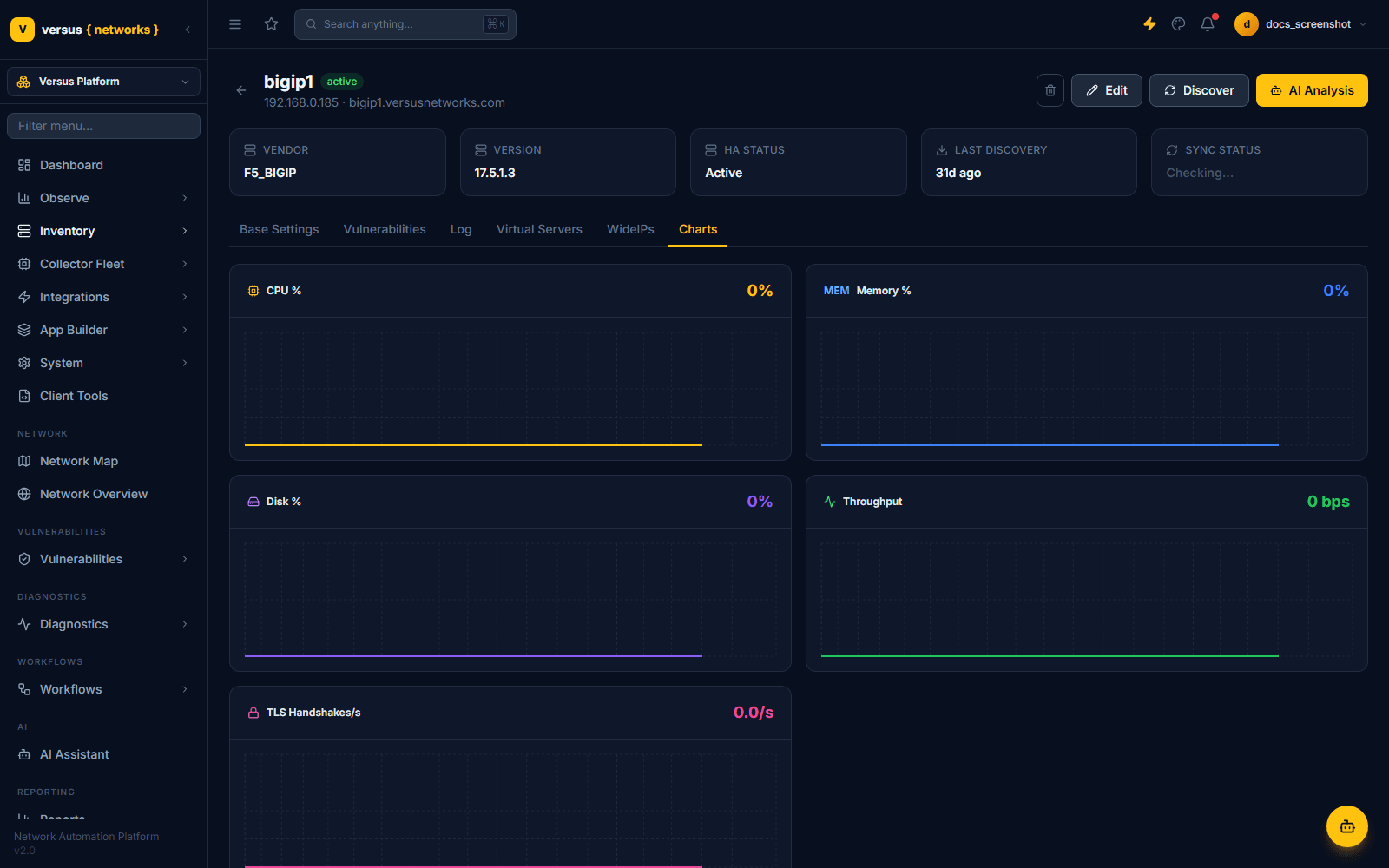
| Device Charts | CPU %, Memory %, Disk %, Throughput, TLS Handshakes/s |