Container Platforms — Kubernetes & Docker
Discover your Kubernetes clusters and Docker / Swarm hosts into the same inventory as the rest of the estate, then manage, automate, and troubleshoot them with AI AutoPilot — the same discover → diagnose → remediate → monitor loop, extended into the container layer.
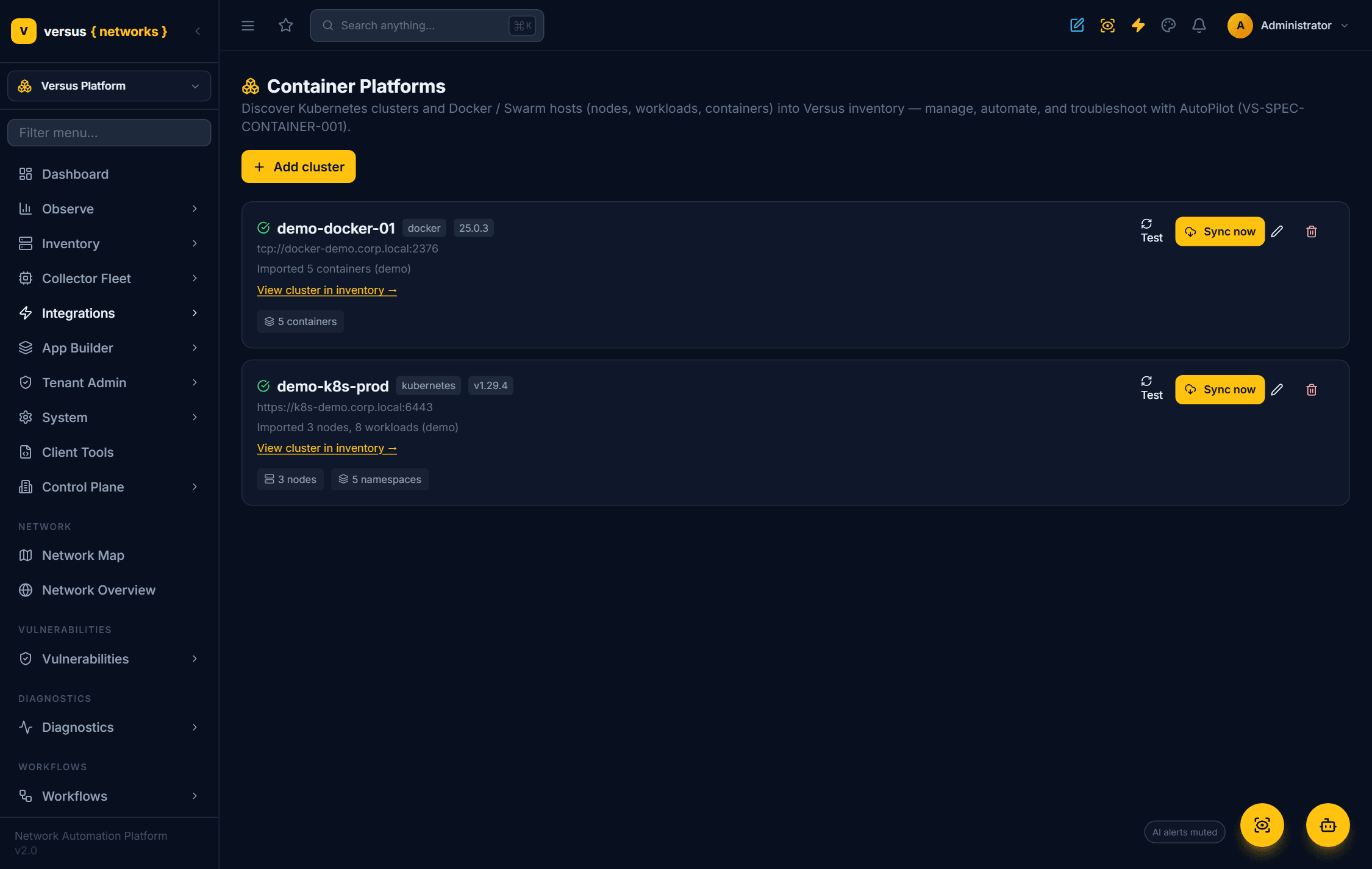
Connect a cluster or host
Add a source under Integrations → Container Platforms and pick the platform. A Kubernetes cluster connects to the kube-apiserver with a least-privilege ServiceAccount bearer token — for EKS, AKS and GKE, Versus mints that token from the cloud credential you supply; a Docker / Swarm host connects to the Engine API over TLS. Test the connection, then Sync now to discover it. Clusters that live on a private network are reached through the Versus collector, so tokens never leave your network.
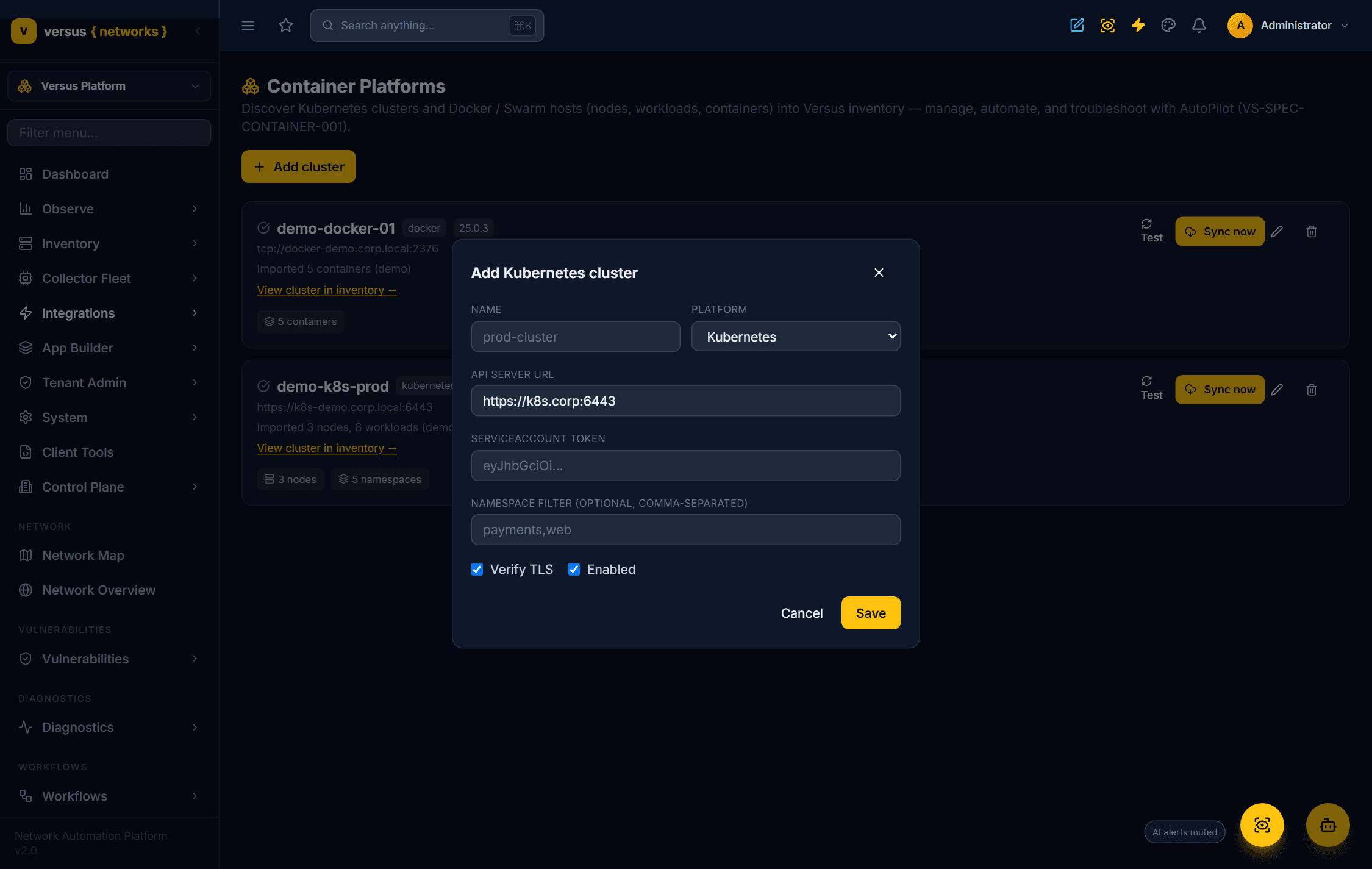
What gets discovered
Versus imports the stable topology and keeps ephemeral state (pods, events, logs) for live troubleshooting rather than persisting it:
- Kubernetes — the cluster becomes a device; nodes and the stable workloads (Deployments, StatefulSets, DaemonSets, Services, Ingress) become managed devices under it, with replica health and node conditions.
- Docker / Swarm — the host becomes a device; containers (and Swarm services and nodes) become managed devices under it, with state, health, image, and compose project.
Troubleshoot with AutoPilot
A container expert joins the AutoPilot war room with a set of read-only tools — for Kubernetes: pod status, previous-container logs (the crash), events, node pressure, service endpoints, workload rollout, and scheduling; for Docker: ps, inspect,logs, and stats. Given a container incident, AutoPilot reasons like an SRE:
- CrashLoopBackOff → previous-logs + events + exit reason → the real cause (a failing dependency, bad config/secret, OOM, or an over-aggressive probe).
- ImagePullBackOff → the image tag / registry auth.
- Pending pod → the scheduling constraint (resources, taints, affinity, unbound PVC).
- Service has no endpoints / app 5xx → selector or readiness — then the cross-domain hop to the VIP and pool behind it.
- Docker unhealthy / restarting container → healthcheck + logs + exit + stats.
Governed one-click remediation
Every diagnosis maps onto a governed workflow step that runs through the change-gate / approval pipeline and is reversible where it matters:
- Kubernetes —
k8s.rollout_restart,k8s.rollout_undo(undo a bad deploy),k8s.scale,k8s.set_image,k8s.cordon/k8s.drain/k8s.uncordon,k8s.delete_pod. - Docker —
docker.restart/stop/start/rm, anddocker.service_scalefor Swarm.
The Container Monitor closes the loop
A container monitor watches each discovered cluster and host and, on a sustained breach, opens a Versus Desk incident and hands off to AutoPilot — which uses the tools above to diagnose and proposes the governed remediation. It is the same monitor → incident → diagnose → remediate → recover loop as Path and Velos monitoring, container-shaped.
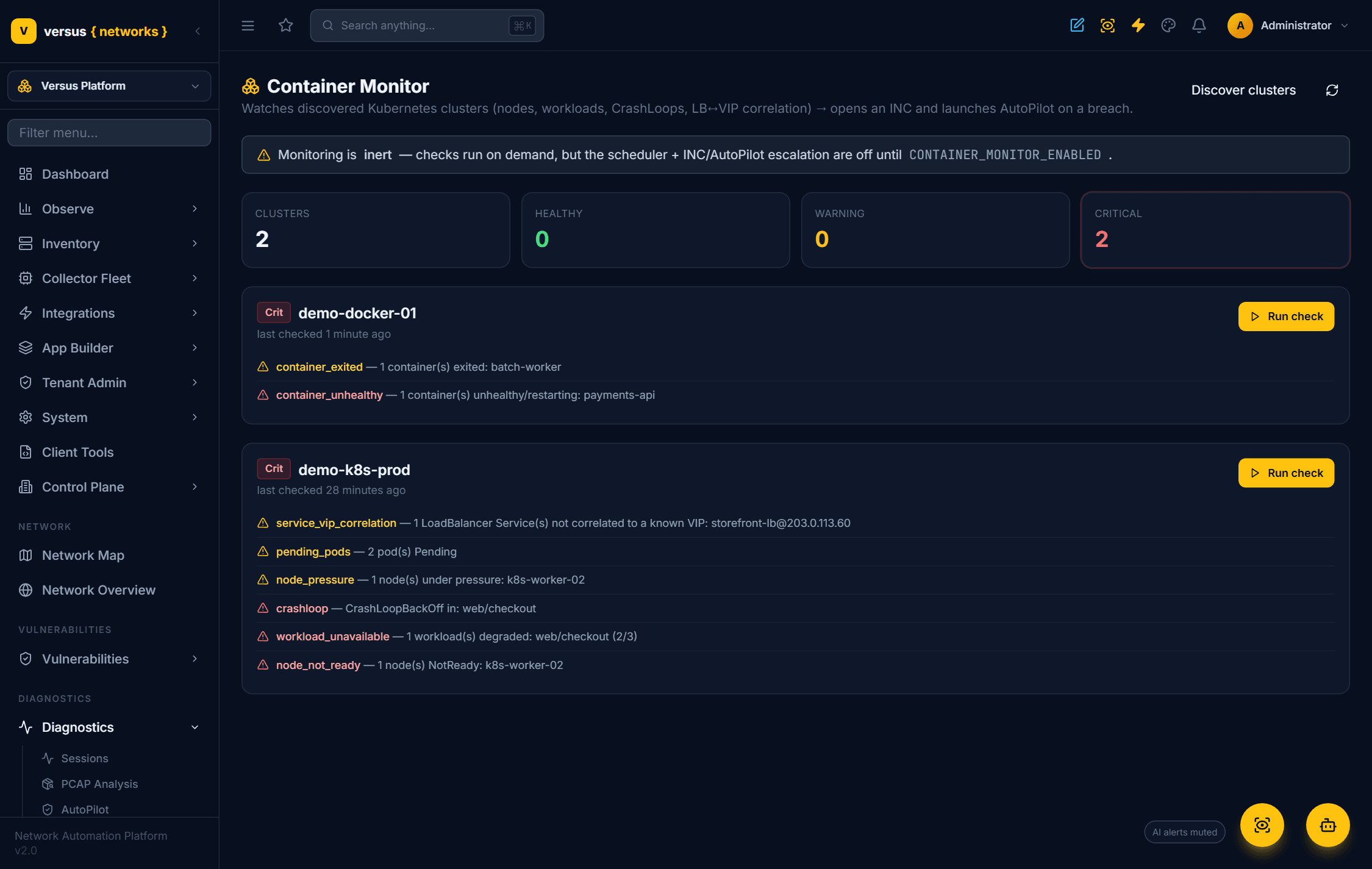
- Node NotReady — A cluster node is not Ready.
- Node pressure — A node reports Memory / Disk / PID pressure.
- Workload unavailable — A Deployment/StatefulSet/DaemonSet has fewer ready than desired replicas.
- CrashLoopBackOff — A pod behind a degraded workload is crash-looping (confirmed via the live pod probe).
- Pending pods — Pods stuck Pending (unschedulable).
- LoadBalancer ↔ VIP — A LoadBalancer Service external IP not correlated to a known VIP.
- Container unhealthy — A container is unhealthy or restart-looping.
- Container exited — A container has exited (non-running).
- Swarm node down — A Swarm node is not ready.
Detect. A check breaches — a NotReady node, a CrashLooping pod, an unhealthy container.
Open a Desk incident anchored to the cluster / host.
Trigger AutoPilot, scoped to the cluster and correlated to the surrounding network map.
Govern the fix — a k8s.* / docker.* remediation, gated by severity.
CONTAINER_MONITOR_ENABLED is set, so the feature never acts on its own until you turn it on.Related
- Diagnostics AutoPilot — the governed AI investigation and remediation engine.
- Velos Chassis Monitoring — the sibling monitor for F5OS chassis.
- Path Monitoring — the end-to-end path health loop.