Vulnerability Management
Run PCI DSS / F5 security audits, sync the CVE feed, assess and triage device vulnerabilities, connect vulnerability scanners, and drive remediation via workflows, ServiceNow tickets, and access-request risk assessments.
Overview
Vulnerabilities in the left navigation groups seven pages that together cover day-0 CVE monitoring, third-party scanner integration, and compliance auditing for your managed devices:
- Security Audit — PCI DSS v4.0 firewall compliance checks and F5 hardening checks.
- Vulnerability Tracker — day-0 CVE monitoring matched against your inventory, with triage.
- Vulnerability Feeds — manage the built-in and configurable external feeds that populate the tracker.
- Vuln Invocations — feed ingestion status and the execution history of the CVE-processing automation.
- Scanner Connections — connect third-party vulnerability scanners: Rapid7 InsightVM Cloud (v4), Rapid7 InsightVM/Nexpose Console (v3), Qualys VMDR, Tenable Vulnerability Management (Tenable.io), and Tenable Security Center.
- Scanner Assets — assets discovered by connected scanners, with risk scores and finding counts.
- Risk Assessments — immutable, point-in-time risk records generated during access-request review.
CVE matching is inventory-aware: Versus matches feed data against each device's software version, firmware version, and vendor, so results are scoped to what you actually run — not a generic CVE feed.
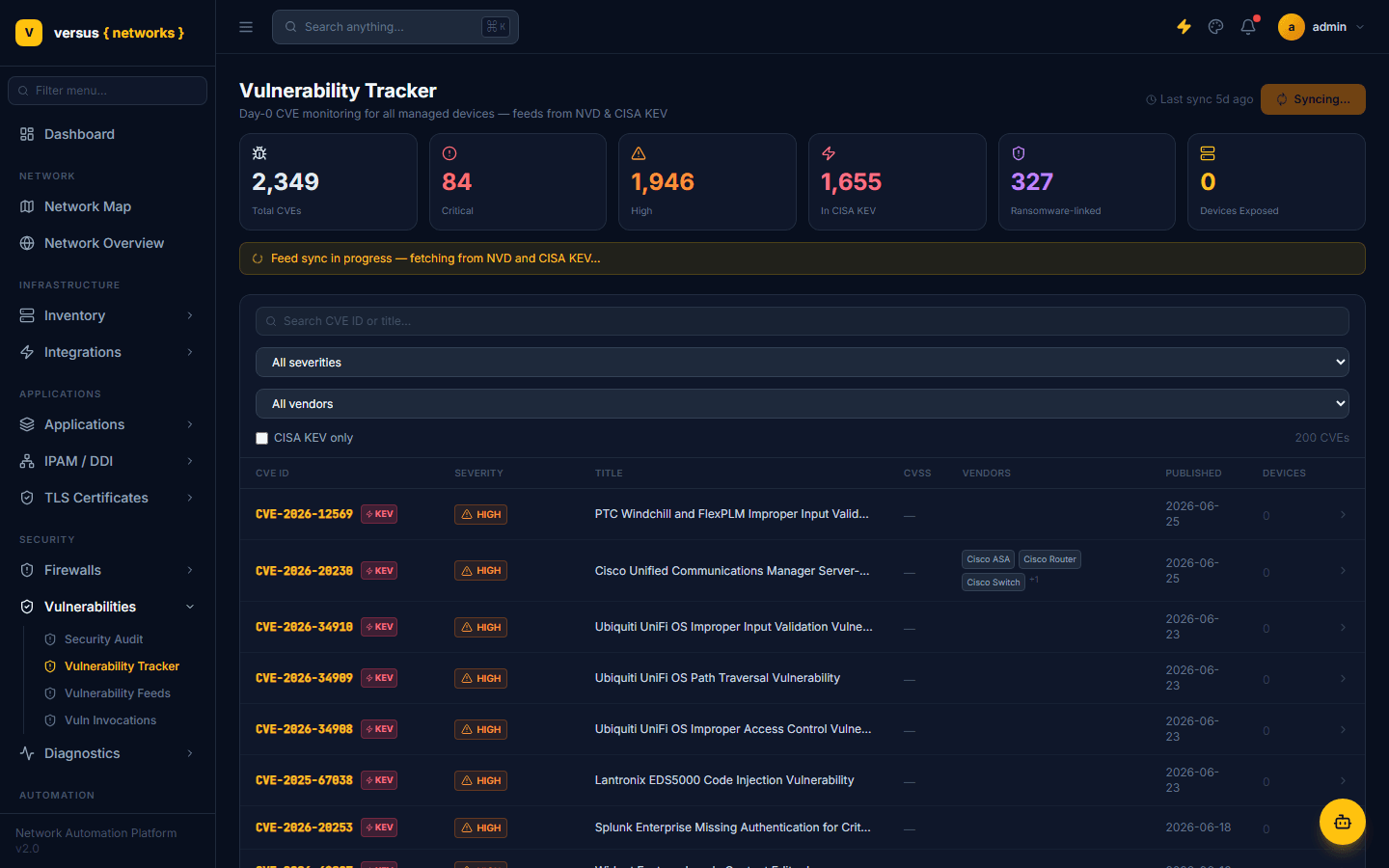
Security Audit
Vulnerabilities → Security Audit is a compliance checker, separate from the CVE tracker — it evaluates your firewall rule bases and F5 configuration directly against written standards rather than matching against known CVEs. It has two tabs:
- PCI DSS Compliance — runs your firewall rule sets against PCI DSS v4.0 requirements, grouped by requirement number: Traffic Restriction / Default-Deny (Req 1.2.1), Business Justification for All Firewall Rules (1.2.2), Only Approved Services/Protocols/Ports (1.2.5), Firewall Ruleset Review and Cleanup (1.2.7), Restrict Outbound Traffic to Cardholder Data Environments (1.3.2), and Audit Logging on Security-Relevant Events (10.2.1). Each requirement expands to show the individual checks it comprises.
- F5 Security Audit — hardening checks specific to F5 BIG-IP configuration.
Pick a Scope (defaults to all firewall devices, or narrow to one) and click Run All Firewalls to execute every check and populate the Results tab with live pass/fail status next to each requirement. The PCI Checklist tab (shown by default) lists every requirement that will be evaluated even before you run anything, so you can see exactly what's covered.
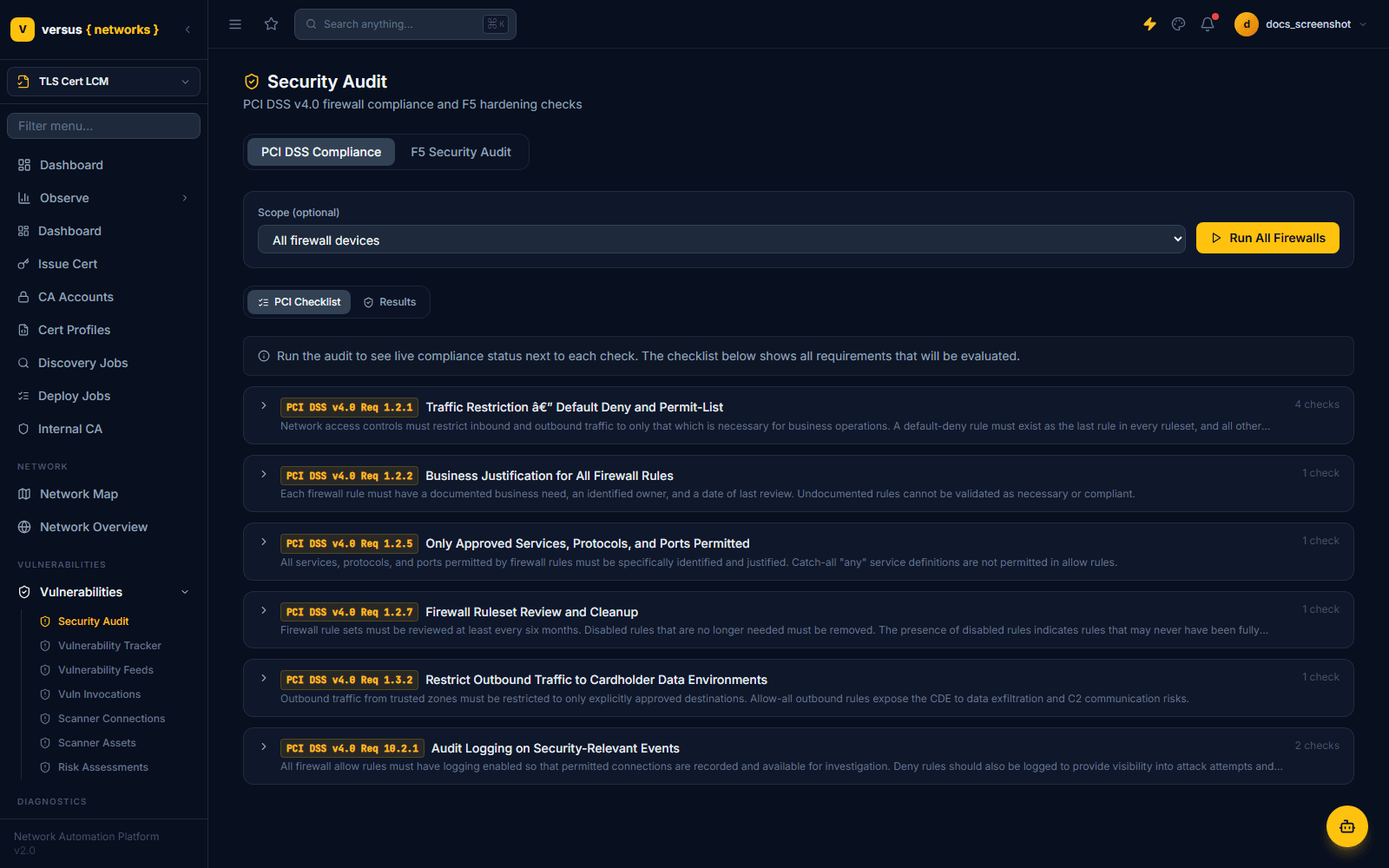
Vulnerability Tracker
Vulnerabilities → Vulnerability Tracker is the day-0 CVE dashboard — it pulls from the feeds configured under Vulnerability Feeds (NVD and CISA KEV by default) and matches them against every managed device. Six stat tiles summarize exposure at a glance: Total CVEs, Critical, High, In CISA KEV, Ransomware-linked, and Devices Exposed.
On a workspace where no sync has run yet, the tracker is empty and prompts you to Start First Sync (an initial full sync typically takes 2–5 minutes); after that, Sync Feeds in the top right re-runs it. Once populated, the CVE list is filterable by free-text search, severity, vendor, and a CISA KEV only checkbox to isolate CVEs on CISA's Known Exploited Vulnerabilities list.
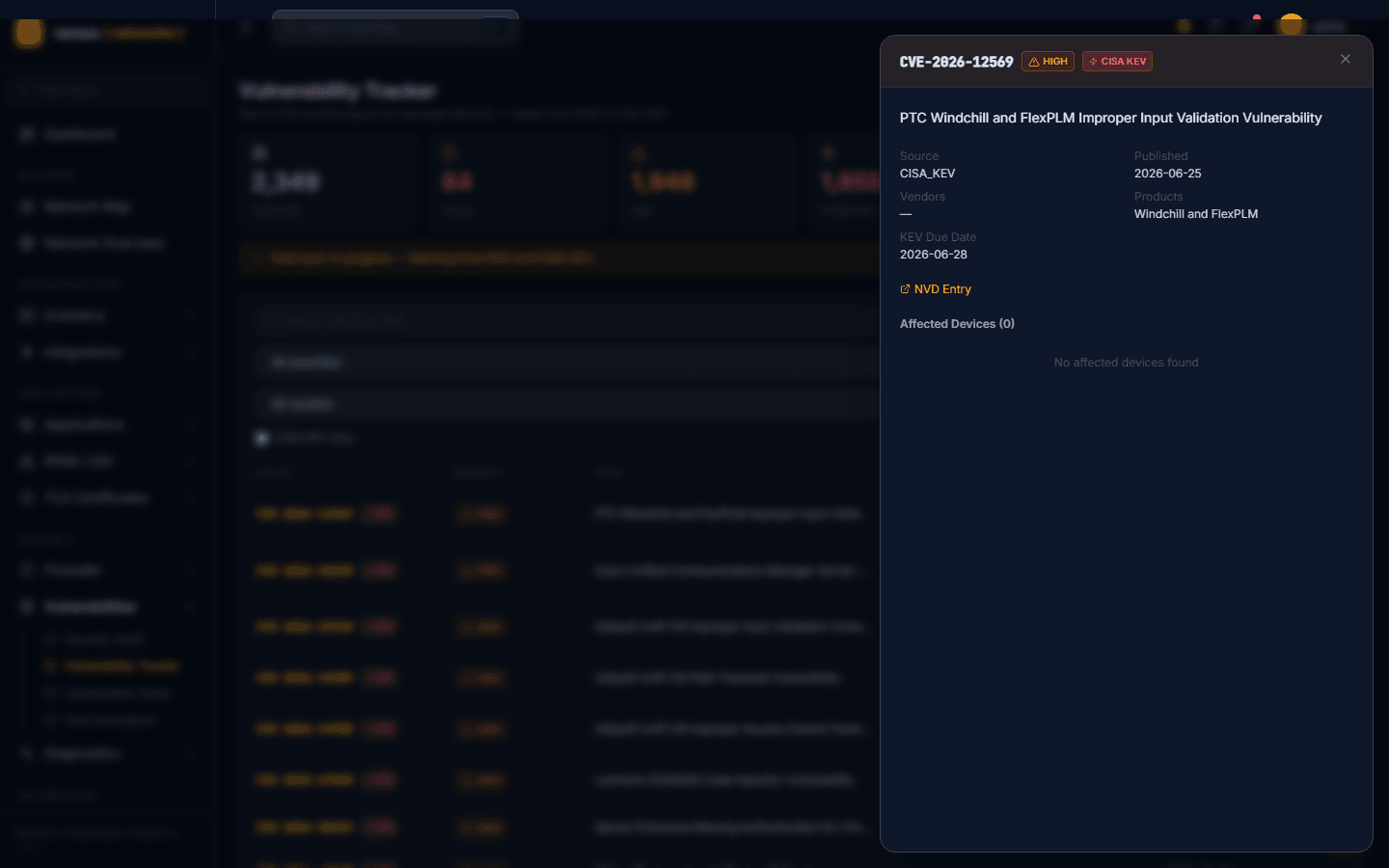
Click any CVE row to open its detail panel. It shows the CVE ID with severity and CISA KEV badges, title, source feed, publication date, affected vendors/products, a KEV Due Date when CISA has issued a remediation deadline, a link out to the full NVD Entry, and an Affected Devices list — the specific inventory devices this CVE was matched against (empty if the matched product isn't currently deployed on any managed device).
Each CVE finding (a CVE–device pair) follows a status workflow, changed from the CVE detail page or a bulk-triage action:
open— newly matched by the CVE feed. No action taken yet.confirmed— a human has verified this device is genuinely affected.remediation_in_progress— a patch or upgrade workflow has been launched.patched— the device has been upgraded/patched and the CVE no longer applies.not_affected— the device is matched by CPE but is not actually affected (e.g. mitigating configuration exists). A note is required.
From the CVE Detail page, launch remediation directly against any affected device row. Versus presents a list of workflows relevant to the device type:
- For F5 BIG-IP: the F5 Firmware Upgrade workflow template is pre-selected with the device pre-filled.
- For NetScaler: the NetScaler Firmware Upgrade template.
- Any custom workflow can also be selected and launched from here.
Launching the workflow automatically transitions the finding status to remediation_in_progress and links the workflow execution to the CVE finding for traceability.
If a ServiceNow integration is configured, create an Incident or Change Request directly from a CVE finding:
- Click Create ServiceNow Ticket on the CVE Detail page.
- Choose Incident (for immediate triage) or Change Request (for planned remediation).
- Versus pre-fills the ticket with the CVE ID, CVSS score, description, affected device name, and software version.
- The ServiceNow ticket number is linked back to the finding and visible in the audit trail.
On the Vulnerability Tracker, select multiple CVE rows using the checkboxes, then apply a bulk action:
- Set Status — apply a status transition to all selected findings across all their affected devices.
- Create ServiceNow Tickets — create one ticket per selected CVE (or one per CVE–device pair).
- Export — export selected CVEs to CSV (includes CVE ID, CVSS, affected devices, current status).
Bulk triage is most useful when a vendor advisory affects multiple devices and you want to mark them all as confirmed or not_affected in a single operation.
Vulnerability Feeds
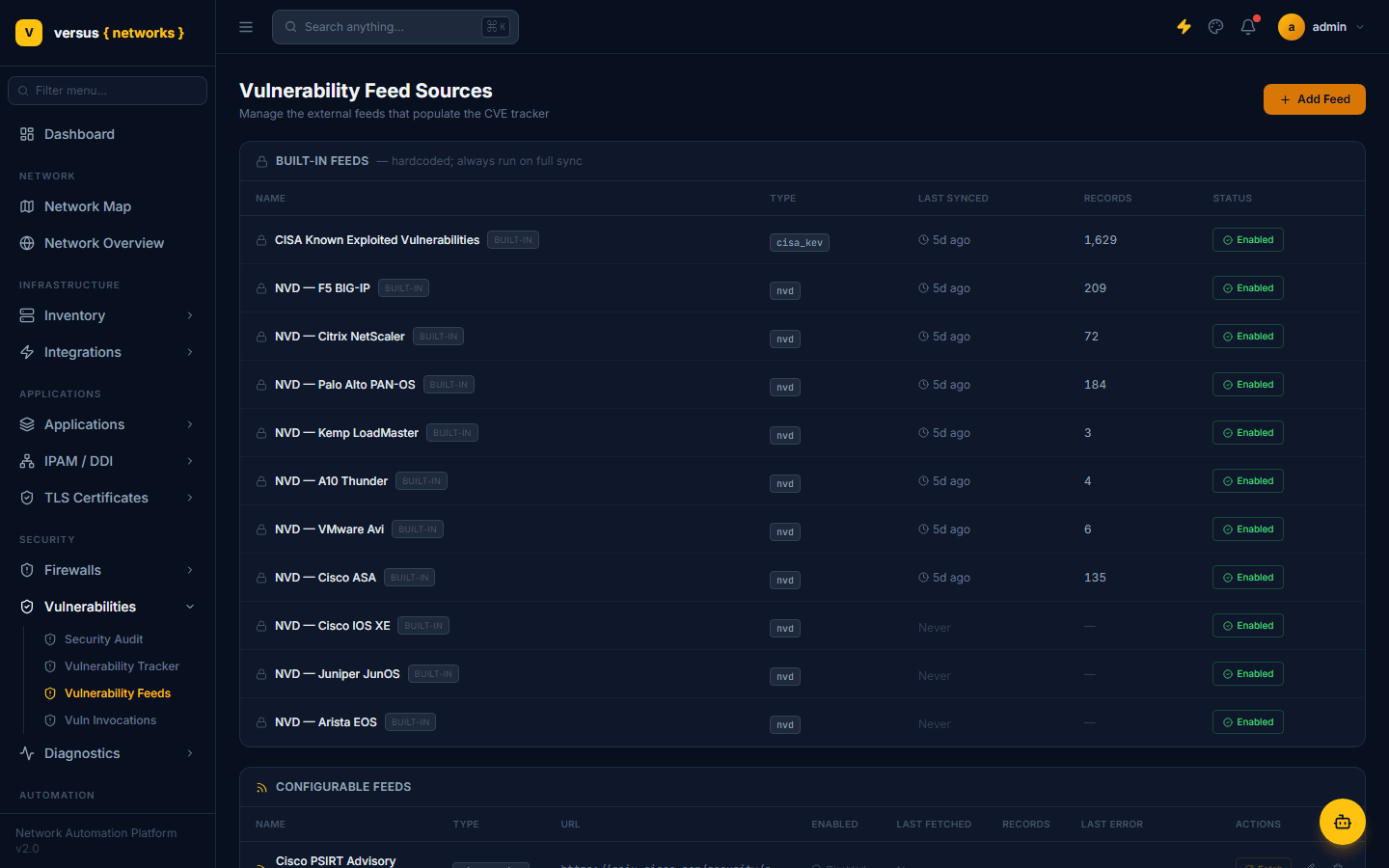
Vulnerabilities → Vulnerability Feeds manages the external sources that populate the tracker, split into two groups:
- Built-in feeds — hardcoded and always run on a full sync: CISA Known Exploited Vulnerabilities plus one NVD feed per supported vendor (F5 BIG-IP, Citrix NetScaler, Palo Alto PAN-OS, Kemp LoadMaster, A10 Thunder, VMware Avi, Cisco ASA, Cisco IOS XE, Juniper JunOS, Arista EOS). Each shows its last-synced time, record count, and an Enabled/Disabled toggle.
- Configurable feeds — feeds you add yourself via + Add Feed, each with a type (e.g.
cisco_psirt,f5_security,nvd_cvefor a broader all-CVEs feed), a source URL, an enabled toggle, last-fetched time, record count, and the last error if a fetch failed. Trigger any single feed on demand with its row-level Fetch action, or edit/remove it.
Vuln Invocations
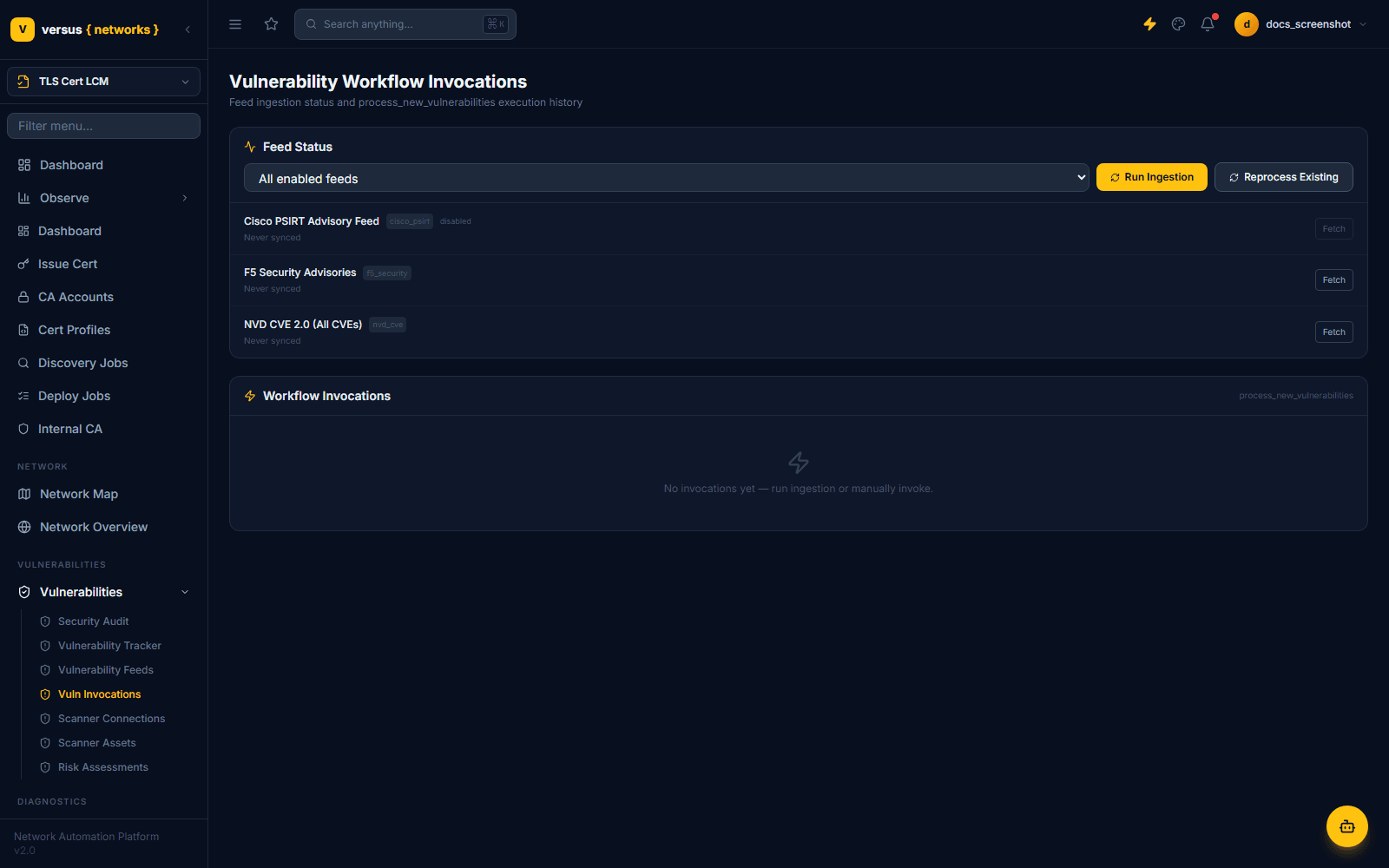
Vulnerabilities → Vuln Invocations ("Vulnerability Workflow Invocations") is the operational view behind feed syncing — it shows Feed Status for every enabled feed (name, type, enabled/disabled, last-synced time) with per-feed Fetch actions, plus a page-level Run Ingestion (sync everything enabled) and Reprocess Existing (re-run matching against already-ingested CVE data without re-fetching from external sources — useful after inventory changes).
Below that, Workflow Invocations lists the execution history of the process_new_vulnerabilities automation — the internal workflow that turns freshly ingested CVE records into findings matched against your inventory. This is the place to check if CVEs were fetched but don't seem to be showing up as findings: the invocation log will show whether the matching workflow actually ran and what it did.
Scanner Connections
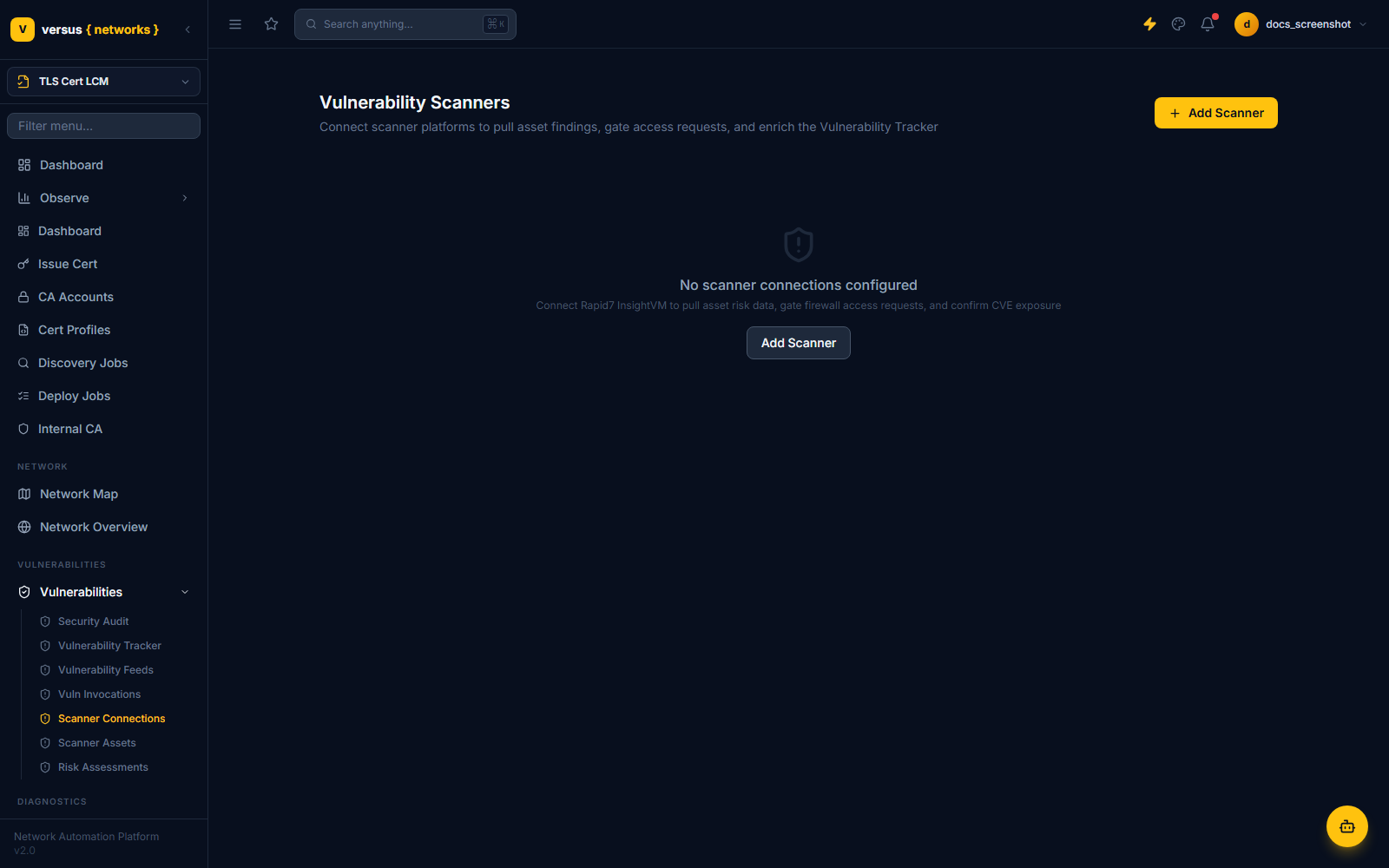
Vulnerabilities → Scanner Connections connects third-party vulnerability scanner platforms — Rapid7 InsightVM Cloud (v4), Rapid7 InsightVM/Nexpose Console (v3), Qualys VMDR, Tenable Vulnerability Management (Tenable.io), and Tenable Security Center — so their asset-level findings enrich the Vulnerability Tracker. Beyond enrichment, a configured scanner connection can also gate firewall access requests: an access request can be checked against a target asset's live scanner risk data before it's approved (see Risk Assessments below).
Click Add Scanner to connect one. With none configured, the page shows an empty state — nothing to enrich or gate against until at least one scanner is connected.
Scanner Assets
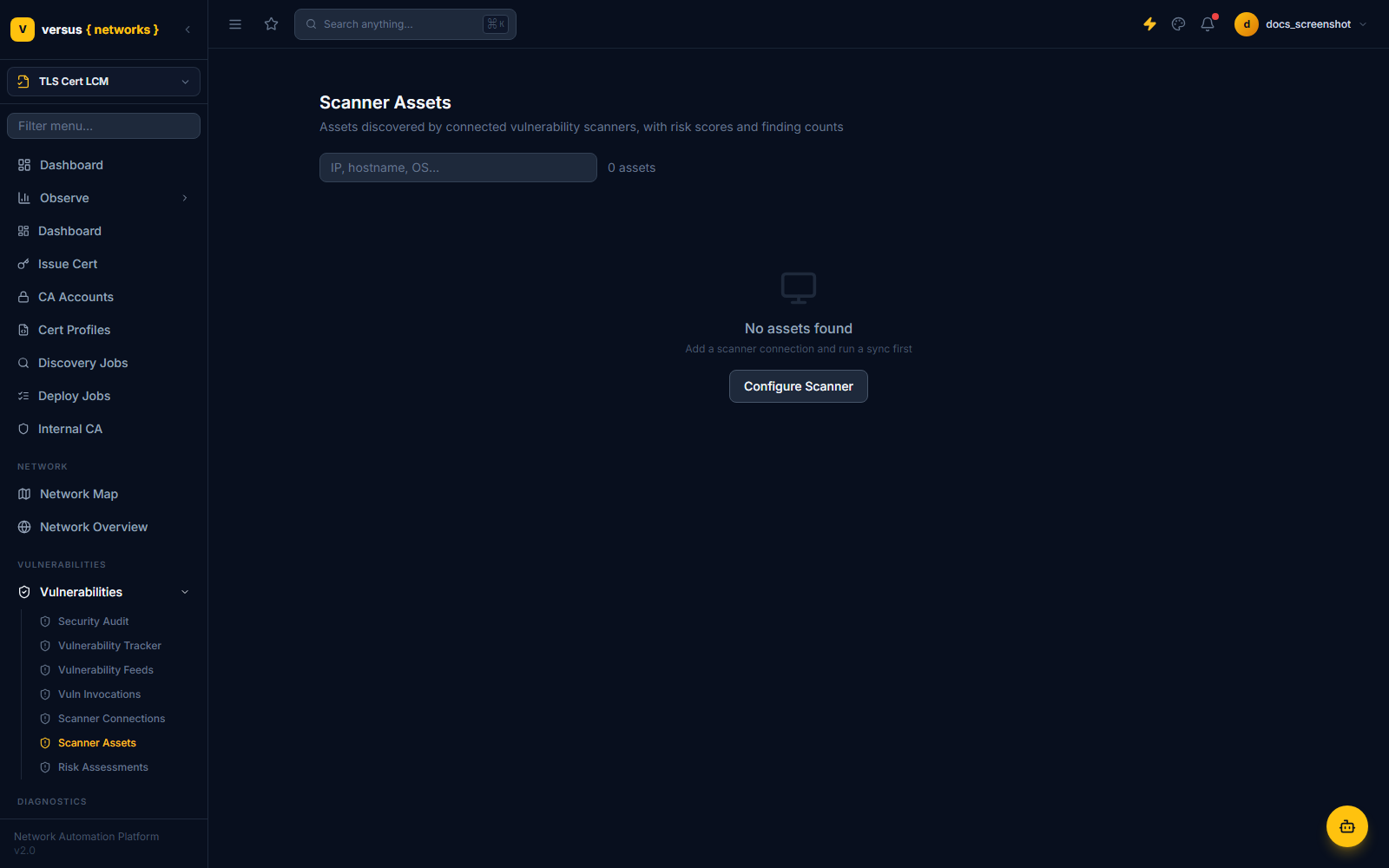
Vulnerabilities → Scanner Assets lists every asset discovered by a connected scanner, with its risk score and finding count, searchable by IP, hostname, or OS. This is scanner-native asset data (which may include hosts outside your ADC, Cloud WAF / Bot, or firewall inventory) rather than the CVE-to-device matching shown in the Vulnerability Tracker. It stays empty until a scanner connection exists and has completed a sync.
Risk Assessments
Vulnerabilities → Risk Assessments holds immutable scanner risk records generated during access-request review — each one is a point-in-time audit artifact, not a live-updating status. When a firewall access request is reviewed against a connected scanner's data, Versus snapshots the asset's risk state at that moment and records the verdict, so the justification for approving or denying the request is preserved even if the underlying scanner data changes later.
Filter the list by verdict using the All Verdicts dropdown. Because these records depend on both a scanner connection and access requests that were actually reviewed against it, the list is empty in workspaces without that history.
Quick Reference
| Status | Meaning | Next Steps |
|---|---|---|
open | Matched by CVE feed — no action taken | Confirm or mark not_affected |
confirmed | Human-verified as genuinely affected | Launch remediation workflow or create ticket |
remediation_in_progress | Upgrade/patch workflow running | Monitor workflow execution |
patched | Device upgraded/patched — CVE resolved | No further action |
not_affected | Device matched by CPE but not actually vulnerable | Add explanatory note |
| Page | What it's for |
|---|---|
| Security Audit | PCI DSS v4.0 firewall compliance and F5 hardening checks |
| Vulnerability Tracker | Day-0 CVE dashboard matched to your inventory, with triage |
| Vulnerability Feeds | Manage built-in and configurable feeds that populate the tracker |
| Vuln Invocations | Feed sync status and process_new_vulnerabilities run history |
| Scanner Connections | Connect third-party scanners (Rapid7 InsightVM Cloud (v4) / Console (v3), Qualys VMDR, Tenable Vulnerability Management (Tenable.io), Tenable Security Center) |
| Scanner Assets | Assets discovered by connected scanners, with risk scores |
| Risk Assessments | Immutable risk snapshots taken during access-request review |