Getting Started with Versus
Platform overview, login, and a tour of every workspace — TLS Cert LCM, Application Delivery Controller, Firewall Policy, Secret Vault, Versus Desk, IPAM/DDI, Client Endpoint Security, and Versus Platform.
What is Versus?
Versus is a network automation platform that has grown well beyond ADC management alone. A single instance now covers TLS certificate lifecycle management, ADC configuration (F5 BIG-IP, NetScaler, Kemp, Cisco, Fortinet, A10, VMware NSX ALB/AVI), firewall policy governance, a secret vault, an ITSM desk for incidents and changes, IPAM/DDI, client endpoint security integrations, and the underlying Versus Platform — device inventory, the collector fleet, third-party integrations, App Builder, and system settings shared by everything above it.
Rather than cramming all of that into one sidebar, Versus organizes it into workspaces — self-contained navigation contexts you switch between from a single control in the top-left of the sidebar. This page tours that structure using real screenshots from a live Versus instance.
Logging In
Navigate to your Versus instance URL in any modern browser and sign in with your username and password on the login screen.
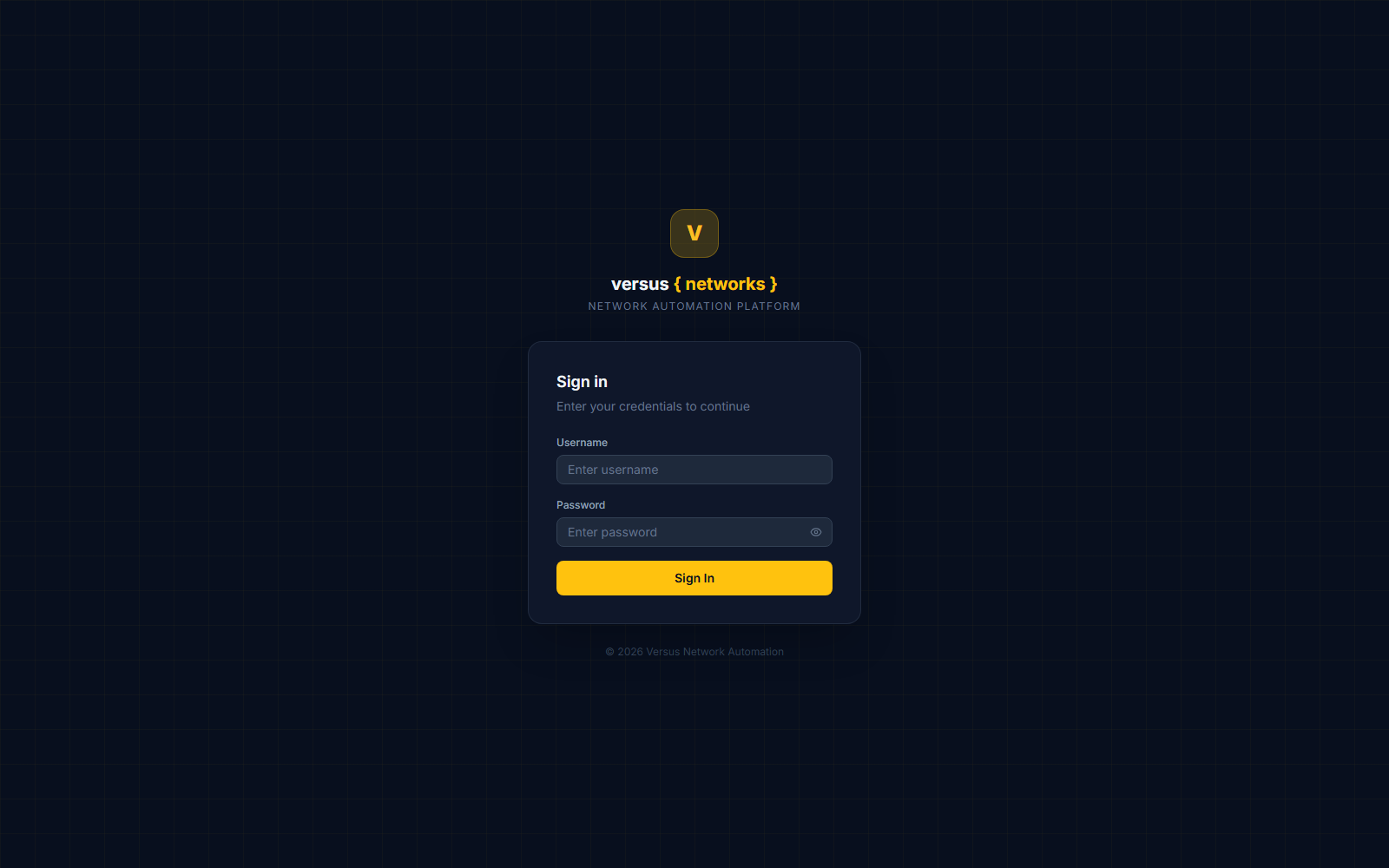
After successful authentication you land on the Dashboard — the top item in every workspace's sidebar, always available regardless of which workspace you have selected.
The Workspace Switcher
Click the workspace control at the very top of the sidebar (it shows the name of your current workspace, e.g. TLS Cert LCM) to open the switcher. It presents every workspace you have access to as a grid of cards, plus a quick-search box for jumping straight to one by name:
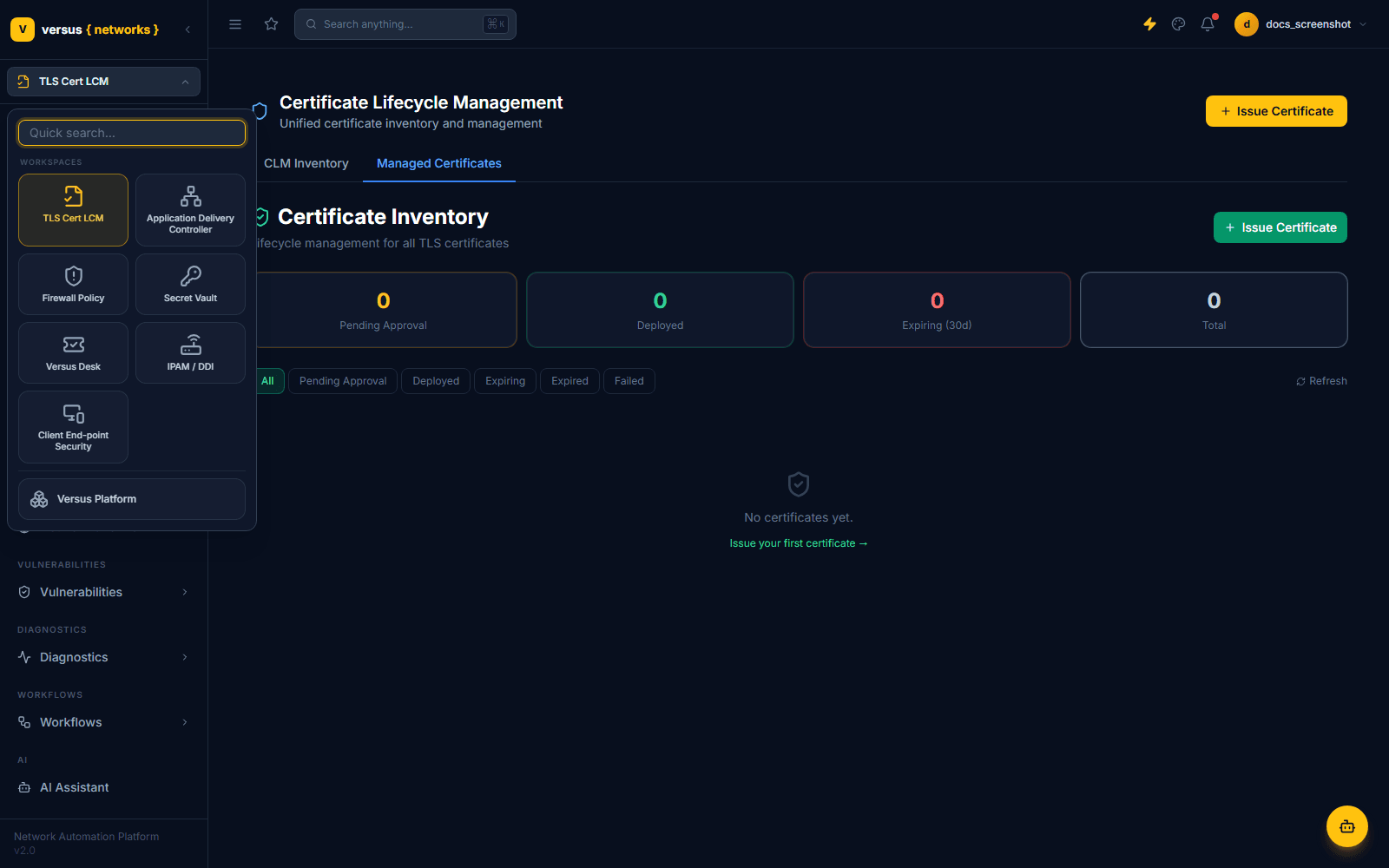
Seven workspaces lay out as an even grid; Versus Platform is deliberately kept on its own row beneath a divider, since it's less a "domain" workspace and more the shared substrate underneath all the others:
- TLS Cert LCM — certificate issuance, CA accounts, cert profiles, discovery, and deploy jobs. See Certificate Management.
- Application Delivery Controller — virtual servers, pools, nodes, monitors, iRules, TLS profiles, and GTM/DNS objects across your ADC and Cloud WAF / Bot estate.
- Firewall Policy — firewall rules, PCI audit, access/change requests, rule findings, recertification, compliance, zone matrix, and exposure risk.
- Secret Vault — secrets, enrollments, checkouts, rotation, and reveal auditing.
- Versus Desk — incidents, problems, changes, requests, service catalog, knowledge base, and CAB (change advisory board).
- IPAM / DDI — networks, IP addresses, DNS zones, DNS servers, and IPAM source connections.
- Client End-point Security — Zscaler (setup, rules, topology, ingest) and CrowdStrike (connection, automation).
- Versus Platform — device inventory, the collector fleet, every third-party integration, App Builder, and system settings. See Installing the Collector Agent.
Selecting a workspace navigates you to its landing page and swaps the sidebar below the switcher to that workspace's own navigation tree. Versus remembers your most recent workspaces and lists them under Recently Visited at the top of the switcher for faster access.
A Workspace Dashboard
Every workspace has its own Dashboard as the first sidebar item, tailored to that domain. The TLS Cert LCM dashboard, for example, opens on a tabbed view — CLM Inventory and Managed Certificates — with summary tiles for pending approvals, deployed certs, certificates expiring within 30 days, and the total count:
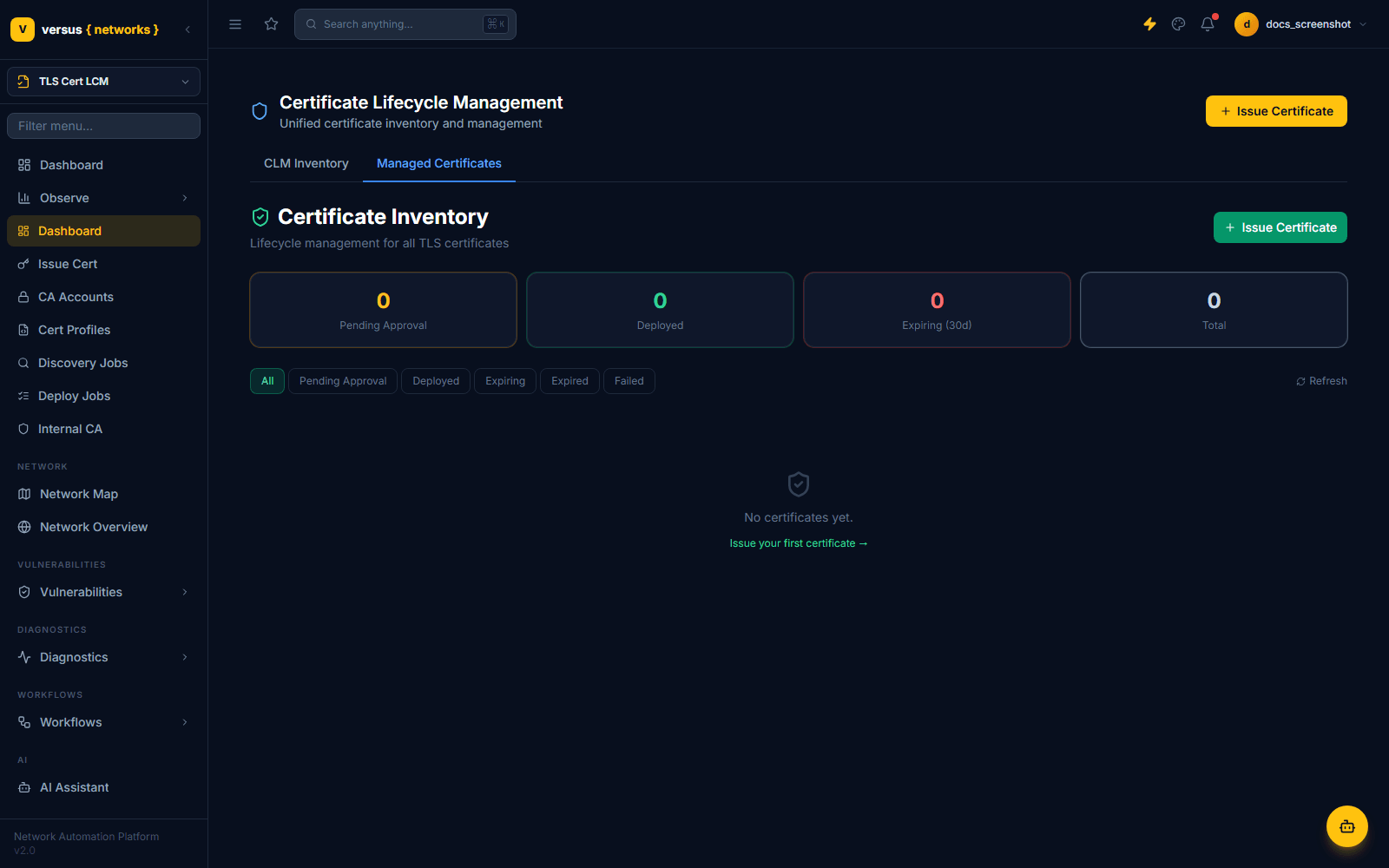
Separately, the Dashboard link at the very top of the sidebar (above the workspace's own items, alongside Observe) opens a configurable widget dashboard with drag-to-reorder panels — the same building block used throughout Observe. That top-level Dashboard and Observe are the two nav entries that stay put no matter which workspace you're in.
The Sidebar
Below the workspace switcher, the sidebar has a filter box (type to fuzzy-match any nav item across the current workspace) followed by that workspace's nav tree. Groups with children — like Inventory or Collector Fleet in the Versus Platform workspace — expand in place when clicked:
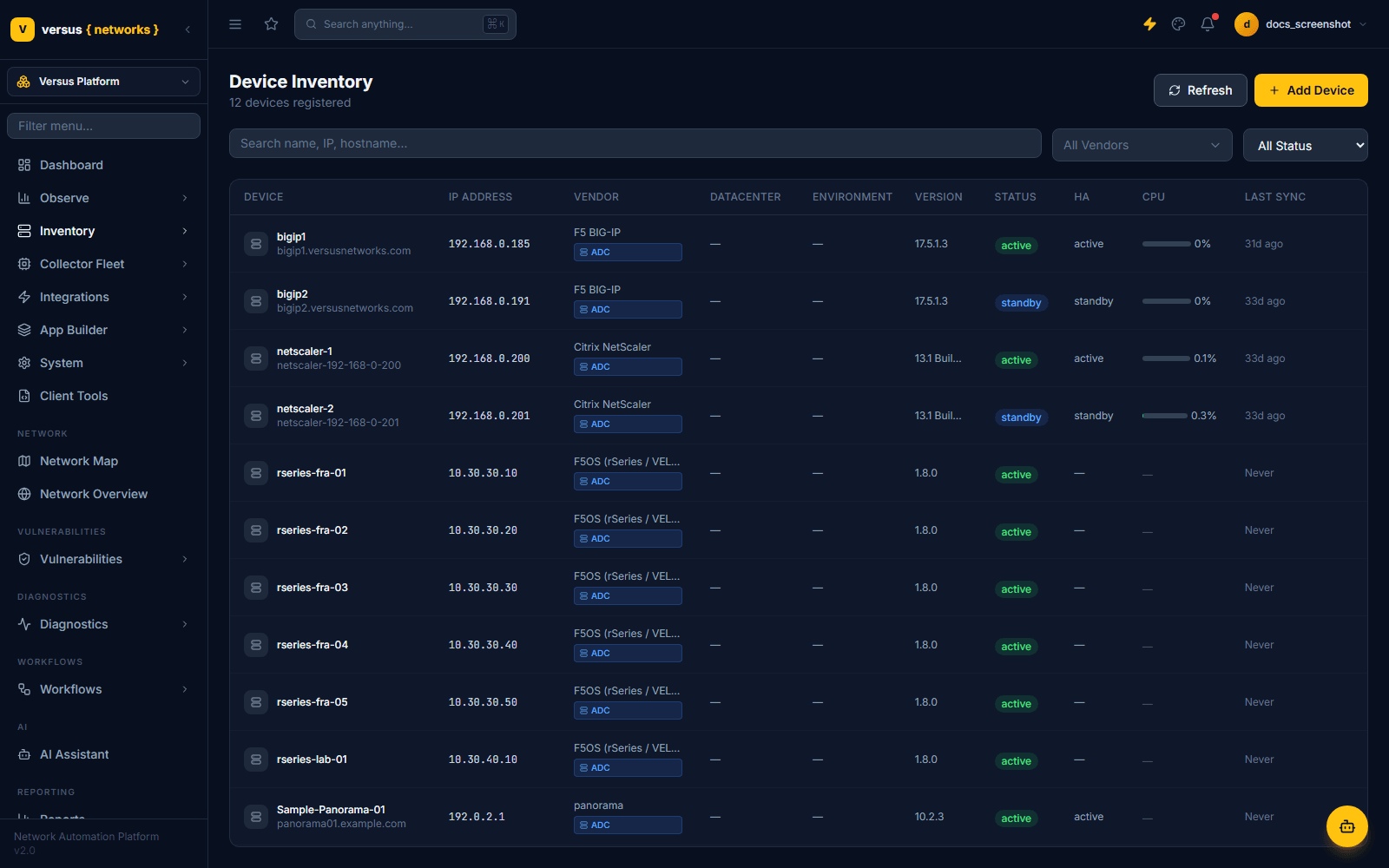
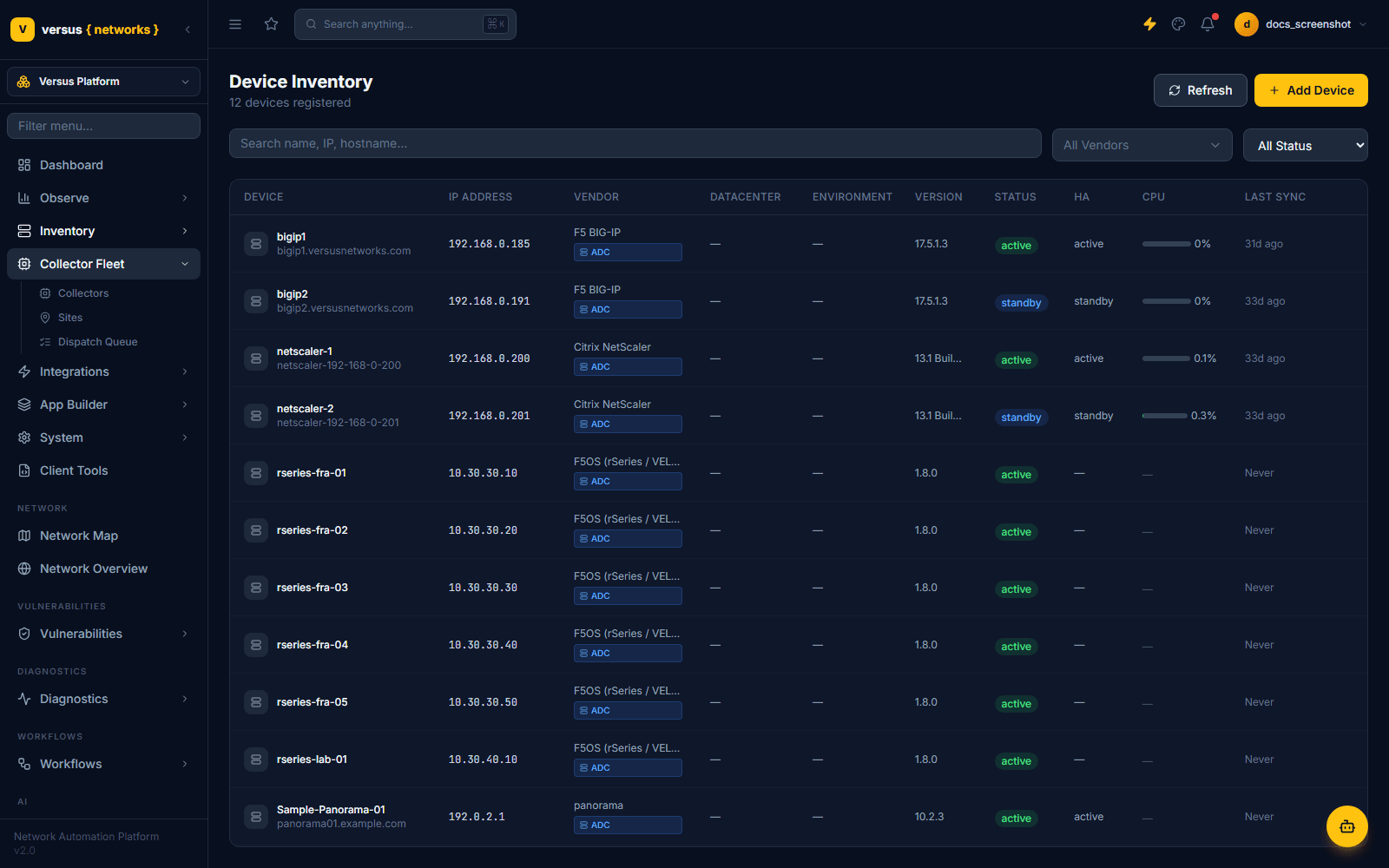
Underneath every workspace's own items, the sidebar always ends with the same shared sections: Network (Network Map, Network Overview), Vulnerabilities, Diagnostics (Sessions, PCAP Analysis), Workflows (all workflows, schedules, syslog alert rules, migrations, and CI/CD), AI (AI Assistant), and Reporting. These aren't tied to any one workspace — they apply across your whole estate regardless of which domain you're currently focused on.
Roles & Visibility
Versus uses a numeric role-level model rather than a flat admin/reader split:
| Role | Level | Typical access |
|---|---|---|
| super_admin | 5 | Everything, including user/role administration |
| network_admin | 4 | Full operational access to every workspace; user/role admin screens excluded |
| operator | 3 | Day-to-day device, cert, and workflow operations |
| viewer | 2 | Read-only access to network/inventory views |
| guest | 1 | Minimal access — dashboard and shared items only |
Each nav item declares a minimum level (minLevel); anything below that threshold for your role simply doesn't render — there's no "locked" placeholder to click through. Some Versus Platform screens (creating users, assigning roles) are further restricted regardless of level.
Where to Go Next
Once you're oriented, a few good next stops:
- Follow the Quick Start Guide to add a device, discover inventory, and build your first workflow in the Versus Platform and workflow-builder tools.
- If you manage TLS certificates, jump into Certificate Management and the Certificate Platform Integration guide.
- If you're setting up device connectivity from a network Versus can't reach directly, see Installing the Collector Agent.
Quick Reference
| Workspace | Covers |
|---|---|
| TLS Cert LCM | Issue Cert, CA Accounts, Cert Profiles, Discovery Jobs, Deploy Jobs, Internal CA |
| Application Delivery Controller | Cloud Traffic, Local Traffic (VS/Pools/Nodes/Monitors/iRules/TLS), Global Traffic (WideIPs/GTM), Hygiene |
| Firewall Policy | Firewall Rules, PCI Audit, Access/Change Requests, Rule Findings, Recertification, Compliance, Zone Matrix, Exposure Risk |
| Secret Vault | Secrets, Enrollments, Checkouts, Rotation, Reveals |
| Versus Desk | Incidents, Problems, Changes, Requests, Service Catalog, Knowledge Base, CAB |
| IPAM / DDI | Networks, IP Addresses, DNS Zones, DNS Servers, IPAM Connections |
| Client End-point Security | Zscaler (setup/rules/topology/ingest), CrowdStrike (connection/automation) |
| Versus Platform | Inventory, Collector Fleet, Integrations, App Builder, System |