Certificate Platform Integration
Connect Venafi, Keyfactor, or AppViewX for certificate lifecycle management and workflow triggering — separate from (and complementary to) Versus's own Internal CA.
Overview
Cert Platforms lives under the Versus Platform workspace, at Integrations → Cert Platforms — not under a TLS Cert LCM sub-page, since it's treated as an external system connection alongside the rest of Versus's integrations. It connects enterprise certificate lifecycle management (CLM) platforms so their certificates and renewal actions become available inside Versus workflows, distinct from certificates issued directly by Versus's own Internal CA.
Versus currently supports four platform connections, across three vendors:
- Venafi TLS Protect Cloud — Venafi's SaaS offering
- Venafi TLS Protect Data Center (TPP) — the self-hosted Trust Protection Platform
- Keyfactor Command
- AppViewX CERT+
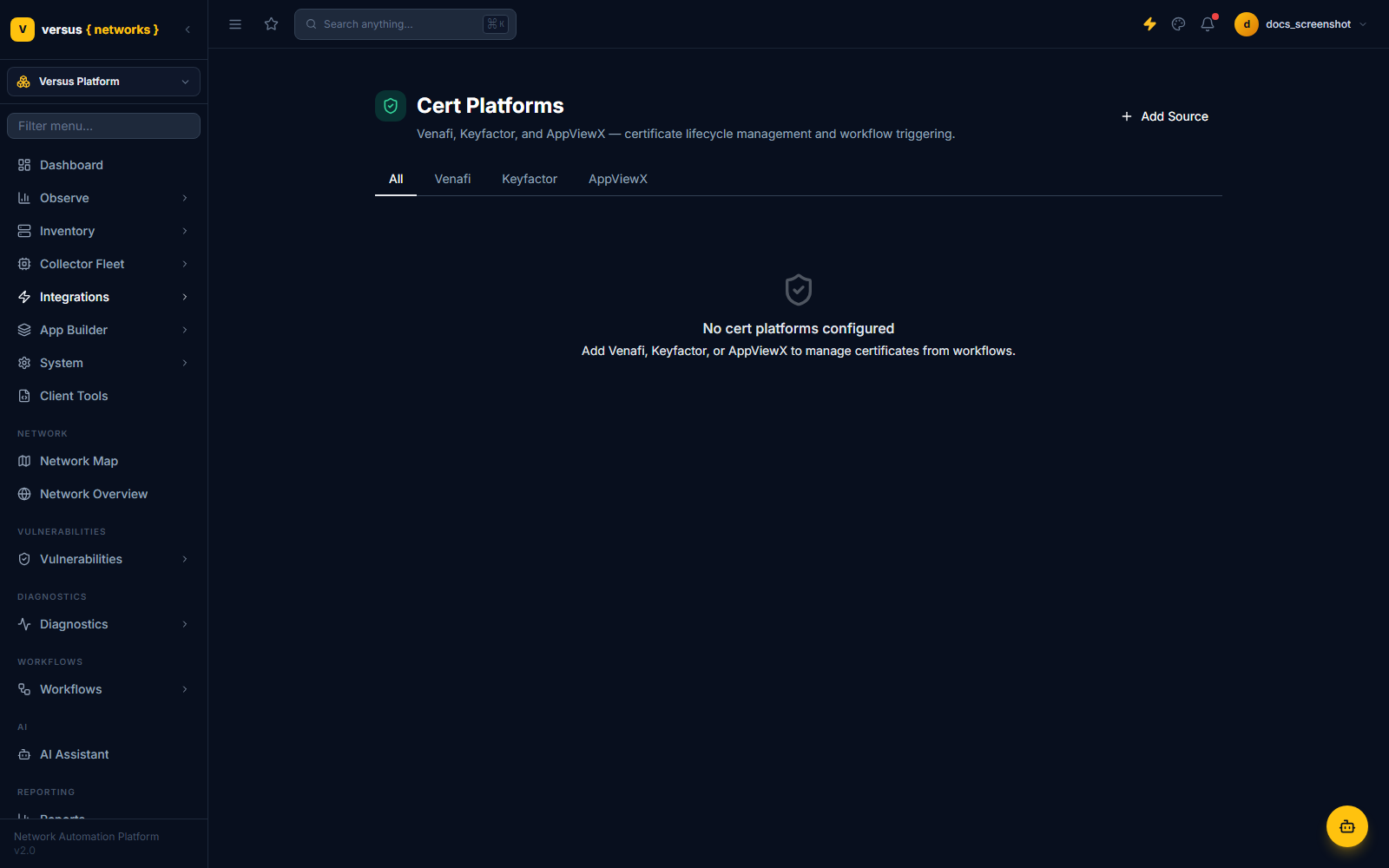
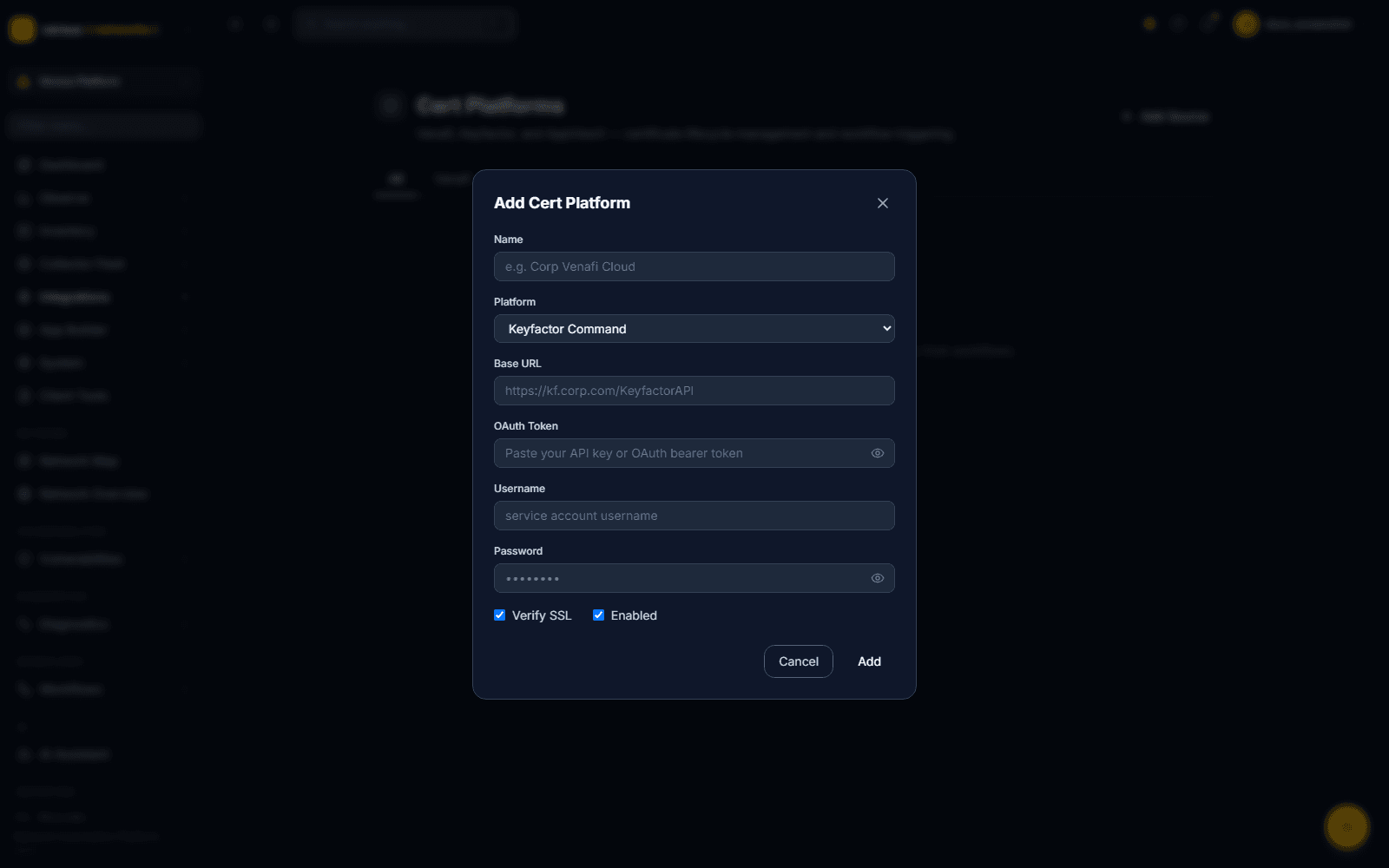
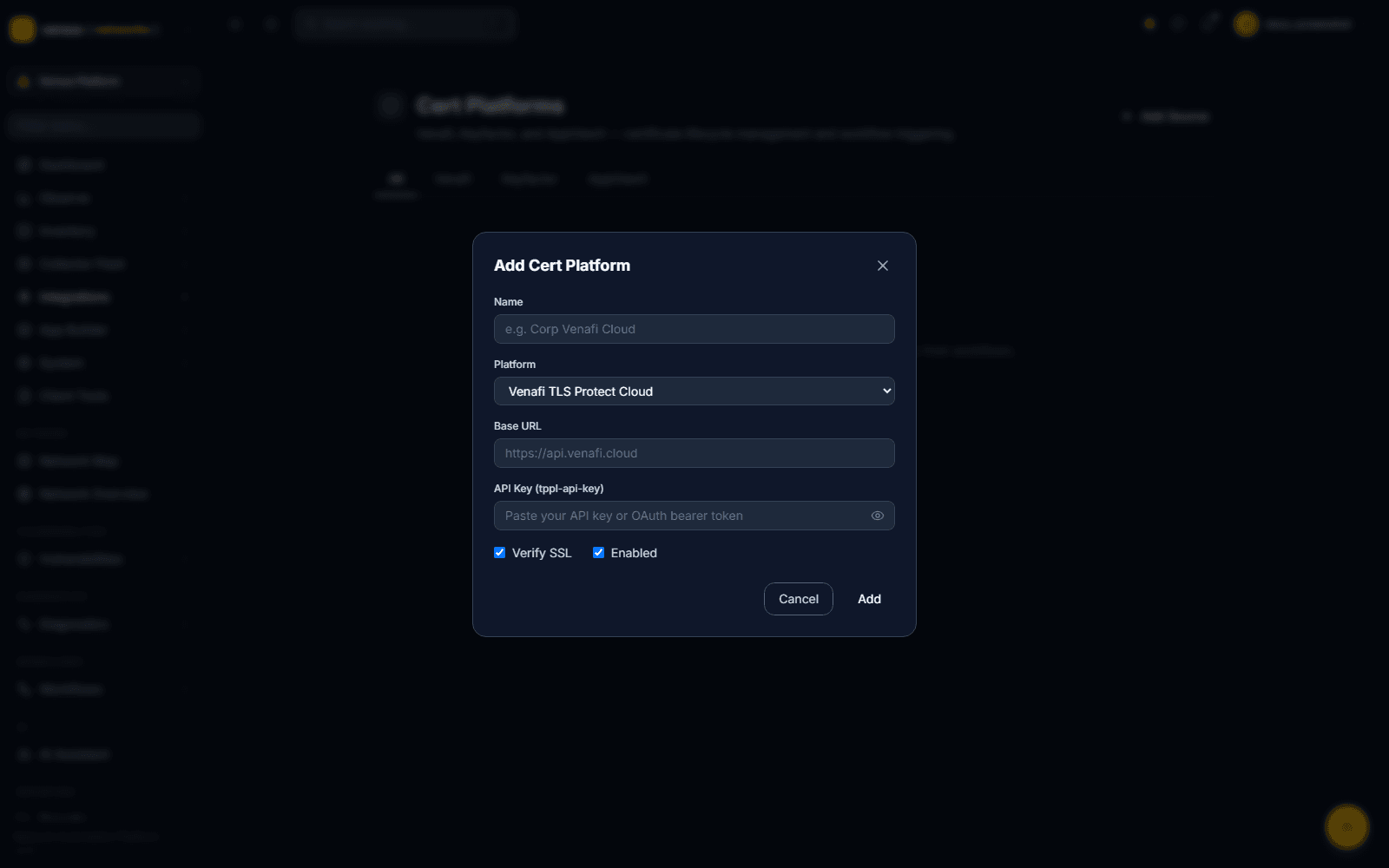
Click Add Source. The dialog is the same shape for every platform — Name, a Platform dropdown, and a Base URL — but the credential fields underneath change based on which platform you pick, since each vendor authenticates differently:
| Platform | Base URL example | Credential fields |
|---|---|---|
| Venafi TLS Protect Cloud | https://api.venafi.cloud | API Key (or OAuth bearer token) |
| Venafi TLS Protect Data Center (TPP) | https://tpp.corp.com | Username + Password |
| Keyfactor Command | https://kf.corp.com/KeyfactorAPI | OAuth Token, or Username + Password |
| AppViewX CERT+ | https://avx.corp.com | Username + Password |
Every platform also has Verify SSL and Enabled checkboxes (both on by default). Click Add to save the connection — there's no separate test step in the dialog itself; connectivity is validated on first use.
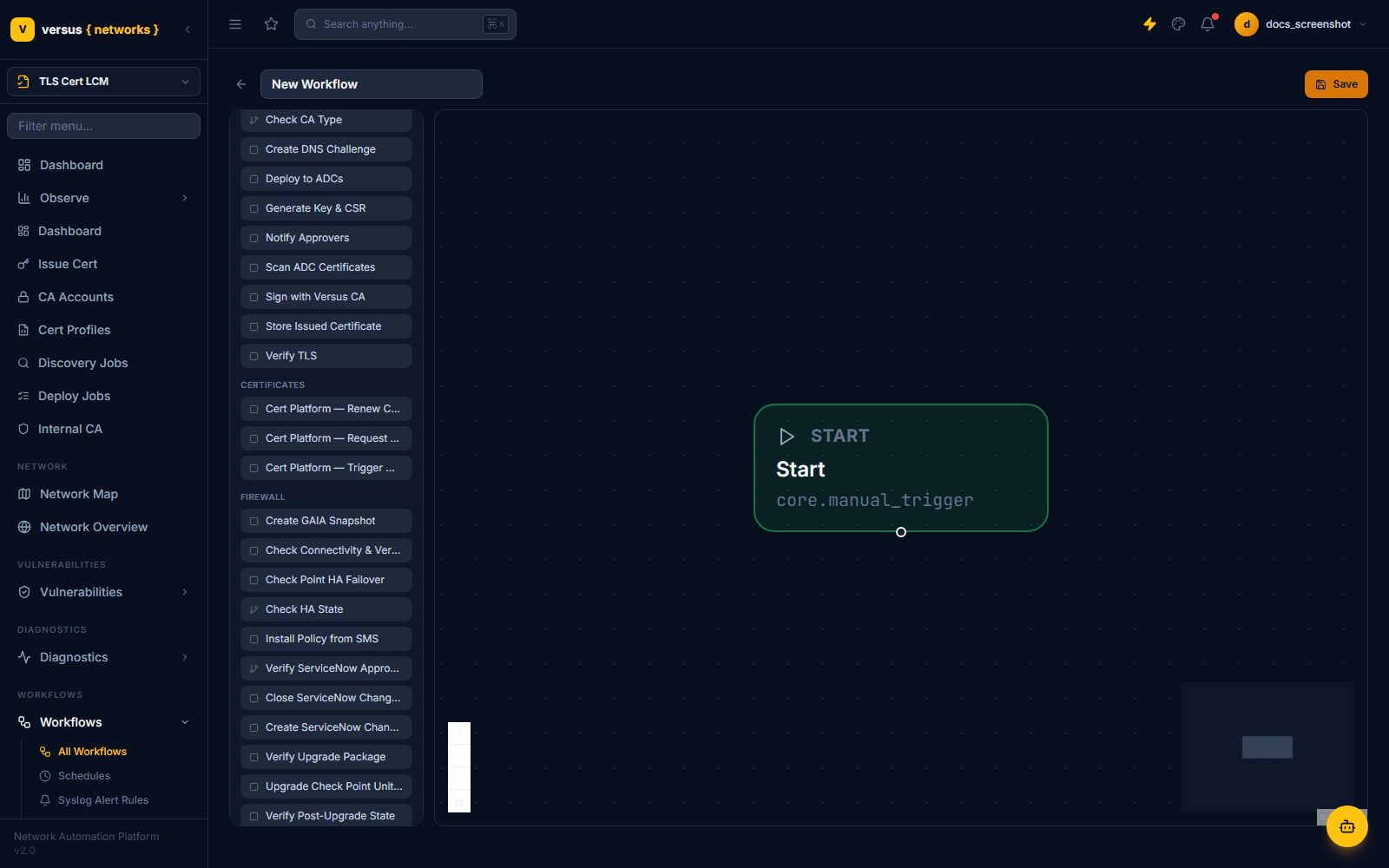
Once connected, a platform doesn't sync a background certificate inventory on its own — it becomes available as three generic workflow steps under the CERTIFICATES category in the workflow node palette (Workflows → New Workflow):
- Cert Platform — Request Certificate — asks the connected platform to issue a new certificate
- Cert Platform — Renew Certificate — requests renewal of an existing certificate on the platform
- Cert Platform — Trigger Workflow — kicks off a workflow or automation defined on the platform side itself
These are deliberately platform-agnostic — the same three steps work against Venafi, Keyfactor, or AppViewX; you pick which connected account a given step instance talks to when you configure that node on the canvas.
There isn't a separate "F5: Deploy Certificate" or "NetScaler: Deploy Certificate" step per vendor. Whichever CA a certificate came from — Versus's Internal CA or a connected cert platform — pushing it to your ADC and Cloud WAF / Bot estate uses the same generic Deploy to ADCs step from the CERTIFICATE category, which is vendor-aware internally and installs the certificate/key and updates the relevant SSL binding on whichever device platform you target.
Quick Reference
| Item | Details |
|---|---|
| Nav path | Versus Platform → Integrations → Cert Platforms |
| Supported platforms | Venafi TLS Protect Cloud, Venafi TLS Protect Data Center (TPP), Keyfactor Command, AppViewX CERT+ |
| Connection fields | Name, Platform, Base URL, credentials (varies by platform), Verify SSL, Enabled |
| Workflow steps (CERTIFICATES) | Cert Platform — Request Certificate, Renew Certificate, Trigger Workflow |
| Internal issuance steps (CERTIFICATE) | Generate Key & CSR, Sign with Versus CA, Create DNS Challenge, Store Issued Certificate, Deploy to ADCs, Scan ADC Certificates, Verify TLS |
| ADC & Cloud WAF / Bot deployment | Single generic "Deploy to ADCs" step — not per-vendor |