Change Management: The Automation Gate
A change nobody typed, carrying evidence nobody assembled by hand. This is the feature that makes Versus Desk different from bolting a ticketing tool onto your automation — read this page to understand it.
The Idea, Plainly
Every mutating Versus workflow — a device upgrade, a certificate renewal, a firewall rule push, a config restore — can be configured with a change gate. When a gated workflow runs, it doesn't just execute: it first creates its own Change ticket, fills that ticket in with the actual targets and the actual plan the workflow is about to execute, computes a risk score from real signals, and then refuses to proceed until that ticket is approved and scheduled. Nobody sat down and wrote a change request from memory. Nobody forgot to attach the rollback plan. The evidence is the same data the workflow itself is about to act on.
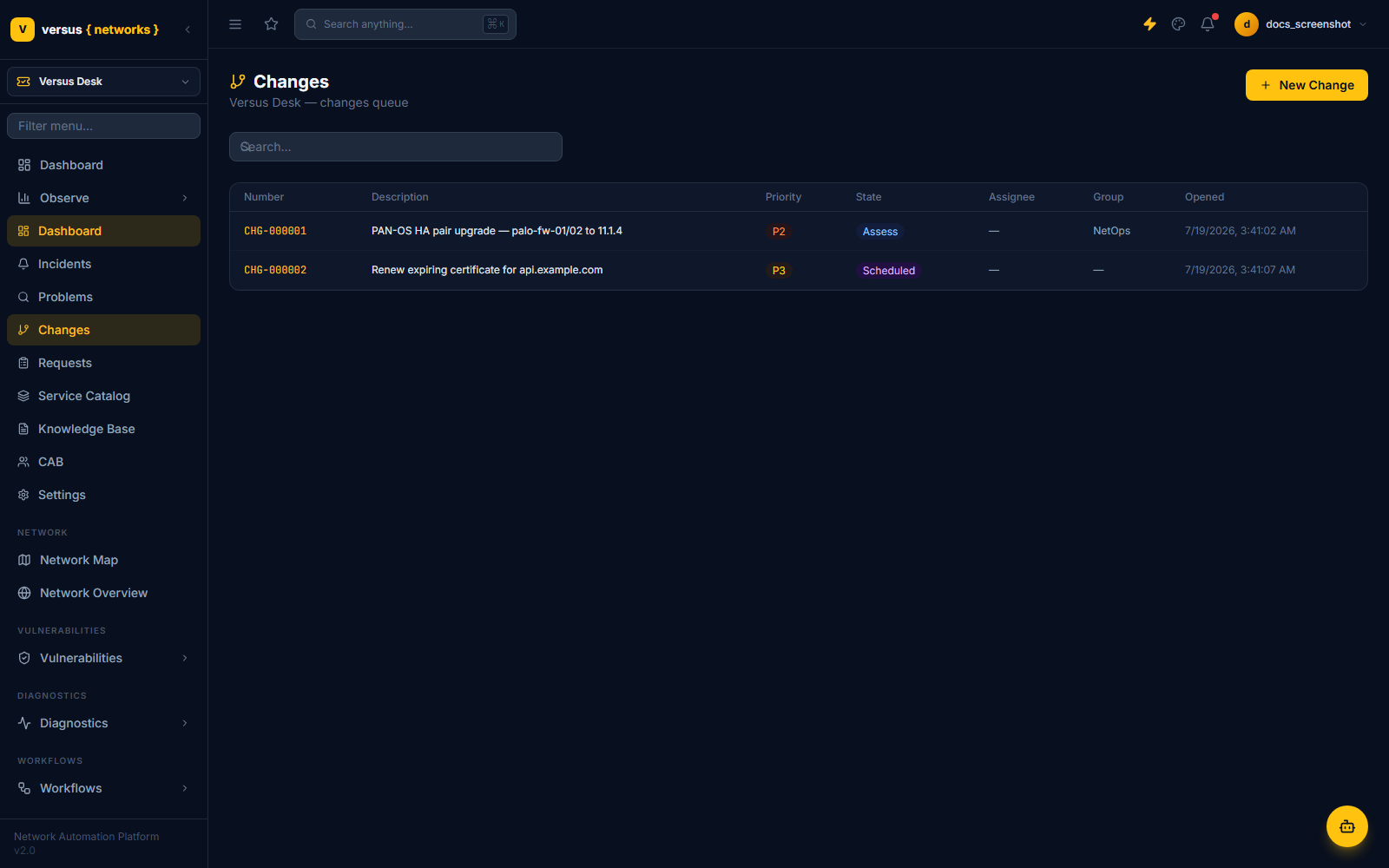
Gate Modes
Every workflow definition has a ChangeGateBinding with one of four modes, set per workflow in Versus Desk → Settings → Change Gates:
| Mode | Behavior |
|---|---|
| off | No change record created — the workflow just runs. The right setting for lab tenants and low-stakes workflows. |
| record | A change is auto-created directly in Scheduled — an audit trail, but no approval gate blocking execution. |
| gate | A change is auto-created in Assess. The workflow run is marked waiting_approval and the orchestration engine will not resume it until the change reaches Scheduled and the current time falls inside its approved maintenance window. |
| external | Same enforcement as gate, but the change lives in ServiceNow instead of Versus Desk — the existing App Builder → SN approval pattern, generalized. |
A `gate`-mode Workflow Run
The enforcement point is the orchestration engine itself, not a UI checkbox — the engine will not resume a gated run until get_approval_state() says Scheduled and now falls inside the approved window.
Two implementation details worth knowing if you're relying on this in production: resuming a gated run happens two ways — inline, the moment a change reaches Scheduled, and via a periodic check_itsm_gates job that re-scans every waiting_approval run as a fallback, so a missed inline hook doesn't leave a run stuck forever. And if a change has no maintenance window set at all (which is normal for standard or emergency changes, where the template or the urgency itself is the control), the window check is skipped by design rather than blocking forever on a window that was never meant to exist.
Walkthrough: CHG-000001
This is a real record from the seeded demo tenant, not a mockup. A PAN-OS HA pair upgrade workflow ran against palo-fw-01/palo-fw-02 in gate mode. Here is exactly what it looks like the moment the workflow hits the gate and stops:
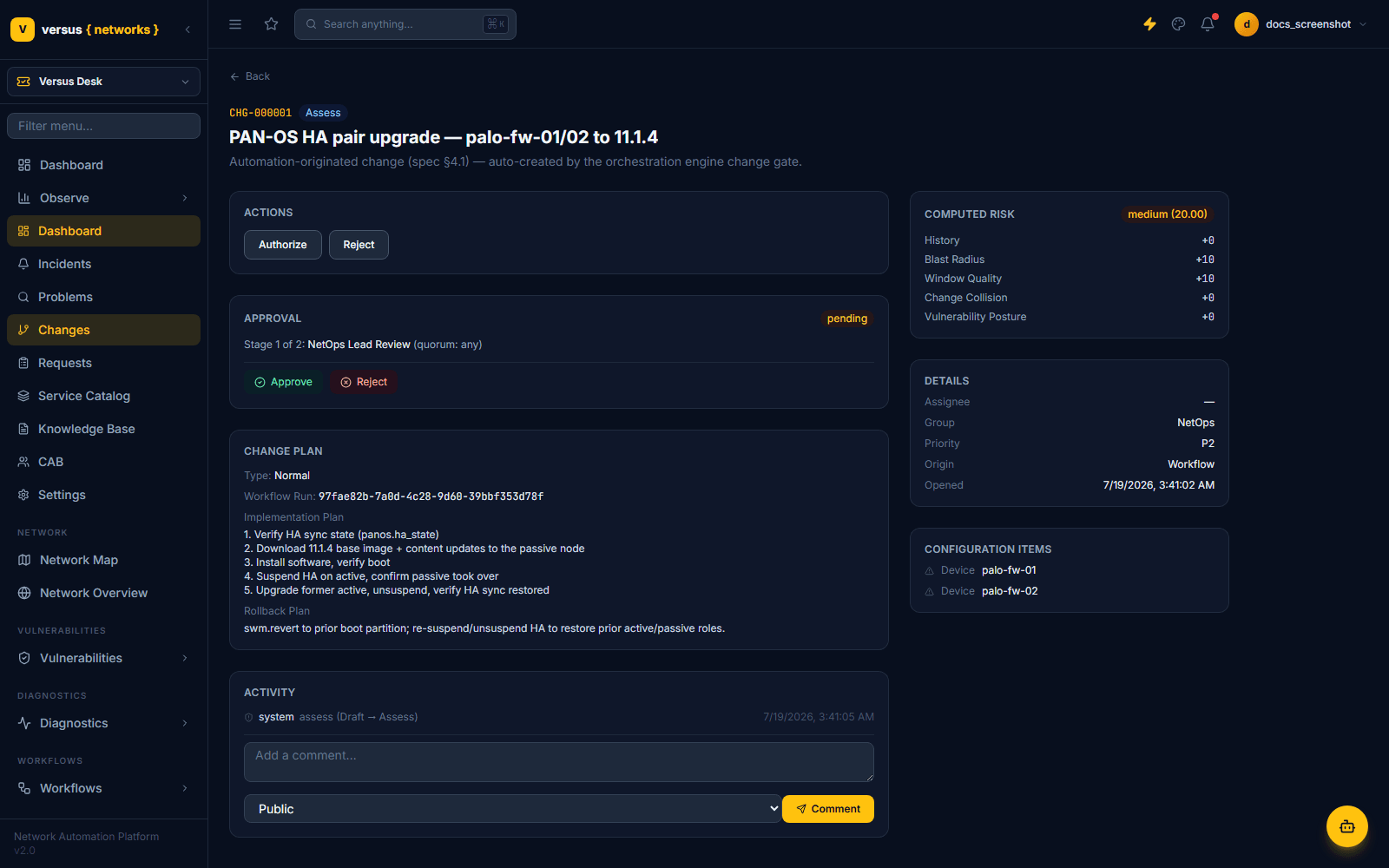
Reading the record left to right:
- Origin: Workflow. The ticket's
origin_refcarries the workflow run ID —97fae82b-7a0d-4c28-9d60-39bbf353d78fin this case — so the ticket and the run that spawned it are permanently linked, not just described in prose. - Implementation and rollback plans came from the workflow's own context at dispatch time — five concrete steps (verify HA sync, download the 11.1.4 image to the passive node, install and verify boot, suspend HA on the active node and confirm failover, upgrade the former active and restore sync) and a rollback plan (
swm.revertto the prior boot partition, then re-suspend/unsuspend HA to restore prior roles). This is best-effort capture of what's knowable at gate time — later per-step artifacts a workflow produces as it actually runs (a snapshot ID, a config backup point) aren't available yet at this stage, since the workflow hasn't executed. - Configuration Items —
palo-fw-01andpalo-fw-02— are linked automatically from the workflow's device group, as polymorphic references into the same device inventory every other Versus workspace uses. There is no separate CMDB to keep in sync.
Machine-Computed Risk
At Assess, five factors are computed and summed into an additive score, then mapped to a band. Every factor is shown with its exact contribution — nothing is a black box the approver has to trust blindly:
| Factor | How it's scored | On CHG-000001 |
|---|---|---|
| Blast radius | +5 per linked CI, capped at 25 | +10 (2 devices) |
| Change collision | +10 per other change with an overlapping window on a shared CI, capped at 20 | +0 (no window set yet — nothing to collide with) |
| History | +5 per recent incident (30-day) on a linked CI, capped at 15 | +0 |
| Vulnerability posture | +2 per open critical CVE on a linked device, capped at 10 — shown alongside the raw CVE count, never collapsed to a single hidden signal | +0 |
| Window quality | +10 if the change has no maintenance window attached yet, +0 if it does | +10 (not yet scheduled into a window) |
Total: 20.00, which lands in the medium band (thresholds: 0 = low, 15 = medium, 30 = high — tenant-tunable). The score is advisory: it sets the default risk band and selects which approval chain applies, but a human can override it — doing so requires a risk_override_reason, which is captured and audited rather than silently swapping the number.
The Approval Engine
Risk resolves which ApprovalRule applies, matched by change type, risk band, or assignment group, highest precedence first. The matching rule's stages are frozen onto the change's ApprovalInstance at Assess time — editing the rule afterward never mutates an approval that's already in flight. CHG-000001 matched the tenant's only configured rule:
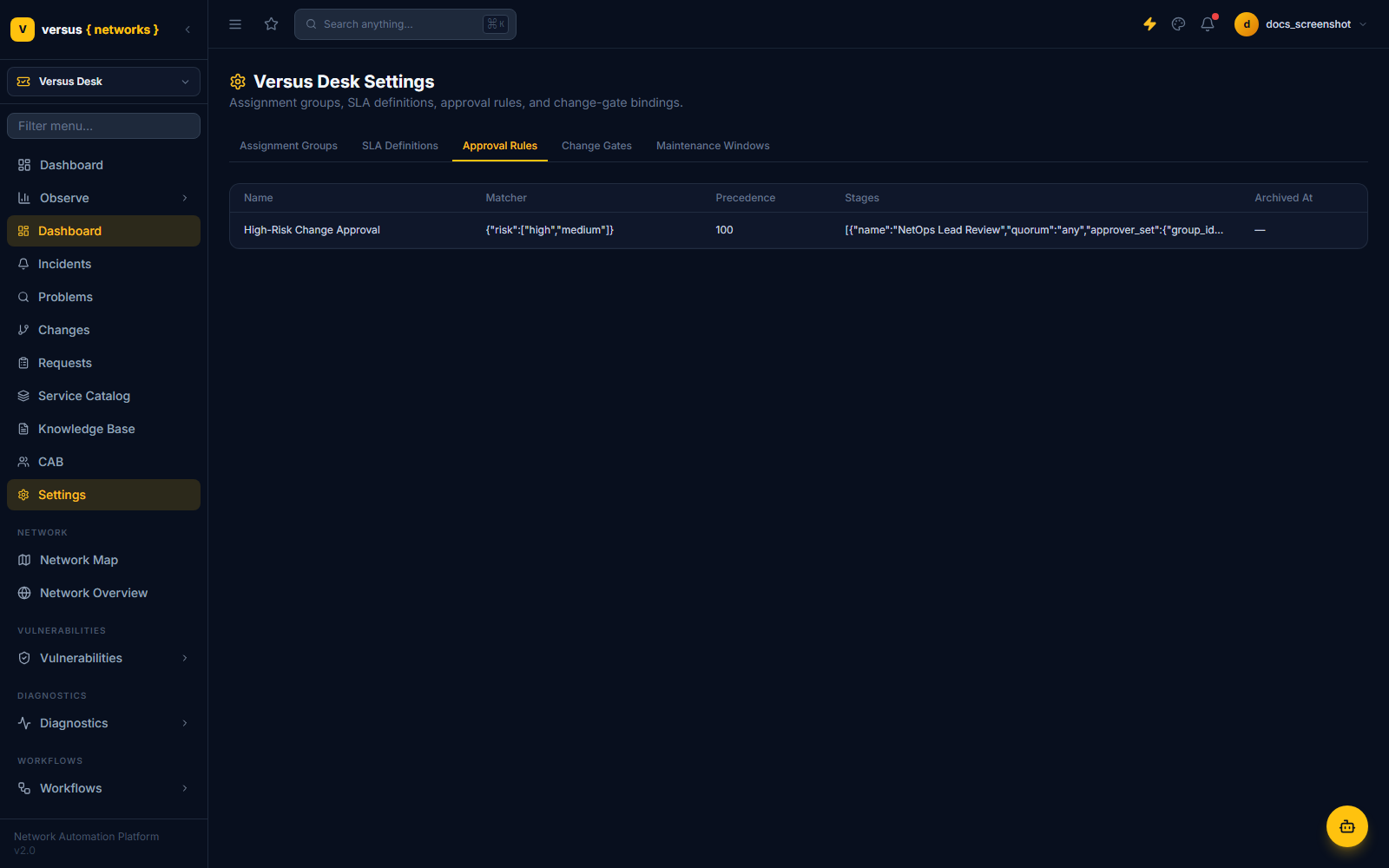
Each stage declares a quorum:
any— a single approval satisfies the stage (what CHG-000001's stage 1, "NetOps Lead Review," uses).all— every named approver, or every current member of an approver group, must approve.n_of_m— a specific quorum count out of a named approver set.
A reject at any stage rejects the whole instance immediately and bounces the change back to Assess with the rejection comment attached — there's no partial-approval limbo. Clearing every stage moves the instance to approved, which is what the change's Authorize transition guard checks before it will let the change proceed toward Scheduled.
Emergency changes skip this entirely in favor of a single implicit emergency-approver stage, with a mandatory retrospective normal review task created automatically once the change closes.
Standard Changes Skip the Ceremony — On Purpose
Not every change needs a live approval cycle. A StandardChangeTemplate — a pre-approved, frozen implementation and rollback plan for a well-understood, low-risk change class — lets a matching change go straight from Draft to Scheduled, skipping Assess and Authorize entirely. The seeded tenant has exactly this: a certificate renewal.
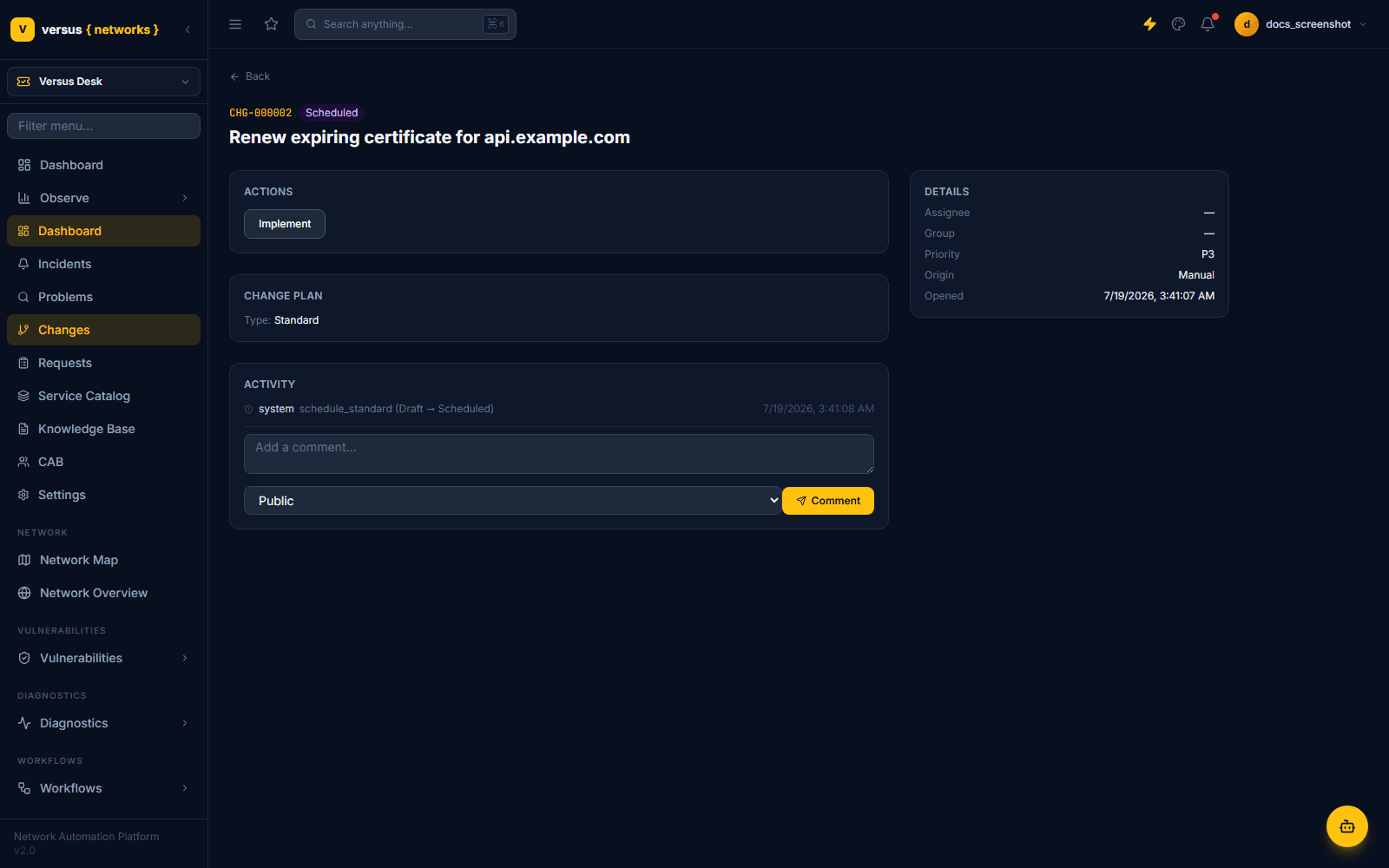
Promoting a repeated normal change into a standard template isn't self-service — it's a governance action that reuses the same recertification engine as Policy Governance, with the same proposer-≠-approver rule: whoever proposes turning a change into a rubber-stamped template can't be the one who approves that promotion.
After Approval: What the Engine Actually Enforces
Getting approved doesn't immediately unblock the workflow. The change must reach Scheduled, and the orchestration engine only resumes the paused run once now falls inside that change's approved planned_start/planned_end window — checked both the moment the change is scheduled and on every tick of the fallback poller. This is deliberately the single most heavily-tested integration point in the module: a gated run has no path to execution except through an approved change inside an approved window.
When the run finishes, the change is walked automatically through Review → Closed: the run's terminal status maps directly to a PIR outcome (completed → successful, failed → failed, cancelled → rolled_back, anything else → successful_with_issues), with PIR notes recording which run produced the result. Nobody has to remember to close the loop.
gate-mode run cannot be forced past a pending approval by skipping a screen — the engine itself refuses to call continue_run() until get_approval_state() reports approved and the change is inside its scheduled window.Change Advisory Board
A CAB meeting in Versus Desk is a lightweight ceremony artifact — agenda (the changes in an approval window), minutes, and a per-change disposition — layered on top of the approval chains that actually enforce anything. It exists because RFPs check for it, not because it replaces the approval engine above. Covered alongside the Service Catalog and Knowledge Base in Service Catalog, Knowledge Base & CAB.