Firewall Access Requests
Describe the access you need — source, destination, service — and Versus computes which firewalls sit in the path, designs the exact rule change, verifies it against policy, and (once approved) provisions and confirms it. No manual rule authoring.
Overview
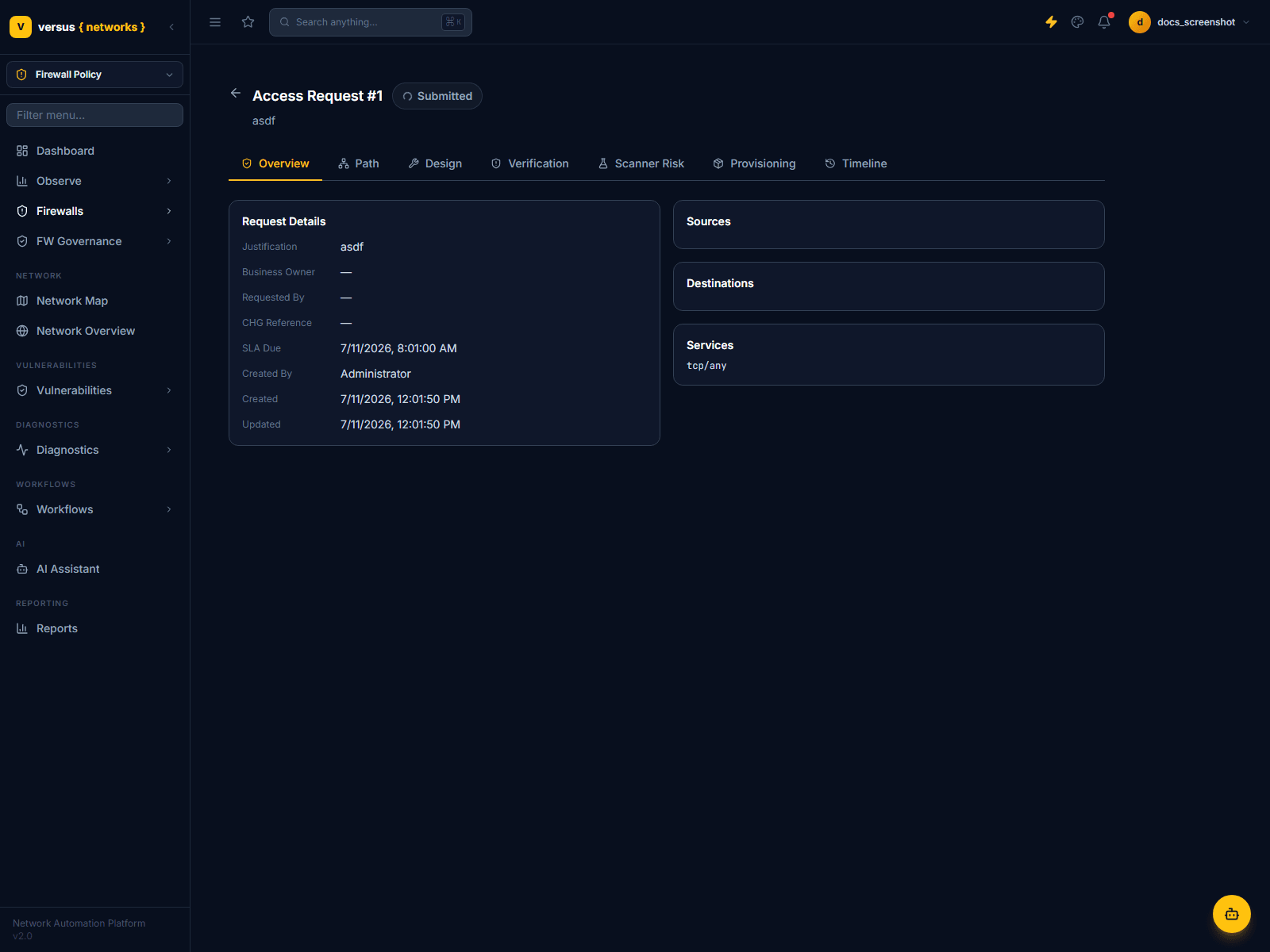
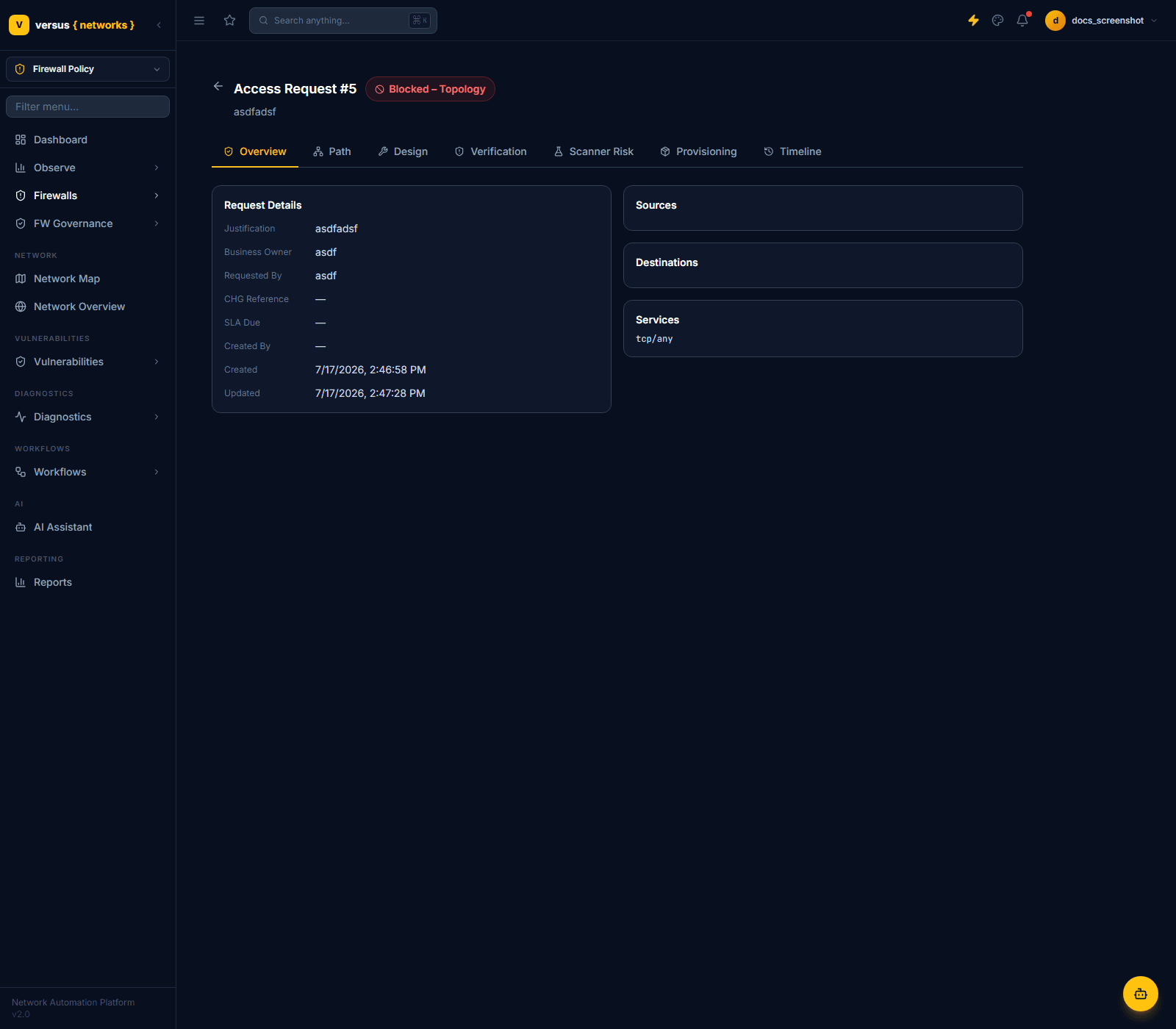
Firewalls → Access Requests is Versus's automated access-provisioning pipeline. Rather than asking a network engineer to find the right firewall and hand-write a rule, a requester submits what they need in business terms, and Versus works out the rest: which firewalls enforce that traffic path, whether an existing rule already permits it, what a new rule would need to look like, whether it's safe to add, and — after approval — pushing and confirming it.
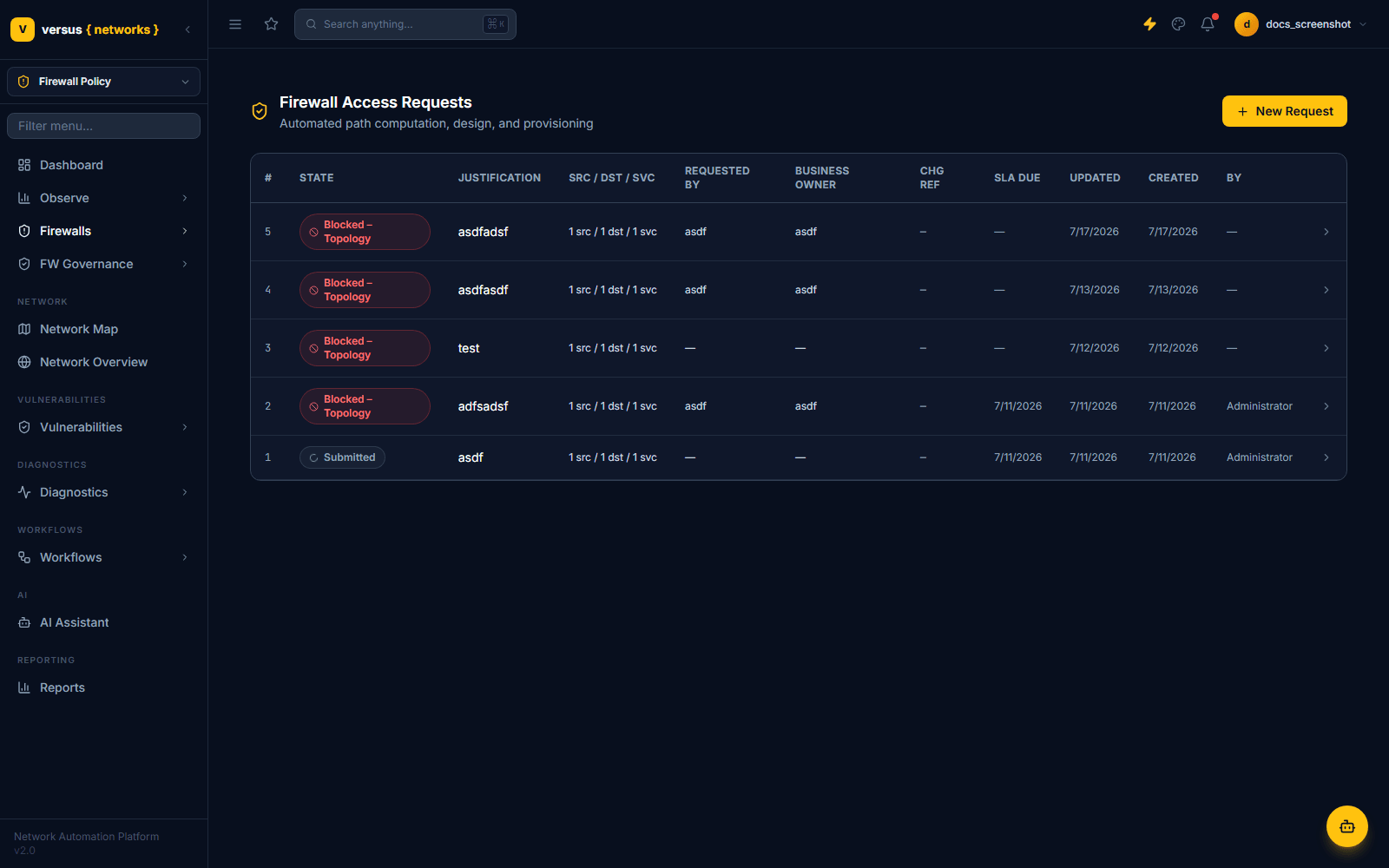
The list view shows every request with its current state, justification, source/destination/service summary, requester, business owner, linked change (CHG) reference, SLA due date, and last-updated time.
The Pipeline: Ingest → Design → Provision → Verify
Every request runs through the same automated pipeline, visible as tabs on the request detail page: Overview, Path, Design, Verification, Scanner Risk, Provisioning, and Timeline. The stages run in this order:
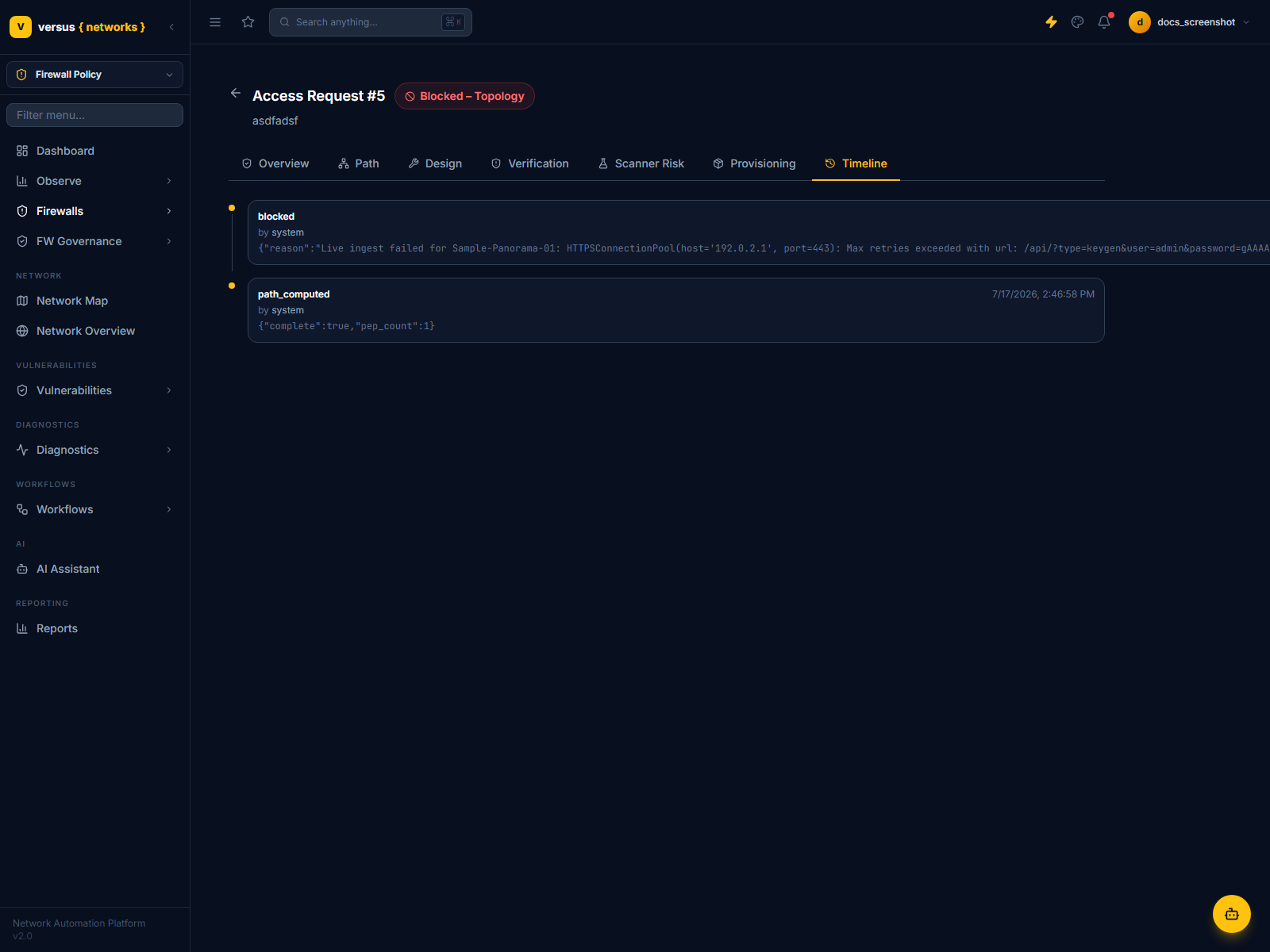
Before Versus can decide anything, it needs an up-to-date copy of each candidate firewall's rules. If a device's last-ingested rulebase snapshot is older than the configured freshness window (24 hours by default), Versus re-pulls it live from the device before proceeding. This check is fail-closed: if a live re-ingest also fails, the request cannot proceed and is blocked (see Blocked – Topology below) rather than designed against stale data.
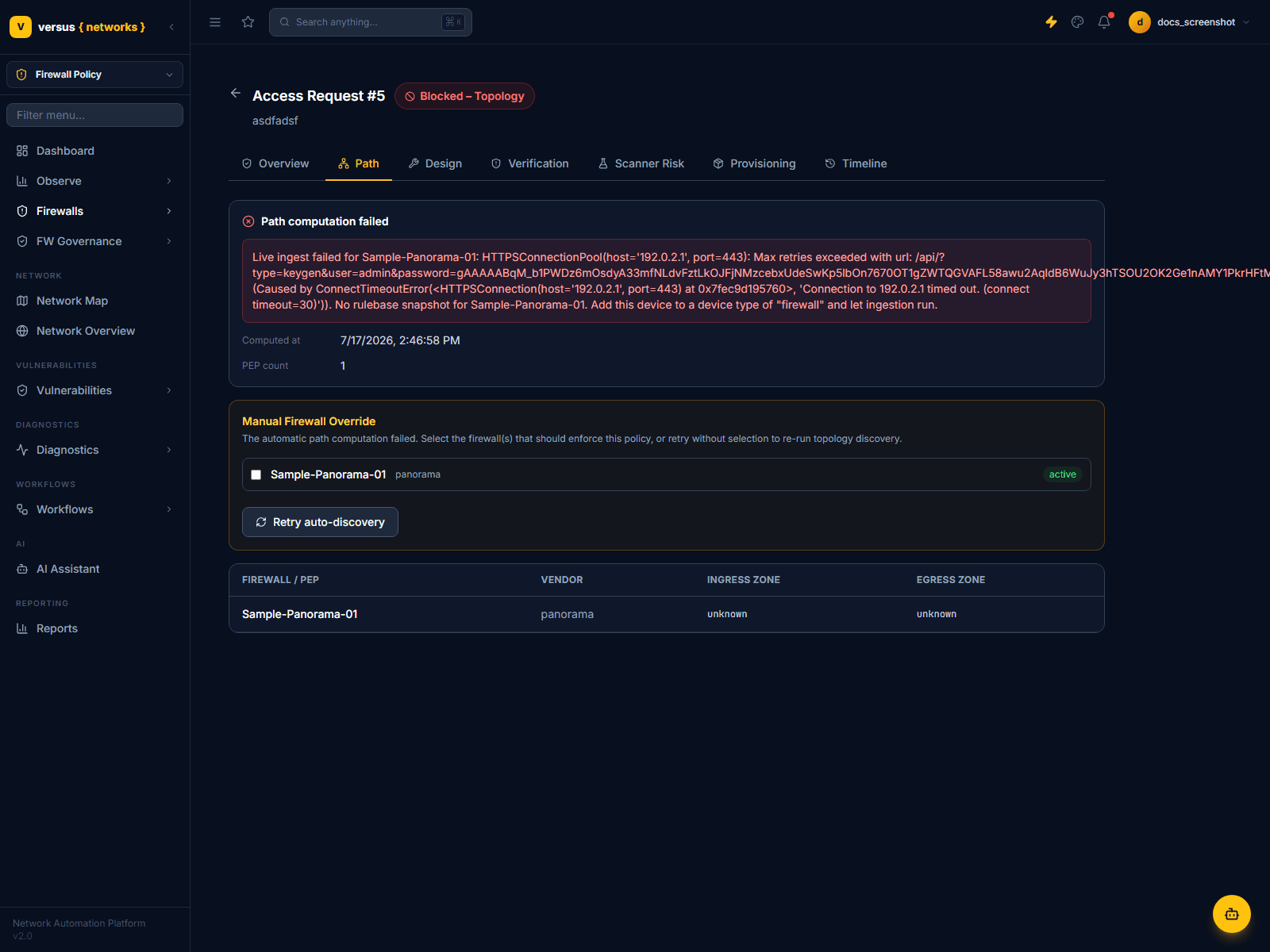
Versus resolves the set of firewalls (policy enforcement points, or PEPs) that should enforce this request. The Path tab lists each resolved firewall with its vendor, ingress zone, and egress zone. If path resolution fails — no active firewall devices found, or the device couldn't be reached to confirm its rulebase — the tab shows the failure reason and a Manual Firewall Override panel: tick the firewall(s) that should enforce the policy yourself, or click Retry auto-discovery to re-run path resolution.
For every firewall in the resolved path, Versus checks whether an existing enabled allow rule already covers the requested source, destination, and service. If one does, that firewall needs no change — the Design tab shows which existing rule already permits it. If nothing covers it, Versus builds a candidate new rule: it computes source/destination zones from the device's configuration, sets the action to allow, tags it versus-automated, and — importantly — sequences it just above the firewall's first deny/drop rule, so the new rule can never be silently shadowed by an existing broader deny.
If every firewall in the path already permits the flow, the whole request short-circuits to No Change Required — there is nothing to provision.
Before anything reaches a human for approval, each candidate rule is checked against five policy simulations on the Verification tab:
| Check | What It Catches | Can Block? |
|---|---|---|
| Policy compliance | Baseline check that the proposed action is allow | No |
| Conflict | An existing higher-priority deny/drop rule would shadow the new rule and block the intended traffic | Yes — Fail |
| Shadowing | An existing allow-any rule already makes this rule redundant | Warn only |
| Overly permissive | Source or destination on the candidate rule is "any" | Warn only |
| Risk score | Composite 0–100 score from scope breadth (any-source, any-destination, any-service) | Warn only if > 70 |
If any firewall's verification comes back with a hard conflict, the whole request moves to Verification Failed and stops — it will not reach approval until re-submitted or the conflicting rule is resolved. If a vulnerability scanner is connected, an additional Scanner Risk gate runs after verification passes — a failing risk assessment also routes the request to Verification Failed. Passing all checks (warnings are allowed) moves the request to Verified and it now sits, ready, awaiting approval.
Approval
A Verified request is approved either by a user clicking Approve in Versus, or automatically when a linked ServiceNow change ticket reports its approval event back to Versus. Only requests in the Verified state can be approved — approving is otherwise rejected.
Provisioning, Commit, and Realization
Once approved, the Provisioning tab tracks the push to real devices, one entry per firewall in the path:
- Provisioning — the candidate rule is pushed to each device in turn. If any push fails partway through, Versus automatically rolls back every change it already made on the other devices in this request, rather than leaving a partial change in place.
- Committing — on platforms that require an explicit commit (e.g. Panorama), the candidate config is committed.
- Realizing — Versus re-checks the live device to confirm the new flow is actually permitted end to end — a synthetic realization check, not just "the API call returned success." A realization check that hasn't confirmed yet doesn't fail the request; it's noted so you know a commit may still be propagating.
A successful run ends in Completed. Any unrecoverable failure mid-provisioning ends in Rolled Back (partial changes undone) or, for a hard pipeline crash, Failed.
Request States
Every state visible in the UI, in the order a healthy request normally passes through them:
| State | Meaning |
|---|---|
| Submitted | Request created; pipeline is starting |
| Blocked – Topology | Path resolution or a required rulebase refresh failed — needs a manual firewall override or a retry |
| Path Resolved | The firewalls in scope have been determined |
| Designed | A concrete rule change (or "already permitted") has been computed for every firewall in the path |
| No Change Required | Terminal — every firewall in the path already permits the requested flow |
| Verification Failed | A conflict check failed, or a connected vulnerability scanner’s risk gate failed |
| Verified | All firewalls passed verification — awaiting approval |
| Approved | A human or ServiceNow approved the request; provisioning is about to start |
| Rejected | Terminal — the request was explicitly rejected |
| Provisioning | Rule changes are being pushed to devices |
| Completed | Terminal — provisioning, commit, and realization all finished successfully |
| Rolled Back | Terminal — a mid-provisioning failure triggered an automatic rollback of already-applied changes |
| Failed | Terminal — an unhandled pipeline error, distinct from a graceful rollback |
Timeline
The Timeline tab is the full audit trail for the request — every pipeline transition (path_computed, blocked, and so on), who or what triggered it (a user, or system), and the structured detail recorded at that moment, newest first.
Submitting a New Request
Click New Request from the list view to open the request form.
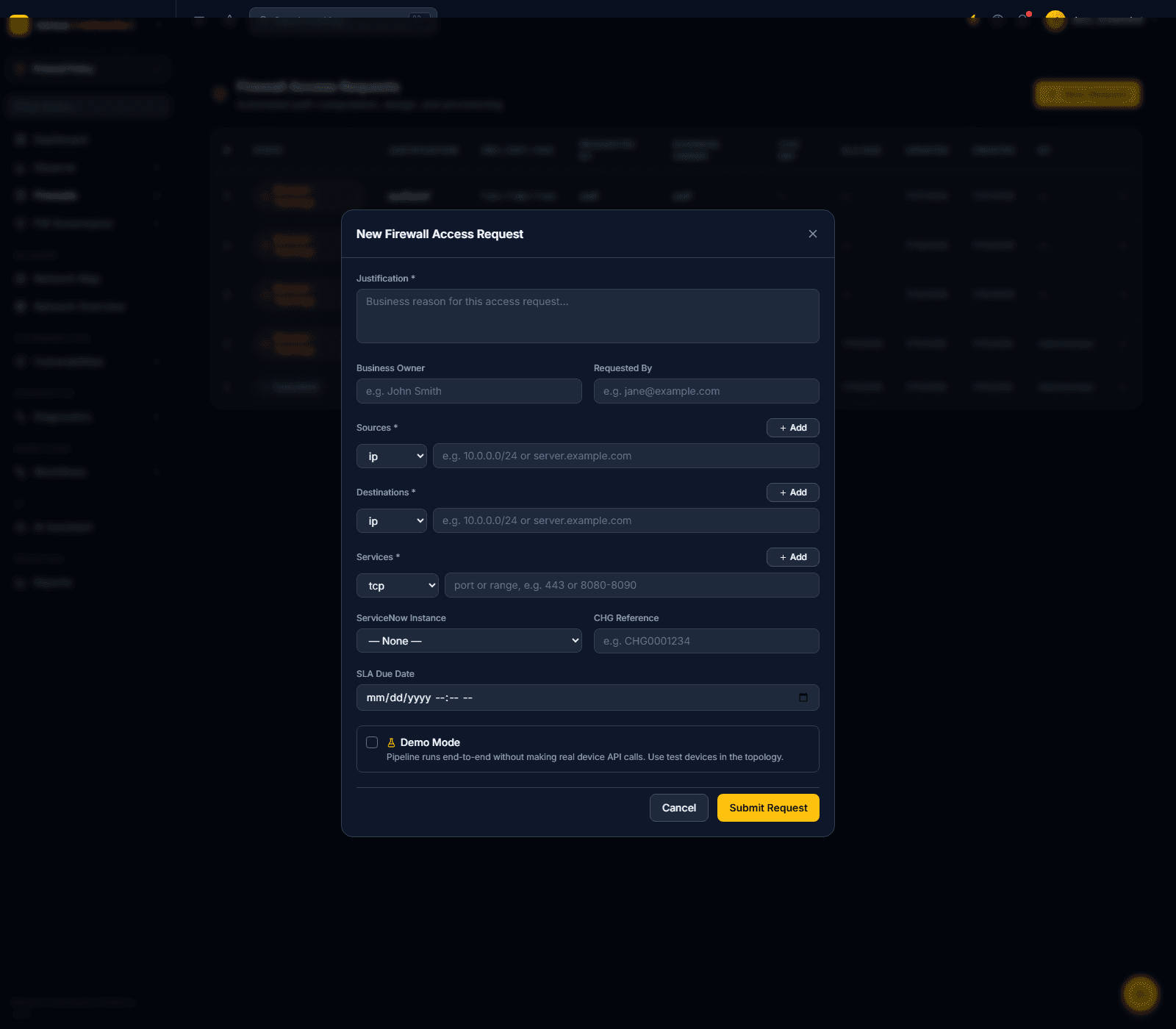
- Justification* — required free-text business reason for the request
- Business Owner / Requested By — who owns and who is asking for this access
- Sources* / Destinations* — one or more entries, each with a type (e.g.
ip) and a value such as a CIDR or hostname; click + Add for additional entries - Services* — protocol (e.g.
tcp) and port or port range - ServiceNow Instance / CHG Reference — link this request to an existing or new ServiceNow change record so approvals and work notes flow through SNOW
- SLA Due Date — optional deadline shown on the list view
- Demo Mode — runs the entire pipeline without making any real device API calls, useful for testing the flow end to end against non-production topology
Click Submit Request to create it in the Submitted state and kick off the pipeline.