DNS / Wide-IP Management
The Global Traffic section of the ADC workspace — WideIPs, GTM Pools, GTM Servers, GTM Monitors, and GTM Datacenters, discovered automatically from F5 BIG-IP DNS/GTM devices.
Overview
F5 BIG-IP DNS (formerly GTM — Global Traffic Manager) provides DNS-based global load balancing across data centres and regions. In the Application Delivery Controller workspace, expand Global Traffic in the sidebar to reach six pages: WideIPs, GTM Pools, GTM Servers, GTM Monitors, GTM Datacenters, and GTM Topology (/applications/wideips, /applications/gtm-pools, and so on) — each a cross-device list populated by discovery against any BIG-IP with the DNS/GTM module licensed and connected.
The WideIPs List
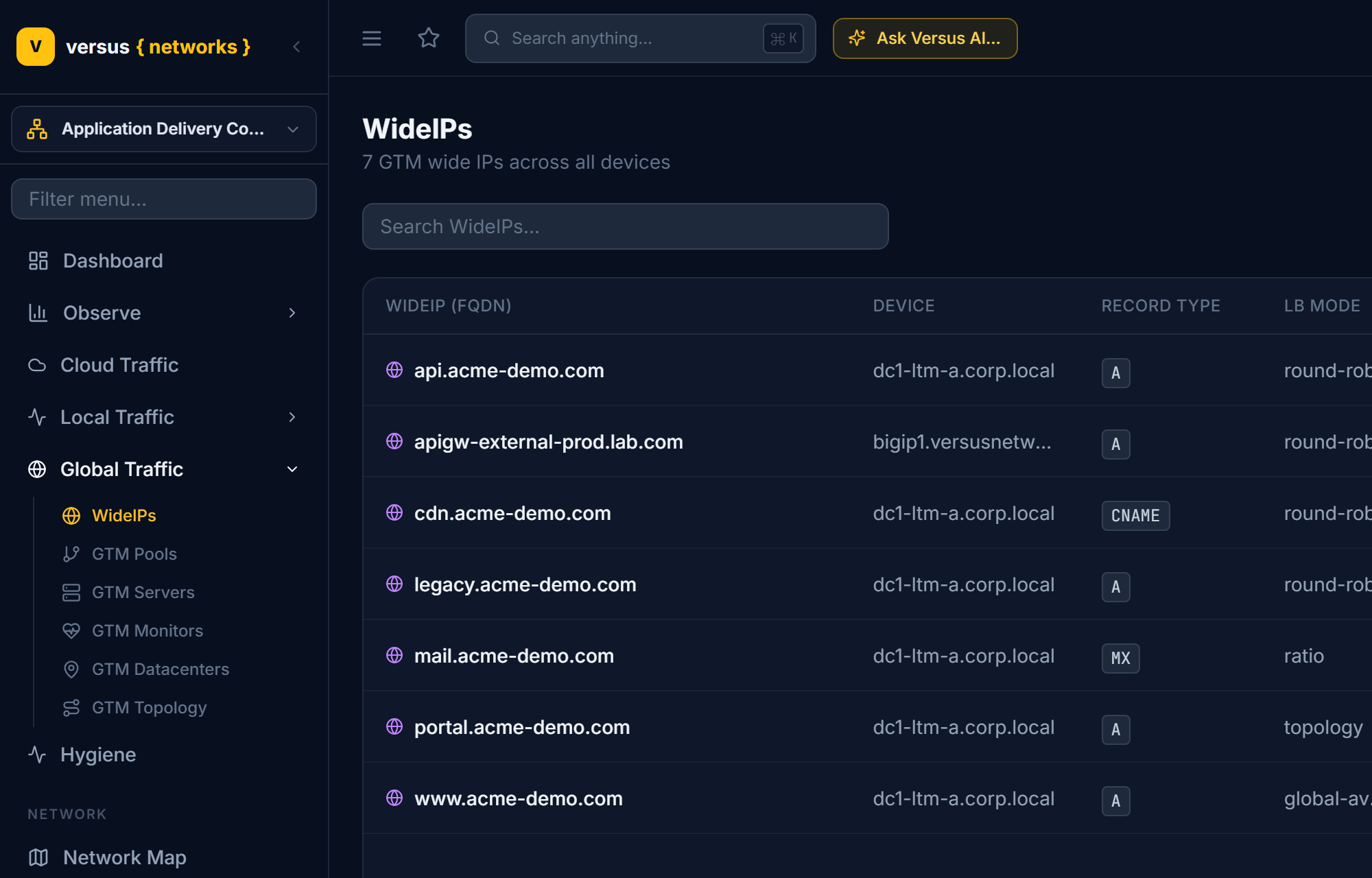
Each row represents one discovered Wide-IP object and shows:
- WideIP (FQDN) — the fully qualified domain name
- Device — the BIG-IP DNS/GTM device it was discovered on
- Record Type — A, AAAA, CNAME, MX, or NAPTR
- LB Mode — the load-balancing algorithm assigned
- Pools — number of DNS pools attached
- Enabled — whether the Wide-IP is administratively enabled
- Last Sync — how long ago this row was refreshed by discovery
Wide-IP Detail
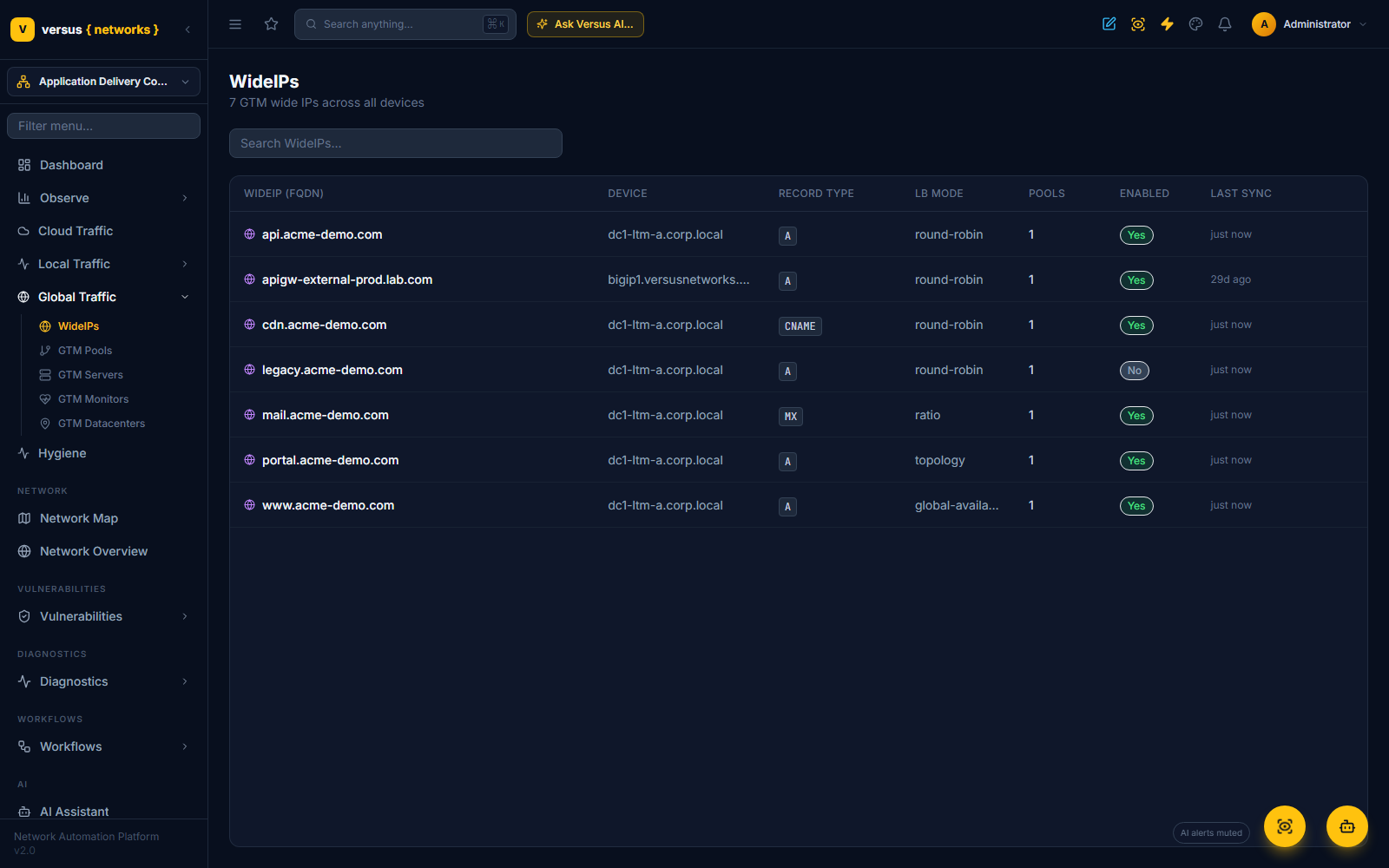
Click a row to open the Wide-IP. The detail page leads with stat cards (record type, pool count, the number of virtual servers its pools resolve to, and last sync), then a Linkage tree from the FQDN down through each pool to the member virtual servers and the datacenter each one lives in, the Configuration block (FQDN, partition, record type, LB mode, device, last synced), and Pools & Members — every pool with its LB mode and each member's IP, datacenter, status and ratio. Members are matched to the virtual servers Versus discovered on the same device, so a member's status is the live health of that virtual server, not a copy of the GTM configuration. Raw Config at the bottom expands to the object as the device returned it.
GTM Pools
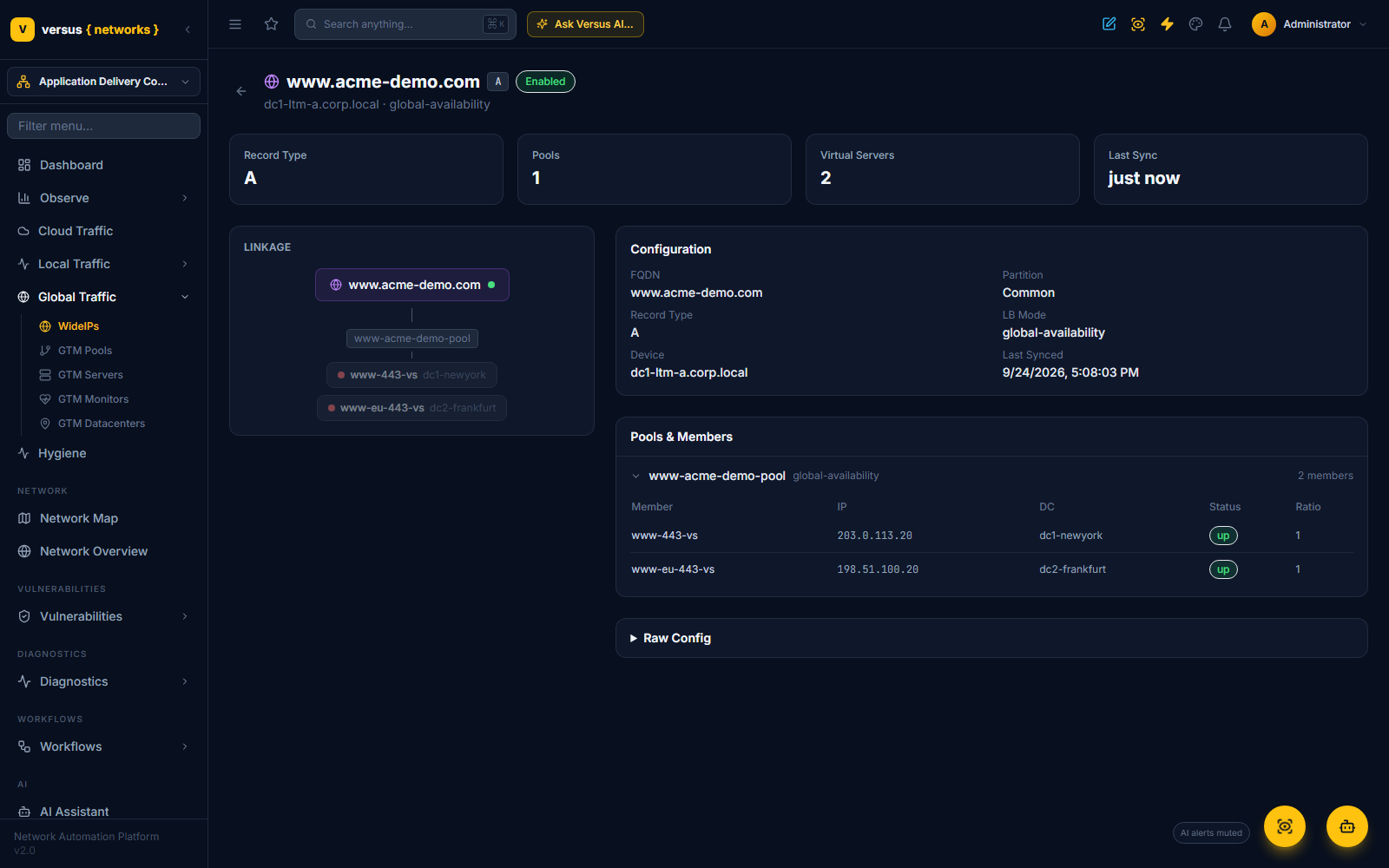
GTM Pools (/applications/gtm-pools) lists the DNS pools referenced by Wide-IPs, independently of which Wide-IP uses them. Columns: Pool, Device, Record Type, LB Mode, Members, and Enabled.
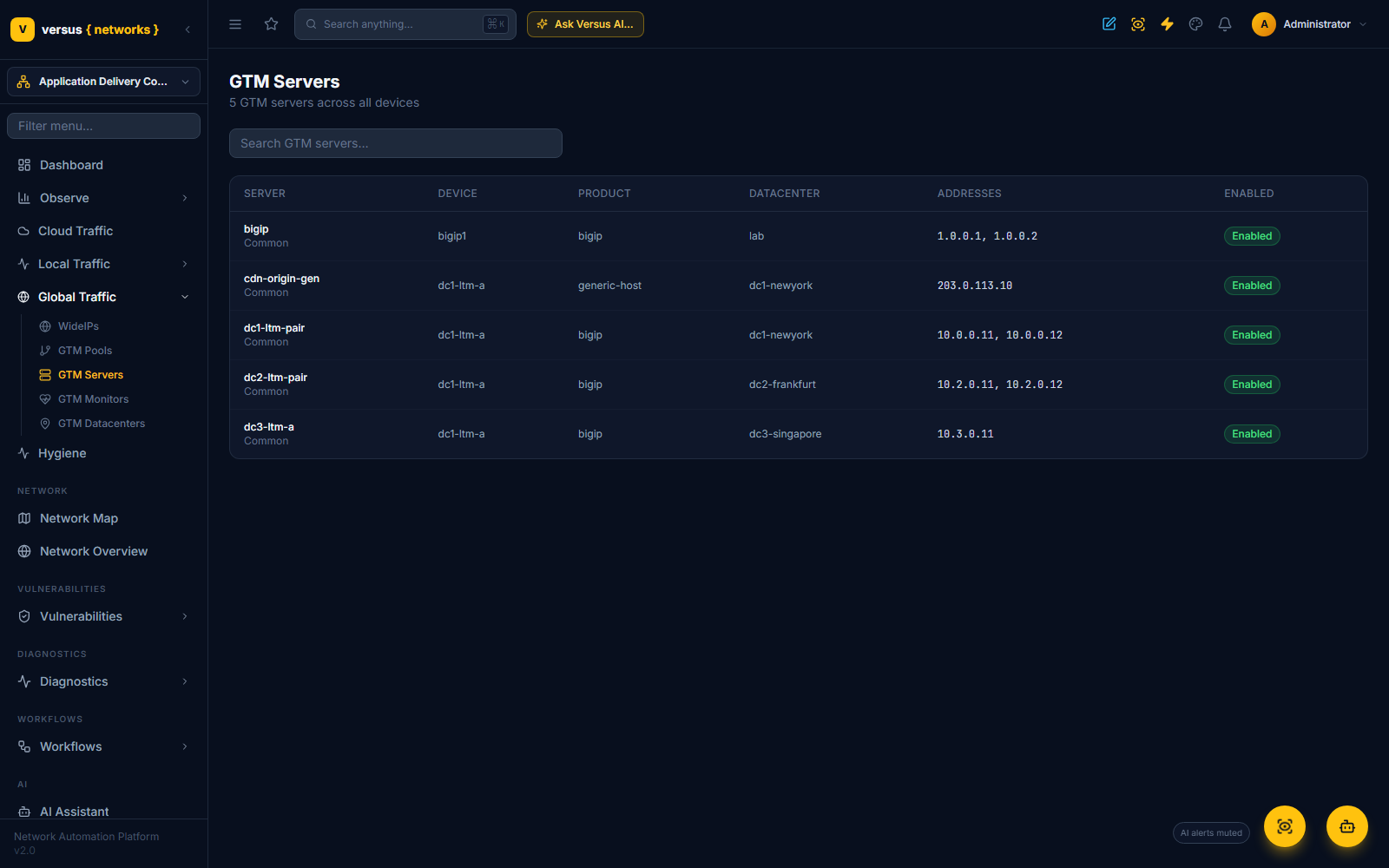
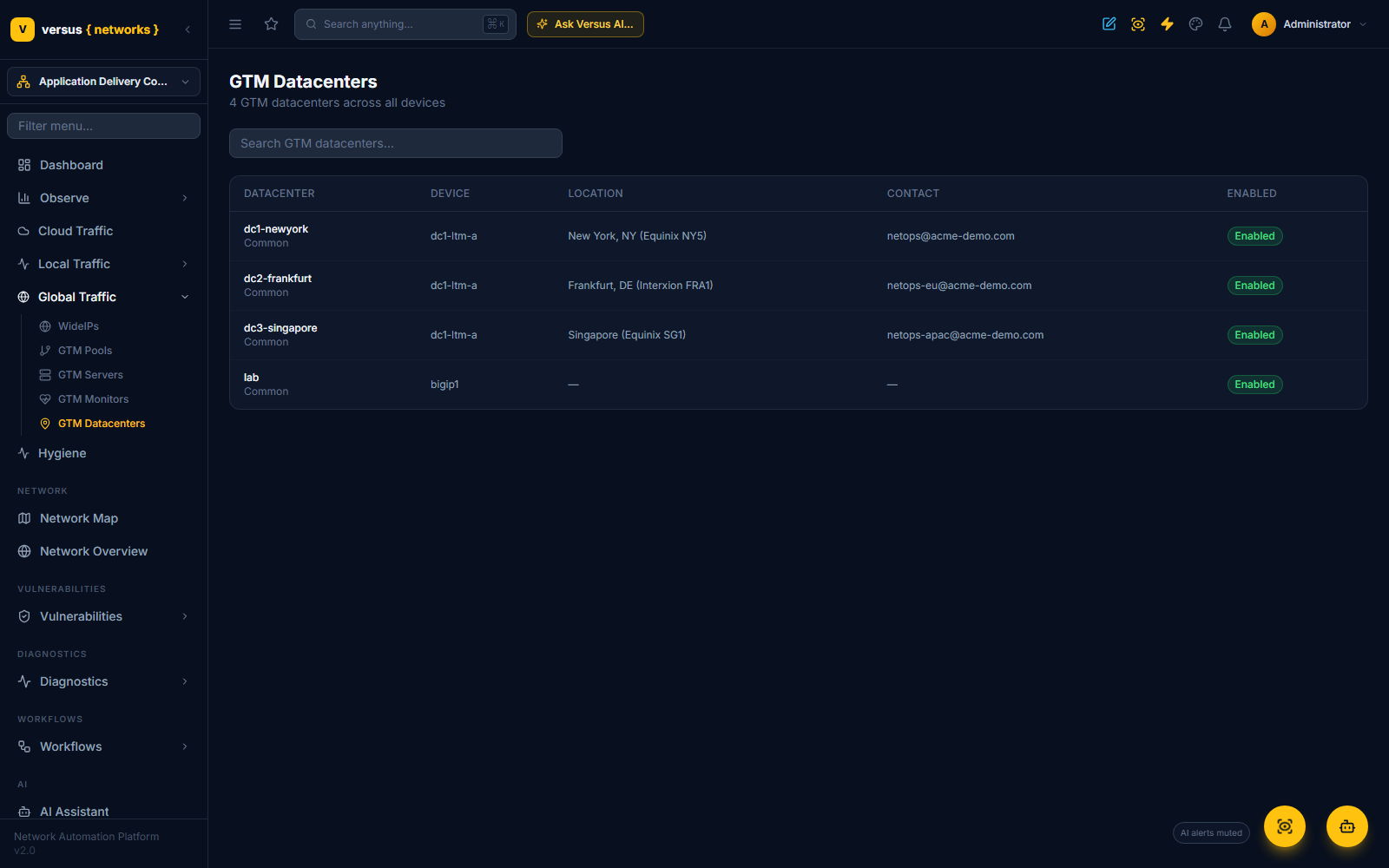
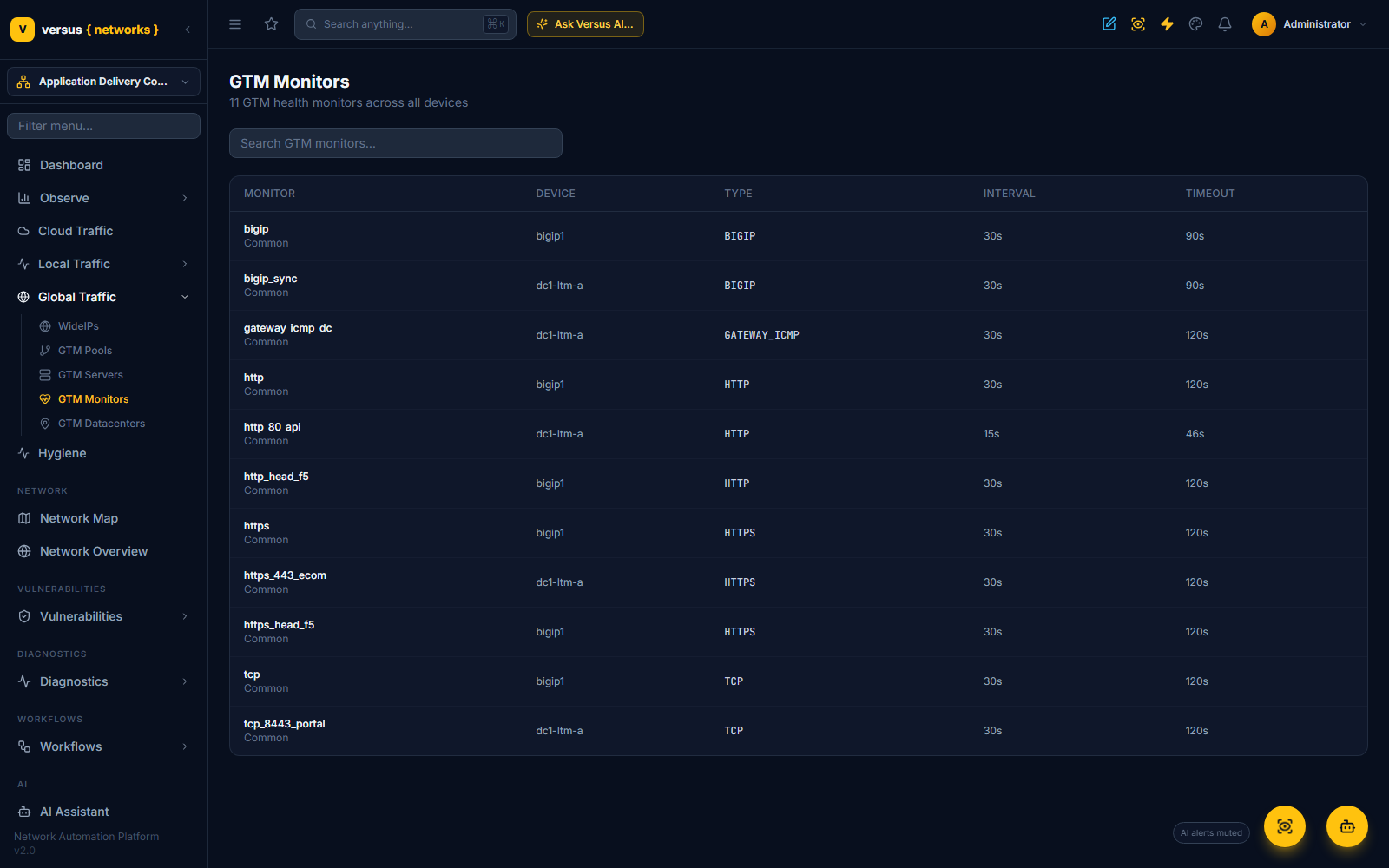
GTM Servers and GTM Datacenters follow the same pattern — GTM Servers lists the server objects (BIG-IP or third-party) that host GTM pool members, with Server, Device, Product, Datacenter, Addresses, and Enabled columns; GTM Datacenters lists the datacenter objects those servers are grouped into, with Datacenter, Device, Location, Contact, and Enabled columns. GTM Monitors lists GTM-specific health monitors (Monitor, Device, Type, Interval, Timeout) separately from the LTM monitors under Local Traffic.
Topology Records and Regions
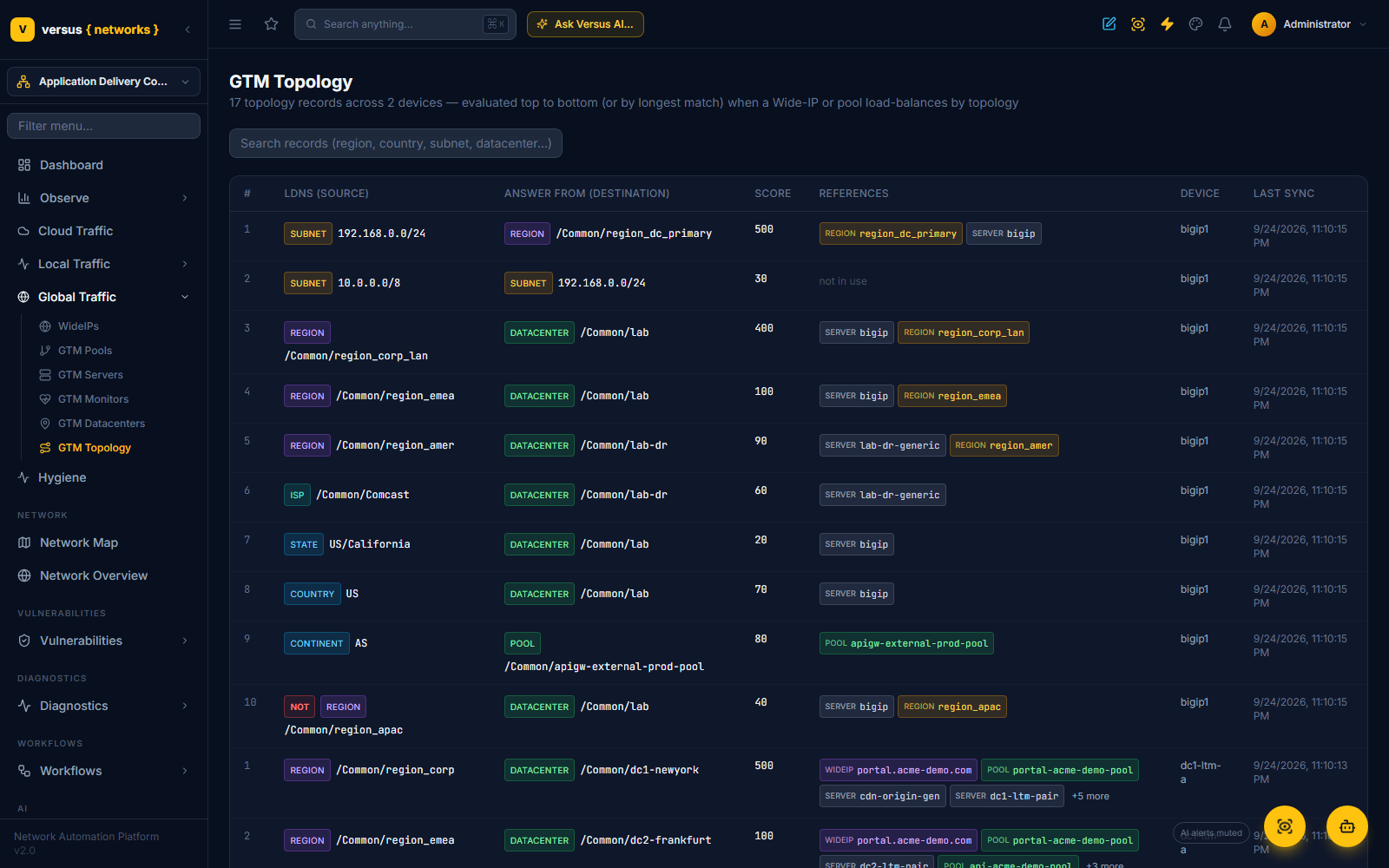
When a Wide-IP or a GTM pool load-balances by topology, BIG-IP DNS does not pick the answer by health or round-robin alone: it walks its topology records. Each record pairs an LDNS selector (where the querying resolver is — a continent, a country, a state, an ISP, a subnet, or a named region) with an answer selector (which datacenter, pool, subnet or region should answer) and a score. Either side can be negated. The record with the highest score whose LDNS side matches wins — or the longest match, when the device's topology load-balancing settings say so — and a region is simply a named set of selectors so one record can say “anywhere in EMEA” or “any corporate subnet”.
GTM Topology (/applications/gtm-topology) lists every record discovered, per device, in evaluation order — LDNS selector, answer selector, score, device, last sync — and, below it, the regions those records reference with their members. Negated selectors carry a red NOT tag, and the selector kind (region, subnet, country, datacenter, pool…) is colour-coded so a long table reads at a glance. Searching matches the record text, so “frankfurt” or “10.0.0.0/8” finds the rules that mention them.
The References column answers “where is this used?”: first the Wide-IPs and GTM pools on that device that load-balance by topology (they evaluate every record), then what the record's answer side points at — the answer pool and the Wide-IPs that use it, the servers and pools sitting in an answer datacenter, the members of an answer region — and the LDNS region it matches on. Hover a chip for the reason; Wide-IP chips open the Wide-IP. A record marked not in use is configured but nothing on the device load-balances by topology, so it never influences an answer.
A Wide-IP whose LB mode — or one of whose pools — is topology shows the same records in a Topology Records panel on its detail page, under Pools & Members, so the reason a given resolver gets a given answer is visible next to the pools it chooses between.
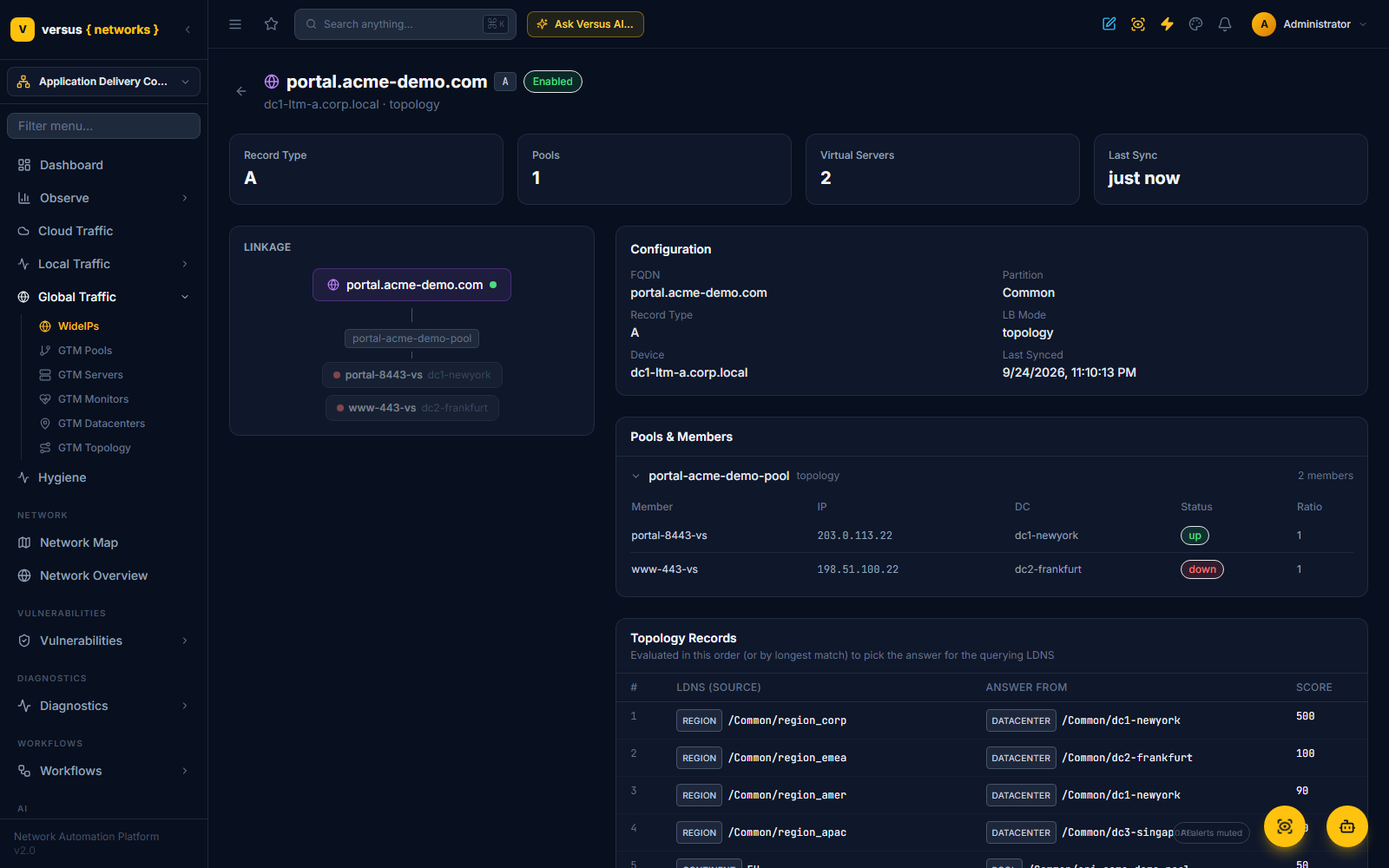
Discovery reads gtm topology and gtm region alongside the other GTM objects, so the page follows whatever is configured on the device. Note that BIG-IP itself validates the grammar: the answer side accepts datacenter, pool, region, subnet, continent, country, state and isp — not a bare server — and it stores a state selector without quotes.
Record Types
Wide-IPs are typed by the DNS record they serve:
- A — resolves to IPv4 addresses; the most common type for HTTP/HTTPS services
- AAAA — resolves to IPv6 addresses
- CNAME — resolves to a canonical name; used for alias-based GSLB
- MX — mail exchange records
- NAPTR — used in VoIP/SIP environments
Load Balancing Modes
The LB Mode column reflects whatever load-balancing method is configured on the Wide-IP or pool on the BIG-IP itself. Common BIG-IP DNS/GTM modes:
| LB Mode | How It Works |
|---|---|
| Round Robin | Cycles through pool members in order |
| Topology | Routes by geographic proximity using Topology Records configured on the device |
| Ratio | Weighted distribution by configured ratio |
| Global Availability | All traffic to the first available member — failover only |
Versus reads and displays whichever mode is configured on the device — it does not import or evaluate Topology Records itself, so Topology-mode routing decisions still need to be inspected on the BIG-IP directly if you need to debug them.