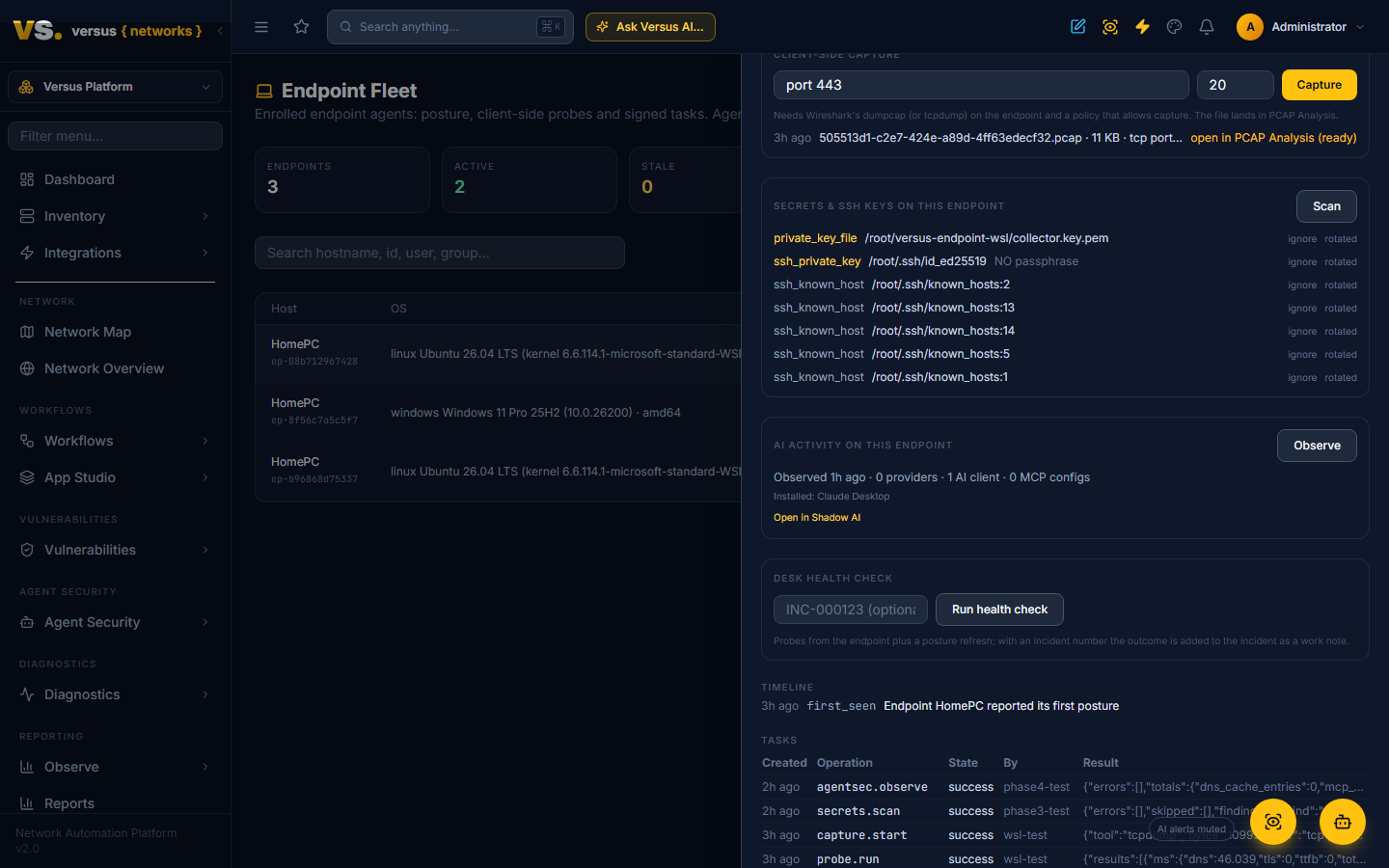
Agent Security: Shadow AI
Find the AI tools in use across your fleet — which user on which device talks to which AI provider, through which process — plus the MCP servers and credentials their local agents can reach. Sanction what belongs, record what does not, and keep an agent bill of materials.
Someone on the engineering team has a script that calls OpenAI with a key in a .env file. Someone else runs Ollama on a laptop and pointed Claude Desktop at a GitHub MCP server with a personal access token pasted into the configuration. Neither shows up in any inventory you have. Agent Security is where Versus makes that visible and lets you decide what is sanctioned.
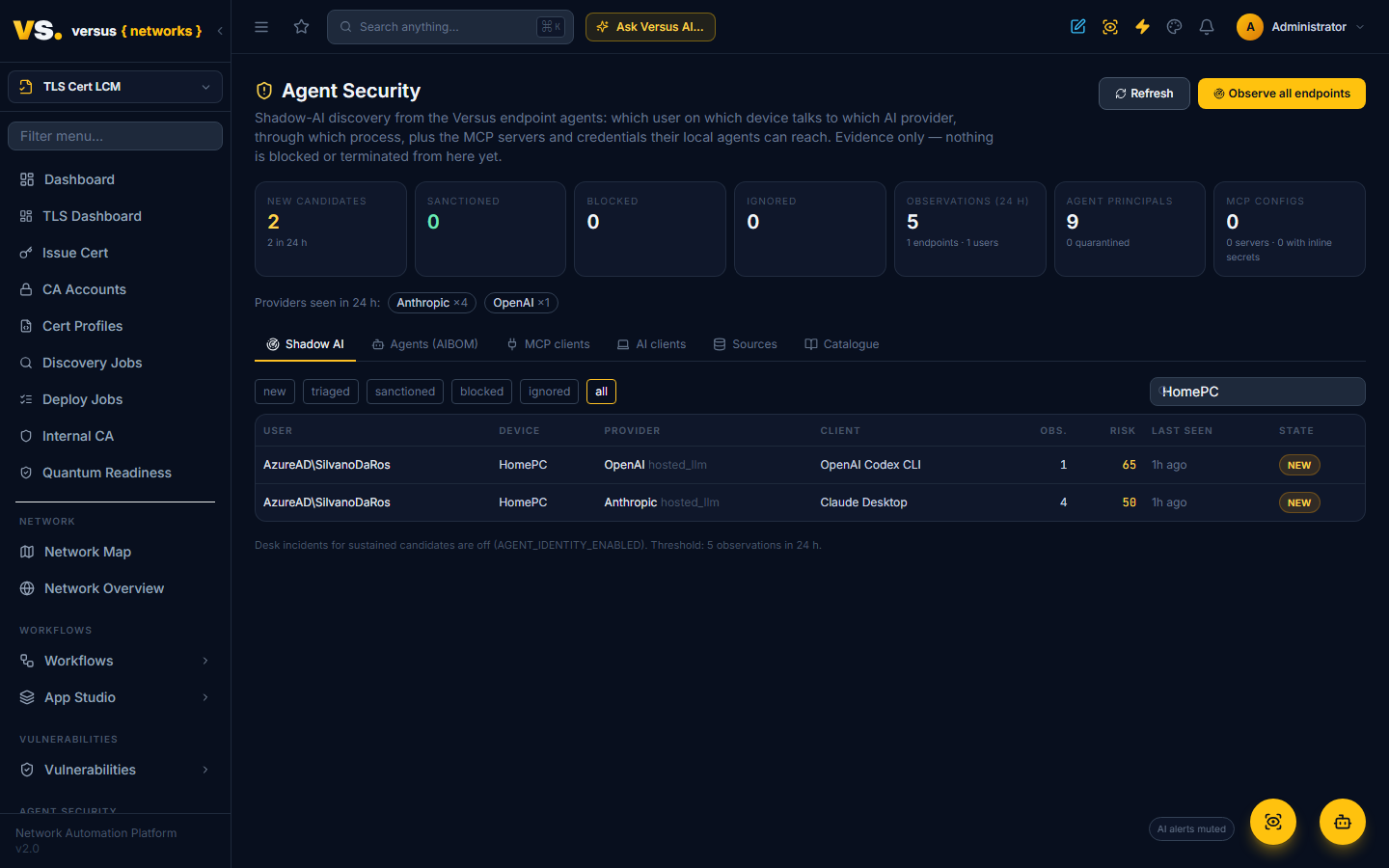
The evidence comes first from the Endpoint Agent and then from the telemetry Versus already ingests (see Sources below). On a schedule or on demand, each enrolled device reports — read-only, no values, no process ever touched — the processes connected to known AI providers, the AI clients and IDE extensions installed, and the MCP client configuration files on disk. Versus groups that into candidates per user, device and provider, scores them, and gives you three decisions: Sanction, Block, Ignore.
Observation only. This page records decisions and attributes activity. Terminating processes, revoking identities or blocking egress are not performed from here; they are later phases of the Agent Identity Security roadmap.
Turn it on
- On the endpoint policy (Administration → Collector Fleet → Endpoints → Policies) set
collect.procnetto true. Setcollect.procnet_interval_s(for example900) for periodic observation; leave it0for on-demand only. - Agent Security → Shadow AI → Observe all endpoints, or Observe in a single device's drawer. The agents report within a claim cycle (seconds); the page refreshes itself.
The agent matches locally against a catalogue Versus serves it (providers, process patterns, installed-software names, MCP client config locations, IDE extensions). Only matches are reported — the agent never ships its whole process table. The catalogue is versioned; agents refetch when it changes. The Catalogue tab shows the current one.
What is detected
| Evidence | How |
|---|---|
| Provider connections | Established connections whose destination host is a catalogue provider (OpenAI, Anthropic, Google Gemini / Vertex, Azure OpenAI, AWS Bedrock, Microsoft and GitHub Copilot, Cursor, Windsurf, Mistral, Cohere, Groq, OpenRouter, Hugging Face, Perplexity, xAI, DeepSeek, Together, Replicate, Fireworks, ElevenLabs, Stability, LangSmith, Pinecone, Weaviate, MCP hosting services) with the owning process, its path and user. On Windows the DNS client cache names the destination; elsewhere a bounded reverse lookup. |
| Local model servers | Loopback connections to Ollama or LM Studio ports |
| Running AI clients | Processes matching known names, paths or command lines: Claude Desktop and Claude Code, ChatGPT, Codex CLI, Gemini CLI, Cursor, Windsurf, Copilot agents, Ollama, LM Studio, Jan, GPT4All, Msty, Open WebUI, Aider, LangChain / LangGraph, CrewAI, AutoGen, OpenAI Agents SDK, n8n, MCP server processes |
| Installed AI clients | Software inventory, PATH binaries and editor extension folders (Copilot, Cline, Roo Code, Continue, Claude Code, Gemini Code Assist, Codeium, Amazon Q, Tabnine, Cody, ChatGPT) |
| MCP client configurations | Claude Desktop, Claude Code (global and per project), Cursor, VS Code, Windsurf, Cline and Gemini CLI configuration files: each MCP server's name, transport, command or URL, the names of environment variables it sets, and whether a credential sits inline in the file |
Command lines are scrubbed on the device (keys, tokens, passwords replaced) and truncated. Environment variable values are never read.
Candidates and risk
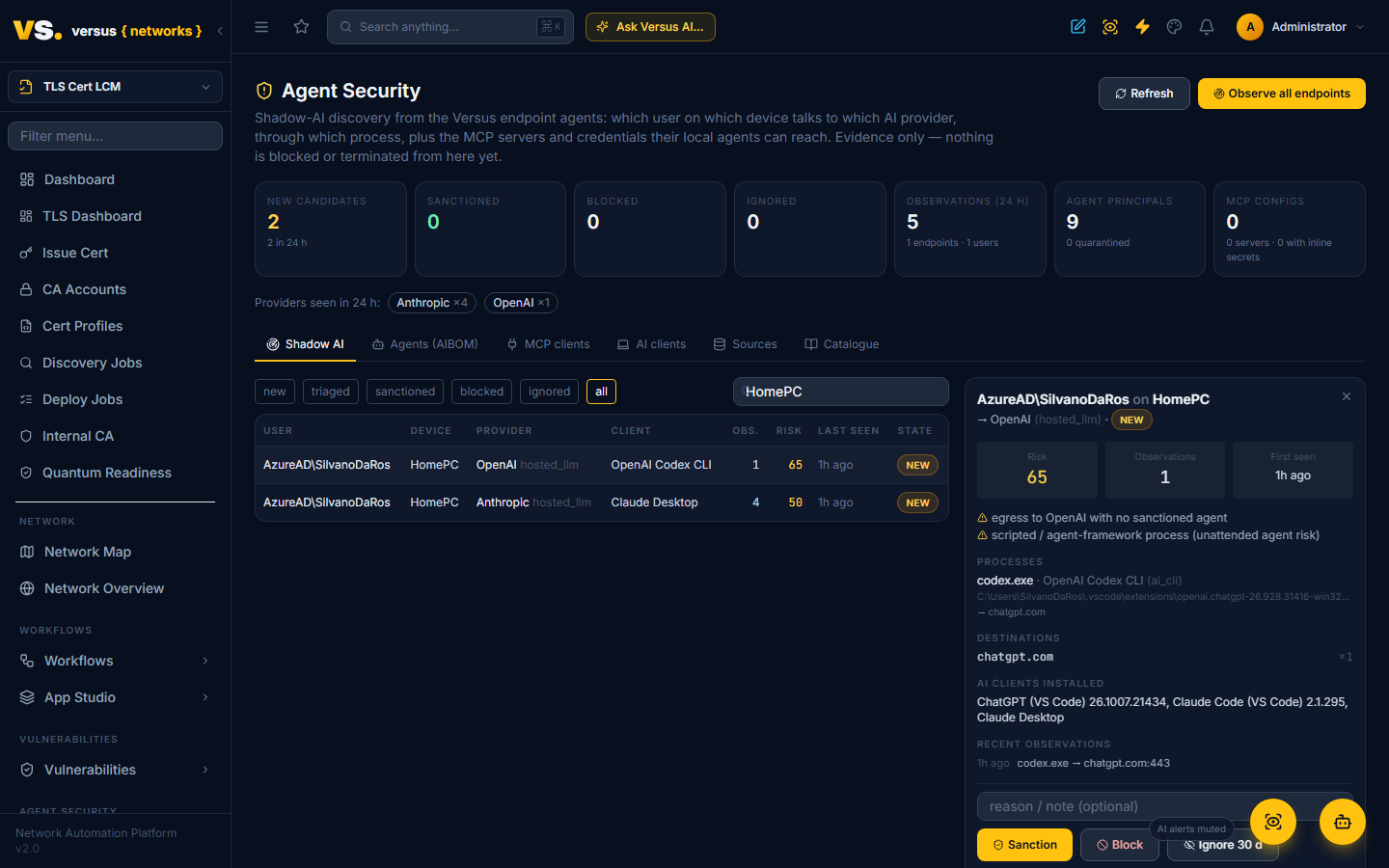
A candidate is one (user, device, provider) with every observation behind it: processes, destinations, the device's MCP configurations and installed clients, first and last seen, and a count. States: new, triaged, sanctioned, blocked, ignored.
The risk score starts at 30 and adds: egress to an external provider with no sanctioned agent (+20, or +10 when the provider is sanctioned for someone else), a scripted or agent-framework process rather than an interactive client (+15), MCP configurations on that device holding inline credentials (+15), three or more distinct provider endpoints (+10), sustained activity (+10). Local model servers add only +5: the prompts stay on the device.
Each new candidate writes a timeline event on the device, and the device's posture score drops while candidates are open (shadow_ai_activity) and while MCP configurations hold inline credentials (mcp_config_inline_secret).
Desk incidents. With AGENT_IDENTITY_ENABLED set on the platform, a candidate that is still new after the threshold (AGENTSEC_INCIDENT_THRESHOLD, default 5 observations in 24 hours) opens an incident titled Unsanctioned AI agent activity with the evidence attached. It is off by default.
Triage
Open a candidate to see its evidence, then:
- Sanction — creates an agent principal that declares this provider for this user and device. Further activity that matches is attributed to the principal instead of flagged. The principal carries an AIBOM (agent bill of materials) derived from the evidence: egress destinations, tools (the processes), the MCP servers the device's local agents can reach, and the credential names involved — with unsafe flags for standing credentials inline in configuration files and for unattended, scripted agents.
- Block — records the decision and the reason. Containment through the firewall, proxy or Zscaler policy and the device-side kill switch are later phases; nothing is blocked automatically yet.
- Ignore — hides the candidate for a period (30 days by default); it reopens by itself if the activity continues past that.
- Mark triaged keeps a note without a decision; Reopen returns any candidate to new.
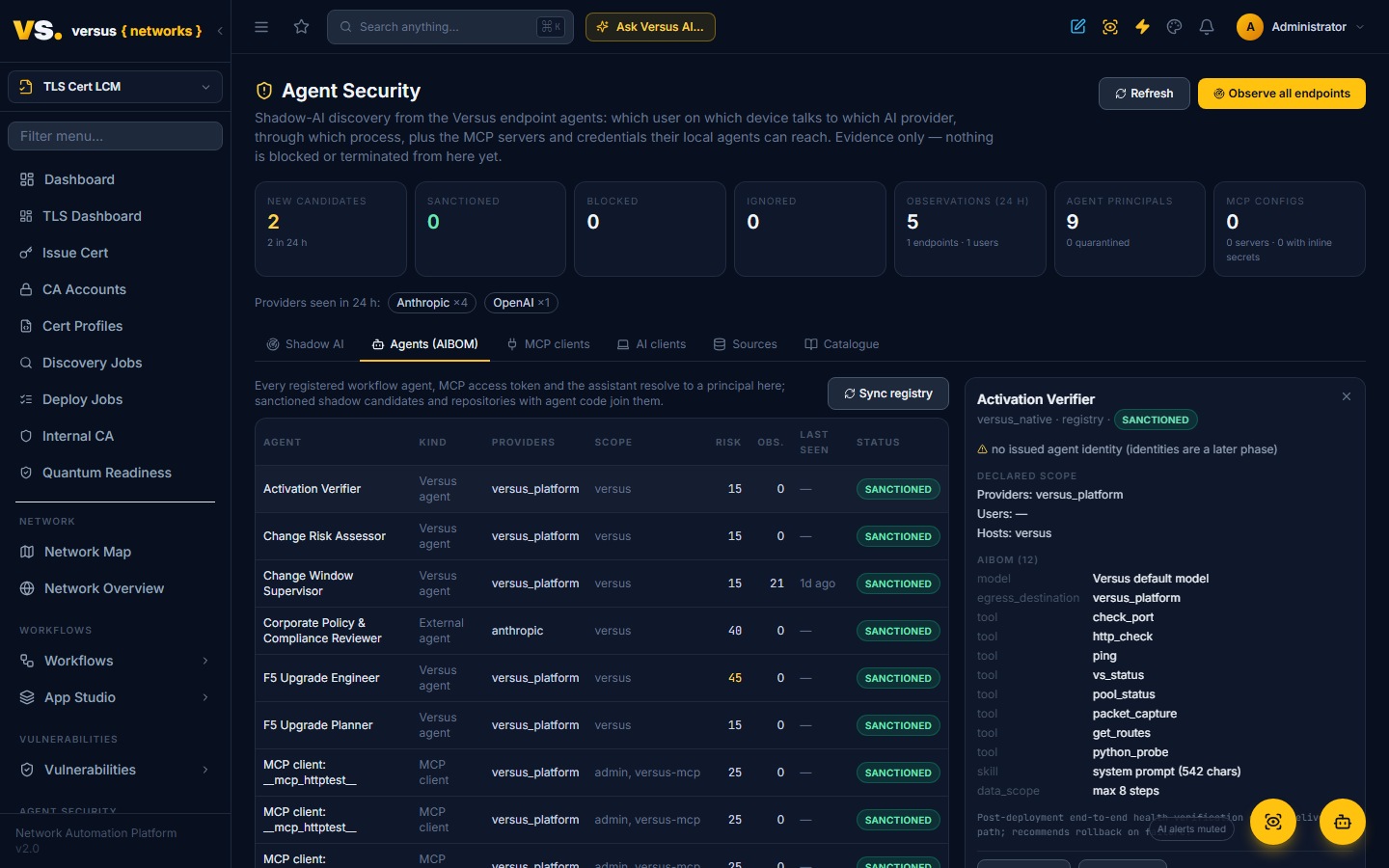
The Agents (AIBOM) tab lists principals with their declared scope, risk and AIBOM. Press Sync registry and every workflow agent in Workflows → AI Agents and every MCP access token becomes a principal automatically: native agents with their model and allow-listed tools, external agents with their provider, endpoint and credential reference (a standing API key is flagged), MCP clients with their scope and expiry (a token that never expires is flagged). The Versus assistant's own MCP bridge is a principal too, so first-party activity is attributed rather than flagged. Quarantine, Reinstate and Terminate change the principal's status; identity revocation and session termination arrive with the kill-switch phase.
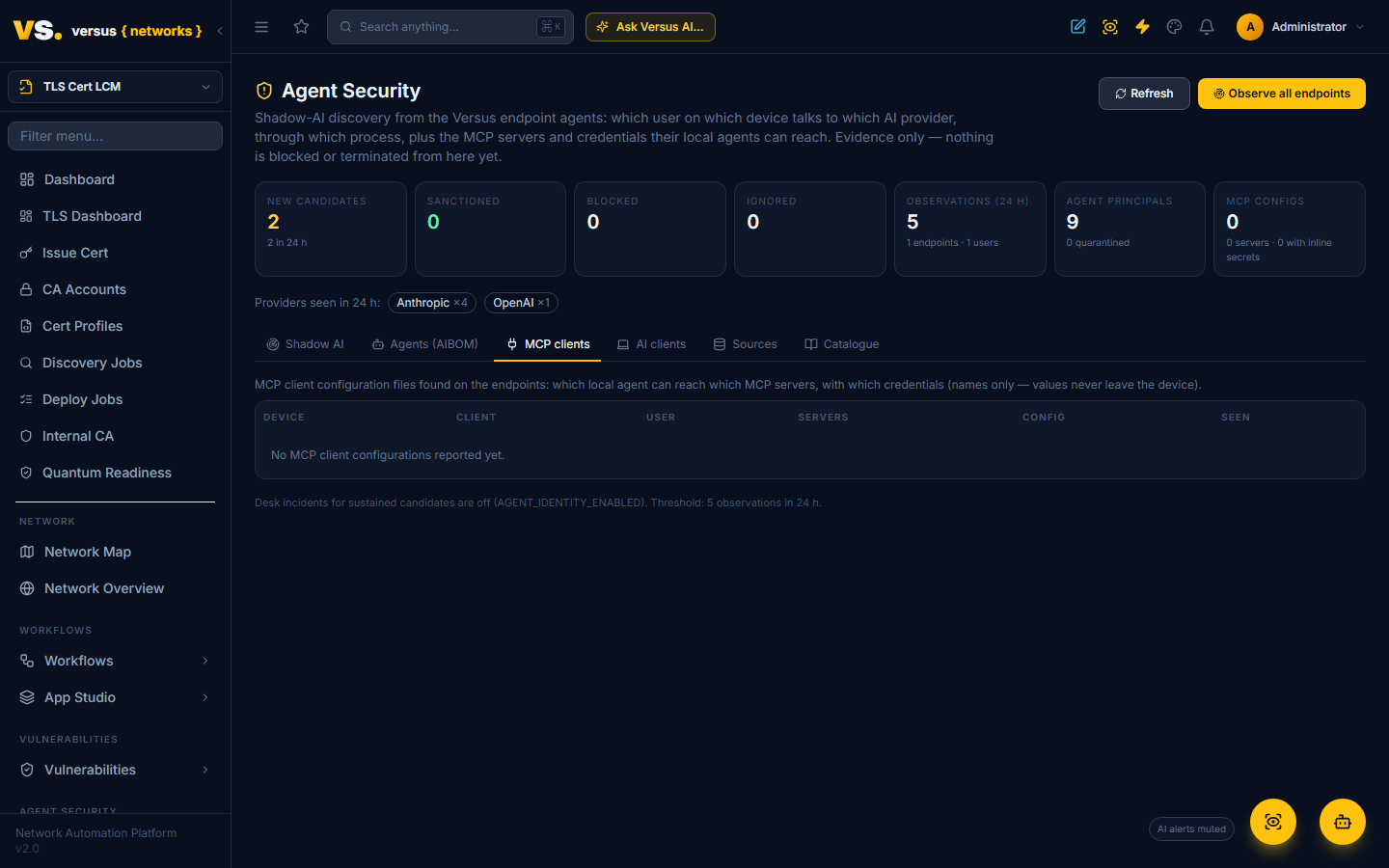
MCP clients and AI clients tabs are the fleet-wide inventories behind the candidates: every MCP server configured on every device (with inline-credential warnings) and every AI client installed, by device.
Sources beyond the endpoint agent
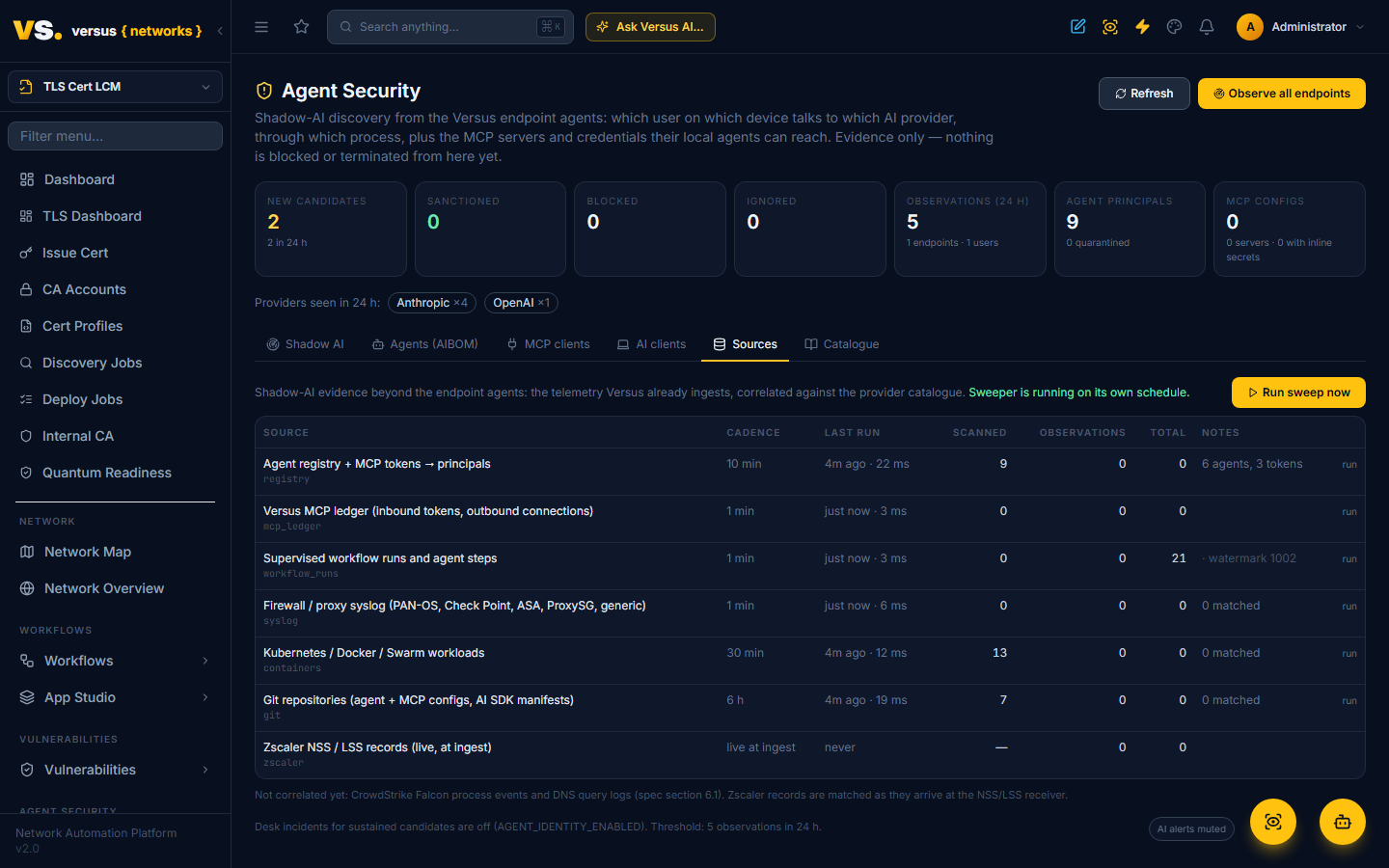
The Sources tab shows the other evidence paths, each correlated against the same provider catalogue and attributed the same way (a source IP is mapped to an enrolled device through its last posture, so a firewall log line about 10.0.0.42 lands on the right laptop and user):
| Source | What is matched | Cadence |
|---|---|---|
| Zscaler NSS / LSS | web, firewall and ZPA records: destination host, app or URL category, user, device, bytes | live, as records arrive at the receiver |
| Firewall / proxy syslog | PAN-OS, Check Point, ASA, ProxySG and generic lines: provider hosts and unambiguous application names, with user, source IP and bytes when the line carries them | every minute (watermarked) |
| Versus MCP ledger | inbound tool calls by MCP tokens (attributed to the token's principal), outbound calls to configured MCP servers (attributed to the assistant) | every minute |
| Workflow runs and agent steps | runs with a Run Supervisor and core.agent steps, attributed to the registered agent | every minute, plus live at the step |
| Containers | Kubernetes, Docker and Swarm workloads whose image or name is a model server (Ollama, vLLM, TGI, LocalAI, LiteLLM, Open WebUI), an agent framework (LangChain, CrewAI, AutoGen, Flowise, Dify, n8n) or an MCP server | every 30 minutes |
| Git repositories | MCP and agent configuration files, agent instruction files (CLAUDE.md, AGENTS.md, .cursorrules …) and AI SDK dependencies in manifests → a repository principal with its AIBOM, unsanctioned until reviewed; a credential committed inline is flagged | every 6 hours |
Run sweep now runs them on demand; the background sweeper runs them on their cadence when AGENTSEC_SWEEPER_ENABLED is set. CrowdStrike Falcon process events and DNS query logs are not correlated yet.
Ask the assistant, or your own agents
The Versus assistant's endpoint_evidence tool now includes a device's AI activity, so "what AI tools is Alice's laptop using?" is answerable in chat. Over the Versus MCP server, read tokens get two tools: agent_shadow_candidates (filter by state, provider, host or user) and agent_inventory (principals with their AIBOM), so an external SOC agent can read the same picture.
What this is not (yet)
Still to come, in order: short-lived agent identities from the Versus CA; the MCP gateway with just-in-time access; runtime policies and the kill switch; Shared Signals; usage and cost; compliance scorecards.
API
/api/agentsec/summary/, /api/agentsec/shadow/ (+ observations/, sanction/, block/, ignore/, reopen/, triage/), /api/agentsec/principals/ (+ quarantine/, reinstate/, terminate/, observations/), /api/agentsec/observations/, /api/agentsec/mcp-clients/, /api/agentsec/ai-clients/, /api/agentsec/catalog/, POST /api/agentsec/scan/ ({all: true}, {group: <id>} or {endpoint_ids: [...]}). GET/POST /api/agentsec/sources/ (state, run now), POST /api/agentsec/principals/sync/. Per device: POST /api/endpoints/fleet/<id>/observe/ and GET /api/endpoints/fleet/<id>/ai_activity/.