NetScaler / Citrix ADC Integration
Connect NetScaler (Citrix ADC) devices via the NITRO API — discovery, HA pairing, SSL certificates, and on-demand configuration backups.
Overview
NetScaler / Citrix ADC sits in the same ADC — HA Pairs vendor category as F5 BIG-IP, Kemp, A10, and Radware Alteon in the Add Device picker. Versus connects using the NITRO API — the native REST interface built into every NetScaler appliance — to discover configuration and pull certificates, and it can trigger on-demand configuration backups from the device detail page.
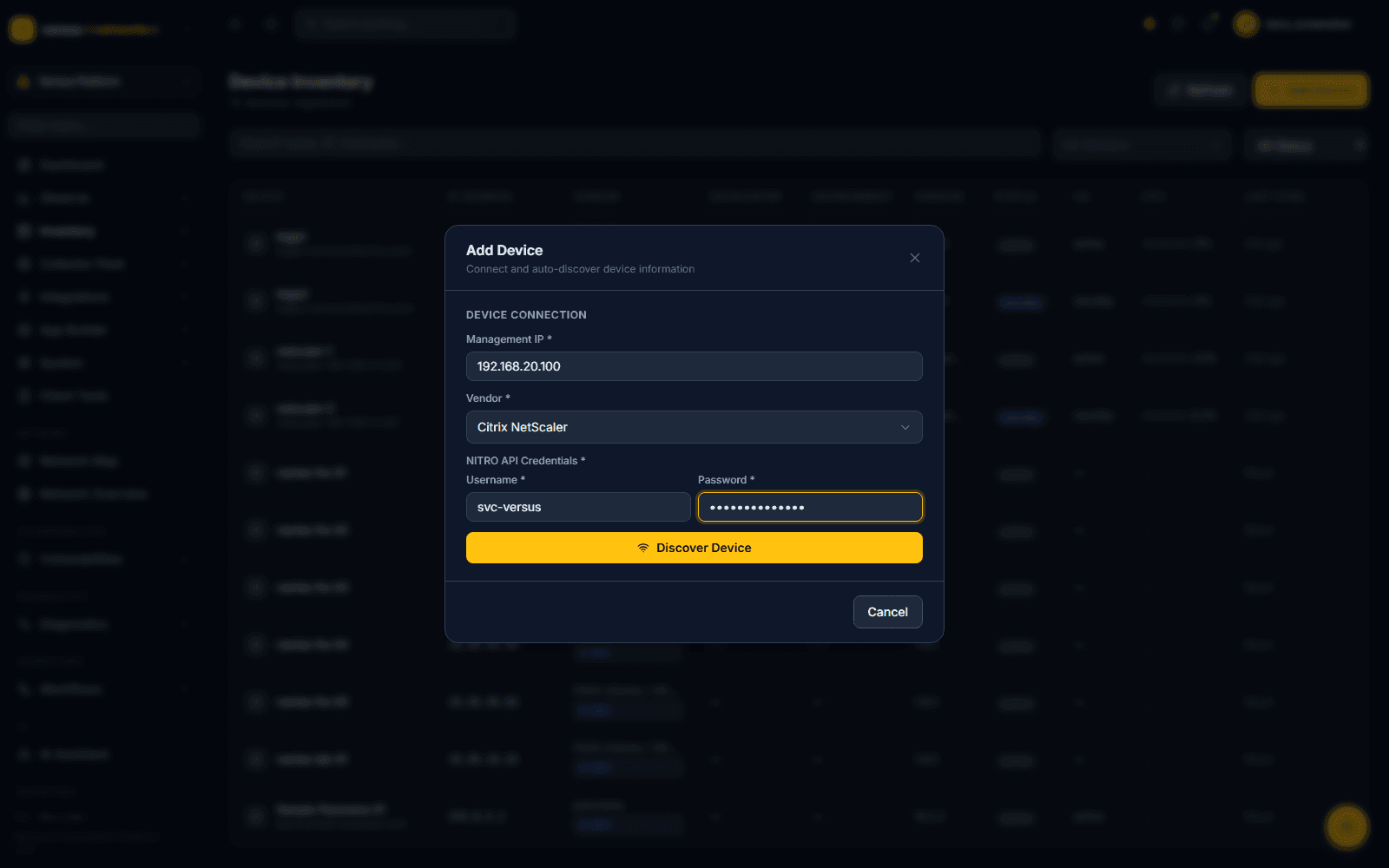
From Versus Platform → Inventory → Device Inventory, click Add Device and fill in:
- Management IP — the NetScaler's NSIP (not a SNIP or VIP)
- Vendor — select Citrix NetScaler from the ADC — HA Pairs group
- NITRO API Credentials — username and password; the field label changes to reflect NetScaler's NITRO API specifically
Click Discover Device to validate credentials before the device is saved.
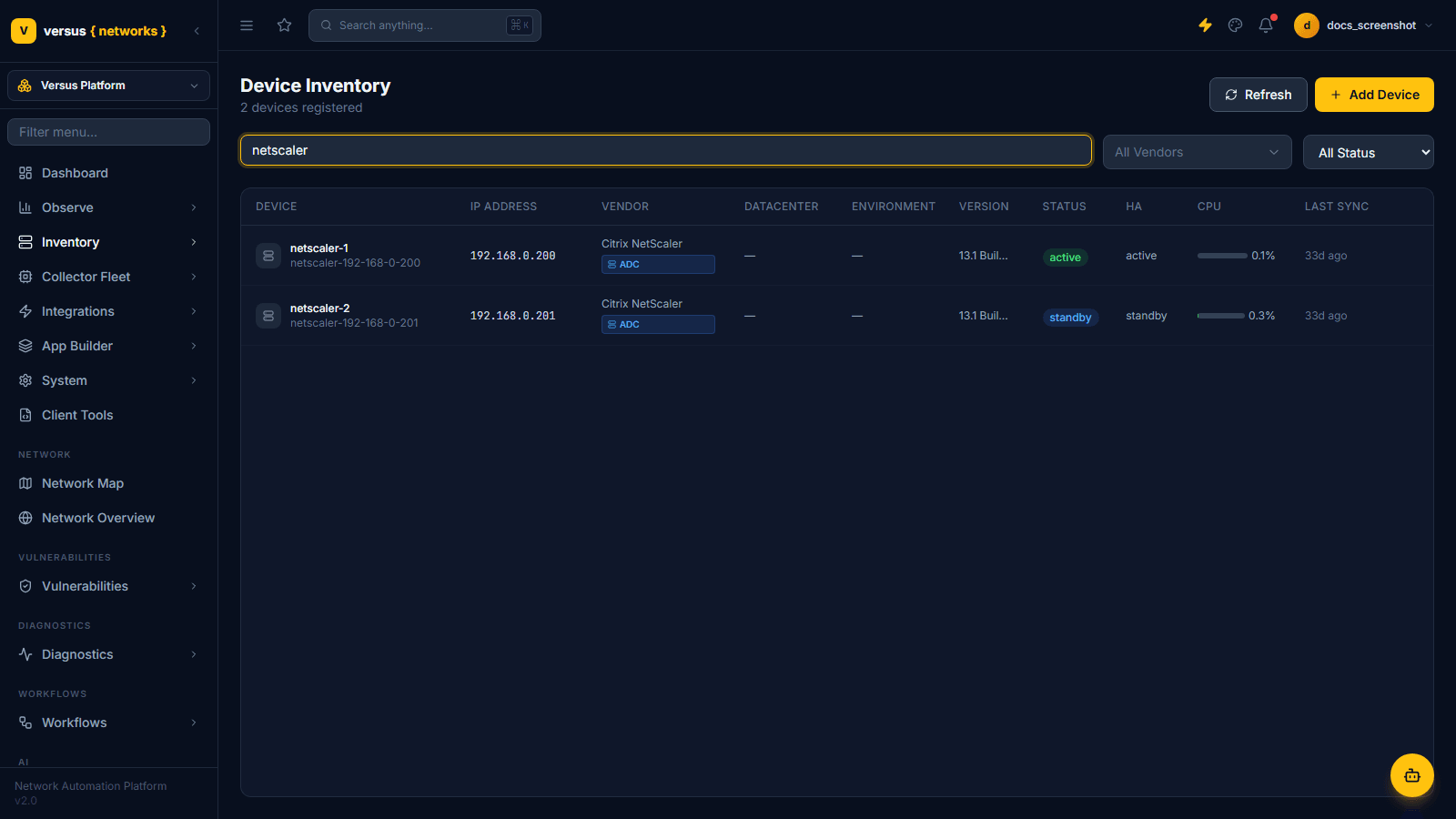
This demo tenant has two NetScaler appliances, an active/standby pair, both tagged ADC in the Device Inventory list alongside the F5 BIG-IPs:
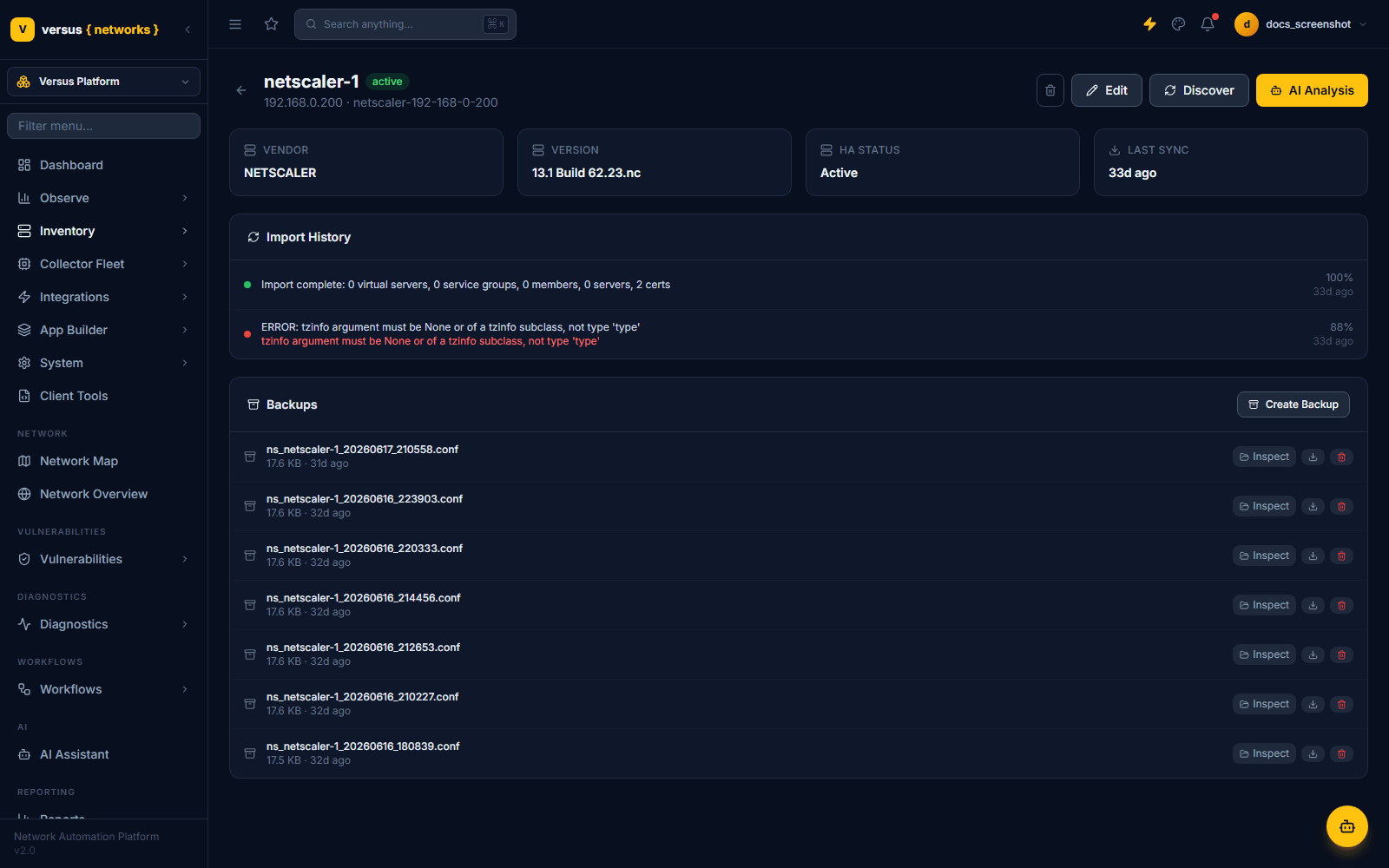
A NetScaler's device detail page is organized differently from an F5's. Instead of a License/Upgrade/Vulnerabilities tab set, it shows:
- Import History — a log of each discovery run with object counts (virtual servers, service groups, members, servers, certificates) and any per-run errors
- Backups — every NITRO configuration archive Versus has pulled from this device, each with Inspect, download, and delete actions, plus a Create Backup button to trigger a fresh one on demand
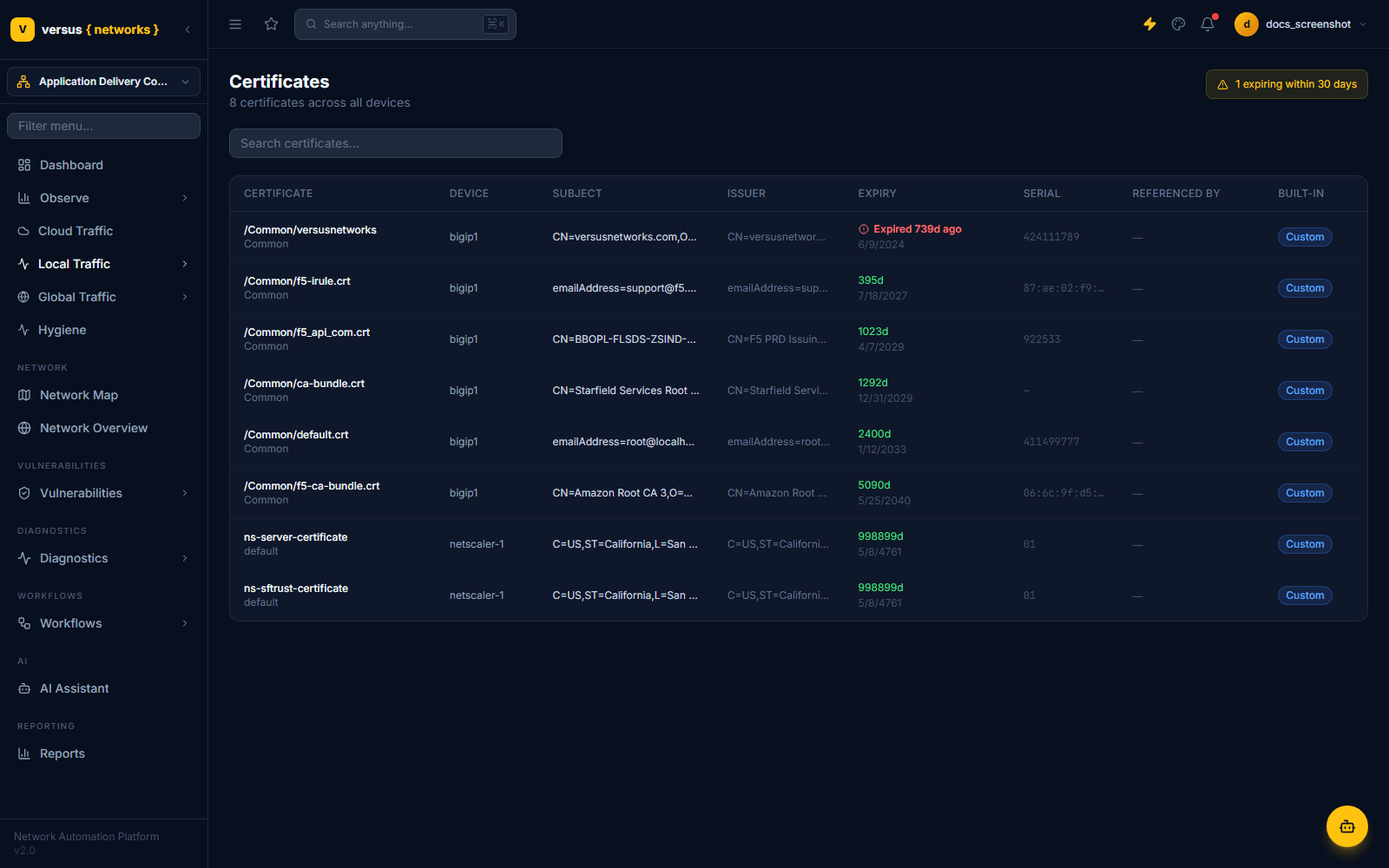
NetScaler certificates appear in the same cross-device Certificates view as F5 certificates — each row's Device column identifies which NetScaler (or BIG-IP) it came from, so auditing expiry across a mixed F5/NetScaler estate doesn't require switching screens.
netscaler-1 and netscaler-2 are two independent inventory entries whose HA column happens to show active / standby, reported per-device rather than as a linked pair object.Quick Reference
| Item | Details |
|---|---|
| Vendor category | ADC — HA Pairs (alongside F5 BIG-IP, Kemp, A10, Radware Alteon) |
| Protocol | NITRO API over HTTPS |
| Credential label | NITRO API Credentials |
| Management address | NSIP — not a SNIP or VIP |
| Discovered | Virtual servers, service groups, members, servers, SSL certificates (per Import History counts) |
| Config backups | Supported — on-demand Create Backup plus a retained list of prior NITRO archives, each individually inspectable |
| HA pairing | Each unit reports its own active/standby role; not auto-grouped into one HA-pair record like F5 BIG-IP |
| Certificates | Shown in the shared Certificates view, cross-linked by device |