Collector Fleet Management
The admin side of the Versus Collector: see every enrolled collector and its live session, manage the sites they serve, and watch dispatched work move through the queue — including what happens when a collector can't confirm whether a task succeeded.
This page covers Collector Fleet, under the Versus Platform workspace — Collectors, Sites, and Dispatch Queue. If you haven't installed a collector yet, start with Installing the Versus Collector Agent; this page picks up once one is enrolled and connected.
Collectors
Lists every enrolled collector with its site, hostname, agent version, status, live session state, and reported driver capabilities, searchable by collector ID, hostname, or site.
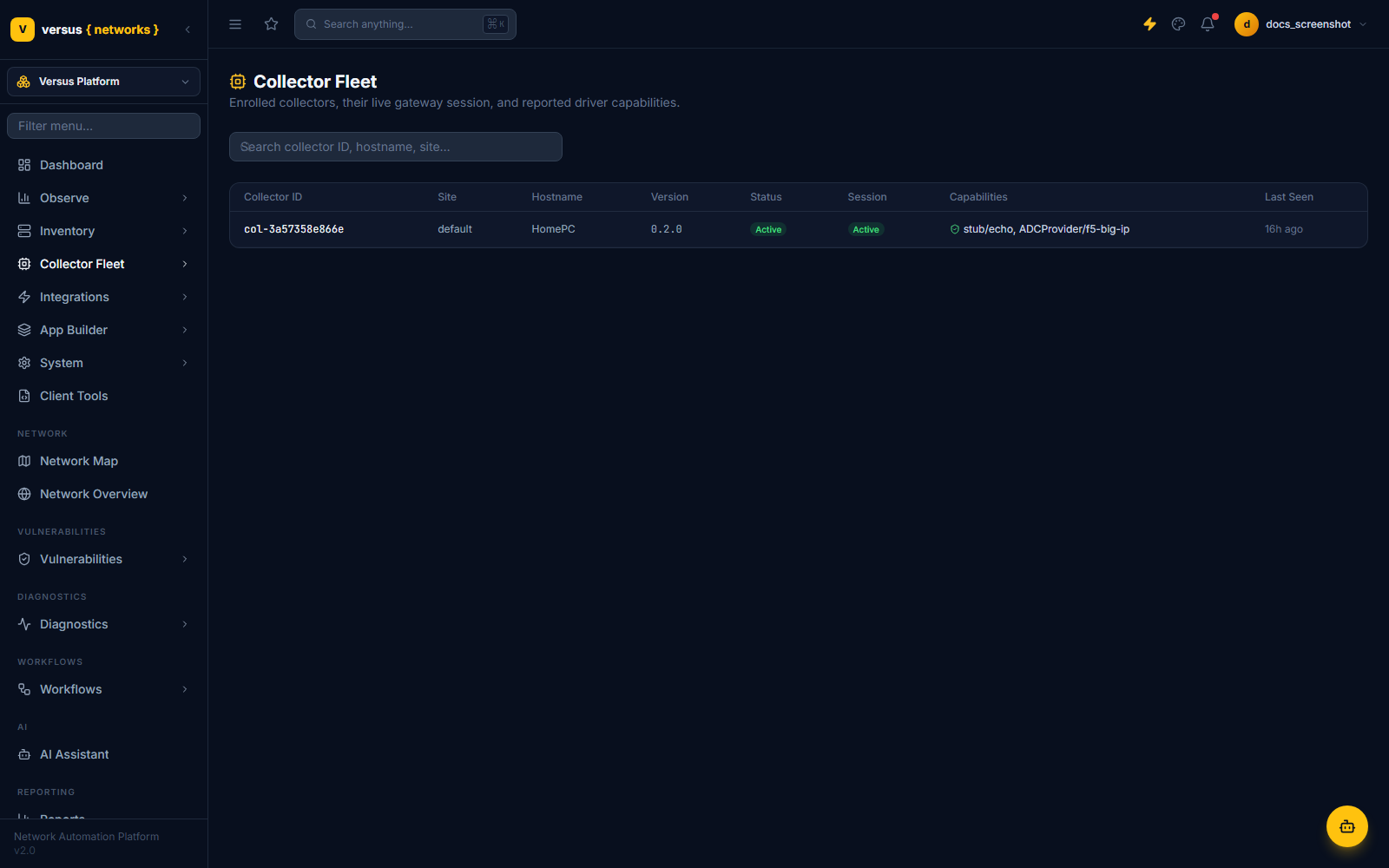
Two independent states track a collector's lifecycle:
- Collector status —
pending(awaiting approval),active,revoked, orexpired. - Session state —
active,stale,draining, ordead. At most one non-dead session exists per collector at a time.
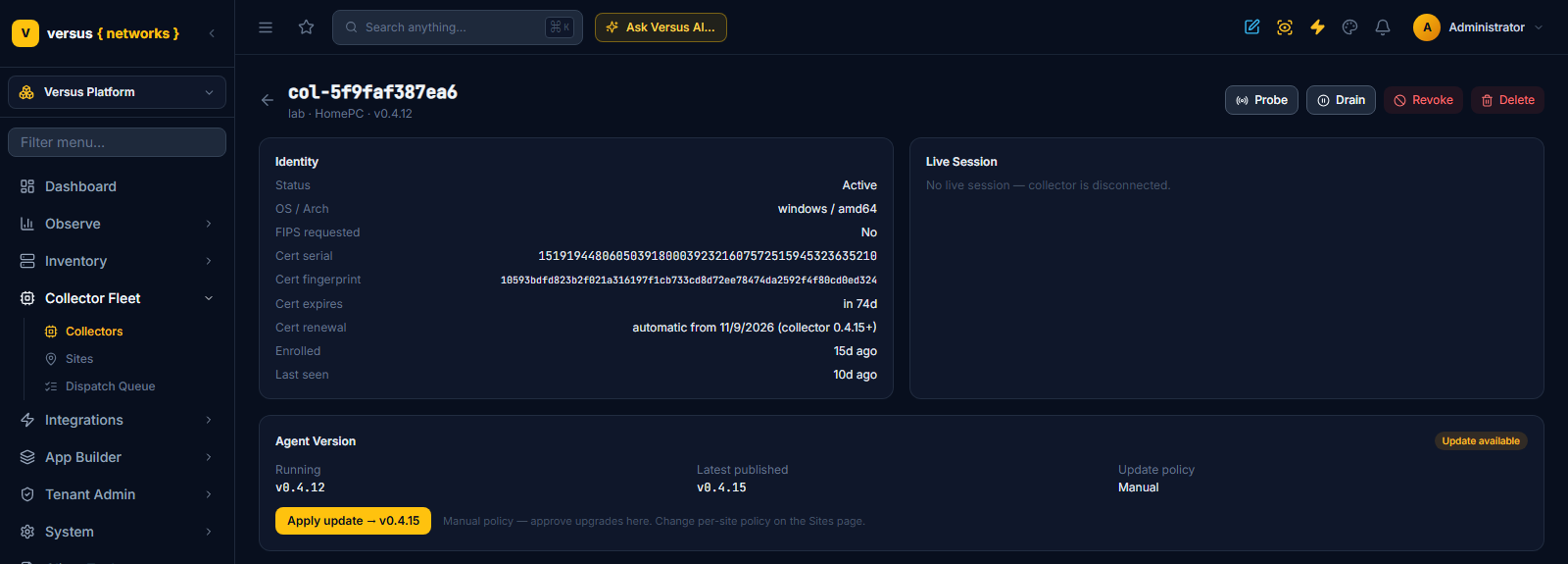
Click a collector to open its detail view:
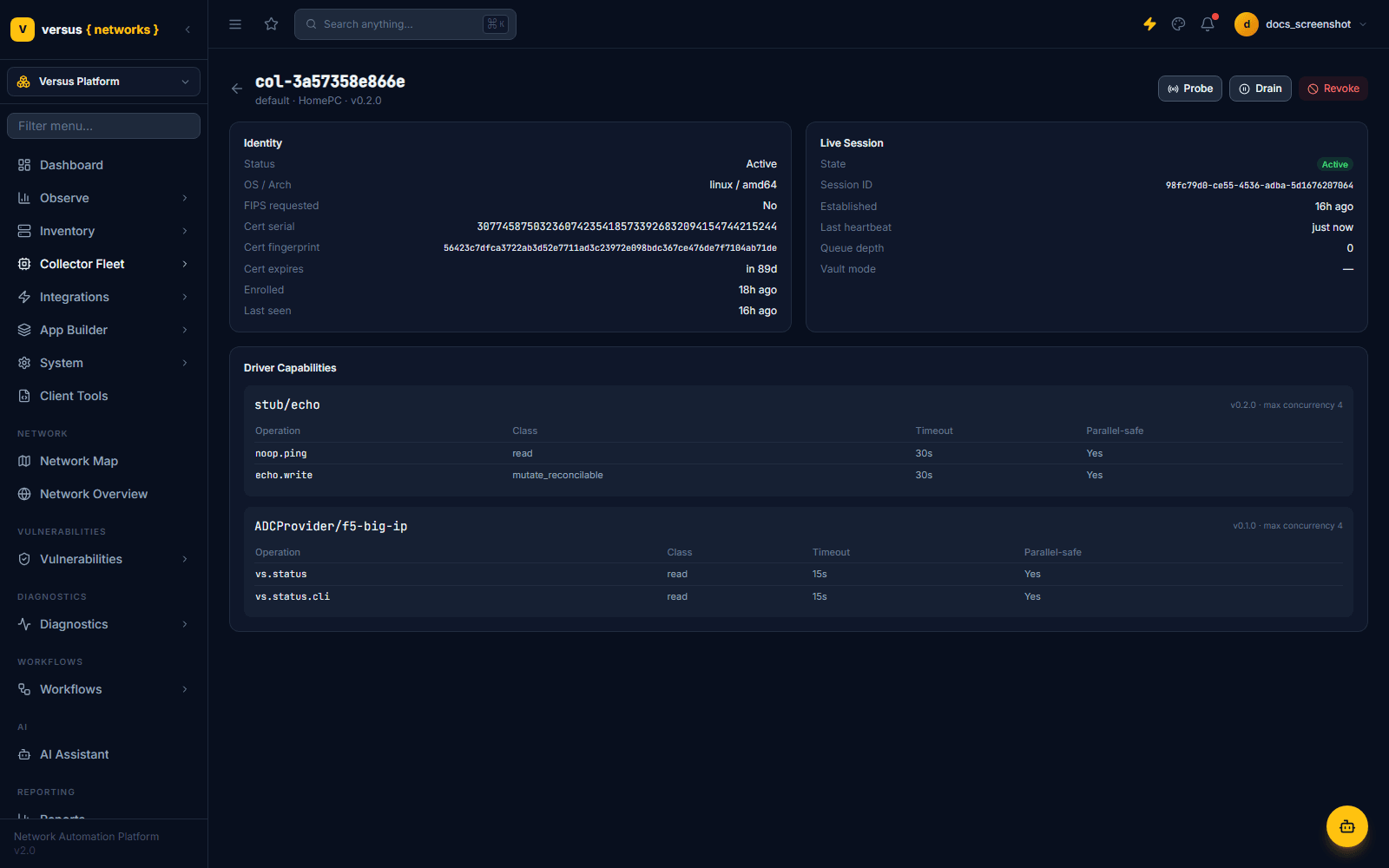
The detail view breaks down into:
- Identity — status, OS/architecture, FIPS mode, the collector's certificate serial number, fingerprint, and expiry, and when it enrolled.
- Live Session — session state, session ID, when it was established, last heartbeat age, current queue depth, and vault mode.
- Driver Capabilities — one table per driver the collector reports (e.g.
stub/echo,ADCProvider/f5-big-ip), listing each operation, its class (read,mutate_reconcilable,mutate_terminal), timeout, and whether it's safe to run in parallel. - Agent Version — the version this collector runs, the latest published release, the site's update policy and the Apply update / Cancel update controls. See Upgrading collectors below.
- Credential Vault — which of the three credential-resolution modes this collector runs in, and the control to switch it. See Credential vault mode below.
Admin actions
- Probe — reports how fresh the collector's current heartbeat is (reachable if the last heartbeat is under 90 seconds old), along with session state and queue depth. It reads the existing session's health rather than issuing a live round-trip to the collector.
- Drain — stops new work from being routed to the collector immediately, while letting any in-flight dispatches finish under the collector's own execution. Use it before planned maintenance. Undrain reverses it, returning the session to
active. - Revoke — a hard identity revocation. The collector's certificate is no longer accepted by the gateway, every live session is force-killed, and there is no undo — the only way back online is re-enrollment with a fresh enrollment token.
Upgrading collectors
Collectors upgrade themselves — nobody logs on to the host. Versus staff publish a signed release; every collector running an older version is then flagged, and each site's update policy decides whether the upgrade is applied automatically or approved by an administrator. The supervisor bundled with the collector does the swap: it downloads the signed binary, verifies the signature against the update public key, stages it, starts it and gives it a window to establish a healthy control-plane session — if that fails it rolls back to the version that was running. The enrollment identity, keys and credential vault live in the state directory and are untouched by an upgrade.
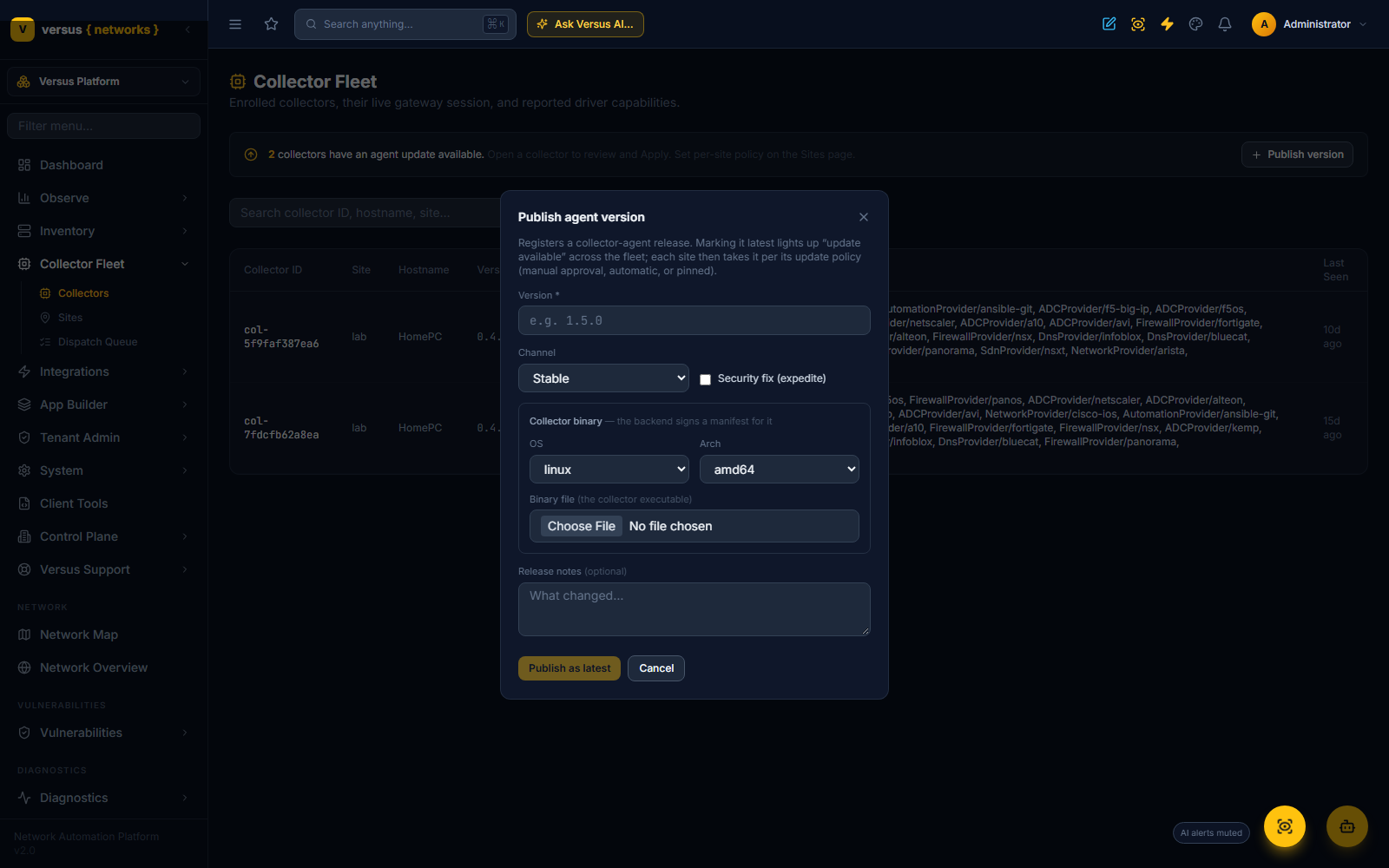
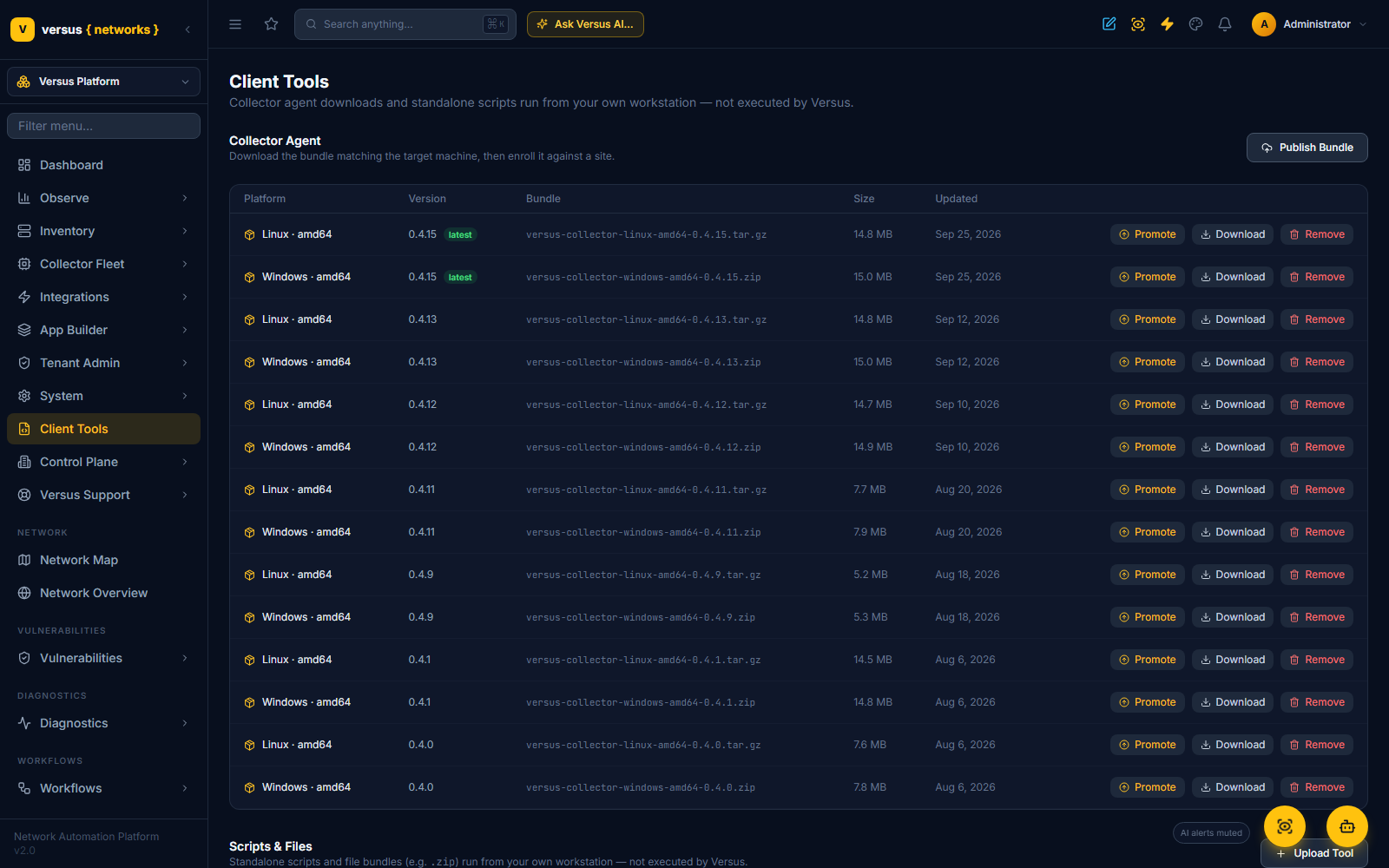
Step 1 — Publish (Versus staff). On the Collectors page, Publish version opens the Publish agent version dialog: the version number, the channel (Stable or Beta), an optional Security fix (expedite) flag, the collector binary for one operating system and architecture, and release notes. Publish as latest registers the release and signs its manifest; from that moment every collector on an older version shows an update. The same release is listed under Client Tools for manual downloads.
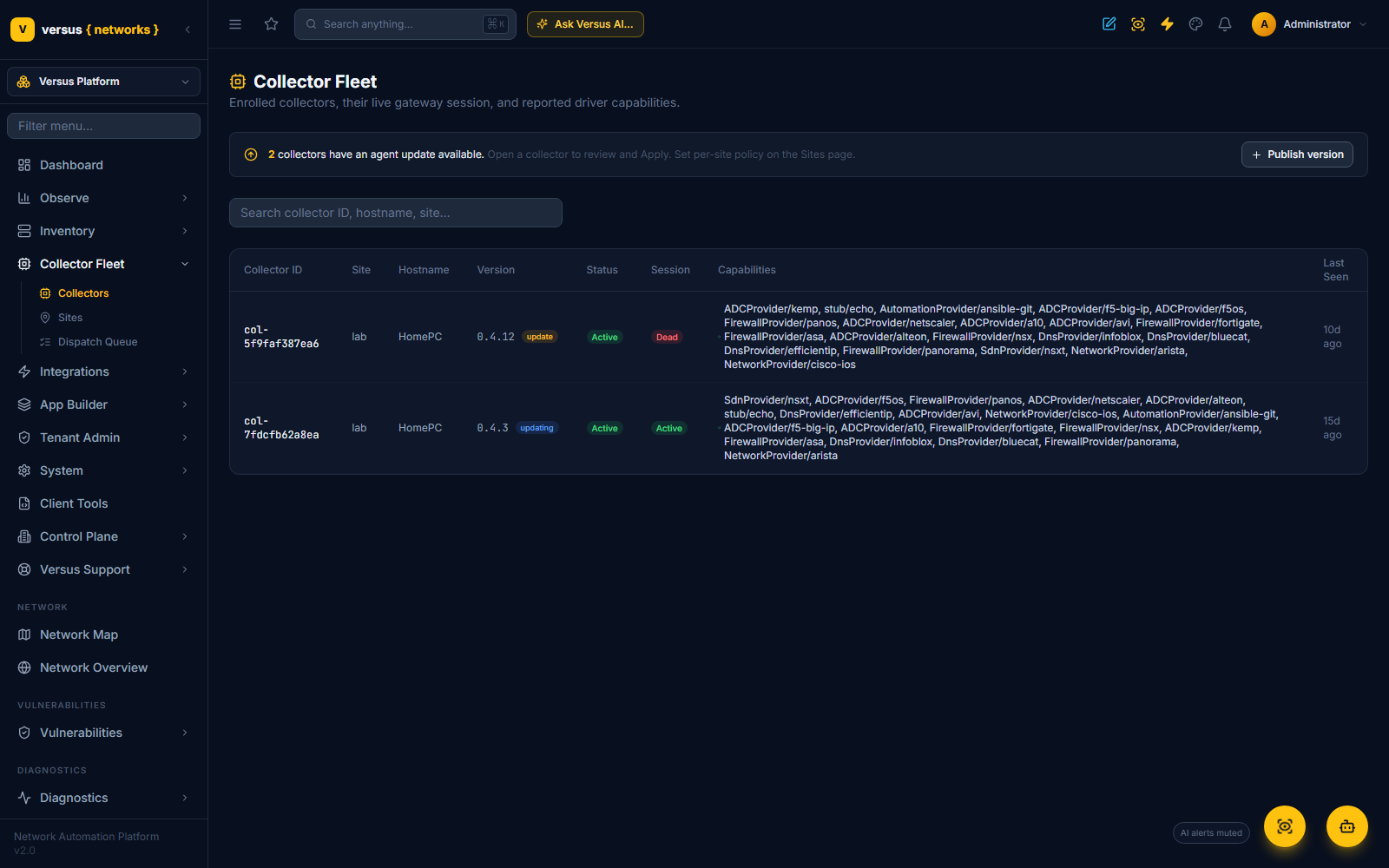
Step 2 — See who is behind. The Collectors page counts the collectors with an update available in a banner, and the Version column carries an update badge next to each of them (updating while one is in progress).
Step 3 — Decide how each site takes it. Every site has an update policy on the Sites page: Manual (the default — an administrator approves each collector's upgrade), Auto (collectors at that site apply the latest release on their own) or Pinned (collectors stay on the version you name until you change it — for change-controlled estates).
Step 4 — Approve or watch. Open a collector: its Agent Version card shows the running version, the latest published one, the site's policy and a badge — Up to date, Update available or Updating…. Under the Manual policy, Apply update → v0.4.15 (the button names the target version) approves it: the collector picks the target up on its next check, its supervisor applies the signed release with the health check and rollback described above, and the card returns to Up to date once the new version reports in. Cancel update withdraws an approval that has not been applied yet.
Self-update has to be enabled at the collector. The supervisor only fetches releases when it was started with -manifest-url and -update-pubkey — both values come from Client Tools, see Running the collector as a service. A supervisor started without them keeps the collector alive but never updates it, and a collector run without the supervisor cannot update itself at all; in both cases the card still shows Update available, but an approval has nothing to act on until the host is upgraded by hand.
Manual upgrade. Where self-update is not enabled, or a host is air-gapped: download the bundle for the platform from Client Tools (the newest is marked latest), stop the supervisor or collector service, replace the collector and supervisor binaries in place (.exe on Windows), keep the same state directory, and start it again. The collector reconnects with its existing identity — no new enrollment token — and the Collectors page shows the new version on its next check-in.
Credential vault mode
Every collector runs one of three credential-resolution modes, switchable at any time from its detail page (requires collector-admin permission). Changing it saves immediately and, if the collector is currently connected, restarts it automatically to apply the change — a live collector process can't safely swap credential resolvers mid-dispatch.
- A — Local Vault — credentials sealed on the collector's own disk (AES-256-GCM, keyed from the collector's enrollment identity). Never leaves the collector. Recommended default.
- B — Cloud-Relayed — Versus resolves the device's stored credential and delivers it fresh with each dispatch, held in the collector's memory only for that task and cleared immediately after.
- C — External Secret Manager — the collector authenticates directly to one of your configured Vault integrations (AppRole) and fetches the secret itself — Versus never sees the credential.
Switching to Mode C doesn't take raw connection details — it reuses an existing integration from Versus Platform → Integrations → External Vaults. If none exist yet, the mode picker links you there to add one first. See Collector Security for the full trust model behind each mode.
Sites
A Site is a reachability domain — the set of devices a collector can open a management connection to — not a physical location. Two collectors in the same rack but different VRFs are two different sites. This is deliberately distinct from a Datacenter label, which just names a location with no network meaning.
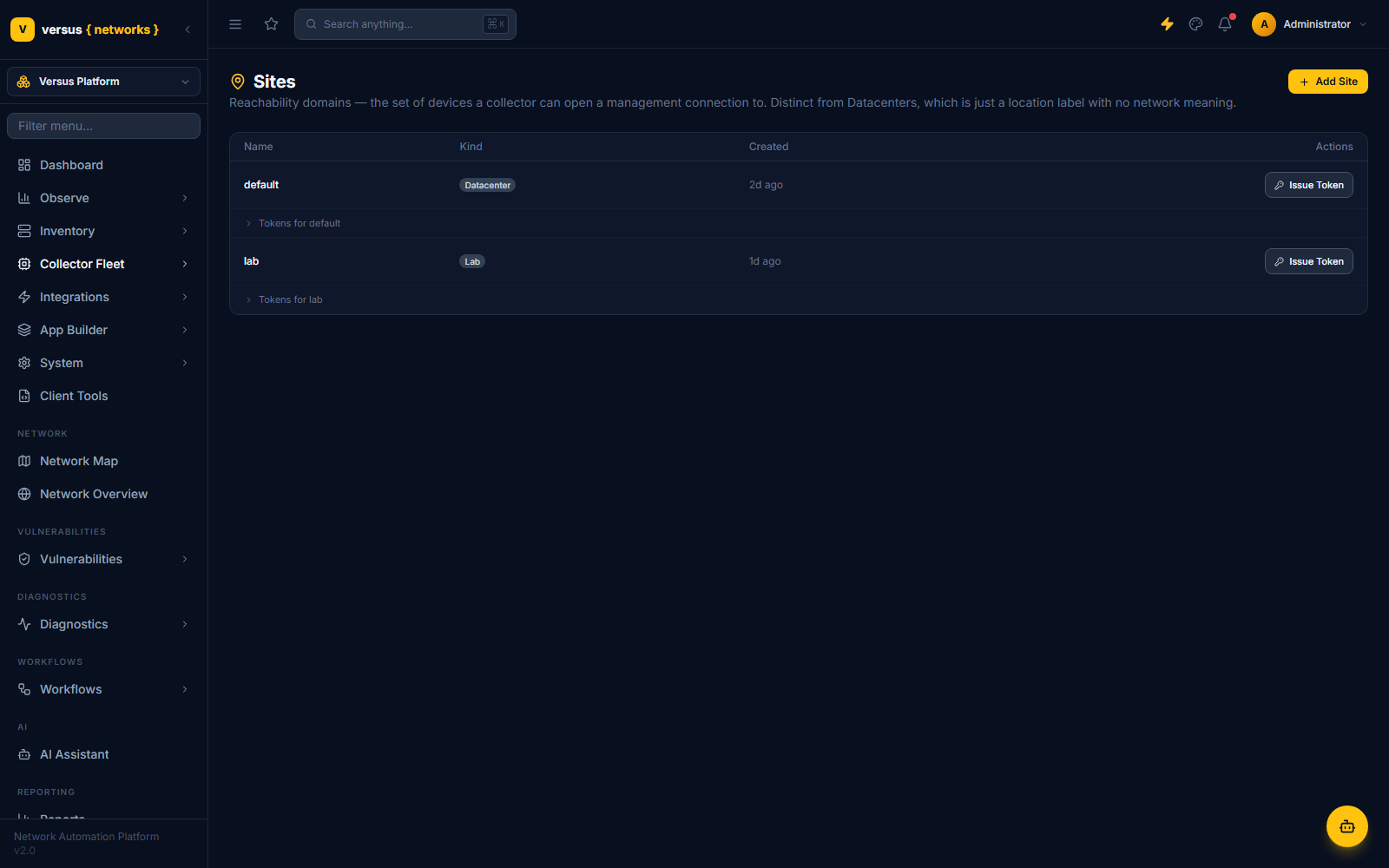
Each collector serves exactly one site. Enrollment tokens are scoped to a site — click Issue Token on a site row to generate one (max uses, expiry, and auto- vs. manual-approval are all set there), shown once, with the exact enrollment command pre-filled with your instance's URL. Expanding Tokens for <site> on that row lists every token issued for it — status, uses remaining, and a way to revoke one early. See Getting an Enrollment Token for the full walkthrough.
Dispatch Queue
A dispatch is one attempt to run an operation on a device through a specific collector. The queue tracks every dispatch across the fleet, filterable by outcome: All, Indeterminate, Reconciling, Unknown, Success, Failed.
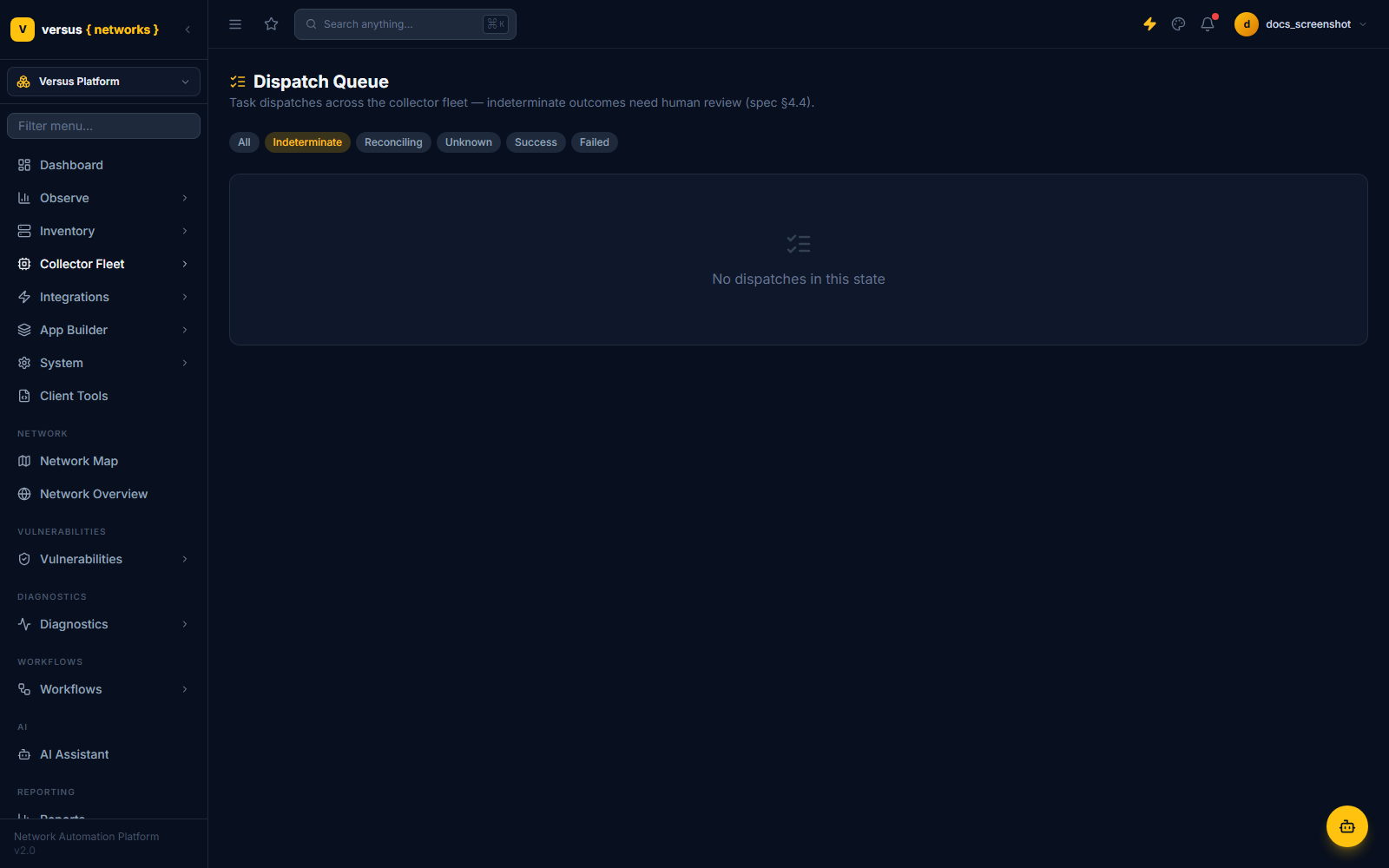
Most dispatches resolve cleanly to Success or Failed. The interesting states happen when a collector disconnects mid-task and the acknowledgment never arrives:
- Unknown — the initial state when a task's outcome can't be confirmed.
- For a read operation, Versus simply retries it — reads are safe to repeat.
- For a mutate_reconcilable operation (safe to retry with the same idempotency key), the dispatch moves to Reconciling and is retried automatically, up to three attempts.
- For a mutate_terminal operation, or once reconciliation attempts are exhausted, the dispatch is marked Indeterminate — Versus could not confirm success or failure, and it will not auto-retry a change it can't safely repeat.
Quick Reference
| Item | Detail |
|---|---|
| Collector status values | pending, active, revoked, expired |
| Session state values | active, stale, draining, dead |
| Probe | Reports heartbeat freshness and queue depth for the live session |
| Drain / Undrain | Stops new routing to the collector; in-flight tasks finish; reversible |
| Revoke | Kills all sessions and invalidates the certificate; not reversible — re-enroll to reconnect |
| Vault modes | A = Local Vault, B = Cloud-Relayed, C = External Secret Manager (via Vault Sources integration) |
| Site | A reachability domain (what a collector can reach), not a physical location |
| Dispatch outcome states | queued, routed, leased, dispatched, running, success, failed, unknown, reconciling, indeterminate, expired, cancelled |
| Max reconcile attempts | 3, before an unresolved mutate_reconcilable dispatch is marked indeterminate |