Dashboard Provisioning
Provision Folder, Datasource, and Dashboard resources as YAML manifests through a Source — with plan/apply, secrets-by-reference, and per-resource sync status.
Observe → Provisioning is Versus's own dashboards-as-code system — it manages Observe's native Folder, Datasource, and Dashboard objects directly. It is not a Grafana integration: there is no Grafana import step and nothing here talks to an external Grafana instance.
Sources
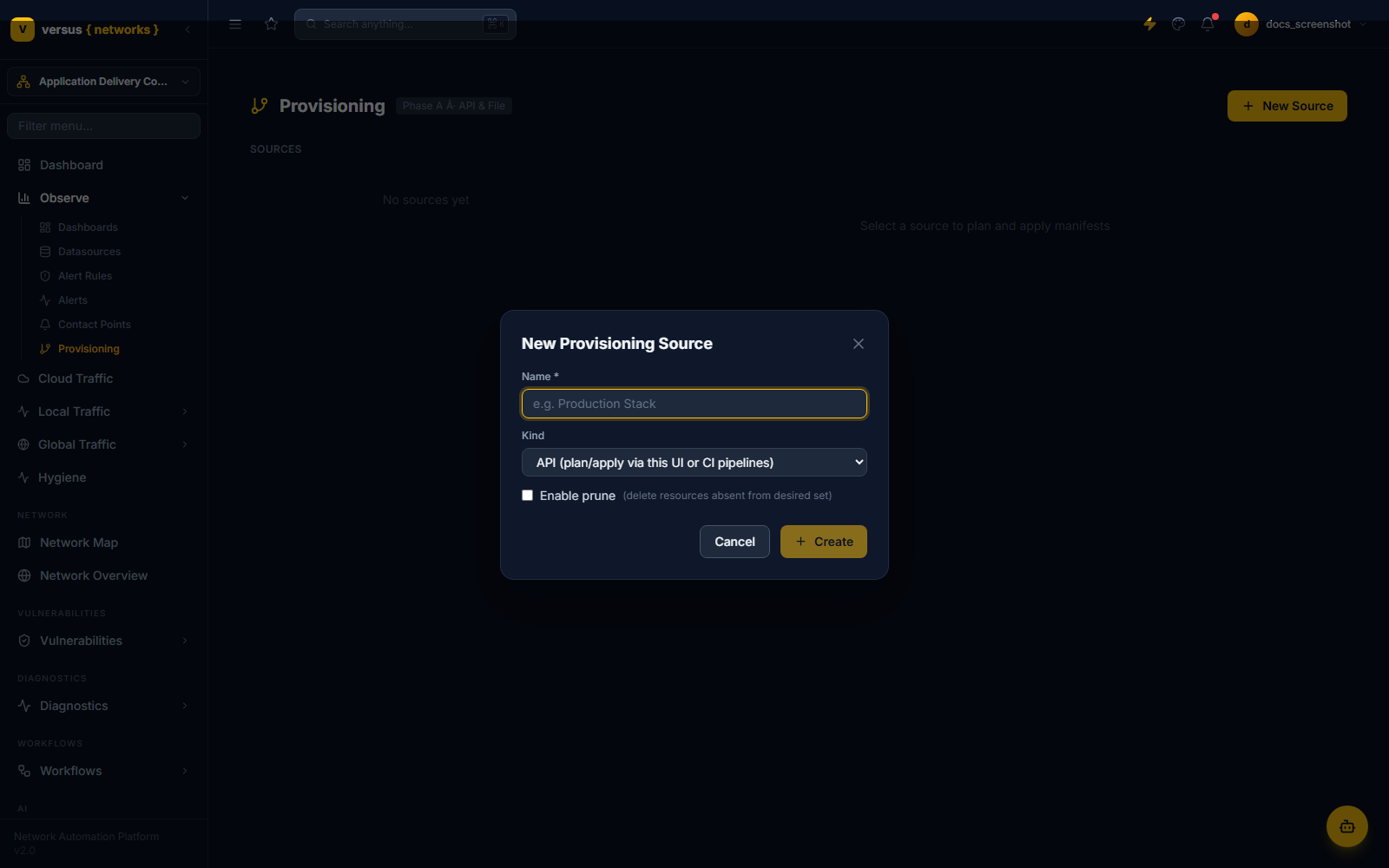
Everything is organized under a Source — a named container for one manifest and its provisioning settings. Click New Source to create one:
- Name — required.
- Kind — API ("plan/apply via this UI or CI pipelines") or File ("server-side directory").
- Enable prune — an optional checkbox: when on, applying a plan deletes any previously-provisioned resource that's no longer present in the manifest.
The Manifest
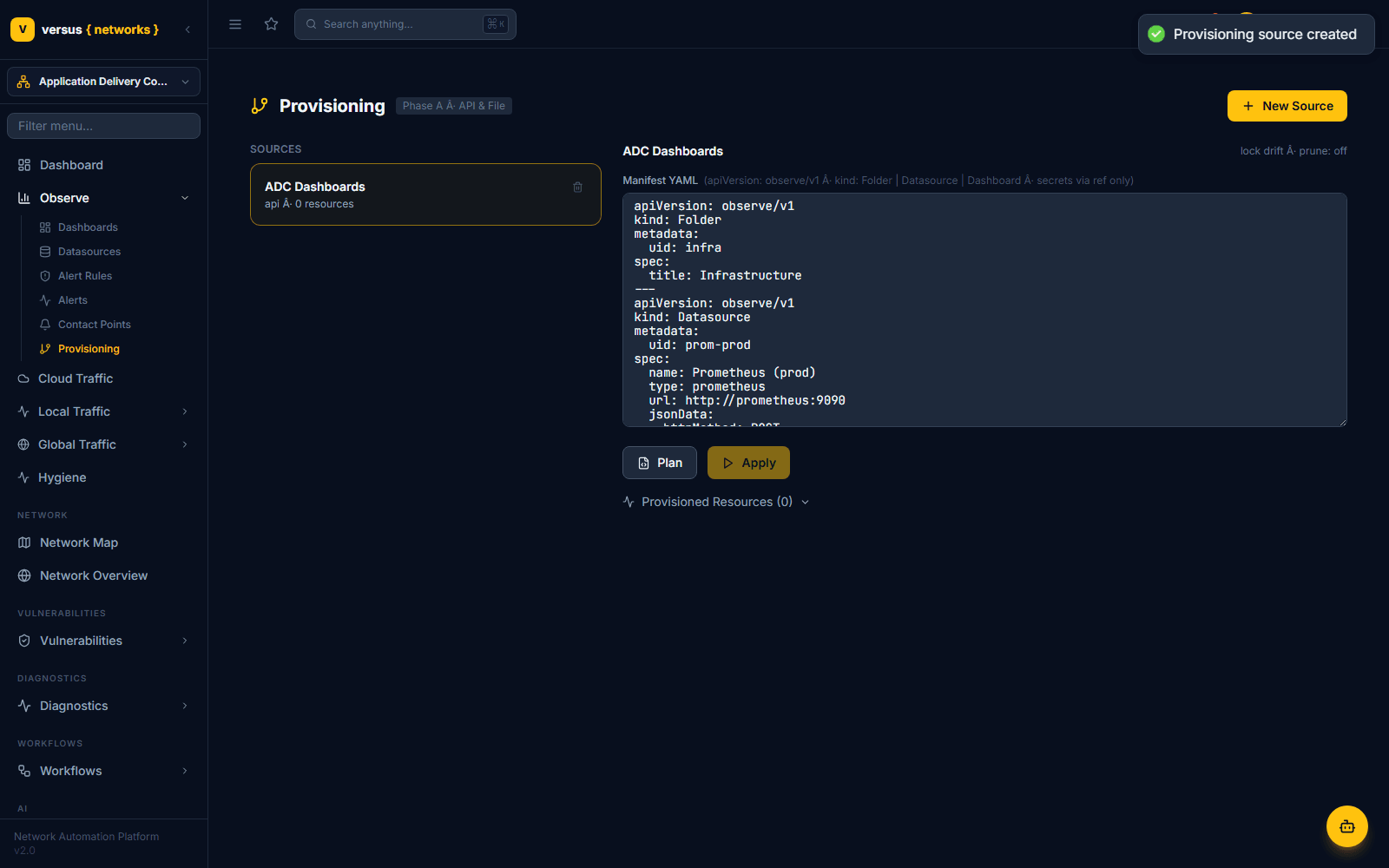
Each source holds one Manifest YAML document — a multi-document YAML file (documents separated by ---), one document per resource. Every document needs an apiVersion: observe/v1, a kind of Folder, Datasource, or Dashboard, a metadata.uid that identifies the resource going forward, and a spec block with that resource's fields:
apiVersion: observe/v1
kind: Folder
metadata:
  uid: infra
spec:
  title: Infrastructure
---
apiVersion: observe/v1
kind: Datasource
metadata:
  uid: prom-prod
spec:
  name: Prometheus (prod)
  type: prometheus
  url: http://prometheus:9090
  jsonData:
    httpMethod: POST
Secrets are never inlined in plaintext — the header above the editor is explicit about this: "secrets via ref only". A field like a bearer token is written as an env:// reference (e.g. env://PROM_BEARER_TOKEN) and resolved from an environment variable at apply time, not stored in the manifest itself.
Plan and Apply
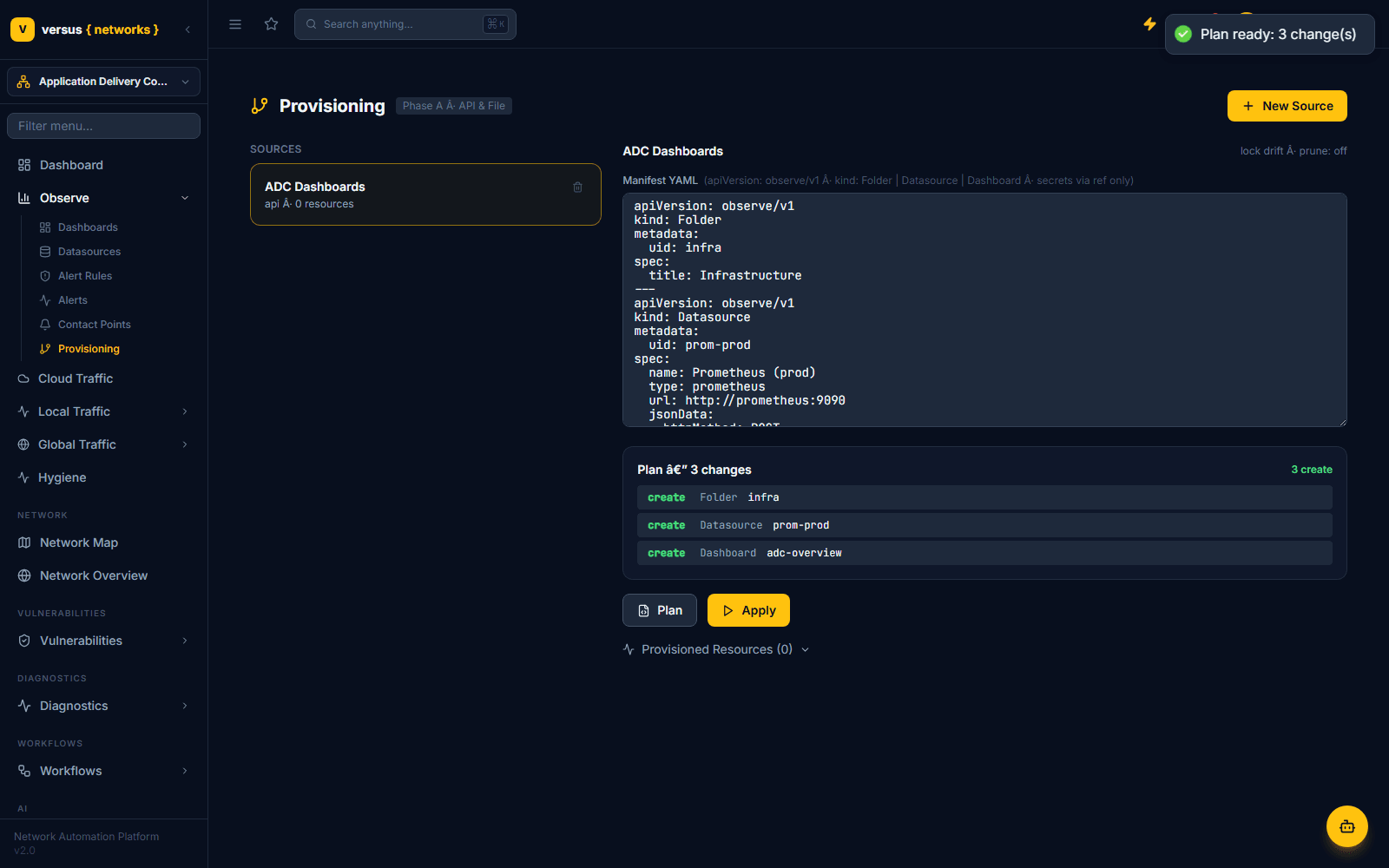
Versus diffs the manifest against what's already provisioned and shows a change list — each line is a create, update, or delete paired with the resource's kind and uid. A toast confirms "Plan ready: N change(s)".
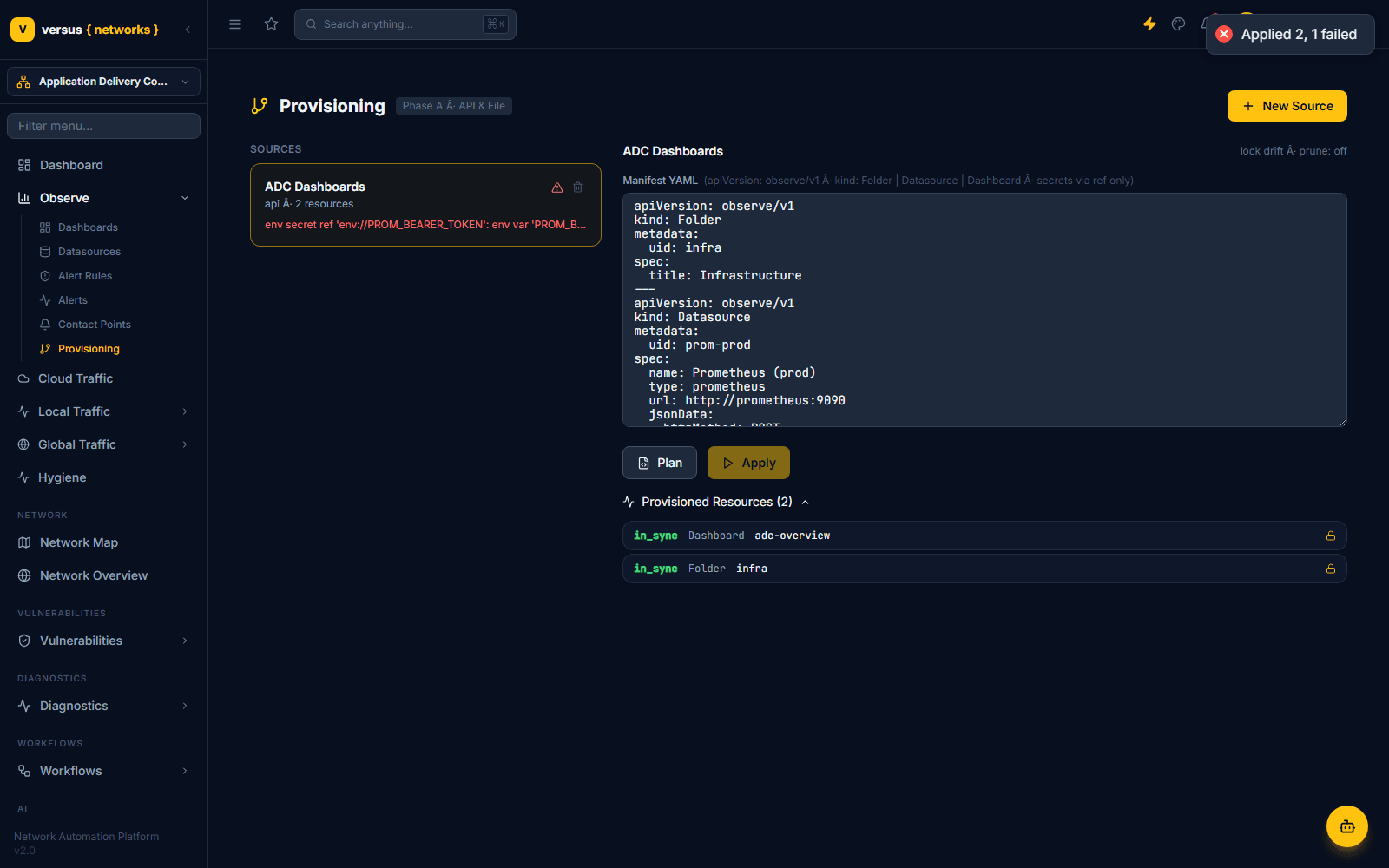
Applying runs the plan for real. Each resource succeeds or fails independently — a failure in one resource doesn't block the others. In the example above, the Folder and Dashboard applied cleanly while the Datasource failed because its env://PROM_BEARER_TOKEN reference had no matching environment variable set, producing a toast of "Applied 2, 1 failed" and an inline error on the source card.
Provisioned Resources and Locking
Successfully applied resources appear under Provisioned Resources (N), each with a sync-status label (in_sync for a resource that matches its manifest) and a lock icon — provisioned resources are managed by their source going forward. The source header also shows a lock · drift indicator alongside the prune setting you chose when creating it.
Quick Reference
| Item | Detail |
|---|---|
| Container | A Source — one manifest plus Kind (API/File) and a prune setting |
| Manifest format | Multi-document YAML: apiVersion: observe/v1, kind, metadata.uid, spec |
| Supported kinds | Folder, Datasource, Dashboard |
| Secrets | Referenced only, e.g. env://PROM_BEARER_TOKEN — never inlined |
| Plan | Diffs manifest vs. current state; lists create/update/delete by kind + uid |
| Apply | Applies each resource independently; one failure doesn’t block the rest |
| Prune | Off by default; when on, deletes resources absent from the manifest |
| Sync status | in_sync shown per provisioned resource, with a lock icon |
| Grafana | Not used — this provisions Versus Observe’s own native resources |