Alert Contact Points
Configure Webhook, Email, and ServiceNow contact points — and send a test notification from the contact point list.
Contact points define where alert notifications are delivered. Each one stores the configuration for a single notification channel. Navigate to Observe → Contact Points to see every contact point configured for the current workspace.
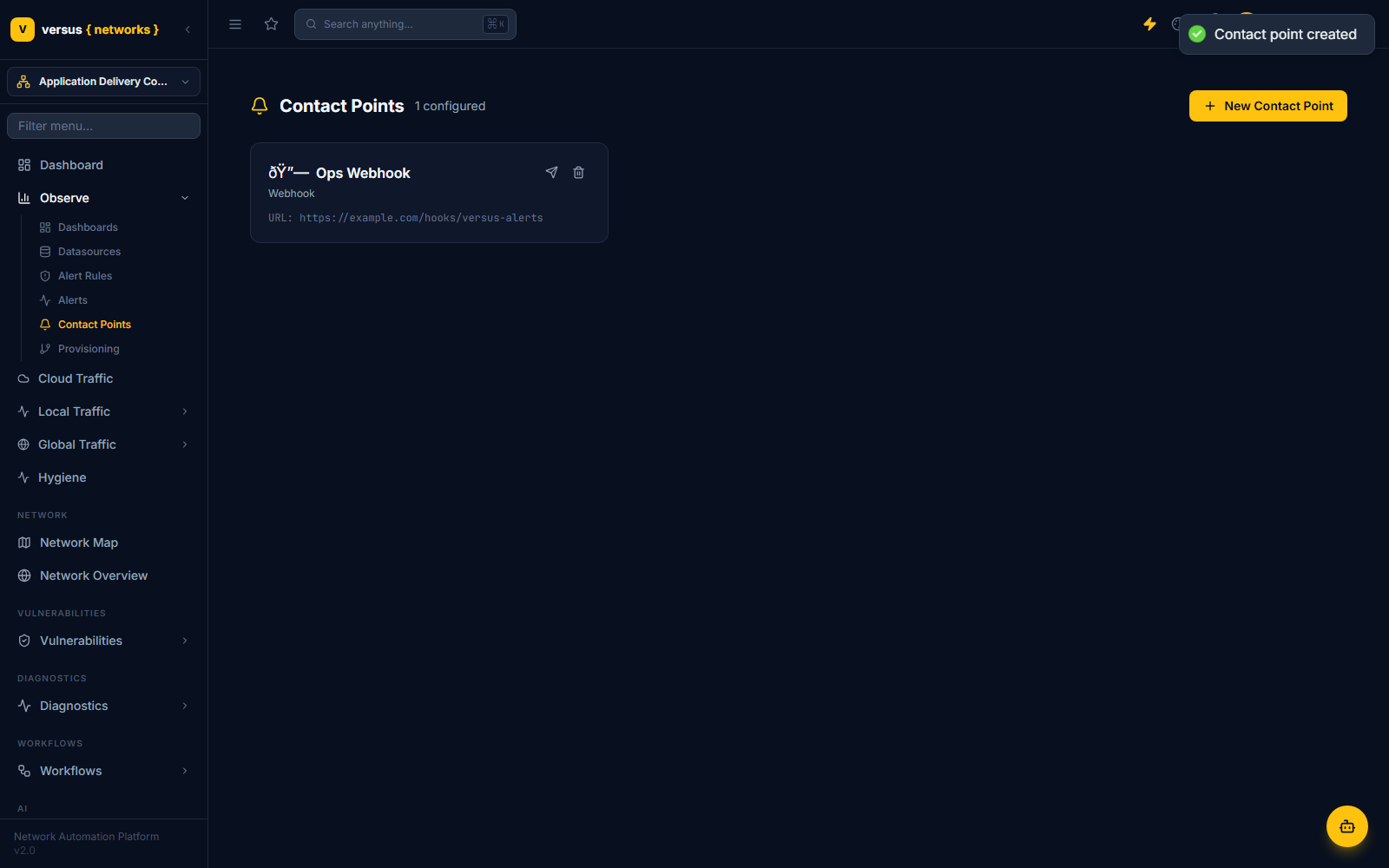
Adding a Contact Point
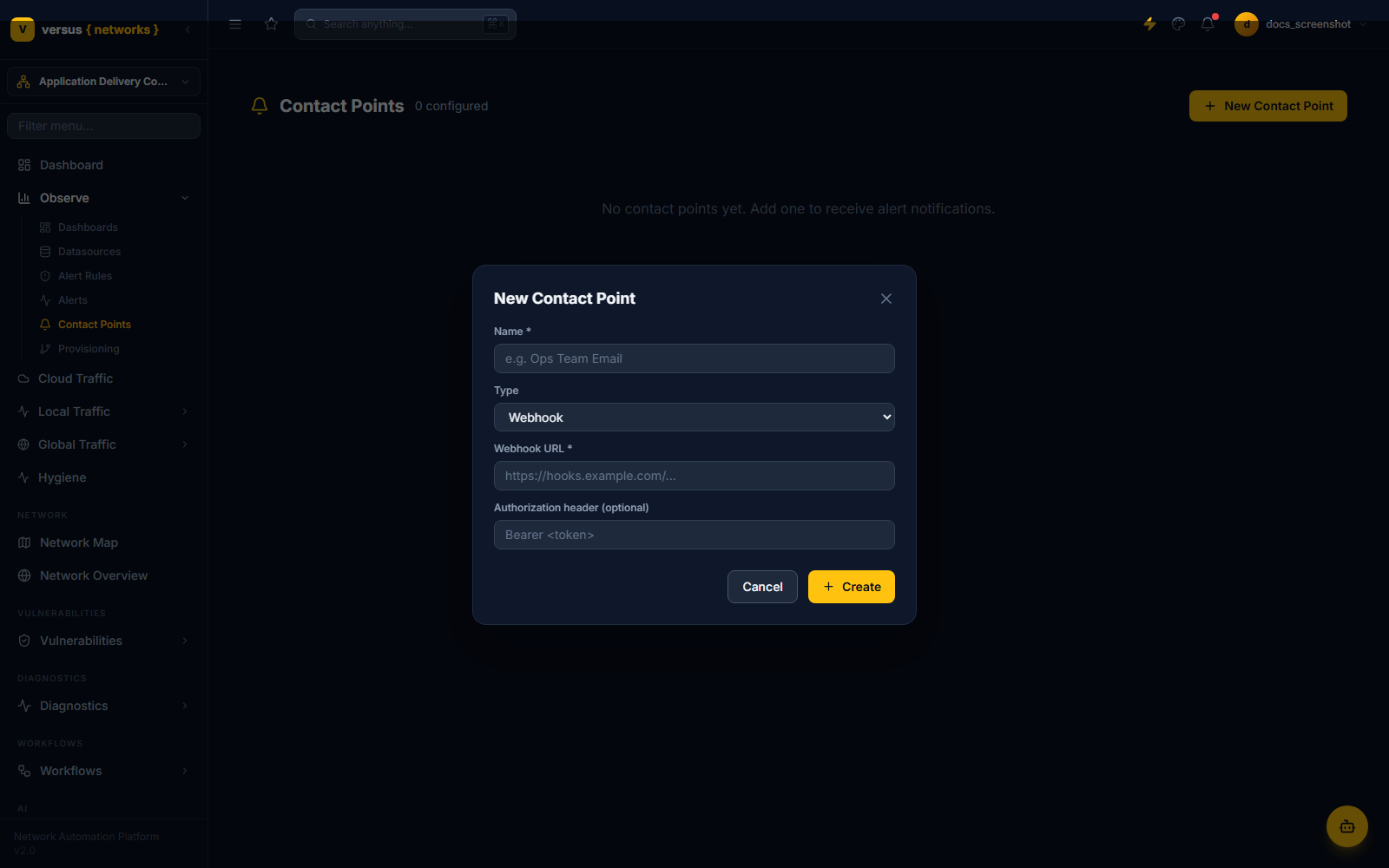
Enter a Name, then choose a Type — the fields below it change to match.
- Webhook: Webhook URL, and an optional Authorization header (e.g.
Bearer <token>). - Email: Recipients (comma-separated), From address, SMTP host, SMTP user, SMTP password.
- ServiceNow: Instance URL, Username, Password, plus Urgency and Impact — each a 1–3 scale (1 High, 2 Medium, 3 Low).
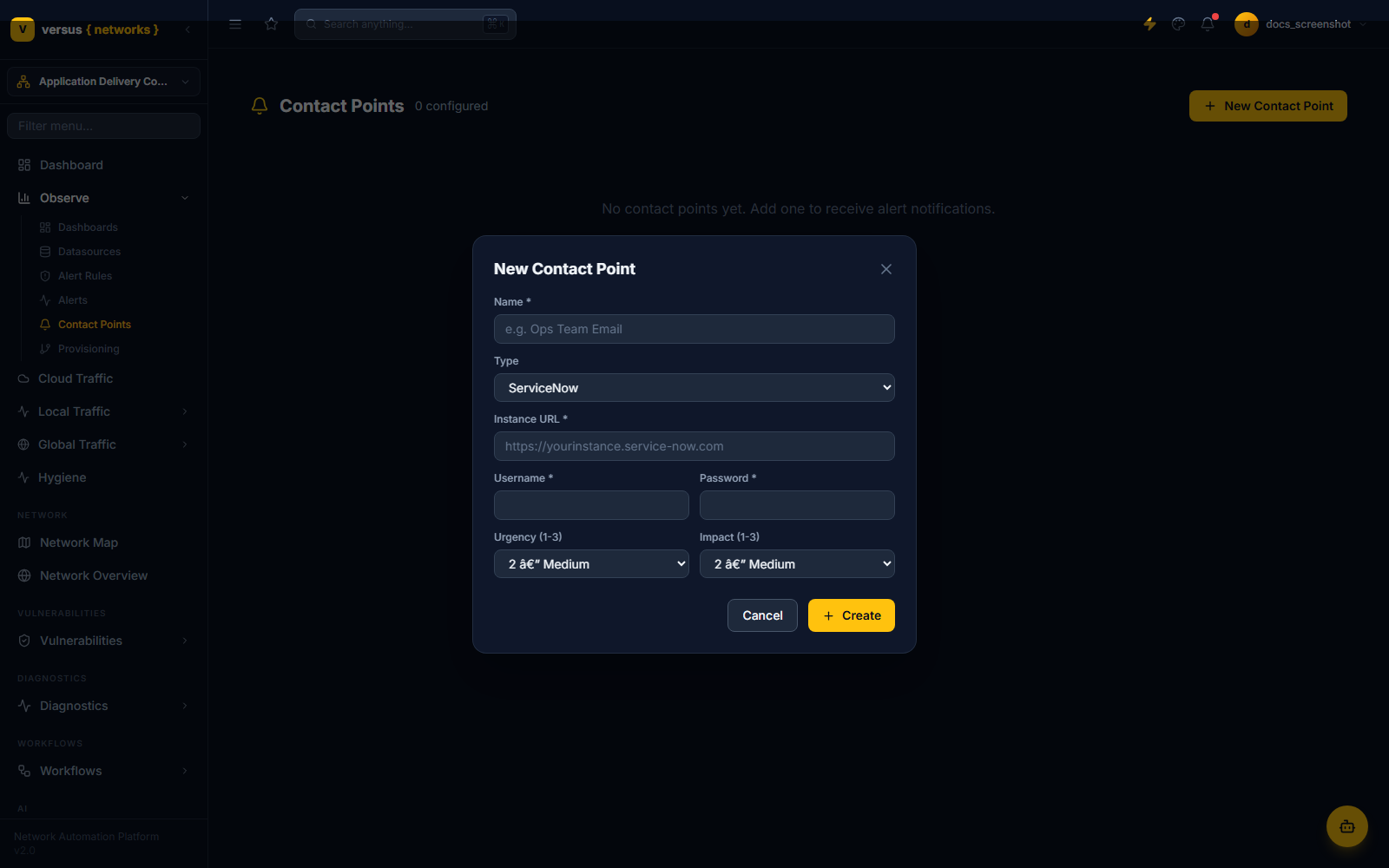
Click Create to save the contact point — there is no test step inside the creation form itself. Once it appears in the list, hover its row and click the send icon to dispatch a test notification to that destination.
What's Not Here Yet
There is currently no notification-policy or label-routing layer between alert rules and contact points in the Versus UI — the app has no Notification Policies page. How a firing alert maps to a specific contact point is handled outside the UI you see in Observe.
Quick Reference
| Type | Required Fields |
|---|---|
| Webhook | Webhook URL, optional Authorization header |
| Recipients, From address, SMTP host, SMTP user, SMTP password | |
| ServiceNow | Instance URL, Username, Password, Urgency (1-3), Impact (1-3) |
| Not supported | Slack, Microsoft Teams, PagerDuty |
| Test notification | Send icon on the contact point row (not in the creation form) |
| Notification policies | No label-routing UI exists in Observe yet |