Observe Alerting
Configure alert rules on a datasource → reduce → threshold DAG, and track firing instances from Observe → Alerts.
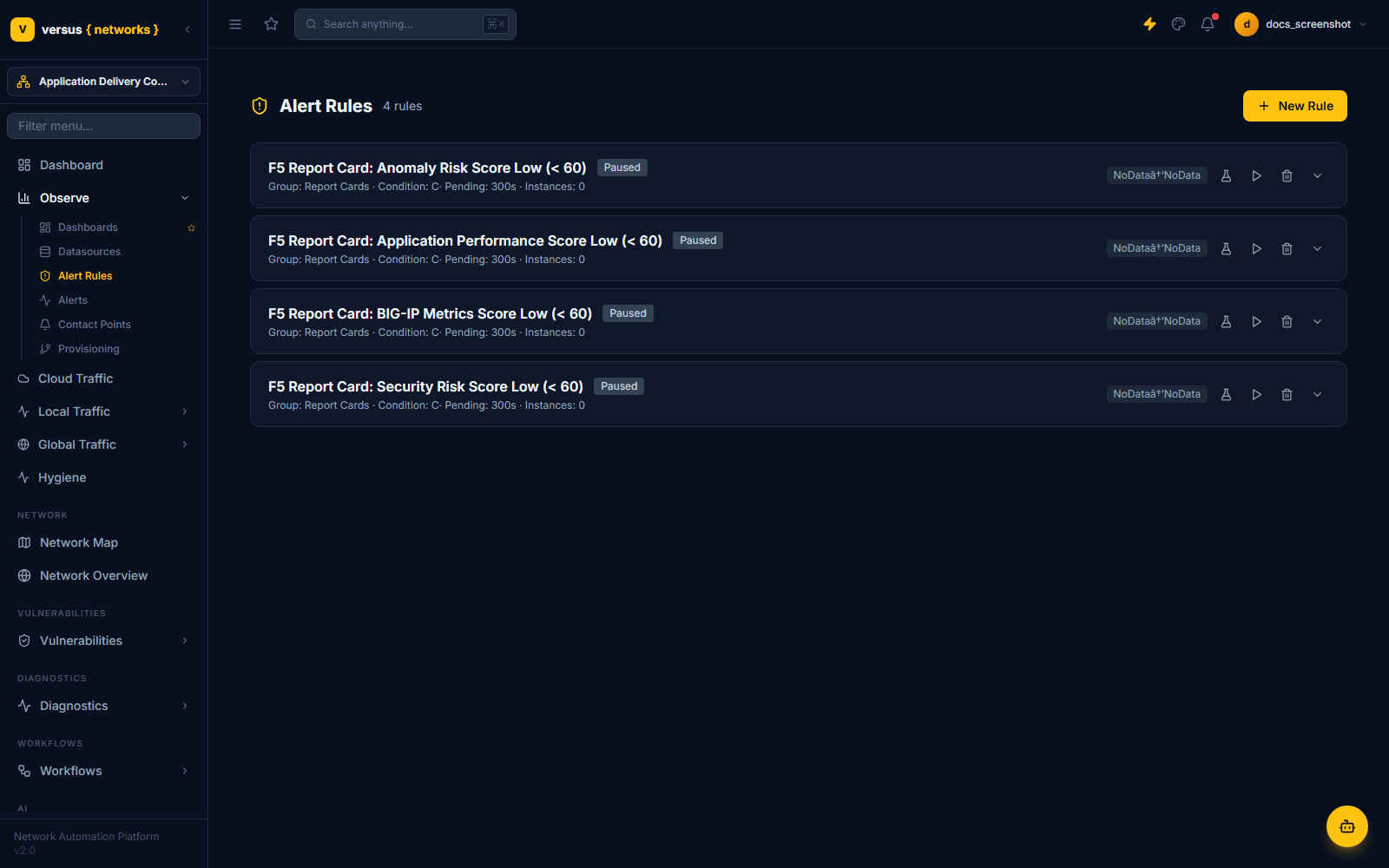
Alert rules live under Observe → Alert Rules; the resulting alert instances — across every rule in the workspace — live under the separate Observe → Alerts page. Each rule evaluates a small query DAG on an interval and, once its condition holds for long enough, fires a notification.
Evaluation Groups
Every rule belongs to an evaluation group, which sets the shared evaluation interval for all rules inside it — for example a group named Report Cards with a 300-second interval shows up in pickers as Report Cards (300s). Groups are selected from a dropdown when creating a rule; there is no separate group-management screen in the current UI.
The Query DAG
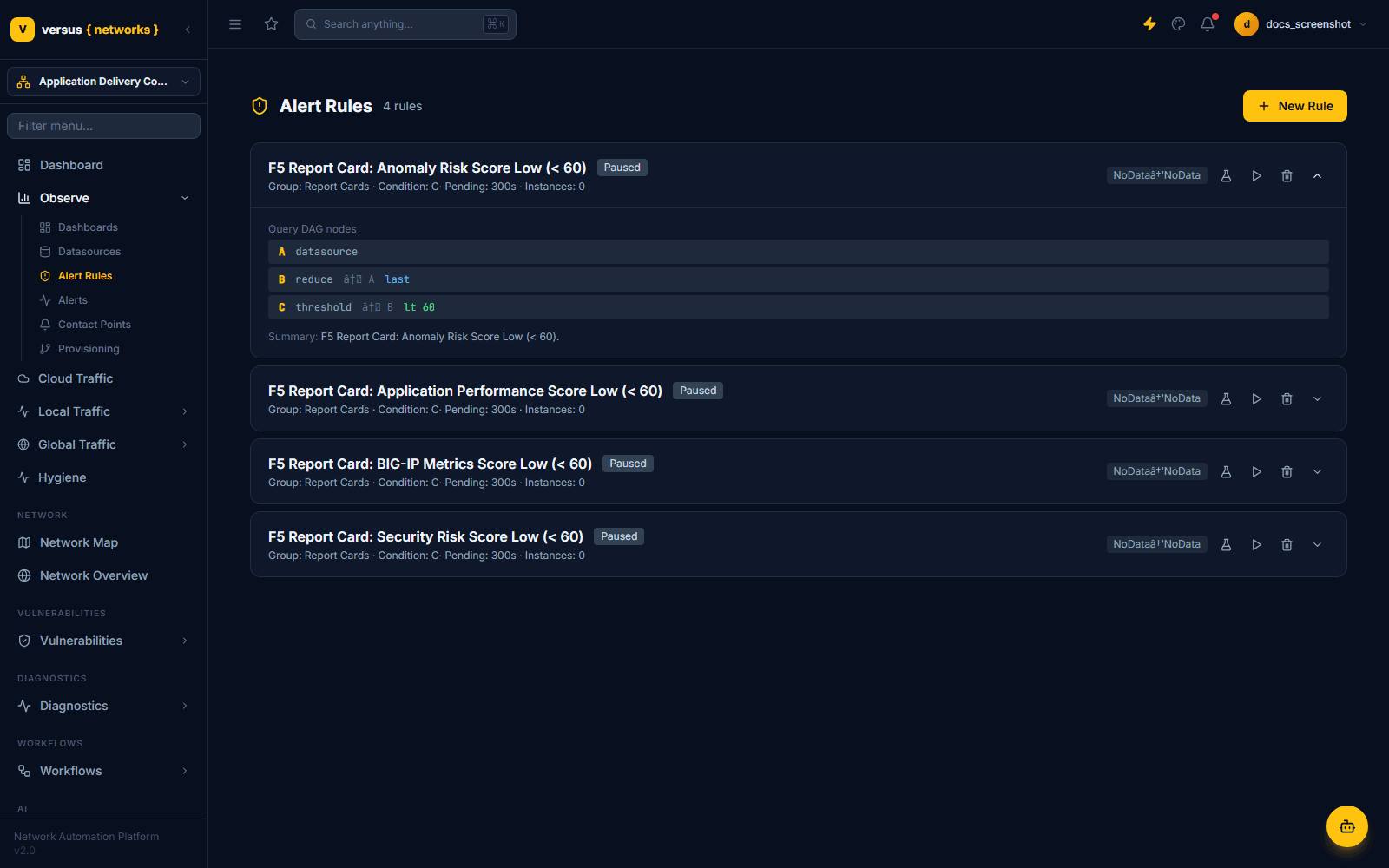
Expand a rule's row (the chevron on the right) to see its Query DAG nodes — a small pipeline of up to three named nodes:
- A — datasource: the query against a connected Prometheus, Loki, or PostgreSQL source.
- B — reduce: collapses node A's series to a scalar with a function such as
last. - C — threshold: compares node B's scalar against a condition such as
lt 60(less than 60).
The rule's Condition field in the list (e.g. C) names whichever node produces the firing decision.
Creating a Rule
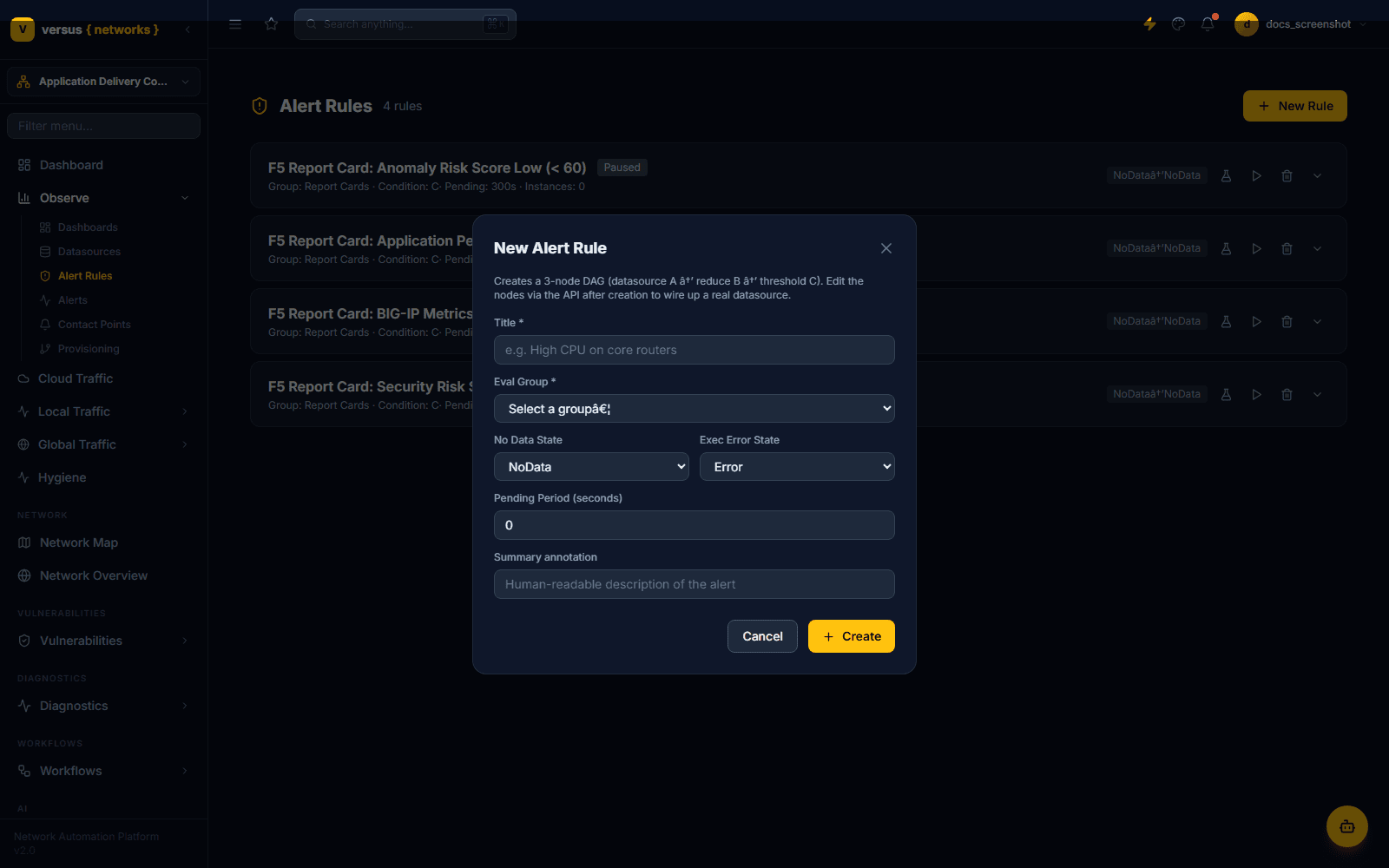
From Observe → Alert Rules, click New Rule to open the New Alert Rule form.
- Title — required.
- Eval Group — required; pick an existing evaluation group from the dropdown.
- No Data State — what the rule reports when its query returns no data:
NoData,Alerting,Normal, orKeep Last. - Exec Error State — what the rule reports if evaluation itself errors:
Error,Alerting,Normal, orKeep Last. - Pending Period (seconds) — how long the threshold condition must hold before the rule fires. Set to
0to fire immediately. - Summary annotation — a human-readable description shown with the alert.
Click Create, then wire up the real query via the API as described above.
NoData and Error Handling
Because No Data State and Exec Error State are configured per rule at creation time, a rule with an unreachable or unconfigured datasource doesn't silently do nothing — it reports whichever state you chose (commonly NoData). The four F5 Report Card rules shown above are a real example: each currently reports NoData → NoData because their datasource node hasn't been wired up yet.
Pausing a Rule
Each rule row has a mute icon to pause/resume evaluation and a delete icon to remove the rule entirely. A paused rule keeps its configuration but stops evaluating.
Alert Instances
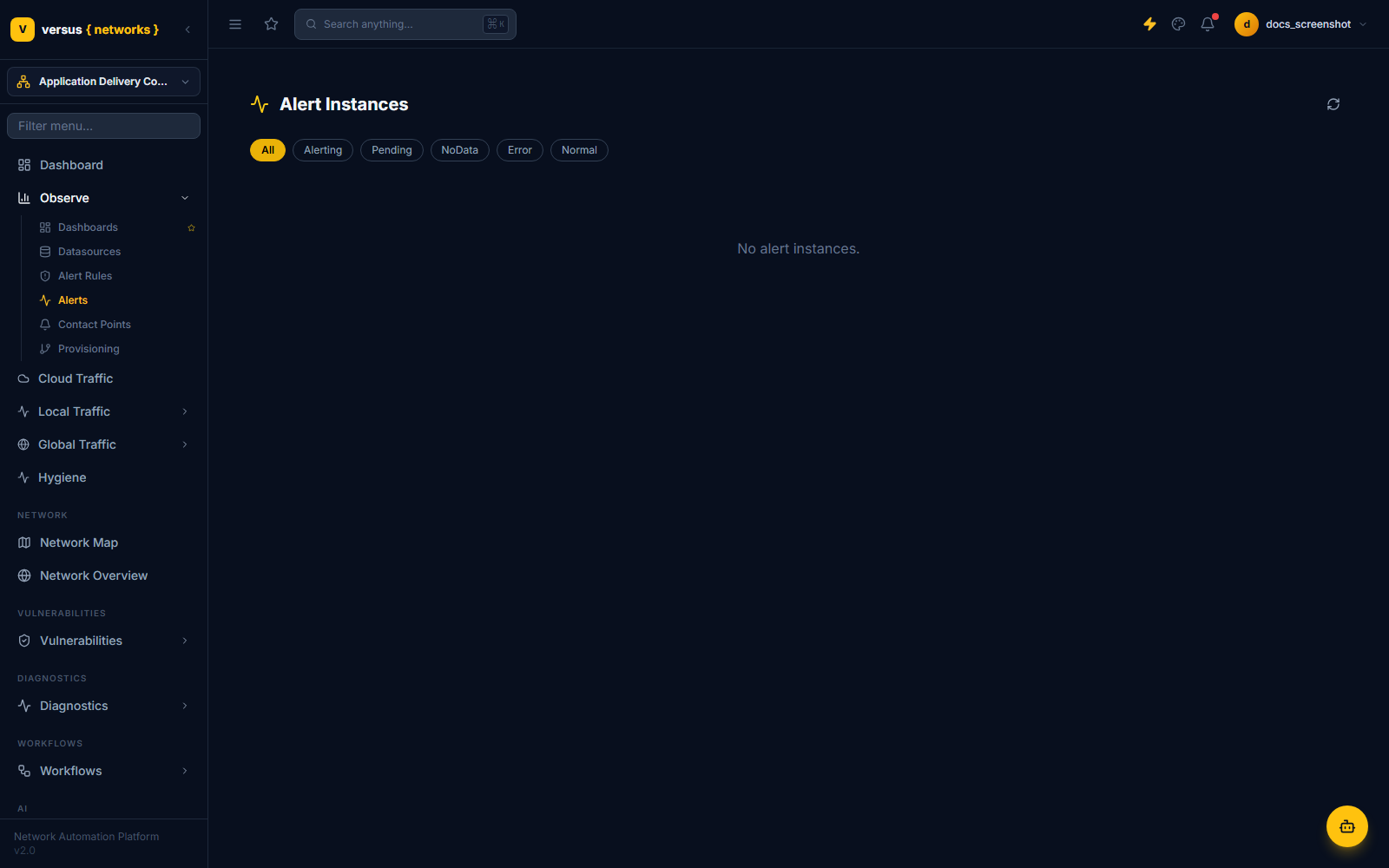
Observe → Alerts lists every firing/pending/error alert instance across all rules in the workspace, with filter chips for All, Alerting, Pending, NoData, Error, and Normal. This is the page to check when you want to see what's actually firing right now, rather than browsing rule definitions one at a time.
Quick Reference
| Item | Detail |
|---|---|
| Evaluation group | Shared interval for a set of rules, e.g. "Report Cards (300s)" — picked from a dropdown, no separate management UI |
| DAG nodes | A (datasource) → B (reduce) → C (threshold) |
| Rule creation | Scaffolds the 3-node DAG only — wire the real query up via the API afterward |
| No Data State | NoData, Alerting, Normal, or Keep Last |
| Exec Error State | Error, Alerting, Normal, or Keep Last |
| Pending Period | Seconds; 0 fires immediately |
| Pausing | Mute icon on the rule row; keeps config, stops evaluation |
| Alert Instances | Observe → Alerts — filter by All/Alerting/Pending/NoData/Error/Normal |