Form Designer
Design self-service request forms as Catalog Items — rich field types, workflow binding, input mapping, and external embed tokens.
Overview
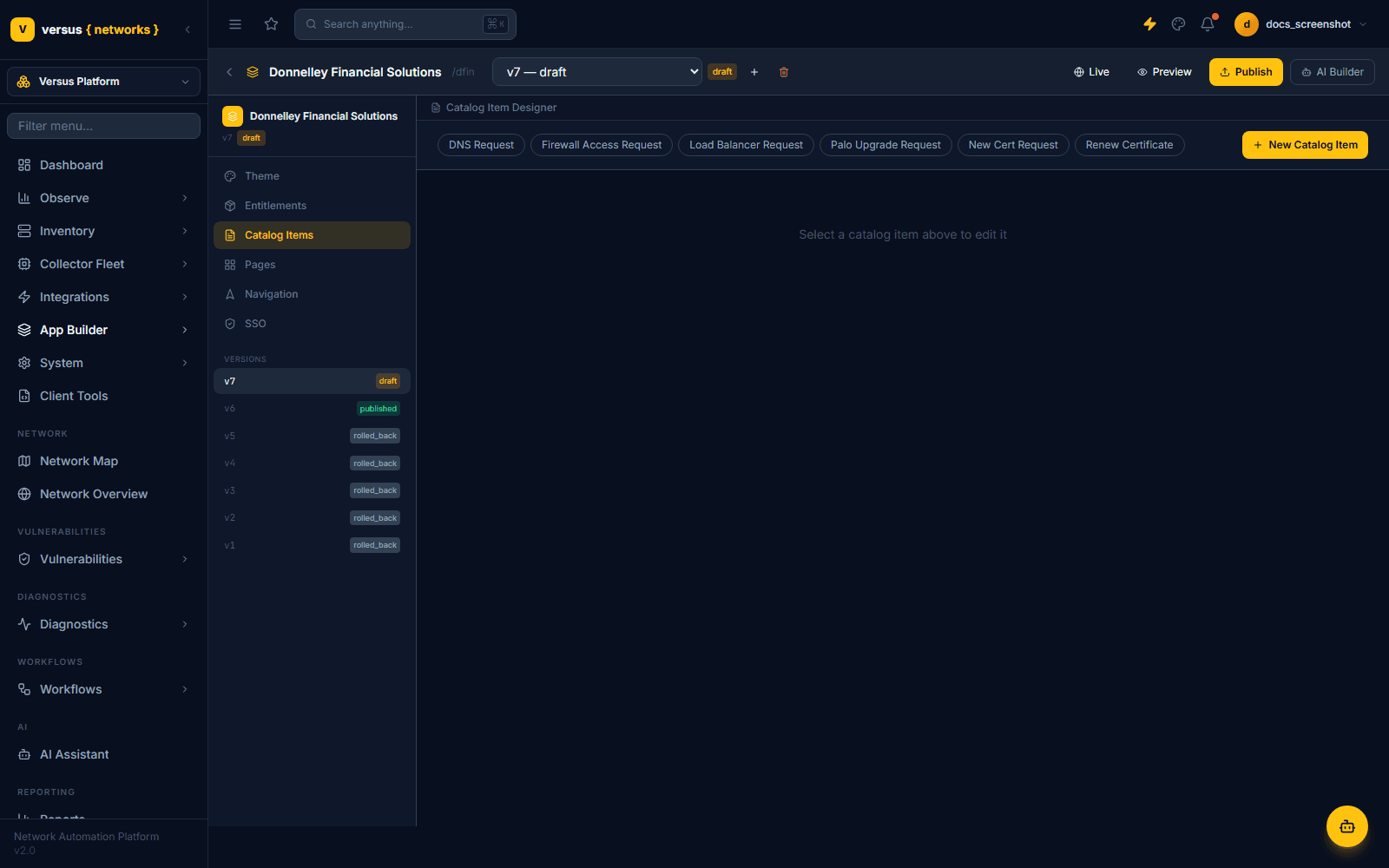
In the current App Builder, request forms live inside the Catalog Items tab of an app's designer — this is what earlier versions of App Builder called the "Form Designer." A Catalog Item is a named, pre-built request type (e.g. New Cert Request, Firewall Access Request) that bundles a form's fields together with the workflow it triggers. Each catalog item you create shows up as a card in the app's Service Catalog page for end users to submit.
Open it from Versus Platform → App Builder → [your app] → Catalog Items, then select an existing item or click + New Catalog Item. Catalog Items can only be edited on a draft version — select or create a draft first (published and rolled_back versions show the same designer read-only).
Available Field Types
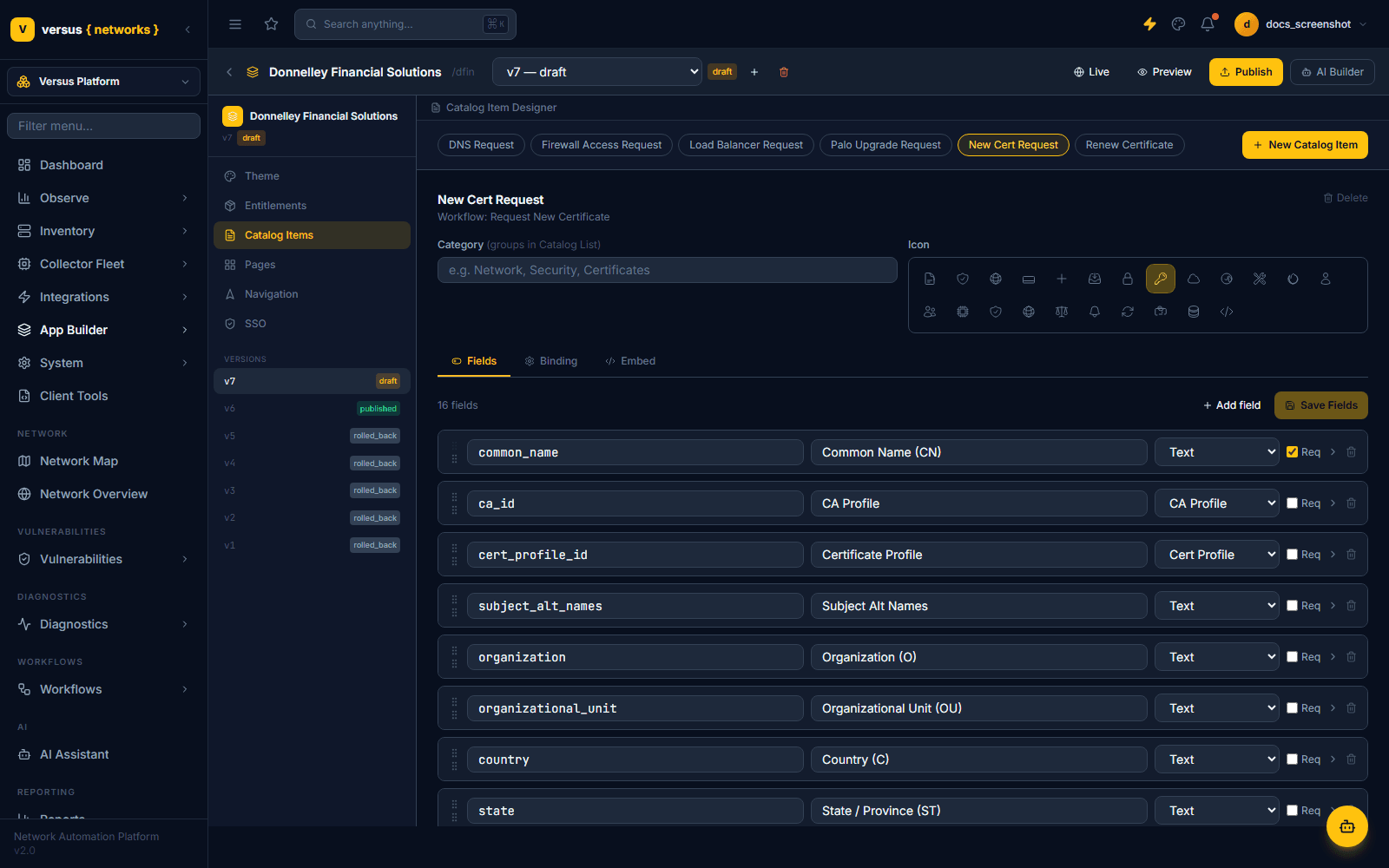
Each field in a catalog item's Fields tab has a key, a label, a type, and a required toggle. The type dropdown offers:
- Text — single-line string input.
- Textarea — multi-line text.
- Number — numeric input.
- Select — single-value dropdown.
- Multi-select — multi-value dropdown.
- Date and Date & Time — date or date-time pickers.
- Toggle — boolean on/off switch.
- Environment — environment picker (e.g. prod/staging/dev).
- CA Profile and Cert Profile — pickers scoped to the app's entitled CA and certificate profiles.
- Certificate Picker — browses the Versus certificate inventory.
- Pool Member Table and Persistence Picker — ADC pool and persistence-profile inputs.
- Firewall Rule Table — structured firewall rule entry.
- PAN-OS Device Group, PAN-OS Version Selector, PAN-OS Content Policy — Palo Alto–specific pickers.
This is a much richer, domain-specific palette than a generic form builder — most of these types exist to drive a specific request workflow (certificate issuance, firewall changes, PAN-OS upgrades) without the end user needing to know device IDs or raw config values.
Reordering and Adding Fields
Drag the ⠿ handle on the left of a field row to reorder it — that order is what the end user sees on the live form. Click + Add field to append a new field (defaults to type Text; change it from the row's type dropdown), then click Save Fields to persist changes to the current draft.
Switch to the Binding tab. The Workflow field is a searchable dropdown across every workflow available in your Versus instance — filter by typing part of its name. A Direct run (skip approval gate) checkbox lets you bypass the workflow's normal approval gate for this catalog item specifically.
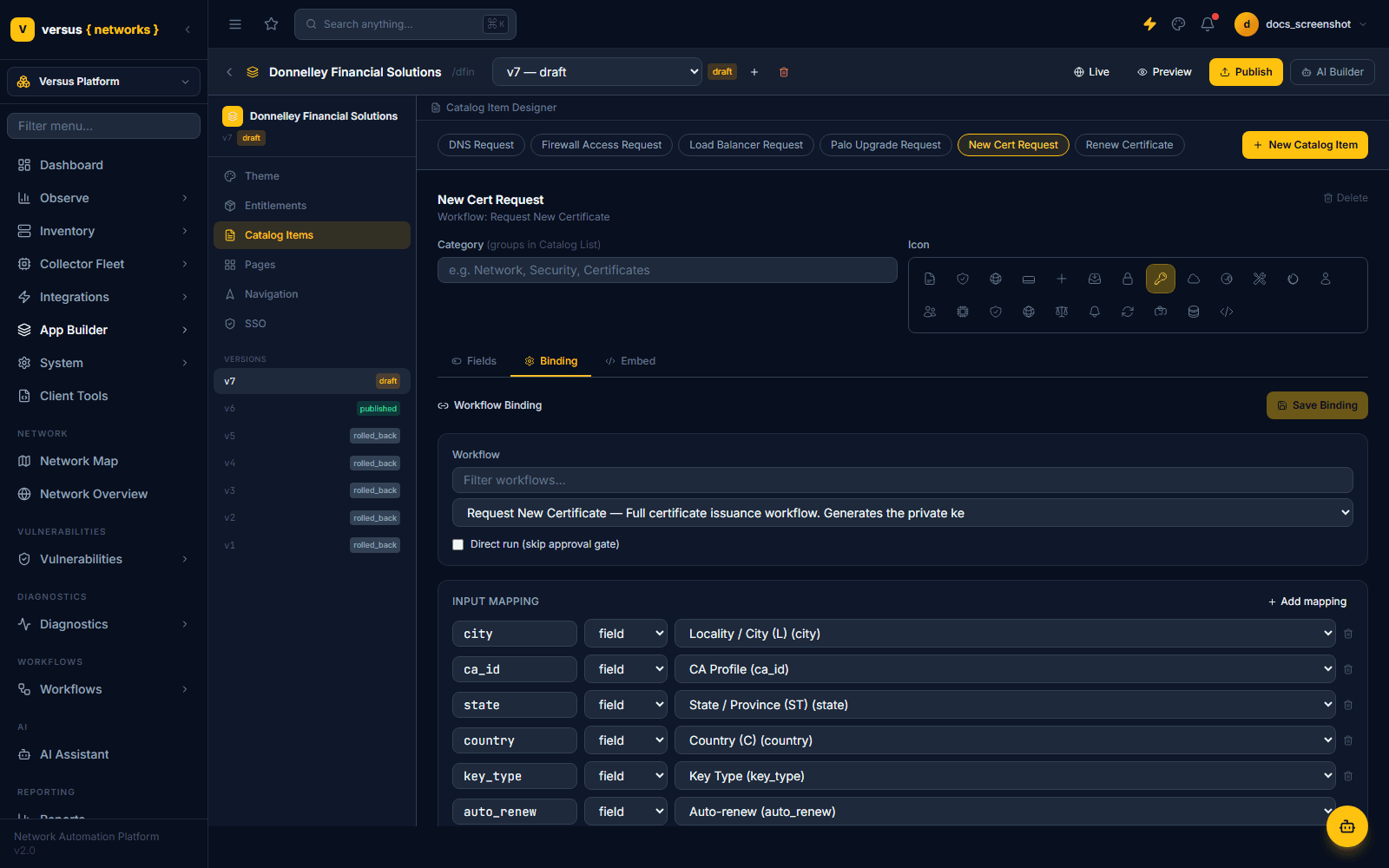
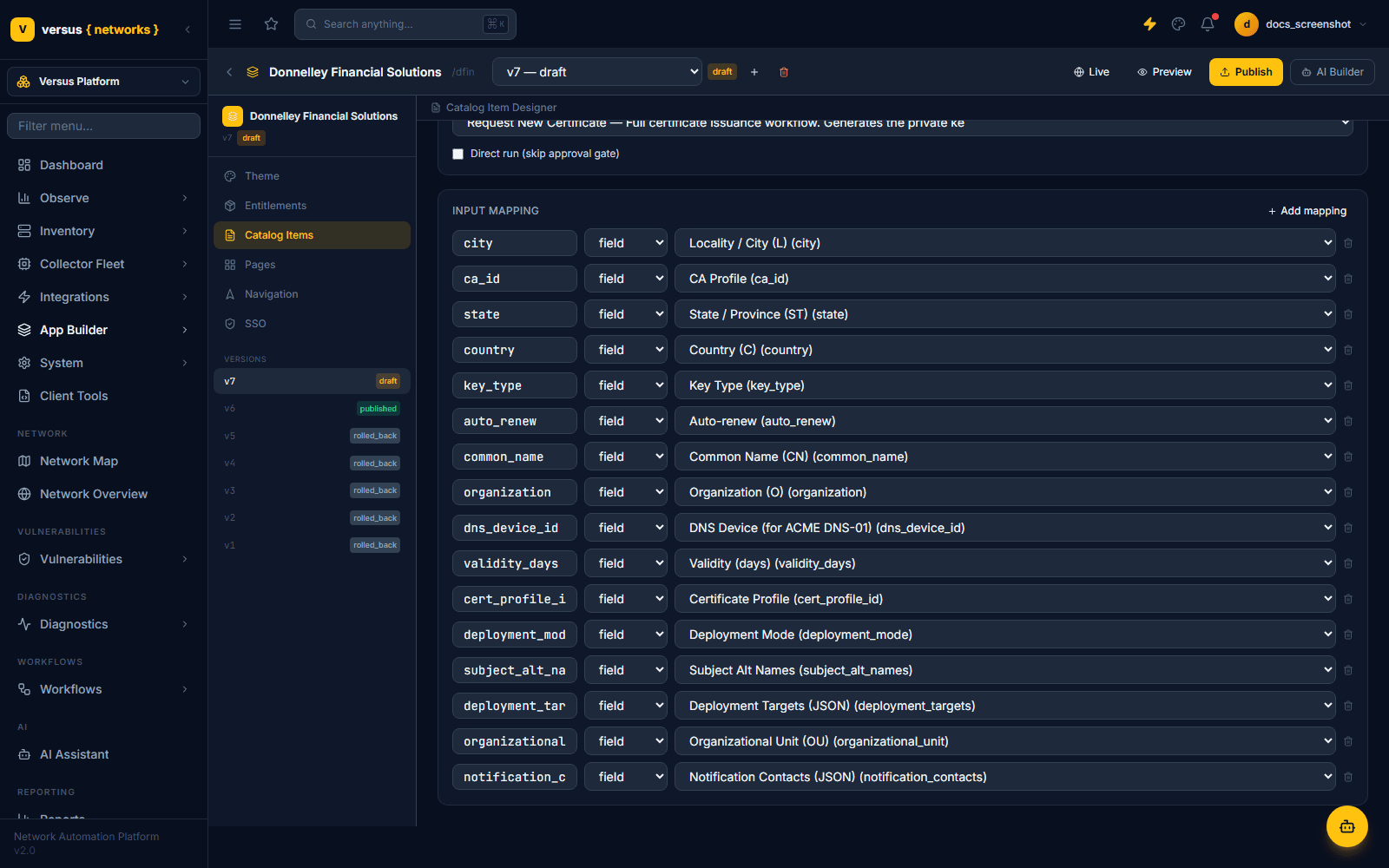
Below the workflow selector, the Input Mapping table lists one row per workflow input: the input key, a source-type selector (field to pull from a catalog item field, or a literal value), and a dropdown identifying which field supplies it. Click + Add mapping to map another input, or the trash icon to remove one.
- A workflow with many declared inputs (the certificate-issuance workflow used above has 17) means a correspondingly long mapping list — most rows map 1:1 to a same-named field.
- Unmapped required workflow inputs will block the catalog item from working correctly, so review this table whenever you add or rename a field.
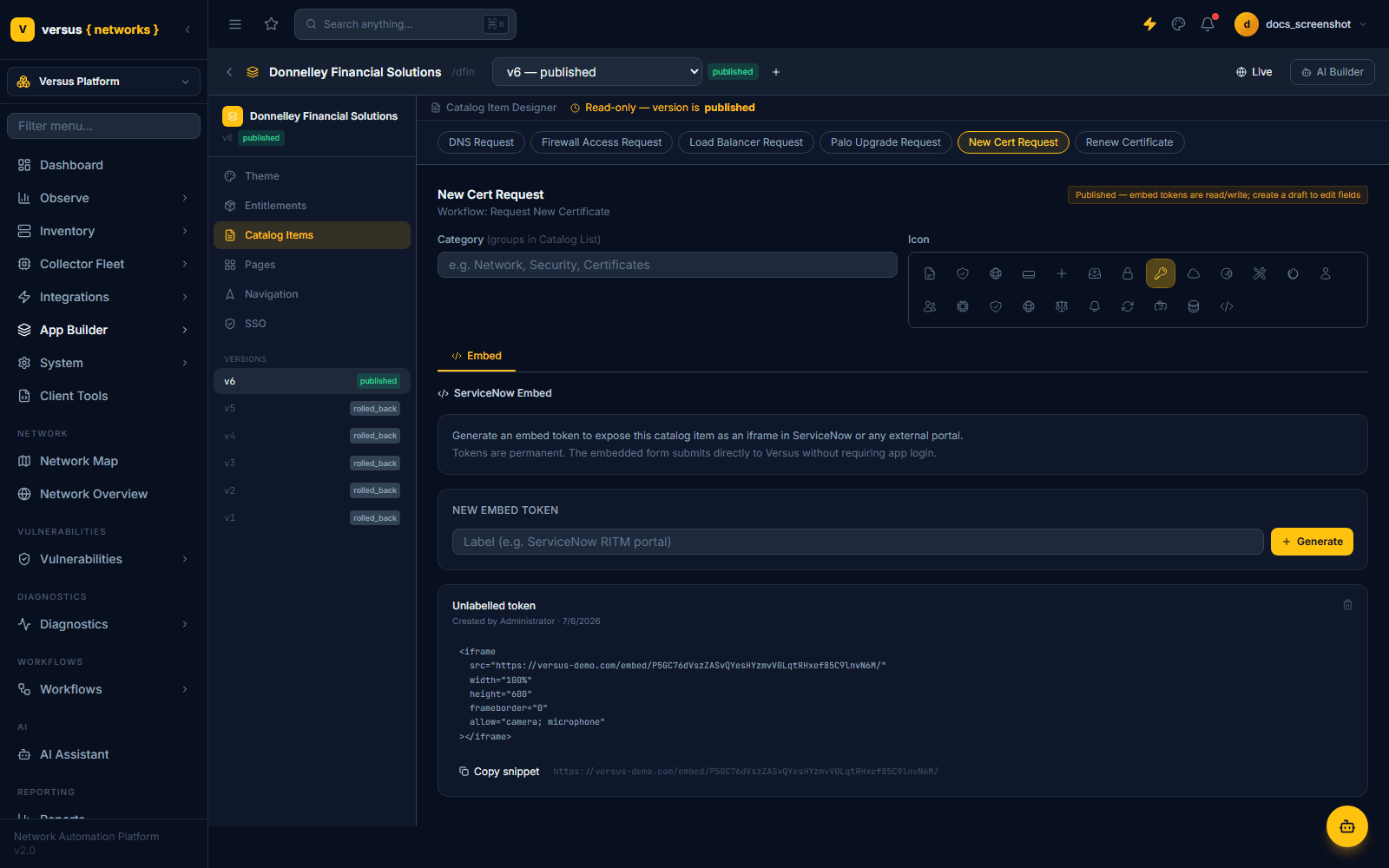
The Embed tab generates a permanent embed token for this catalog item. Click Generate, optionally label the token (e.g. "ServiceNow RITM portal"), and Versus produces an <iframe> snippet pointing at a public embed URL. The embedded form submits directly to Versus without requiring the submitter to log into the app — useful for surfacing a catalog item inside ServiceNow, an intranet page, or any other external portal.
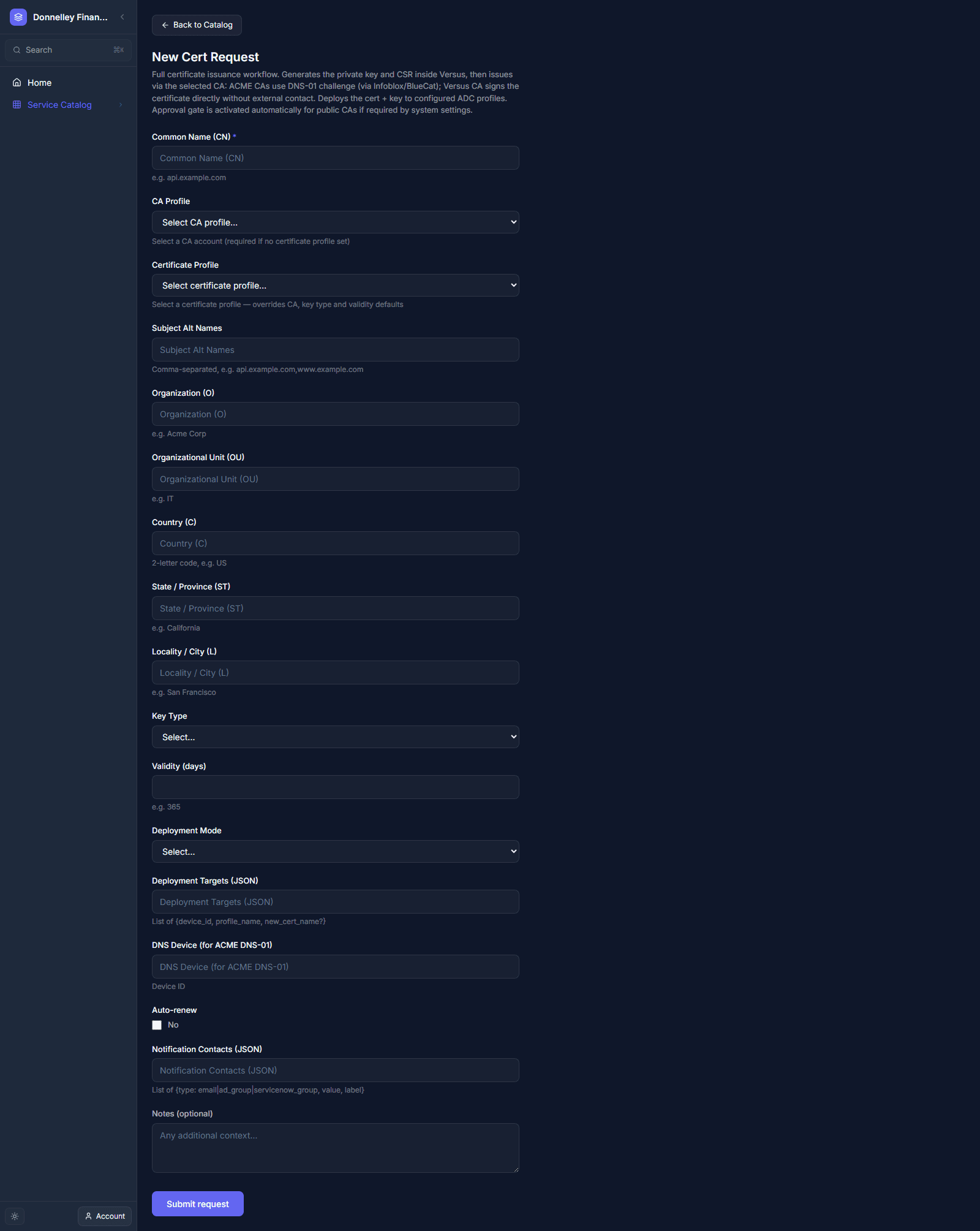
End users reach catalog items through the app's Service Catalog page (add it via the Navigation Designer as a Catalog Item Form or Page (Designer) nav item). Each card shows the item's name, description, and submission stats — total submissions, success rate, and how recently it was last used. Clicking a card opens the live form built from the Fields tab, with a Submit request button at the bottom.
Submitted requests are tracked under App Builder → Submissions (/app-builder/submissions), which lists every orchestration-engine submission triggered from any catalog item across your apps.
When the app's draft is ready, click Publish on the app (not the individual catalog item) to make every catalog item change live at once, along with any other Theme, Pages, or Navigation edits in that draft.
Quick Reference
| Concept | Where / What |
|---|---|
| Location | Versus Platform → App Builder → [app] → Catalog Items (editable only on a draft version) |
| A "form" is | A Catalog Item — bundles Fields + Binding + Embed |
| Fields tab | Field rows: key, label, type (18 types), required toggle; drag to reorder |
| Binding tab | Searchable Workflow selector, Direct run (skip approval) toggle, Input Mapping table |
| Embed tab | Generate a permanent token for an external <iframe> — no app login required to submit |
| End-user entry point | The app's Service Catalog page — one card per catalog item, with submission stats |
| Submission tracking | /app-builder/submissions — every orchestration-engine submission across all apps |
| Going live | Publish the app (not the individual catalog item) to ship all draft changes at once |